Kling 3.0 AI Video Generator Online No Watermark
Kling 3.0 is Kuaishou's advanced AI video generation model for text-to-video and image-to-video creation. Generate cinematic, multi-shot videos with accurate lip sync and native audio online in Renderforest — flat subscription, no watermark on paid plans, and a full editor to finish every clip.
Direct, generate, finish — in one tab
Pick Kling 3.0 in the model menu
No new account, no separate wallet. Kling sits next to Seedance 2.5 and our other hosted models — switch any time.
Direct your scene
Write the prompt or storyboard it shot by shot: duration, shot size, camera move, dialogue. Add reference images — or a short video — to lock your character's look and voice.
Generate up to 15 seconds with native audio
Multi-shot sequences, lip-synced speech in five languages, sound effects — generated together, not layered after.
Finish it like a pro
Trim and sequence takes, apply your brand kit, auto-subtitle, drop in licensed music, resize for TikTok, Reels and YouTube, and publish — without leaving the tab.
Kling 3.0's power, Renderforest's pipeline
Kuaishou builds the model. We remove everything between you and a finished, branded video.
AI Director multi-shot mode
Kling 3.0 turns one brief into up to six connected shots — shot-reverse-shot dialogue, cross-cuts, voice-over — with camera angles chosen to match your narrative. Storyboard mode lets you specify every shot yourself.
Characters that stay themselves
Element referencing locks a face, outfit, and even voice from your reference images or a 3–8 second clip. Multi-character scenes keep three or more people distinct — no face-blending between cuts.
Native audio in five languages
Dialogue in English, Chinese, Japanese, Korean, and Spanish — with accents and dialects — plus effects and singing, lip-synced by the model itself. Different characters can even speak different languages in one scene.
Text that survives generation
Logos on shirts, signage, captions — Kling 3.0 keeps on-screen text sharp across shots. For product and ad work, that's the difference between usable and uncanny.
No watermark, no credit anxiety
On Renderforest paid plans your exports are watermark-free with a commercial license — and generation runs on a flat subscription. No 66-credit daily drip, no credits torched by failed generations.
A studio around the model
Every Kling generation lands in a full editor: templates, brand kit, subtitles, stock, music, resizing. The clip is the start, not the deliverable.
Who ships with Kling 3.0
Same model, five very different jobs — and one workspace that finishes all of them.

Performance marketers
Performance marketers
Iterate ad hooks without watching a credit meter; brand and resize winners for every placement in minutes.
Social & UGC creators
Social & UGC creators
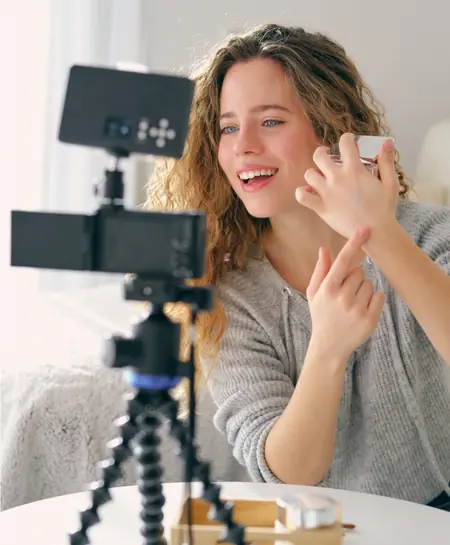
Lip-synced characters and trends in 9:16 with captions baked in. Pair with AI avatars for creator-style ads.

E-commerce teams
E-commerce teams
Product-in-hand demos where the label stays readable; one clip becomes listing, story, and short.
Storytellers & filmmakers
Storytellers & filmmakers
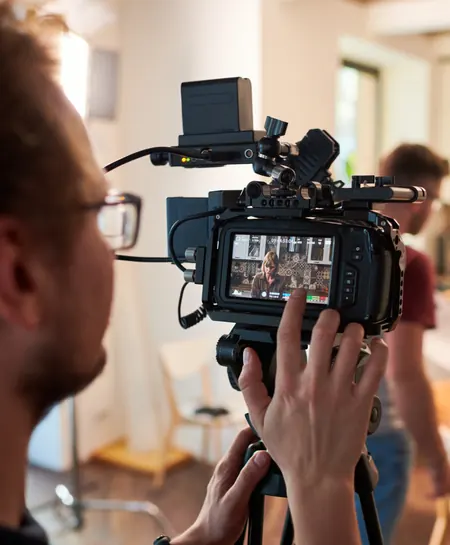
Storyboard six-shot sequences with consistent heroes; assemble longer cuts in the editor or the AI movie generator.

Agencies
Agencies
Every client, every style, one workspace: Kling for character work, Seedance for motion, templates for turnaround. One invoice, shared brand kits.
Real prompts, real Kling 3.0 outputs
Every clip below was generated with Kling 3.0 inside Renderforest. Copy any prompt and run it yourself.
“Photorealistic fluffy orange tabby kitten lying in bed, holding chips and watching a cartoon on a phone. Snacks scattered on cream duvet. Cozy night lighting, realistic fur, soft shadows, slight handheld shake, shallow DOF, vertical 3:4, no text/logos.”
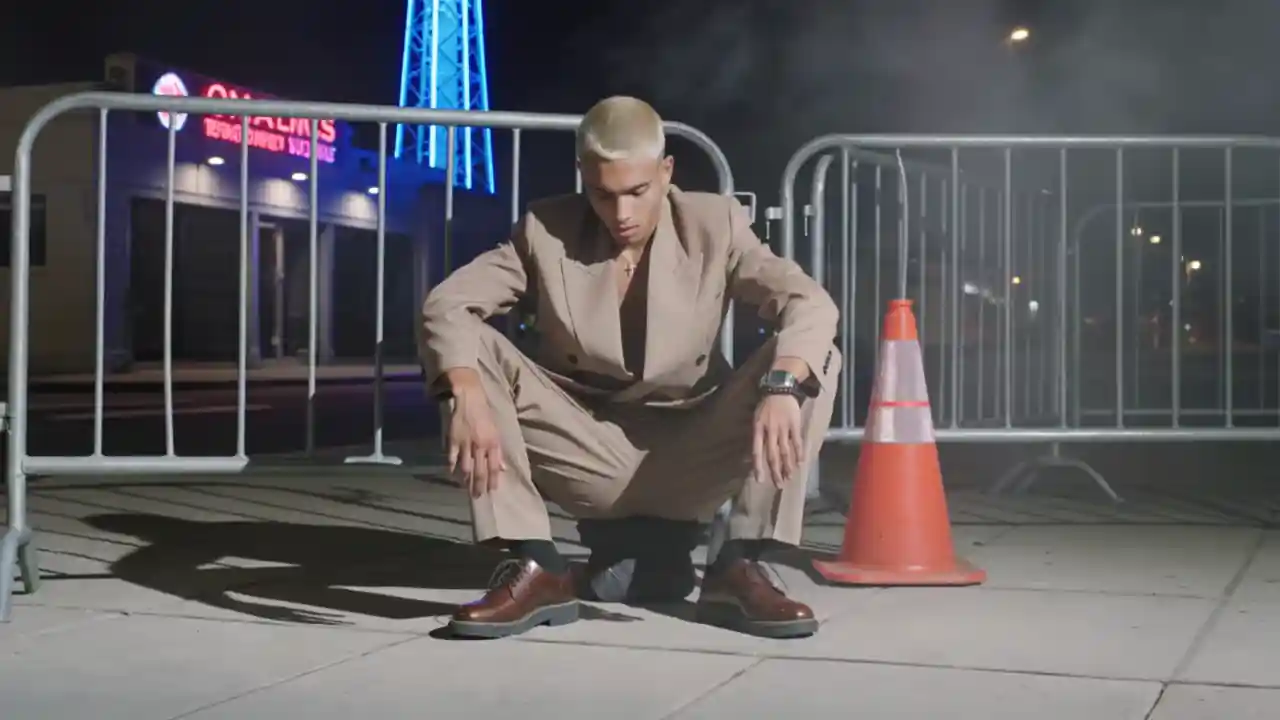
“Young man with bleached buzzcut crouches by a city barrier at night, wearing an oversized tan suit, silver cross, watch and bracelet. Neon blue/magenta street, haze, tower behind. Flash-lit editorial fashion, film grain, slow push-in, shallow DOF. 9:16, no text/logos.”
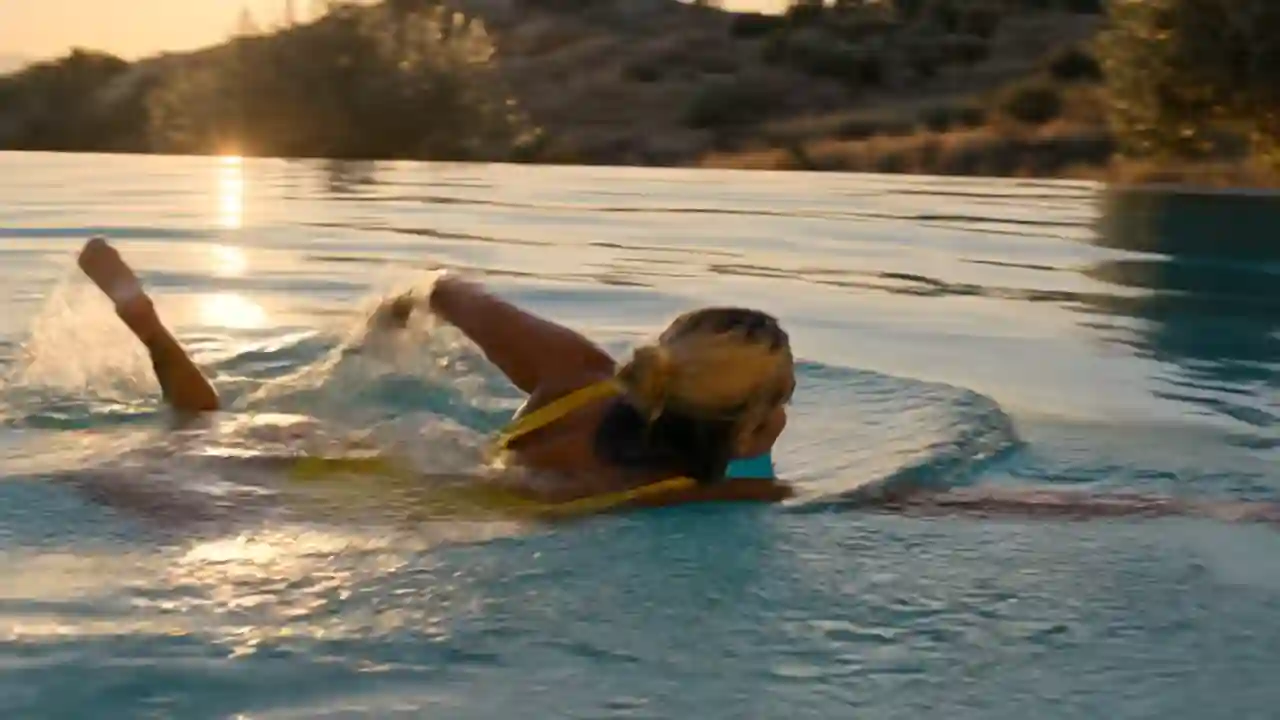
“Young woman swims through a stone infinity pool at golden hour, reaches the edge, tosses wet blonde hair back and laughs. Warm backlight, sparkling water, handheld water-level tracking, photorealistic travel film look, shallow DOF, 16:9.”
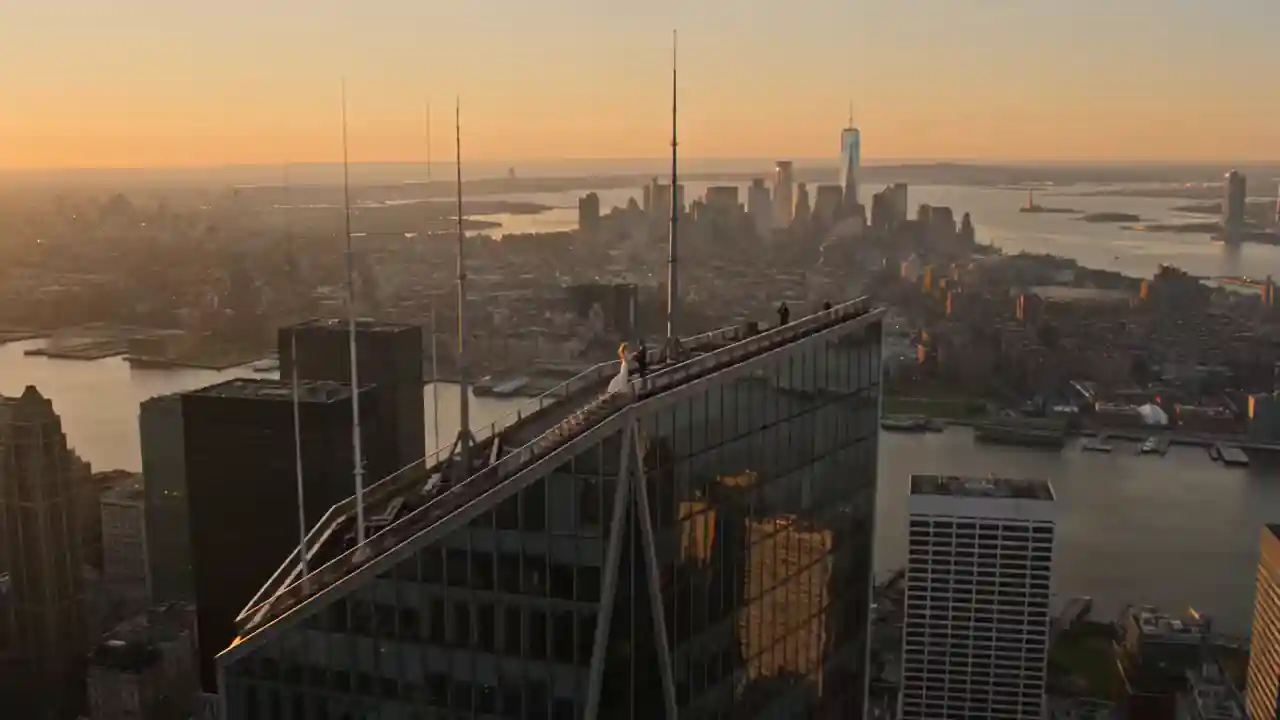
“Using [IMAGE 1] woman and [IMAGE 2] man, a drone glides toward them on a skyscraper at golden hour. He kneels with a ring; she covers her mouth in shock. The drone smoothly orbits them, revealing the glowing skyline. Photorealistic, emotional, one take.”
“Chrome-white female humanoid robot dances in a reflective white studio: sharp chest hits, fluid arm waves, hip roll, controlled spin, then a confident point at camera. Mechanical locks blend with liquid motion, glowing eyes, polished reflections, subtle push-in. 8s.”
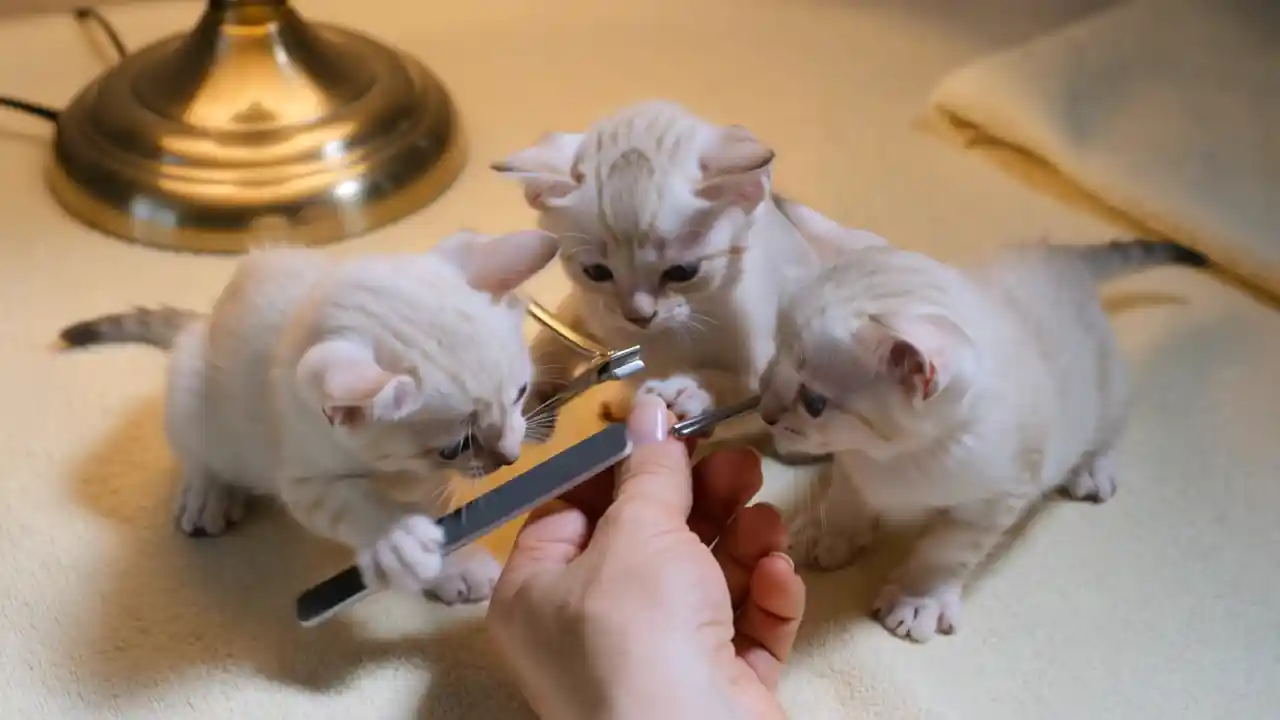
“Three tiny white kittens work as adorable manicurists on a cream towel. One files a thumb, another clips the nail, and the third pushes back the cuticle. They finish by looking at camera and patting the thumb. Warm cozy light, overhead shot, cute realistic motion.”


Kling 3.0, explained properly
What is Kling 3.0?
Kling 3.0 is the flagship AI video model family from Kuaishou Technology, announced February 5, 2026 — including Video 3.0 and the reference-driven Video 3.0 Omni. It generates 3–15 seconds of multi-shot video with native audio: lip-synced speech in English, Chinese, Japanese, Korean, and Spanish (plus accents and dialects), sound effects, and singing. Its “AI Director” ability plans multi-scene sequences — shot-reverse-shot dialogue, cross-cutting, voice-over — while Elements referencing keeps characters' faces, outfits, and voices consistent across shots. Since launching Kling in June 2024, Kuaishou reports 60M+ creators and 600M+ videos generated.
Is Kling AI free — really?
The official app's free tier gives about 66 credits per day — roughly six 5-second videos — every one watermarked, with credits resetting daily and not rolling over. Paid membership removes the watermark, but users consistently report the credit model punishing iteration: professional-mode clips cost several times more, failed generations still burn credits, and unused credits expire. That's the trade Renderforest removes: a flat subscription, watermark-free paid exports, and no daily meter — so you can iterate until the take is right.
Kling 3.0 vs Seedance 2.5: stop choosing
The two best-known video models of 2026 have distinct personalities. Kling 3.0 is the structured director — storyboard control, character binding, multilingual dialogue. ByteDance's Seedance 2.5 is the natural performer — fluid motion, 50-file multimodal references, one-prompt multi-shot scenes. Every serious comparison lands in the same place: use both, per shot. In Renderforest that's literal — run one prompt through both models in the same workspace and keep the better take, under one subscription.
Prompting Kling 3.0 like a director
Structure beats poetry. Specify each shot (“Shot 1, 4 s, wide: …”), name the camera move (push-in, tracking, rack focus), write the actual dialogue in quotes and assign it to a named character, and state the audio you want (“street ambience, no music”). Use reference images for anything that must stay consistent — faces, products, wardrobe. If dialogue matters, keep clips at 10–15 seconds so speech doesn't rush; if motion matters, give physics something to do — cloth, liquid, weight shifts are where Kling shows off.
What creators say about Renderforest
Pick your pace — Kling and the full studio come standard.
Kling AI — frequently asked
Is Kling AI free to use?
The official Kling app has a free tier of about 66 credits per day — enough for roughly six 5-second videos, all watermarked, with credits expiring daily. On Renderforest, Kling 3.0 is available on paid plans — a flat subscription with watermark-free exports instead of credit math. Free generation on Renderforest runs on our own Renderforest Fast model.
How do I get Kling videos without a watermark?
Watermark-free Kling output requires a paid tier everywhere — the official app includes it from its Standard membership, though downloads default to watermarked until you toggle it per export. On Renderforest paid plans, every export is watermark-free with a commercial license, no toggle hunting.
How long can Kling 3.0 videos be?
A single generation runs 3 to 15 seconds and can contain up to six distinct shots with transitions handled by the model. For longer videos, sequence multiple generations on the Renderforest timeline — the editor is built for exactly that.
What languages does Kling 3.0 speak?
Native audio supports English, Chinese, Japanese, Korean, and Spanish, including regional accents and Chinese dialects. Multi-character scenes can mix languages — one character answering in English while another speaks Spanish — with lip-sync handled by the model.
What is Kling 3.0 Omni?
Omni (O3) is the reference-heavy variant. Upload images or a 3–8 second video of a character and it extracts their appearance and voice, keeping them consistent across new scenes; it also adds multi-shot storyboarding where you set each shot's duration, size, perspective, and camera move. Standard Video 3.0 (V3) is the prompt-first cinematic variant.
Is Renderforest the official Kling AI?
No — and we're clear about that. Kling is made by Kuaishou Technology; the official app is klingai.com. Renderforest hosts Kling 3.0 through licensed API access and wraps it in a full production workspace. You choose us for the pricing model and the pipeline, not because we pretend to be Kuaishou.
Why is Kling AI so slow on the official app?
Peak-hour queues are the most common community complaint — generations reportedly stretching to 15 minutes, with some failing and still consuming credits. Hosted API capacity is one reason platforms like ours exist; your generations run without fighting the consumer app's queue.
Can I use Kling 3.0 videos commercially?
Yes. On Renderforest paid plans, exports carry a commercial license and no watermark — and because subtitles, music, and brand assets come from our licensed libraries, the entire finished video is safe for ads and client work.
Is Kling AI safe to use?
The model itself is developed by a publicly listed company, but read terms carefully: the official app's ToS grants Kuaishou a broad license over content you upload there. When you generate through Renderforest, your projects live in your workspace under our privacy terms — a meaningful difference for brand and client material.
Kling 3.0 vs Veo vs Seedance — which should I use?
Kling leads structured multi-shot direction and character consistency; Seedance 2.5 leads natural motion and multimodal references; Veo remains strong for prompt fidelity in Google's ecosystem. There's no universal winner — which is the argument for a workspace where switching models costs a click, not a new subscription.
Stop rationing your creativity in 66-credit days.
Generate with Kling 3.0, compare against Seedance 2.5, and export a finished, branded, watermark-free video. One subscription covers every model we host — plus the editor, 1200+ templates, brand kit, licensed music, and publishing. No credit packs, no daily resets.
Try Kling 3.0- 40M+ creators since 2013
- Flat subscription, no credit packs
- Commercial license on paid plans