AI
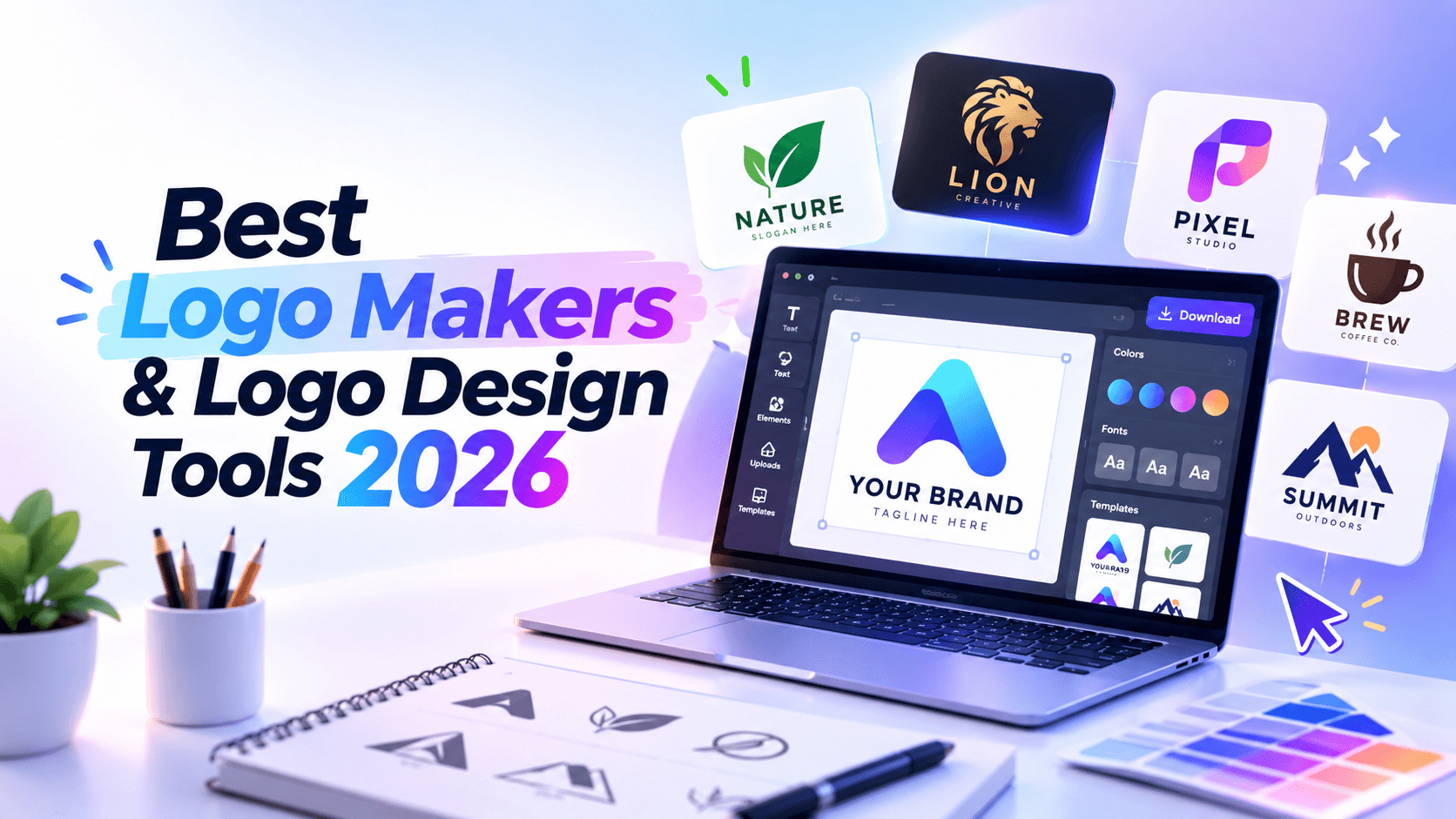
The best logo maker in 2026 depends on what you need after the logo is created.
If you need a quick starter mark, a free online logo maker may be enough. If you need a logo plus social posts, mockups, videos, and website assets, you need a broader brand workflow. If you need a trademark-sensitive identity or custom typography, you may need professional logo design software or a designer.
This guide compares the best logo makers and logo design tools by real use case, not just template count. We look at AI logo generators, online logo makers, brand kit platforms, beginner-friendly design tools, and professional vector software so you can choose the right tool before spending time or money.
Pricing and product details were checked on May 28, 2026. Software plans, export limits, and promotions change often, so confirm the latest details on each official pricing page before buying.
For most small businesses, the best logo maker is the one that gives you a usable logo file and helps you apply it across real brand materials. Renderforest is best if you want a logo plus branded videos, mockups, websites, and other creative assets in one workflow. Canva is best for ongoing social and marketing design. Looka is best for AI-generated logo and brand kit packaging. Adobe Illustrator is best for professional custom logo design.
Logo tools solve different problems. A founder creating a first logo for a side project does not need the same tool as a designer building a full identity system.
For this guide, we evaluated tools using a practical small-business scenario:
Test scenario: A neighborhood coffee brand called Hollow Street needs a logo that avoids cups, beans, steam, and generic script fonts. The business needs a horizontal logo, icon-only version, transparent PNG, ideally SVG/vector, social profile image, website header version, and branded marketing assets.
We then judged each tool by six criteria.
That last point matters. A logo is not only a file. It has to work on a website, social profile, pitch deck, invoice, package, video intro, storefront, or app icon.
Before comparing tools, it helps to separate the categories.
A logo maker is enough when you need a clean, usable brand mark quickly. Professional software or a designer is better when originality, trademark risk, custom typography, and long-term brand consistency matter.
Use this before paying for any logo maker.
A cheap logo package is not useful if it only gives you a low-resolution image. A beautiful AI-generated logo is not enough if you cannot export the right files. A free logo is not really free if the files you need are locked behind a plan.
Best for: Small businesses, creators, freelancers, YouTubers, educators, and teams that need a logo plus branded content.
Renderforest is strongest when the logo is only the beginning. Its Logo Maker lets you choose a logo template, customize the design, and create a logo directly in the browser. Renderforest says the Logo Maker is free to use, with standard-resolution downloads available at no cost. Source: Renderforest Logo Maker.
Renderforest also offers an AI Logo Generator, where you describe your logo idea, pick a style, and generate logo options that match the direction. Source: Renderforest AI Logo Generator.
The practical advantage is what happens after the logo. Renderforest is also built for mockups, videos, intro animations, websites, and branded design assets. If a small business needs a logo today and a promo video, website, product mockup, or social creative tomorrow, keeping that workflow in one platform can save time.
Pricing notes: Renderforest has free logo creation and standard-resolution logo downloads through the Logo Maker. Higher-quality assets, SVG files, premium logos, and broader creative features depend on subscription tiers. Source: Renderforest Subscription Plans.
Pros:
Cons:
Choose Renderforest if: you want a logo maker that connects naturally to the rest of your brand launch materials.
Do not choose it if: you only need advanced vector editing or custom typography control.
Best for: Businesses already building their website on Wix.
Wix Logo Maker is a guided logo creation tool connected to the Wix ecosystem. Wix explains that after creating a logo, users can purchase a logo plan to download and use it on a site and in marketing materials. Some plans include only logo files, while others include a branded site and access to Logo Maker tools. Source: Wix Logo Maker Plans.
The main reason to choose Wix Logo Maker is convenience. If your website, domain, and business presence will live on Wix, creating the logo there can make the launch workflow simpler.
Pricing notes: Wix Logo Maker uses logo plans and logo-plus-website bundles. Wix also offers Brand Kit access on supported plans, including post-download edits and additional file types. Source: Wix Logo Maker Plans.
Pros:
Cons:
Choose Wix Logo Maker if: you are building your site on Wix and want logo creation inside the same ecosystem.
Do not choose it if: you need a platform-neutral logo workflow with broader video, mockup, or non-Wix branding assets.
Best for: Free starter logos and lightweight brand assets.
LOGO.com is useful when cost is the main constraint and you need a logo quickly. Its logo plan page describes logo files, brand kit, design templates, and branded marketing designs that can be prepared for launch. Source: LOGO.com Plans & Pricing.
This is a practical choice for side projects, early tests, simple service businesses, or founders who need a working logo before investing in a full brand system.
Pricing notes: LOGO.com offers a logo creation workflow with paid brand plan options for expanded files and marketing assets. Confirm current free and paid plan details on the official plan page before relying on exports. Source: LOGO.com Plans & Pricing.
Pros:
Cons:
Choose LOGO.com if: you need a fast, simple starter logo with a low barrier to entry.
Do not choose it if: you need a highly original identity or advanced design control.
Best for: Very simple logos, temporary branding, and Squarespace website users.
Squarespace Logo Maker is clean and minimal. The official page describes it as a free logo maker with unlimited designs, easy customization, and instant download. Source: Squarespace Logo Maker.
The tool is best for quick starter logos, site logos, and simple favicon use. It is not the strongest option for a distinctive brand identity.
There is also a licensing detail to know. Squarespace says its logo icons come from The Noun Project and that each logo has its own usage terms. Users should review the licensing agreement before using a logo outside Squarespace. Source: Squarespace Logo Maker.
Pricing notes: The logo maker is free, while Squarespace website plans are separate. Source: Squarespace Pricing.
Pros:
Cons:
Choose Squarespace Logo Maker if: you need a simple website logo fast.
Do not choose it if: you need deep customization, exclusive artwork, or a full brand system.
Best for: AI-generated logo directions plus paid brand kits.
Looka is one of the most specialized AI logo maker options. Users generate logo directions, edit a selected design, and purchase logo or brand packages. Looka’s pricing page says it offers Basic, Premium, and Enterprise logo packages, plus add-ons. Source: Looka Pricing.
Looka is especially useful for founders who want to move from “I need a logo” to “I need a set of brand files and visual assets.” The brand kit workflow is the main appeal.
Pricing notes: Looka lets users generate logo ideas before purchasing, but usable downloads and brand files typically require a paid package. Confirm current pricing and package details on the official page. Source: Looka Pricing.
Pros:
Cons:
Choose Looka if: your main goal is an AI-generated logo plus brand kit package.
Do not choose it if: you want an all-in-one creative platform beyond logo and brand files.
Best for: One-time AI logo concept packages.
Brandmark is a focused AI logo generator. Its pricing page says users can generate unlimited logos for free before choosing a package, and it highlights full copyright for commercial and personal projects plus unlimited revisions. Source: Brandmark Pricing.
This is useful if you want to explore AI-generated logo concepts and buy a package only after finding a direction you like.
Pricing notes: Brandmark uses paid packages. Check the official pricing page for current package details before purchase. Source: Brandmark Pricing.
Pros:
Cons:
Choose Brandmark if: you want a focused AI logo concept workflow with package-based downloads.
Do not choose it if: you need a broad brand content workspace.
Best for: Founders who want business formation and branding tools together.
Tailor Brands is now more than a logo maker. Its pricing page focuses on LLC and business products, with subscription options for business setup and related services. Source: Tailor Brands Pricing.
This makes Tailor Brands different from most logo tools. It is better understood as a business launch platform that includes branding, rather than a pure logo design tool.
Pricing notes: Tailor Brands pricing depends on LLC services, business products, subscriptions, and add-ons. Review the plan details carefully before buying, especially if you only need a logo. Source: Tailor Brands Pricing.
Pros:
Cons:
Choose Tailor Brands if: you are forming a business and want branding as part of a broader launch package.
Do not choose it if: you only need a standalone logo maker.
Best for: Broad template exploration and fast logo ideas.
Design.com offers logo creation, AI-supported design workflows, and broader branding assets. Its website positions the logo maker around customizable fonts, colors, and layouts. Source: Design.com.
The main appeal is volume. If you want to see many logo directions quickly, Design.com can be useful for early-stage exploration.
Pricing notes: Design.com pricing and package details can vary depending on product, offer, and region. Confirm current download and brand asset pricing directly before purchase. Source: Design.com.
Pros:
Cons:
Choose Design.com if: you want a large pool of fast logo directions.
Do not choose it if: you need a carefully custom-built identity.
Best for: AI-assisted logo creation connected to designer-made concepts.
Fiverr Logo Maker is different from many AI tools because it is connected to Fiverr’s designer marketplace. Fiverr says users can explore unlimited logo designs for free and then choose a branding package. The Essential package is listed at US$30 and includes high-quality PNG logos for digital use. Source: Fiverr Logo Maker Pricing.
The advantage is a middle path: faster than hiring a designer from scratch, but more designer-connected than a fully generic generator.
Pricing notes: Fiverr Logo Maker uses paid branding packages. Check the official pricing page for the current package details and export options. Source: Fiverr Logo Maker Pricing.
Pros:
Cons:
Choose Fiverr Logo Maker if: you want speed but prefer a workflow connected to human designers.
Do not choose it if: you need full custom strategy and original identity development.
Best for: Marketers, creators, solopreneurs, and teams that need logos plus ongoing content.
Canva is not only a logo maker. It is a general design platform with a strong template library and easy editing. Its logo maker lets users create custom logos from templates, while its broader platform supports social posts, presentations, videos, ads, and brand content. Source: Canva Logo Maker.
Canva’s strength is everyday use. If you will keep creating Instagram posts, YouTube thumbnails, ads, flyers, pitch decks, and social graphics, Canva can be more useful than a logo-only tool.
Pricing notes: Canva has Free, Pro, Business, and Enterprise options. The official pricing page compares features across plans. Source: Canva Pricing.
Licensing note: Canva allows many designs to be used commercially, but template and stock-element use can affect exclusivity and trademark suitability. Canva has separate guidance on commercial use and licensing. Source: Canva Commercial Use Help.
Pros:
Cons:
Choose Canva if: your logo is part of a constant marketing content workflow.
Do not choose it if: you need custom vector construction or a highly original logo system.
Best for: Adobe users and small businesses that want simple logo creation plus brand content.
Adobe Express offers both a free logo maker and an AI logo generator. Adobe describes the AI logo generator as a tool that generates logo options using generative credits. Sources: Adobe Express Logo Maker and Adobe Express AI Logo Generator.
Adobe Express is a good middle ground. It is easier than Illustrator, but more connected to Adobe’s ecosystem than a standalone logo generator.
Pricing notes: Adobe Express has Free and Premium options, with Adobe’s pricing page comparing plan features. Source: Adobe Express Pricing.
Pros:
Cons:
Choose Adobe Express if: you want simple logo creation inside the Adobe ecosystem.
Do not choose it if: you need full professional vector control.
Best for: Professional designers and businesses that need custom, production-ready logo systems.
Adobe Illustrator is not a logo maker. It is professional vector design software. That distinction matters.
Logo makers help you generate or assemble a logo quickly. Illustrator lets a designer build the logo precisely: custom lettering, exact geometry, scalable vector paths, print-ready exports, and full production control.
Adobe’s Illustrator page lists membership plans and pricing options for the software. Source: Adobe Illustrator Pricing.
Pricing notes: Illustrator is subscription-based through Adobe. Confirm current pricing and plan details on the official page before subscribing. Source: Adobe Illustrator Pricing.
Pros:
Cons:
Choose Illustrator if: originality, precision, and production-ready files matter more than speed.
Do not choose it if: you want a guided logo generator.
Best for: Professional creative work without starting with Adobe pricing.
Affinity has changed significantly. The official Affinity site now describes the software as professional creative software that is “free forever.” Source: Affinity.
For logo design, Affinity matters because it gives users professional creative tools, including vector, photo, and layout capabilities, without the same barrier as a paid Adobe subscription. It is not a guided logo maker, so it still requires design skill.
Pricing notes: Affinity’s official site positions the software as free forever. Confirm current terms on the official page before adopting it for a team workflow. Source: Affinity.
Pros:
Cons:
Choose Affinity if: you want professional design control without starting in Adobe.
Do not choose it if: you need a guided logo maker that generates options for you.
Best for: Free open-source vector editing.
Inkscape is a free and open-source vector graphics editor. The official release page lists Inkscape 1.4.4, released May 6, 2026, for GNU/Linux, Windows, and macOS. Source: Inkscape Download.
For logo design, Inkscape is most useful after you already have a direction. You can use it to clean up shapes, edit paths, create SVG files, and build a scalable logo.
Pricing notes: Inkscape is free and open source. Source: Inkscape.
Pros:
Cons:
Choose Inkscape if: you want free vector editing and are willing to learn the tool.
Do not choose it if: you need instant logo options with minimal effort.
Best for: Teams documenting and sharing brand systems.
Figma is not a dedicated logo maker, but it belongs in this comparison because many teams use it to organize logo variations, color styles, components, UI assets, and brand usage rules. Figma’s pricing page lists free and paid plans for teams and organizations. Source: Figma Pricing.
Figma is strongest after the logo exists. It can help teams keep brand assets organized and accessible across design, marketing, product, and development workflows.
Pricing notes: Figma has free and paid plans. Confirm the latest team and seat pricing on the official page. Source: Figma Pricing.
Pros:
Cons:
Choose Figma if: you need to turn a logo into a shared brand system.
Do not choose it if: you are trying to generate your first logo quickly.
Use this table if you are still unsure.
The biggest logo maker mistakes happen after the design looks good. Before you pay, check what you actually get.
Some logo makers let you create designs for free but charge for high-resolution downloads, vector files, transparent backgrounds, or commercial-use packages.
Before investing time in a design, check whether the final files you need are included.
If you plan to use the logo on signage, packaging, apparel, print materials, or high-resolution layouts, you usually want a vector file such as SVG, EPS, or PDF.
A low-resolution PNG may be fine for a temporary profile picture. It is not enough for a serious business identity.
A logo with a white background can look awkward on websites, thumbnails, packaging, and videos. Make sure transparent background files are included.
Some platforms sell brand kits, business tools, websites, or subscriptions around the logo. That can be useful, but check whether the plan renews monthly or annually.
A logo made from templates or stock elements can still be useful, but it may not be unique. That matters if you want to trademark the logo or build a serious brand around it.
Some tools let you keep editing after purchase. Others restrict edits after download or require a specific plan. Check this before finalizing your design.
Sometimes, but not automatically.
The issue is not simply that the logo came from a logo maker. The issue is whether the logo is distinctive enough, whether it uses stock or template elements, and whether it is too similar to an existing mark in a related category.
The USPTO says likelihood of confusion is the most common reason for refusing registration, and that marks do not need to be identical to be confusingly similar. They can be similar in sound, appearance, meaning, or commercial impression. Source: USPTO: Likelihood of confusion.
For a serious business, run a clearance search before investing in packaging, ads, signage, or a trademark application. A logo maker can help you create artwork. It cannot guarantee that the logo is legally safe or ownable.
A good logo package should include more than one image.
If a tool only gives you one PNG, treat that as a starter file, not a full logo system.
A logo maker is usually enough when:
For many creators, local businesses, freelancers, and early-stage founders, this is a reasonable path. The goal is not perfection. The goal is a usable visual identity that can support your first website, social profiles, proposals, packaging, videos, or ads.
Use professional logo design software or hire a designer when:
Logo makers are useful because they help you move fast. They are not a substitute for strategy, originality, and design judgment when the business stakes are high.
The best logo maker depends on your use case. Renderforest is best for small businesses that need a logo plus branded content, Canva is best for ongoing social design, Looka is strong for AI logo and brand kits, and Adobe Illustrator is best for professional custom logo design.
For free starter logos, consider Renderforest, Canva, Adobe Express, LOGO.com, and Squarespace Logo Maker. The best option depends on whether you need only a basic logo or also want editable templates, brand assets, transparent files, or broader marketing materials.
Looka, Renderforest AI Logo Generator, Brandmark, Wix Logo Maker, and Design.com are strong AI logo maker options. Looka is especially focused on AI logo and brand kit generation, while Renderforest is useful if you want the logo to connect with videos, mockups, websites, and other brand assets.
Adobe Illustrator is the strongest professional choice for custom logo design because it offers precise vector control, typography tools, and production workflows. Affinity and Inkscape are strong alternatives for people who want free or lower-cost vector editing options.
Yes. Tools like Renderforest, Canva, Adobe Express, Looka, Wix Logo Maker, LOGO.com, and Squarespace Logo Maker are built for non-designers. You still need to make good choices about simplicity, readability, colors, file formats, and originality.
Some are free for design and basic downloads. Others let you create the logo for free but charge for high-resolution files, vector formats, transparent backgrounds, commercial-use downloads, or brand kits. Always check export limits before spending time on a design.
Maybe, but a logo maker cannot guarantee trademark eligibility. Shared templates, stock icons, common symbols, and similar existing marks can create issues. If the brand matters, search similar marks and ask a trademark attorney before filing or investing heavily.
Use an AI logo maker when you need fast options, a low-cost starting point, or early brand exploration. Hire a designer when originality, trademark risk, custom typography, and long-term brand strategy matter.
Look for transparent PNG, SVG/vector files, black-and-white versions, white versions, icon-only files, horizontal and vertical layouts, and social media sizes. For print, packaging, signage, or apparel, vector files are especially important.
Renderforest, Canva, Looka, Wix Logo Maker, and LOGO.com are practical options for small businesses. Renderforest is stronger if you also need branded videos, mockups, websites, or marketing assets. Canva is stronger if you will keep creating social and marketing designs.
The best logo maker is the one that fits the job after the logo is created.
If you only need a quick starter mark, a free or low-cost logo maker may be enough. If you need a brand kit, choose a tool that gives you usable exports and variations. If you need content every week, choose a design platform. If you need a serious identity system, use professional software or hire a designer.
A logo tool can help you move faster. The final decision still needs human judgment: does the logo look specific, readable, scalable, and different enough to represent the business?
Share this


Article by: Liana Ziroyan
Liana is a marketing professional with 11 years of experience in digital marketing, content, and product communication. She has a strong eye for visual storytelling and loves turning ideas into engaging campaigns that connect with audiences. With her experience across branding, creative content, and user-focused messaging, Liana enjoys finding simple, effective ways to make products feel clear, useful, and exciting.
Read all posts by Liana Ziroyan