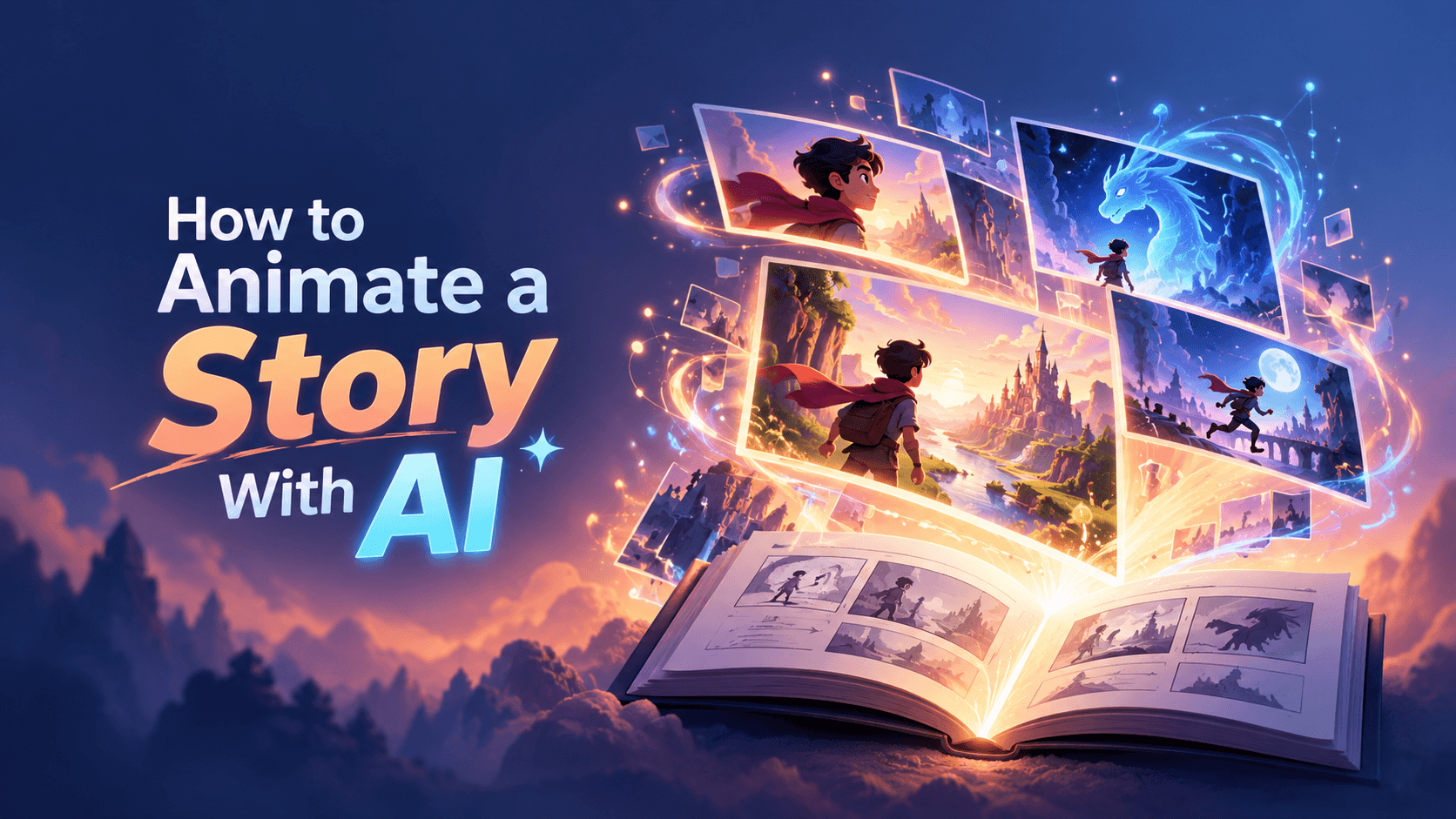
AI can animate scenes. It cannot create meaning unless the story has a spine.
That is the first rule of storytelling with AI. A generated shot can look cinematic, colorful, or technically impressive, but if the character wants nothing, faces no conflict, and changes in no meaningful way, the animation will feel empty. A beautiful clip is not a story. It is only a moment.
This guide shows you how to animate a story with AI from start to finish: build the story spine, define the character, create visible conflict, plan the emotional arc, write the script, storyboard the scenes, generate prompts, lock continuity, add narration and sound, edit for pacing, and export the right version for each platform.
The goal is not to create random AI scenes. The goal is to turn an idea into a story people can follow, feel, and remember.
Quick answer: how do you animate a story with AI?
To animate a story with AI, start with a clear story spine, define the main character and conflict, write a short scene-by-scene script, turn the script into a storyboard, generate visuals with consistent prompts, add narration, captions, music, and sound, then edit the animation so every scene moves the story forward.
| Step |
What to do |
Why it matters |
| 1 |
Write the story spine |
AI needs a clear story idea before it can create useful scenes |
| 2 |
Choose the main character |
Viewers follow people, not abstract concepts |
| 3 |
Create visible conflict |
A story needs something to push against |
| 4 |
Plan the emotional arc |
The viewer should feel movement from beginning to end |
| 5 |
Write the short script |
The script controls the story, pace, and narration |
| 6 |
Break the script into scenes |
Scene-level direction creates better AI output |
| 7 |
Choose the animation style |
Style affects tone, clarity, and emotional impact |
| 8 |
Generate scenes with controlled prompts |
AI needs action, mood, composition, and continuity rules |
| 9 |
Add voice, captions, music, and sound |
Sound carries emotion and clarity |
| 10 |
Edit for story pacing |
The final animation should not feel like disconnected clips |
| 11 |
Review and export |
The story must be coherent, rights-safe, and platform-ready |
The best AI story animation starts with the story spine, not the visual style.
Start with the story spine
Before using an AI animation tool, write the story in one sentence.
Use this formula:
A [character] wants [goal], but [conflict], so they must [action], and by the end they [change/result].
This sentence is the spine of the animation. It tells you who the story follows, what they want, what blocks them, what they do, and what changes.
| Weak idea |
Strong story spine |
| A video about our brand |
A founder wants to launch faster, but video production is too expensive, so she uses AI to turn one idea into a short animated story. |
| A story about productivity |
A freelancer wants to finish a client video, but her ideas are scattered, so she turns one message into a clear storyboard. |
| A nonprofit impact video |
A donor wants to understand the impact, but the work feels distant, so the story follows one person helped by the program. |
| An educational animation about AI |
A student wants to understand how AI animation works, but the process feels technical, so a visual journey turns each step into a simple scene. |
| A product story |
A small business owner wants to explain her service, but a static landing page feels flat, so she uses animation to show the customer journey. |
This is the difference between a story and a topic.
A topic says: “AI storytelling.”
A story says: “A creator stuck with a blank timeline learns how to turn one rough idea into a short animated story using AI.”
The second version gives the animation something to show.
Story vs montage: the difference AI often misses
AI is good at making scenes. It is not automatically good at connecting them.
That is why many AI-generated story videos become montages. They show related visuals, but the viewer does not feel a beginning, middle, or end.
| Montage |
Story |
| Shows related visuals |
Shows cause and effect |
| Has no clear character |
Follows someone or something |
| Looks nice but feels empty |
Builds toward a change |
| Can be watched in any order |
Needs sequence to make sense |
| Often starts with style |
Starts with goal and conflict |
| Uses mood as a substitute for meaning |
Uses emotion to support the structure |
| Ends with a generic message |
Ends with a result or takeaway |
If the scenes can play in any order, you do not have a story yet. You have a collection of clips.
A story needs sequence. One moment should make the next moment necessary.
What AI should and should not decide
AI can help produce the story, but it should not own the story.
| AI is good at |
AI struggles with |
| Generating visual options |
Knowing which moment matters emotionally |
| Creating background variations |
Maintaining story causality |
| Drafting narration |
Understanding brand truth |
| Suggesting shot ideas |
Preserving character continuity |
| Producing scene drafts quickly |
Knowing what to cut |
| Creating style variations |
Making the ending feel earned |
| Expanding rough ideas |
Choosing the strongest human detail |
Use AI as a production partner, not as the storyteller.
| Let AI help with |
Do not let AI decide |
| Scene ideas |
The emotional point of the story |
| Script drafts |
The core message |
| Visual style options |
Brand or character identity |
| Backgrounds and environments |
What the character wants |
| Character pose variations |
Whether the moment matters |
| Voiceover drafts |
Final tone and claims |
| Shot suggestions |
The story structure |
| Music mood ideas |
Rights and final sound direction |
| Caption drafts |
Accessibility and final wording |
| Export suggestions |
Where the story should live |
The human job is to decide what changes, why it matters, and what the viewer should feel. AI helps create the pieces faster.
Choose the type of story you are animating
Not every animated story needs the same structure. A founder story, children’s story, product story, customer story, and social media story all move differently.
| Story type |
Best for |
Best structure |
| Brand story |
Showing mission, origin, values, or transformation |
Before → challenge → choice → result |
| Product story |
Showing how a product changes a user’s situation |
Problem → discovery → use → outcome |
| Customer story |
Case studies, testimonials, success stories |
Character → pain point → solution → proof |
| Educational story |
Teaching concepts through narrative |
Question → journey → explanation → takeaway |
| Social media story |
Short emotional or entertaining clips |
Hook → tension → twist → payoff |
| Children’s story |
Simple characters and moral lessons |
Character → problem → adventure → lesson |
| Nonprofit story |
Showing human impact |
Person → need → help → change |
| Training story |
Scenario-based learning |
Situation → mistake → correction → lesson |
| Pitch story |
Startup, product, or campaign presentation |
Problem → opportunity → solution → future |
Do not start with “make a cinematic animation.” Start with “what kind of story is this?”
The AI storytelling animation workflow
Here is the full workflow in one view.
| Phase |
Human decision |
AI can help with |
Deliverable |
| Premise |
What is the story about? |
Simplifying and angle options |
One-sentence story spine |
| Character |
Who do we follow? |
Character ideas, traits, visual directions |
Character profile |
| Conflict |
What makes the story move? |
Tension options and obstacle ideas |
Core conflict |
| Arc |
What changes by the end? |
Beat suggestions |
Beginning-middle-end outline |
| Script |
What is said or shown? |
Drafting narration and dialogue |
Short script |
| Storyboard |
What happens scene by scene? |
Scene ideas and shot prompts |
Scene table |
| Style |
How should the story feel? |
Visual style directions |
Style guide |
| Generation |
What assets or scenes are needed? |
Characters, backgrounds, shots, motion |
Scene drafts |
| Voice/sound |
How should it sound? |
Voiceover draft, music mood, sound ideas |
Audio plan |
| Edit |
What stays, moves, or gets cut? |
Pacing and sequence suggestions |
Final timeline |
| Review |
Does it make sense and feel consistent? |
Continuity and grammar checks |
Approval checklist |
| Export |
Where will it be watched? |
Format suggestions |
Channel versions |
Once the story spine, scene plan, and style rules are clear, a guided tool like Renderforest’s AI Animation Generator can help turn text into animated scenes without building the whole production manually: Renderforest AI Animation Generator.
Renderforest’s AI Video Generator can also help creators turn scripts, text prompts, and images into videos in one workflow: Renderforest AI Video Generator.
The tool helps with production. The story still needs human direction.
Step 1: Define the premise
A premise is the simplest version of the story.
It should answer five questions.
| Premise element |
Question |
Example |
| Character |
Who is the story about? |
A small business owner |
| Want |
What do they want? |
To launch a product video |
| Obstacle |
What gets in the way? |
No budget for animation |
| Action |
What do they try? |
Turning a script into AI-generated scenes |
| Change |
What is different by the end? |
She has a clear animated story instead of a blank timeline |
Weak premise:
A video about AI storytelling.
Strong premise:
A creator stuck with a blank timeline learns how to turn one rough idea into a short animated story using AI.
The strong premise gives the animation a visible journey. It has a person, a problem, a decision, and a result.
Step 2: Build a character the viewer can follow
Storytelling works better when the viewer has someone to follow.
The character does not need to be complex. For short AI animations, a simple profile is enough.
| Character detail |
Example |
| Name |
Maya |
| Role |
Freelance designer |
| Goal |
Turn her client’s message into a short story |
| Frustration |
She has ideas but no animation skills |
| Visual identity |
Green sweater, short dark hair, simple 2D style |
| Emotional starting point |
Overwhelmed |
| Emotional ending point |
Confident |
| Symbol |
A blank timeline that slowly fills with scenes |
This helps with story clarity and AI visual consistency.
Without a character profile, AI may change the character’s age, clothing, face, hairstyle, or emotional state from scene to scene. The story will feel unstable even if individual clips look good.
Step 3: Create visible conflict
A story needs something to push against.
Conflict does not always mean drama, villains, or danger. For business, education, and marketing animation, conflict often means friction.
| Story context |
Possible conflict |
| Brand story |
The old way no longer works |
| Product story |
The user has a problem they cannot solve manually |
| Educational story |
The concept is hard to see or understand |
| Social story |
The character feels stuck, misunderstood, or rushed |
| Nonprofit story |
A real need is invisible until one person’s story shows it |
| Training story |
A common mistake creates consequences |
| Founder story |
The team sees a problem others ignore |
For AI storytelling, the conflict should be visual.
Weak conflict:
The process is inefficient.
Better conflict:
Maya drags sticky notes, screenshots, and script fragments into a messy timeline, but nothing connects.
Conflict does not have to be dramatic. It just has to be visible.
Step 4: Plan the emotional arc
A story animation should move emotionally, not just visually.
Use a simple arc.
| Story beat |
Emotional state |
Visual cue |
| Beginning |
Stuck, curious, confused, or frustrated |
Blank page, messy desk, dim color, slow movement |
| Middle |
Searching, testing, failing, learning |
Scene cards, experiments, changes, partial progress |
| Turning point |
Realization or decision |
One idea becomes clear, light/color shifts |
| End |
Confident, relieved, inspired, ready |
Finished timeline, brighter color, smoother motion |
For short AI animations, one emotional shift is enough.
| Start |
End |
| Confused |
Clear |
| Stuck |
Moving |
| Overwhelmed |
Organized |
| Invisible problem |
Visible solution |
| Lonely |
Supported |
| Unsure |
Ready |
If the story has no emotional movement, it will feel like a slideshow.
Step 5: Write the story script
A storytelling animation script does not need to explain everything. It needs to guide the viewer through change.
Use this structure for a 60–90 second AI animated story.
| Section |
Purpose |
Example |
| Opening image |
Show the current situation |
“Maya had a folder full of ideas and a timeline with nothing in it.” |
| Want |
Show what the character is trying to do |
“She needed to turn a client’s message into a short animated story.” |
| Obstacle |
Show what makes it hard |
“But every scene she imagined felt too expensive, too slow, or too complicated.” |
| Discovery |
Introduce the tool, method, or shift |
“So she started with one sentence instead of a blank timeline.” |
| Process |
Show the steps |
“She wrote the story spine, broke it into scenes, and generated the first visual draft.” |
| Turning point |
Show the moment of clarity |
“For the first time, the story had a beginning, a middle, and an ending.” |
| Result |
Show the outcome |
“The final animation did not just look good. It made the idea easy to follow.” |
| Takeaway |
Leave the viewer with one idea |
“AI helped with the scenes. The story came from the structure.” |
Story script formula
Use this formula:
[Character] wanted [goal], but [obstacle]. Instead of [old approach], they [new approach]. They started with [first step], then [second step], then [third step]. By the end, [result/change]. The lesson: [takeaway].
Example:
Maya wanted to create an animated story for a client, but every idea felt too big for the deadline. Instead of starting with visuals, she started with one sentence: a small business owner turns a rough message into a clear video. She built a character, mapped the conflict, and generated one scene at a time. By the end, the timeline was no longer a pile of clips. It was a story with a beginning, middle, and end. The lesson: AI can animate faster when the story has a spine.
This script gives AI direction and gives the viewer a reason to keep watching.
Step 6: Turn story beats into storyboard scenes
A storyboard is where the story becomes visual.
It does not need polished drawings. It needs scene purpose, action, and emotion.
| Scene |
Story beat |
Visual direction |
Emotion |
| 1 |
Opening image |
Maya sits at a desk with a blank video timeline |
Stuck |
| 2 |
Want |
She looks at a client brief: “Tell our story simply” |
Pressure |
| 3 |
Obstacle |
Ideas scatter as notes, icons, and unfinished sketches |
Overwhelmed |
| 4 |
Discovery |
One sentence appears on screen as the mess fades |
Focus |
| 5 |
Process |
The sentence breaks into three scene cards |
Progress |
| 6 |
Generation |
AI creates rough animated scenes from each card |
Momentum |
| 7 |
Turning point |
Maya rearranges the scenes into beginning, middle, end |
Clarity |
| 8 |
Result |
Finished animated story plays on a laptop and phone |
Confidence |
| 9 |
Takeaway |
Text: “Start with the story spine.” |
Resolution |
The storyboard prevents AI from creating beautiful but unrelated clips.
A good test: if you remove the voiceover, can someone still understand the basic story from the scene order?
Step 7: Choose style by emotional goal
Style should match the story’s emotional job.
| Emotional goal |
Best style |
Why |
| Warm and personal |
Hand-drawn or soft 2D |
Feels human and approachable |
| Clear and educational |
Flat 2D or whiteboard |
Keeps attention on the idea |
| Premium and cinematic |
3D or cinematic AI |
Builds atmosphere and polish |
| Fast and social |
Bold 2D or motion graphics |
Reads quickly on small screens |
| Abstract but memorable |
Motion graphics/metaphor |
Makes invisible ideas visible |
| Playful and character-led |
Cartoon animation |
Supports expression and humor |
| Systems/process focused |
Isometric animation |
Shows workflows clearly |
Do not choose a style only because it looks impressive. The wrong style can make a simple story harder to understand.
The best style is the one that makes the change easier to feel.
Step 8: Generate scenes with story-specific prompts
AI prompts for storytelling need more than a visual description. They need story function.
Weak prompt:
Make an animated scene of a woman at a desk.
Better prompt:
Create a clean 2D animated story scene. Maya, a freelance designer in a green sweater, sits at her desk looking at a blank video timeline. Sticky notes and rough sketches are scattered around her, showing that she feels overwhelmed. Use a soft blue and white color palette, simple rounded shapes, and gentle camera movement. The mood should feel stuck but not hopeless. Avoid photorealistic faces, cluttered tiny text, and changing her outfit.
Use this story beat-to-prompt framework.
| Story beat |
Prompt focus |
| Opening image |
Show the situation clearly |
| Want |
Show what the character is trying to get |
| Obstacle |
Make the friction visible |
| Discovery |
Show the first shift or new idea |
| Process |
Show cause and effect |
| Turning point |
Show realization or decision |
| Result |
Show what changed |
| Takeaway |
Leave one memorable image or line |
Then build each prompt with these parts.
| Prompt part |
What to include |
Example |
| Story beat |
Why the scene exists |
Opening image: the character feels stuck |
| Character |
Who appears |
Maya, freelance designer, green sweater |
| Goal or emotion |
What the viewer should feel |
Overwhelmed but still trying |
| Action |
What happens |
Looking at a blank timeline |
| Environment |
Where it happens |
Clean desk, laptop, notes |
| Style |
Visual language |
Flat 2D animation, soft colors |
| Motion |
How it moves |
Slow camera push-in, notes gently floating |
| Continuity rules |
What must stay consistent |
Same outfit, same desk, same color palette |
| Avoid |
What to exclude |
Tiny text, photorealism, random extra characters |
Scene-level prompts usually work better than asking AI to generate the entire story at once.
Step 9: Lock continuity before generating more scenes
Consistency is one of the hardest parts of AI storytelling.
A viewer can forgive a simple style. They will not easily forgive a main character who changes face, outfit, age, or environment every scene.
Create a continuity lock before you generate more scenes.
| Continuity lock |
What to write before prompting |
| Character lock |
Name, age range, outfit, hair, body type, expression range |
| Location lock |
Main setting, objects that repeat, color mood |
| Style lock |
2D, cartoon, cinematic, hand-drawn, isometric, etc. |
| Color lock |
3–5 recurring colors |
| Symbol lock |
One repeated object or visual metaphor |
| Camera lock |
Close-up, medium shots, wide shots, movement style |
| Text lock |
Caption style, label length, typography direction |
| Avoid lock |
What should never appear |
You can also create a simple story bible.
| Story bible element |
Example rule |
| Main character |
Maya, late 20s, short dark hair, green sweater, simple 2D style |
| Secondary character |
Client appears only as message bubbles, not a full character |
| Color palette |
Navy, sky blue, white, warm yellow accents |
| Main location |
Maya’s small studio desk with laptop, lamp, and corkboard |
| Symbol |
Blank timeline becomes filled scene cards |
| Visual metaphor |
Messy notes become organized storyboard cards |
| Motion style |
Gentle transitions, cards sliding into place, smooth morphs |
| Text style |
Short labels only, no full paragraphs |
| Camera language |
Mostly medium shots, close-ups for realization moments |
| Avoid |
Photorealistic faces, changing outfit, random office backgrounds |
If your AI tool supports reference images, use a reference for the character and key environment. If it supports seed or style consistency settings, document those settings.
The more rules you give the workflow, the less the story drifts.
Step 10: Add narration, captions, music, and sound
Story animation is not only visual. Sound carries emotion.
| Audio layer |
Purpose |
| Narration |
Guides the story and fills gaps between scenes |
| Dialogue |
Adds personality when characters speak |
| Music |
Sets emotional tone |
| Sound effects |
Makes actions feel real |
| Captions |
Keeps the story understandable without sound |
| Silence |
Gives important moments space |
For short AI animated stories, narration is usually easier than heavy dialogue. Dialogue requires stronger character animation and timing. Narration gives more control.
Use narration when:
- The story is short.
- The character does not need to speak directly.
- You want a clear emotional arc.
- The visuals are symbolic or metaphorical.
Use dialogue when:
- The story depends on character personality.
- The scene needs interaction.
- The audience expects a conversational style.
- You can control timing and lip sync well enough.
Music should support the emotion already in the story, not pretend the emotion exists.
| Story moment |
Sound choice |
| Confusion |
Sparse sound, light tension |
| Discovery |
Subtle lift or tonal shift |
| Progress |
More rhythm or movement |
| Turning point |
Brief pause or brighter cue |
| Result |
Clear resolution |
| Takeaway |
Simple final note, not overdramatic music |
If the story does not work without music, the structure may need fixing.
Step 11: Edit for story pacing
AI-generated scenes often feel like separate moments. Editing turns them into a story.
Use this pacing check.
| Question |
Fix |
| Does the story start too slowly? |
Open with the problem or a strong visual situation |
| Does the character want something clear? |
Add the goal earlier |
| Does the middle feel like random clips? |
Reorder scenes around cause and effect |
| Does one scene repeat another? |
Keep the clearer scene and cut the duplicate |
| Does the turning point feel sudden? |
Add one setup beat before it |
| Does the ending feel flat? |
Show what changed visually |
| Are captions fighting the visuals? |
Shorten text and let the image work |
| Does the music overpower narration? |
Lower the mix or simplify the sound |
| Does every scene move the story forward? |
Cut scenes that only look nice |
AI scenes can look expensive, which makes them hard to cut. Cut them anyway if the story does not need them.
| Cut the scene if… |
Keep the scene if… |
| It only looks beautiful |
It changes what the viewer understands |
| It repeats another beat |
It adds a new emotional or story step |
| It introduces a new character too late |
It supports the main character’s journey |
| It breaks visual continuity |
It reinforces the story world |
| It needs too much explanation |
It is clear from the image and sequence |
| It slows the story before the hook lands |
It creates necessary tension |
AI is good at making scenes. Editing decides whether those scenes mean anything.
Step 12: Review clarity, rights, and brand fit
Before publishing, review the story like a producer, not just a viewer.
| Review area |
What to check |
| Story clarity |
Can someone summarize the story after one watch? |
| Character continuity |
Does the character look and behave consistently? |
| Emotional arc |
Does something change from beginning to end? |
| Brand fit |
Does the visual style match the brand or creator identity? |
| Accuracy |
Are product, process, or educational details correct? |
| Rights |
Are music, fonts, stock assets, voices, and AI outputs cleared? |
| Platform fit |
Does the format match where it will be posted? |
| Accessibility |
Are captions readable and timed well? |
AI can generate convincing details that are wrong. It may invent interfaces, change character identities, create unreadable text, or introduce objects that do not belong in the story.
Do not approve a scene because it looks good. Approve it because it belongs in the story.
For commercial or client work, save proof for AI tool terms, uploaded assets, music, stock visuals, fonts, voiceover, logos, and any references used.
Step 13: Export the story for the right channel
A story animation should be shaped for where people will watch it.
| Channel |
Best version |
| YouTube |
Full story with title, thumbnail, and stronger setup |
| TikTok / Reels / Shorts |
Vertical cut with hook in the first two seconds |
| Landing page |
Clear product or brand story with CTA |
| LinkedIn |
Professional cut with captions and a clear lesson |
| Email |
Short teaser or GIF linking to the full story |
| Sales deck |
Short, readable version that supports the presenter |
| Website hero |
Visual-first version with minimal narration |
| Classroom/training |
Clearer pacing, more explanation, less marketing style |
| Paid ad |
Shorter story with faster conflict and outcome |
Do not export one version and post it everywhere. A story for YouTube can build slowly. A social version needs immediate tension. A landing page version needs a clear business outcome.
Wyzowl’s video marketing research is useful context here because it tracks how businesses use video across platforms and formats: Wyzowl Video Marketing Statistics.
Full example: from idea to AI animated story
Let’s build a short AI animated story from one idea.
Topic
A creator learns how to turn a rough idea into an animated story with AI.
Story spine
A freelance creator wants to make a client story video, but the blank timeline feels overwhelming, so she starts with one sentence, turns it into scenes, and uses AI to build a clear animated story.
Character profile
| Detail |
Choice |
| Name |
Maya |
| Role |
Freelance creator |
| Goal |
Create a short animated story for a client |
| Obstacle |
She has too many disconnected ideas |
| Starting emotion |
Overwhelmed |
| Ending emotion |
Confident |
| Visual identity |
Green sweater, short dark hair, simple 2D style |
| Main symbol |
Blank timeline becomes filled with story cards |
60-second script
Maya had promised her client a story video by Friday.
She had the ideas: screenshots, notes, voice lines, product benefits. But when she opened the timeline, everything felt disconnected.
So she stopped trying to animate first. She wrote one sentence: a small business turns a rough message into a clear video.
That sentence became three story beats: stuck, structure, finished story.
She turned each beat into a scene, then used AI to generate the first visual drafts. The scenes were not perfect, but now they had order.
By the end, Maya was no longer arranging random clips. She was shaping a story.
AI helped her move faster. The story worked because she gave it a spine.
Scene plan
| Scene |
Story beat |
Visual |
| 1 |
Deadline pressure |
Calendar shows Friday circled; Maya looks at laptop |
| 2 |
Overwhelm |
Notes, screenshots, and icons float around the blank timeline |
| 3 |
Pause |
Maya closes extra tabs and looks at one blank card |
| 4 |
Story spine |
One sentence appears on the card |
| 5 |
Structure |
The sentence splits into three cards: stuck, structure, story |
| 6 |
AI generation |
Each card becomes a rough animated scene |
| 7 |
Editing |
Maya rearranges scenes into a smooth timeline |
| 8 |
Result |
Finished story plays on laptop and phone |
| 9 |
Takeaway |
“Start with the story spine.” |
Prompt for scene 2
Create a clean 2D animated storytelling scene. Maya, a freelance creator wearing a green sweater, sits at her desk facing a blank video timeline. Notes, screenshots, icons, and half-finished sketches float around her, showing that she feels overwhelmed by too many disconnected ideas. Use a navy, sky blue, white, and warm yellow palette. Keep the background simple. Use gentle motion with the papers drifting slowly. Avoid photorealistic faces, tiny unreadable text, random extra characters, and changing her outfit.
Prompt for scene 5
Create a clean 2D animated scene where one sentence on a white card splits into three organized storyboard cards labeled “Stuck,” “Structure,” and “Story.” Maya watches the cards line up on the timeline. Use the same green sweater, short dark hair, simple desk, navy and sky blue palette, and rounded UI shapes. The mood should shift from overwhelmed to focused. Avoid clutter, tiny text, and different character design.
This is the right way to use AI for storytelling: not as a replacement for structure, but as a faster way to produce scenes once the structure exists.
Bad AI story vs good AI story
| Weak AI story animation |
Strong AI story animation |
| Starts with visual style |
Starts with character, goal, and conflict |
| Uses one broad prompt |
Uses scene-by-scene prompts |
| Shows random beautiful clips |
Shows cause and effect |
| Has no emotional change |
Moves from one feeling to another |
| Changes character design every scene |
Uses a story bible |
| Uses music to cover weak structure |
Uses music to support emotion |
| Ends with a generic message |
Ends with a clear change or takeaway |
| Feels like a demo reel |
Feels like a story |
If the viewer remembers the visuals but not what happened, the story needs work.
AI storytelling prompt templates
Use these as starting points. Replace the bracketed details before generating.
Character story prompt
Create a [style] animated story scene featuring [character name], a [role/identity] who wants [goal] but is struggling with [obstacle]. Show [specific action] in [setting]. The emotion should feel [emotion]. Use [color palette] and [visual style rules]. Keep the character consistent: [appearance details]. Avoid [things to avoid].
Brand story prompt
Create a clean animated brand story scene showing [audience/person] facing [problem]. The scene should show the “before” state clearly through [visual metaphor]. Use [brand colors], simple shapes, and smooth motion. The mood should move from [starting emotion] toward [ending emotion]. Avoid generic business icons, tiny text, and unrelated characters.
Educational story prompt
Create an animated educational storytelling scene that explains [concept] through a simple character journey. Show [character] encountering [confusing problem], then discovering [simple explanation]. Use clear visual metaphors, minimal text, and step-by-step motion. Avoid clutter and abstract visuals that do not support the concept.
Social storytelling prompt
Create a short vertical animated story scene for social media. Start with a strong visual hook: [hook]. Show one character facing one problem and one clear emotional shift. Use bold captions, simple motion, and a visually consistent style. Avoid slow setup, long text, and multiple storylines.
Nonprofit story prompt
Create a warm animated story scene showing how [person/community] is affected by [problem] and how [support/action] creates change. Focus on one human moment, not statistics. Use respectful visuals, soft colors, and gentle motion. Avoid exaggerated emotion, stereotypes, and generic charity imagery.
Common mistakes to avoid
| Mistake |
Why it hurts |
| Starting with style instead of story |
The animation looks good but says little |
| Giving AI one broad story prompt |
The scenes become disconnected |
| Creating too many characters |
The viewer does not know who to follow |
| Skipping conflict |
Nothing changes, so the story feels flat |
| Making every scene visually intense |
The viewer gets tired |
| Changing character design every scene |
Continuity breaks |
| Using long text on screen |
The story becomes hard to watch |
| Relying on music for emotion |
The story may not work on its own |
| Ignoring platform format |
The story may feel too slow or too cramped |
| Skipping rights review |
Music, voices, fonts, assets, and AI outputs can create publishing issues |
The biggest mistake is treating AI like the storyteller. AI can help animate the story. It should not decide why the story matters.
Final checklist before publishing
| Check |
Question |
| Story spine |
Can the story be explained in one sentence? |
| Character |
Does the viewer know who to follow? |
| Goal |
Does the character want something clear? |
| Conflict |
Is there friction, tension, or a problem? |
| Arc |
Does something change from beginning to end? |
| Storyboard |
Does each scene have a purpose? |
| Consistency |
Do character, setting, colors, and style stay stable? |
| Voice/narration |
Does the audio guide the story clearly? |
| Captions |
Can the story be understood without sound? |
| Pacing |
Does every scene move the story forward? |
| Accuracy |
Are product, educational, or brand details correct? |
| Rights |
Are music, voice, fonts, visuals, and AI outputs cleared? |
| Channel |
Is the export shaped for where it will be watched? |
| Takeaway |
Does the viewer remember one clear idea? |
Do not publish the first version because AI made it quickly. Publish the version where the story is clear.
Final thoughts
The best AI animated stories do not feel like a stack of generated clips. They feel intentional.
Start with the story spine. Give the viewer a character to follow. Create a conflict that can be seen. Build an emotional shift. Then use AI to generate scenes, test styles, create motion, and speed up production.
AI can help animate the story faster. But the reason the story works still comes from structure, judgment, and human taste.
If the viewer understands what changed and why it matters, the animation did its job.
FAQ
What is AI storytelling animation?
AI storytelling animation is the process of using AI tools to help create animated stories. AI may help with script drafts, character ideas, scene generation, visual style, narration, music direction, captions, and editing.
How do I animate a story with AI?
Start with a one-sentence story spine, define the main character, create visible conflict, write a short script, break it into scenes, generate visuals with consistent prompts, add narration and sound, edit for pacing, review the final story, and export for the right platform.
Can AI create a full animated story from one prompt?
Sometimes it can create a rough draft, but one broad prompt usually produces inconsistent scenes. For better results, break the story into scene-level prompts and keep character, style, and setting rules consistent.
What makes a good AI animated story?
A good AI animated story has a clear character, goal, conflict, emotional arc, consistent visuals, good pacing, and a memorable takeaway. It should feel like a story, not a random collection of generated scenes.
How long should an animated story be?
For social media, 15–60 seconds is usually enough. For YouTube, brand stories, educational stories, or pitch videos, 60–120 seconds can work well. Training or classroom stories can be longer if they need step-by-step explanation.
How do I keep characters consistent in AI animation?
Create a story bible with character appearance, clothing, colors, setting, camera style, motion style, and things to avoid. Reuse the same descriptions in every prompt and use reference images when the tool supports them.
Should I use narration or dialogue?
Narration is usually easier for short AI animated stories because it gives structure and avoids lip-sync problems. Dialogue works better when character interaction is central and you can control timing well.
What should I include in an AI story animation prompt?
Include the story beat, character, emotion, action, setting, visual style, motion, continuity rules, and avoid list. The prompt should explain why the scene exists, not just what it looks like.
Can I use AI storytelling animation for marketing?
Yes. AI storytelling animation can work for brand stories, product stories, customer stories, pitch videos, social campaigns, and educational content. The story should still be accurate, rights-safe, and aligned with the brand.
Can I use AI-generated story animations commercially?
Sometimes, but you need to check the AI tool’s terms, model licenses, uploaded asset rights, music, fonts, voices, stock media, and platform rules. For client or paid campaigns, save proof of usage rights.
What is the biggest mistake in AI storytelling animation?
The biggest mistake is starting with visual style before defining the story. Beautiful scenes do not create a story unless there is a character, goal, conflict, and change.
What is the easiest way to start storytelling with AI?
Start with one sentence: “A [character] wants [goal], but [conflict], so they [action], and by the end [change].” Then turn that sentence into 6–9 short scenes.