AI
If you can only choose one, choose a static logo first. It is the foundation of your visual identity and the version that has to work everywhere: websites, packaging, social profiles, documents, signage, app icons, thumbnails, merchandise, and print.
An animated logo becomes valuable when your brand regularly appears in motion. Video, social content, presentations, digital ads, product launches, events, and selected website or app experiences can all benefit from movement—provided the animation adds something meaningful rather than simply making the logo move.
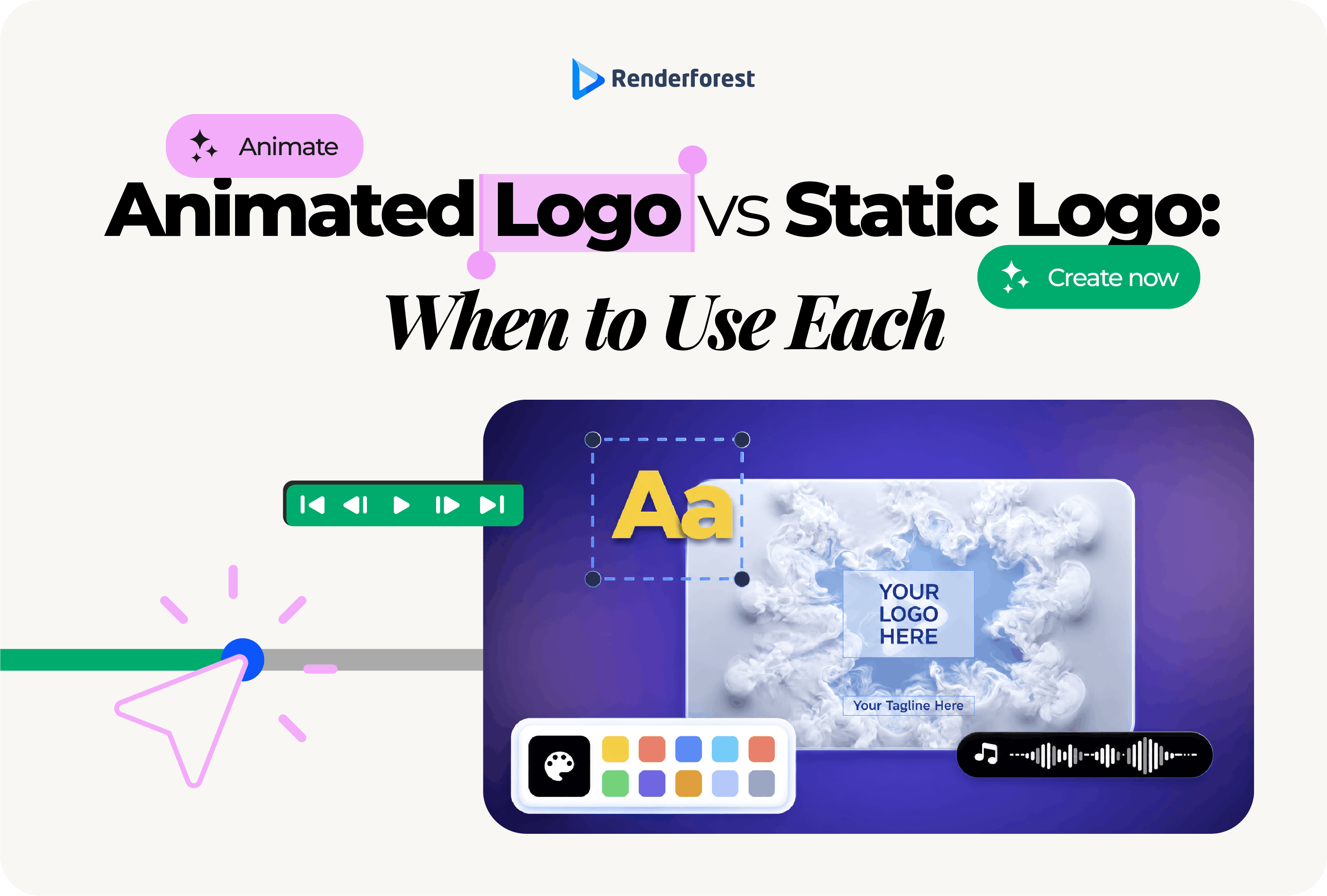
So the real animated logo vs. static logo decision is rarely about picking a winner. For most modern brands, the strongest setup is a static master logo supported by carefully designed animated versions for the moments where motion belongs.
A useful rule is this: the static logo establishes recognition; the animated logo expresses behavior. Get the first part right before investing in the second.
The important distinction is not that one is traditional and the other is modern. It is that they solve different problems. A static logo has to survive almost any environment. An animated logo only has to justify itself in environments where motion improves the experience.
A logo should be able to identify your brand before it performs for your brand.
That is why the static version should remain the source of truth. It needs to be recognizable without transitions, particles, music, camera movement, lighting effects, or a carefully timed reveal. If you pause everything, the underlying mark still has to work.
Test the static logo in uncomfortable conditions: shrink it, remove the color, place it on light and dark backgrounds, put it beside other brands, print it small, and look at it from across the room. A logo that survives those tests gives animation something solid to build on.
If you are still deciding what the base identity should look like, start there. Renderforest’s guide to the main types of logos explains when a wordmark, symbol, combination mark, mascot, emblem, or abstract logo makes sense. You can then explore visual directions with the Renderforest Logo Maker or generate initial concepts with the AI Logo Generator.
Do not use animation to postpone decisions about typography, proportion, spacing, legibility, or distinctiveness. If the static mark is weak, animation does not solve the problem. It simply makes the problem move.
Not automatically. Movement can attract attention and influence how a brand feels, but research does not support the idea that any animated logo is inherently more effective than a static one.
One of the most useful studies on the subject comes from S. Adam Brasel and Henrik Hagtvedt. Their research on consumer responses to animated brand logos found that the effect depends heavily on fit. Lifelike, self-directed movement produced more favorable attitudes toward brands perceived as dynamic, but less favorable attitudes toward brands whose identity emphasized stability. The researchers also found stronger responses when the personality suggested by the motion matched other brand cues.
That distinction changes the design question. You are not trying to make the logo move as impressively as possible. You are trying to make it move correctly for the brand.
A 2023 study published in Computers in Human Behavior also found meaningful differences between types of animated movement. In the experiment, more lifelike “agent” animation generated greater attention and more positive brand attitudes than more mechanical “object” animation. Again, the useful lesson is that the character of the motion matters, not merely the presence of motion.
More recent research adds another caution against overdoing it. A 2025 study in Frontiers in Psychology examining unpredictability in animated logos found an inverted U-shaped relationship between perceived unpredictability and sustained attention under controlled conditions. In other words, adding more surprise and complexity did not keep making the animation more effective indefinitely.
These studies do not guarantee that an animated logo will improve conversions, recall, or sales in your particular campaign. They do support a more defensible principle:
Motion fit matters more than motion quantity.
The right animation can reinforce a brand. The wrong animation can make the same brand feel less coherent.
Use the static version whenever immediate recognition, reproduction, compatibility, or restraint matters more than creating a branded motion moment.
A product label cannot play a reveal. Neither can a business card, restaurant menu, shipping box, embroidered shirt, brochure, storefront sign, vehicle wrap, or printed advertisement.
These are not secondary uses. For many businesses, they are among the places customers encounter the identity most often. Your static mark therefore needs enough visual character to carry the brand without motion doing any of the work.
Favicons, social avatars, app icons, watermarks, mobile navigation, email signatures, and sponsorship lockups reward simplicity. They give the logo very little room and often appear repeatedly.
A customer may see your tiny app icon hundreds of times before seeing a polished brand film once. That small static version deserves just as much attention as the animated reveal. For platform-specific sizing and export guidance, use Renderforest’s dedicated logo size guide rather than trying to make one logo layout fit every placement.
Contracts, invoices, proposals, reports, receipts, certificates, financial documents, and similar materials usually need a stable identity mark rather than a performance.
In these situations, the logo is there to confirm where the document came from. It should support the content without asking the reader to pay attention to the logo itself.
A brief logo animation can make sense when a visitor first encounters a campaign page or product experience. A logo that repeatedly moves in the navigation bar is a different matter.
Once people are browsing, the header logo becomes part of the interface. Stability is usually more helpful than repeated performance.
Financial services, legal firms, healthcare organizations, cybersecurity companies, consultancies, and other trust-oriented businesses can absolutely use animated logos. They simply need to be more selective about the motion.
A calm fade, precise assembly, controlled line reveal, or measured transition may strengthen the identity. A chaotic elastic bounce or aggressive morph may communicate an entirely different personality.
An animated logo is most useful when the surrounding medium already moves and the motion helps the brand enter, transition, or leave in a way that feels intentional.
Video is the natural home of logo animation. YouTube content, product demonstrations, online courses, webinars, podcast videos, brand films, case studies, and tutorials can all benefit from a concise visual signature.
The important word is concise. Someone who clicked a tutorial came for the tutorial, not to admire the same cinematic opener for eight seconds before every episode.
For frequently repeated content, a short logo sting is usually more respectful of the audience than a full reveal. Save longer treatments for moments that genuinely deserve an introduction, such as a launch film or event opener.
Short-form content gives brands very little time to establish themselves. That does not mean placing a long animated logo before the content. It means integrating recognition quickly.
A fast logo sting, end card, transition, corner animation, or branded motion cue can work better than stopping the video for a formal introduction.
Design for the hundredth viewing, not just the first. What feels impressive once can feel slow after someone has followed your channel for six months.
A presentation opener, conference screen, webinar, trade-show display, product launch, or awards event gives animation more room to breathe. The audience already expects an opening moment, so a fuller brand reveal feels less like an interruption.
This is also where sound can add value, although the visual concept should still work when muted.
Motion can add polish to a product launch page, an app splash moment, a state transition, or another deliberately branded interaction. It becomes less useful when customers repeatedly have to wait for it.
The test is simple: does the animation improve the experience, or does it merely delay the experience?
If the product is ready, let people use the product.
Before choosing an effect, style, or tool, answer these five questions. They are more useful than asking whether animated logos are currently fashionable.
List the places customers actually encounter you.
If your business publishes frequent videos, runs digital advertising, gives presentations, operates an app, attends events, or produces regular social content, an animated version has multiple jobs to perform.
If most of your brand activity happens through packaging, documents, local signage, email, and static website pages, motion may be a lower priority.
Can it be recognized at a small size? Does it remain clear in one color? Are the spacing and typography sound? Does it work on both light and dark backgrounds?
If not, improve the static mark first. Animation is the wrong stage of the project.
Try describing the brand in three words before describing the animation.
Perhaps it should feel precise, intelligent, calm. Or energetic, rebellious, playful. Those words should influence speed, easing, rhythm, direction, depth, and sound.
If the brief is simply “make it look cool,” the concept is not ready.
Frequency should influence duration and complexity.
A fuller reveal can work once at a conference. The same reveal before every 30-second social video will wear out much faster.
If the answer is no, the system is incomplete.
Print, thumbnails, unsupported environments, reduced-motion preferences, screenshots, low-bandwidth situations, and small placements all need a dependable still version.
If most of your answers favor motion and the static mark is already sound, create an animated extension. If they do not, spend the effort strengthening the identity you already have.
Already have a static logo that passes the test? Try different motion directions before committing to one.
Once you decide that animation belongs in the identity, execution matters. A good animated logo does not need to be complicated, but it should feel deliberate.
Imagine the same elastic, high-energy bounce applied to a children’s entertainment brand, an investment firm, and a luxury hotel. The technique has not changed, but its meaning has.
A fitness creator can get away with sharper acceleration. A law firm might favor precise assembly. A bakery might use softer, tactile movement. A gaming brand can push speed and impact further if those qualities already belong to the identity.
The geometry can suggest the animation.
A circular mark may support radial motion or rotation. A line-based symbol can draw itself into place. A modular identity may assemble piece by piece. A mascot may use character movement. A wordmark may reveal through the structure of its letterforms.
When motion comes from the mark, the result tends to feel more specific than an unrelated preset dropped on top of it.
Pause the animation at the end and inspect it as if it were the only logo file you had.
The final frame should preserve the approved typography, proportions, spacing, colors, and overall composition. It should stay on screen long enough to register and remain recognizable when viewed at realistic size.
If the final mark looks weaker than the static original, the animation has taken too many liberties.
Sound design can make a logo sting feel more complete, especially in event, presentation, video, or broadcast environments. It should not be required to understand the visual idea.
People watch content silently for many reasons. The logo should remain recognizable when the volume is off.
There is no universal duration that fits every animated logo. A repeated social sting and a presentation opener are different assets.
Use the shortest duration that lets the idea feel intentional and gives the final mark enough time to register. If viewers need to reach the actual content quickly, shorten the animation before adding more effects.
For detailed production advice on timing, styles, preparation, export, templates, and AI-assisted animation, see Renderforest’s dedicated guide on how to animate a logo. Keeping that production workflow separate allows this page to stay focused on the decision between static and animated branding.
Animated logos have genuine benefits, but they also create constraints that static logos do not. Knowing those limitations helps you decide whether motion is worth maintaining.
These are not arguments against animation. They are reasons to make animation earn its place.
When an animated logo appears on a website or inside a product interface, accessibility belongs in the original brief—not in the cleanup phase after launch.
The W3C documents the use of prefers-reduced-motion as a technique for allowing users to prevent motion animations when they have indicated that preference. MDN likewise explains that the prefers-reduced-motion media feature can detect a device setting intended to minimize non-essential movement.
In practical branding terms:
Accessibility does not require removing personality. It requires separating essential branding from non-essential movement so the experience can adapt to the person using it.
A growing brand usually needs more than one static file and one animation. It needs a small family of assets with clear jobs.
You will also need the right source and delivery files. Rather than expanding this comparison into a technical export guide, Renderforest’s logo file format guide explains when PNG, SVG, JPG, AI, EPS, and PDF are appropriate.
The objective is not to accumulate logo versions for the sake of having them. It is to stop employees, editors, agencies, partners, and creators from improvising every time the identity appears somewhere new.
A SaaS company might keep its website header, dashboard, documentation, app icon, and invoices static, then use a short precise animation in product demos, launch videos, webinars, and major presentations.
A YouTube creator may use a static icon for the channel avatar and thumbnails, with a one-second animated sting for recurring videos. The full five-second reveal that looked impressive during the rebrand probably does not need to play before every upload.
A local bakery still needs its static mark on boxes, bags, signage, menus, stickers, and uniforms. For Reels or seasonal campaigns, a gentle rise, steam-like reveal, or hand-crafted movement could extend that personality naturally.
A consultancy or law firm can use motion without trying to look like an entertainment brand. A restrained line reveal or controlled assembly may add polish to webinars and presentations while preserving the stability the identity is supposed to communicate.
A gaming or esports brand has more permission to make movement a larger part of the identity. Livestream transitions, tournament screens, videos, social campaigns, and event environments all create useful homes for animation—while merchandise, avatars, sponsorship graphics, and thumbnails still require strong static versions.
The pattern is the same in every example: decide what the brand needs to communicate first, then decide how much motion the environment can support.
No. You will still need a static logo for print, packaging, profile images, app icons, documents, thumbnails, fallback states, small placements, and reduced-motion experiences. Treat animation as an extension of the identity rather than a replacement.
Neither format is universally better. Static logos are more versatile and dependable. Animated logos can add personality and controlled attention in motion-first environments. Research suggests that effectiveness depends significantly on the type of movement and how well it fits the brand.
Sometimes, but persistent website navigation usually benefits from a stable static logo. Animation works better as a deliberate introduction, hero treatment, or product interaction than as something that repeats every time the visitor looks at the header.
There is no single ideal duration. A frequently repeated social or video sting should usually be much shorter than an event or presentation opener. Use the shortest duration that communicates the idea clearly and still allows the final logo to register.
They require more production and maintenance, cannot be used everywhere, can become distracting when repeated, may create accessibility concerns, and can weaken brand perception if the motion contradicts the identity. A static alternative remains necessary.
Most can, but not every logo needs animation, and not every static mark is ready for it. If the logo has weak typography, poor spacing, excessive detail, or poor small-size recognition, solve those problems before adding movement.
Choose a static logo first if you are building or refining the identity. It has to carry the brand across the widest range of situations and remain recognizable without any help from motion.
Add an animated logo when your brand regularly appears in video, social content, presentations, advertising, events, websites, or products—and when you can describe what the movement contributes.
For most growing brands, the mature answer is eventually both: one recognizable static identity and a small set of animated expressions built around it.
But do not animate the logo merely because motion looks modern. Use animation when timing, movement, personality, or context gives you something the static mark cannot communicate on its own.
The static logo tells people who you are. The animated logo can show them how that identity behaves. When both feel unmistakably like the same brand, the system is doing its job.
Have a strong static mark and a real reason to put it in motion? Explore different animation styles and see which one fits your brand.
Share this


Article by: Liana Ziroyan
Liana is a marketing professional with 11 years of experience in digital marketing, content, and product communication. She has a strong eye for visual storytelling and loves turning ideas into engaging campaigns that connect with audiences. With her experience across branding, creative content, and user-focused messaging, Liana enjoys finding simple, effective ways to make products feel clear, useful, and exciting.
Read all posts by Liana Ziroyan