Design
Cartoon videos used to demand a real investment: professional animators, expensive software, and weeks of production time. For most people and small teams, that puts them firmly out of reach. AI has changed that. Now you can learn how to make an AI cartoon video in minutes, starting from nothing but a rough idea, no drawing skills, no animation experience, and no large budget required.
This tutorial walks through how to make an AI cartoon video inside Renderforest’s AI cartoon generator, from your first prompt to a finished video ready to share.
An AI cartoon video is an animated video generated from a text prompt or script, with no drawing or animation skills required. You describe your idea, and the AI handles the visuals, movement, and structure. The result is a fully animated video that would have previously taken a professional team days or weeks to produce. Tools like Renderforest make it possible to learn how to make a cartoon video with AI without switching between platforms or picking up any new technical skills.
Honestly, the barriers that used to make cartoon videos a “not for us” option are mostly gone now.
Not much, which is part of the appeal. Before you start, it helps to have three things loosely figured out: a rough idea of what your video is about, a sense of the visual style you’re going for, and a decision on voiceover. Do you want an AI-generated voice, your own recording, or no voiceover at all?
As for the script, don’t worry about it. Renderforest generates one automatically from your idea, so you don’t need to come in with anything written. If you do have a script ready, you can paste it in and use the “Enhance script” option to refine it before generating.
Ready to see how it works? Here’s the full process inside Renderforest’s AI cartoon generator, from your first prompt to a finished cartoon video.
Type your idea into the prompt field, and Renderforest will build a script around it. If you already have something written? Paste it in or use “Enhance script” to tighten it up before moving forward.
Once your script is set, you can add a logo and choose if you want to include an AI voiceover.
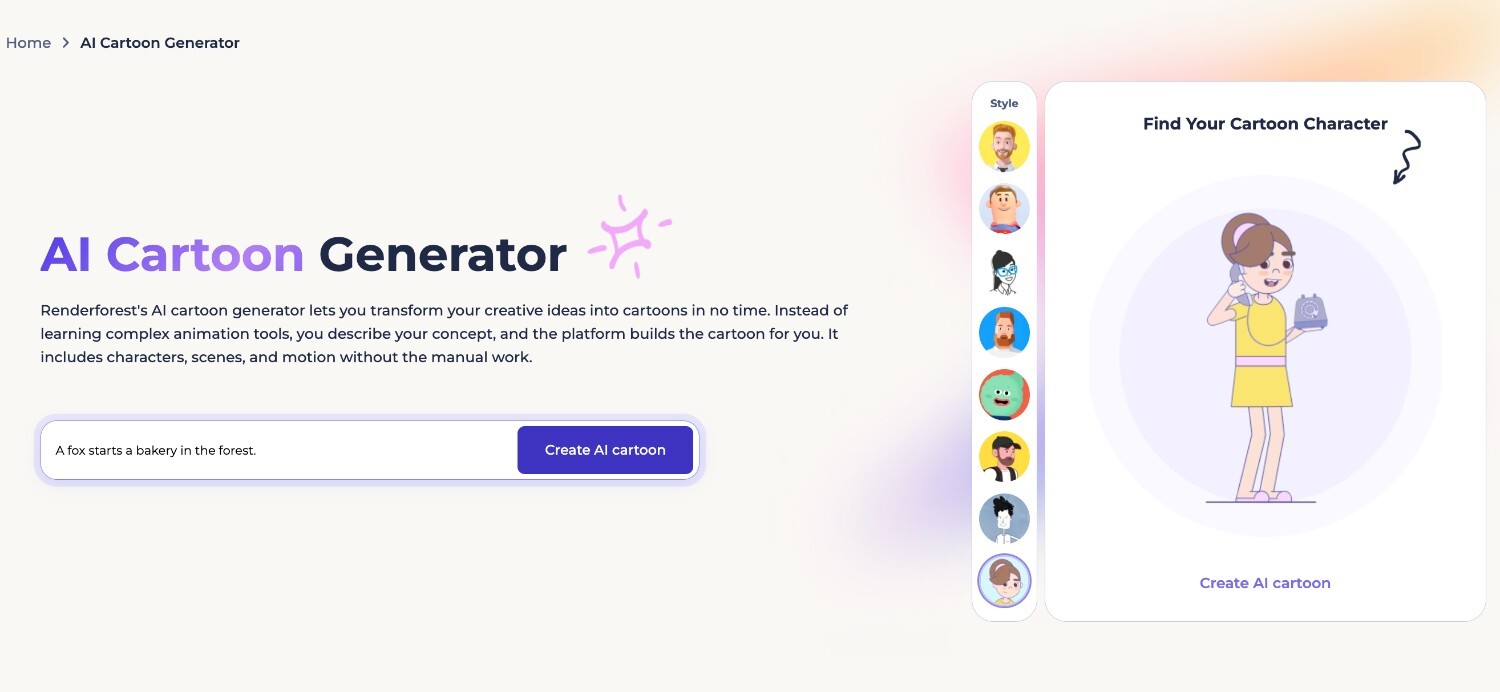
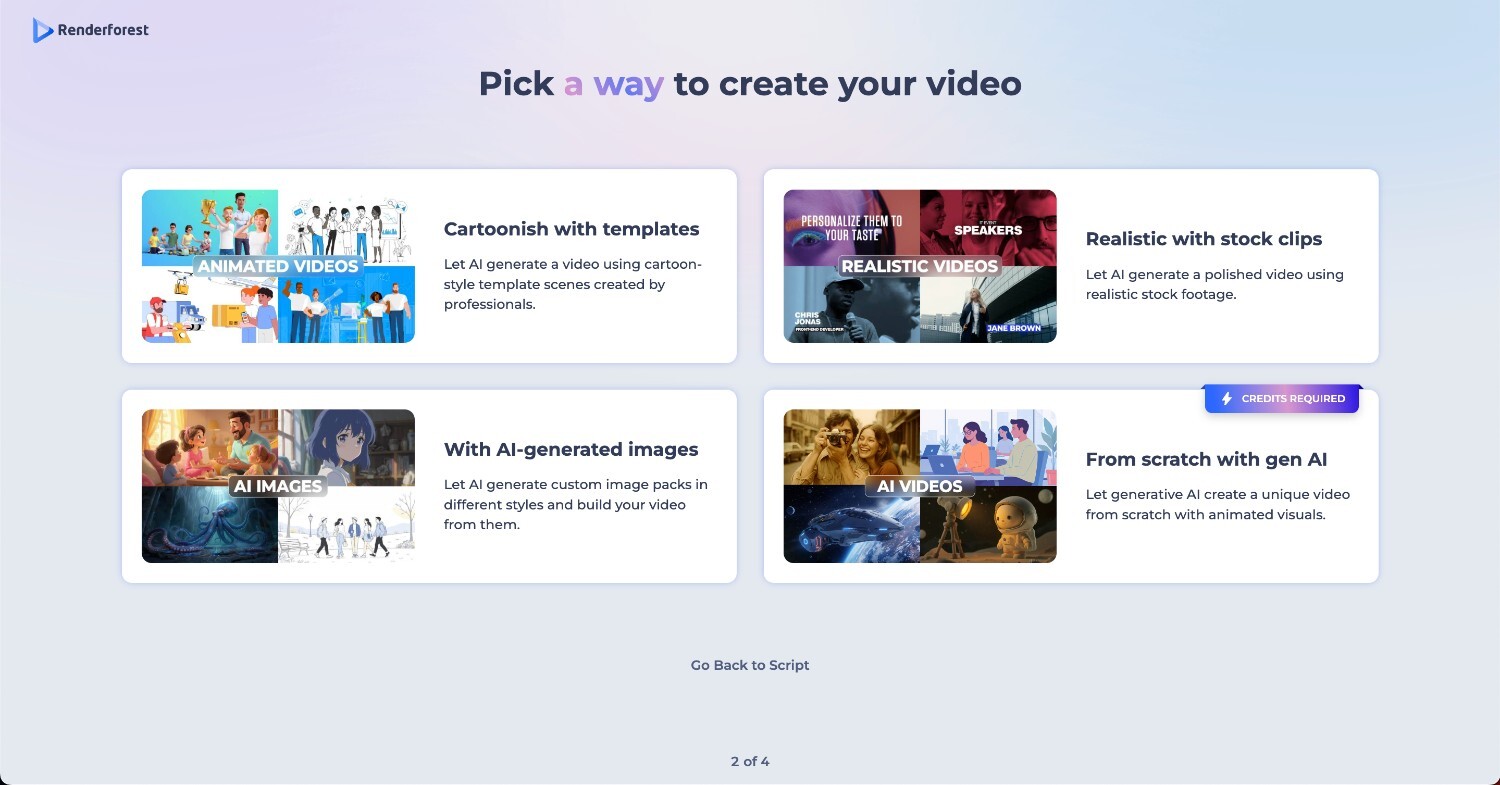
Next, choose the video creation style that fits your idea. You can use animated templates, stock clips, AI-generated images, or create a cartoon video from scratch with Generative AI.
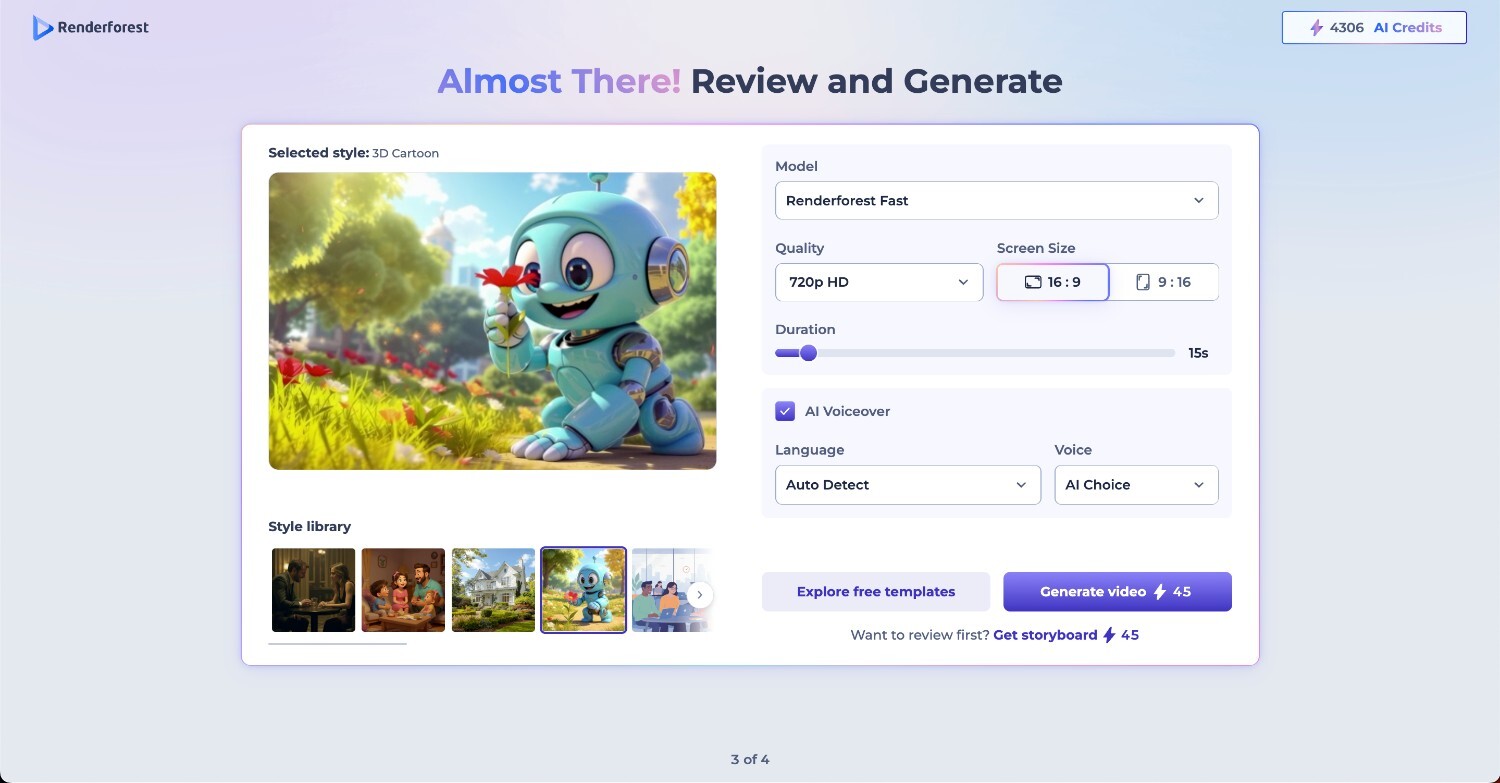
If you choose Generative AI, you can customize the video before generating it. Pick the AI model, quality, screen size, duration, language, and voiceover style. Once the settings match what you need, click Generate.
When your cartoon video is ready, open it in the editor to make final changes. You can edit individual scenes, adjust text, update visuals, add or change the voiceover, or regenerate parts of the video if you want a different result.
Once everything looks right, download the finished video or share it with a link.
Here’s what we made with one simple prompt.
A few small adjustments can make a noticeable difference in the quality of your output.
AI cartoon videos work across a wider range of contexts than most people initially think. Here are some of the most common ones, and why Renderforest fits each of them well.
YouTube intros and story-driven content: YouTubers use cartoon videos to hook viewers early and build a recognizable visual identity. Renderforest’s style consistency across scenes makes it easy to maintain that look from video to video without starting from scratch each time.
Product explainers and social media ads: Marketing teams use cartoon videos to break down products or promotions in a format that’s quick to watch and easy to share. With Renderforest, the whole process from script to finished video stays in one place, which keeps turnaround times short.
Employee training and onboarding: HR and L&D teams use cartoon videos to present information in a format that’s easier to follow than a text document or slide deck. Renderforest makes it simple to create consistent, branded training content without relying on a design team.
Brand storytelling: Cartoon videos give brands a repeatable format for telling their story across different platforms and campaigns. The visual consistency Renderforest maintains across scenes means every piece of content feels like it belongs to the same brand.
Not long ago, making a cartoon video meant hiring a team, managing a production timeline, and spending a budget most people didn’t have. That’s no longer the case. A clear idea and a few clicks are genuinely all it takes to go from concept to a finished, shareable video.
If you haven’t tried it yet, give Renderforest a go and see how far a single prompt takes you.
Renderforest has a free plan that gives you access to basic cartoon creation. Paid plans unlock higher quality outputs, advanced customization, and branding features. Check the current pricing page for the full breakdown of what each plan includes.
No. Renderforest generates a script automatically from your idea, so you can start with nothing more than a rough concept. If you do have something written, paste it in and use the “Enhance script” option to refine it before generating.
Generation typically takes a few minutes, though the exact time depends on the length and complexity of your video, so it’s good to have a little patience here as the AI is handling quite a few moving parts at once.
Yes. In the editor, you can either upload your own voiceover recording or generate one using Renderforest’s AI voice options. Both are available after your video is generated.
Renderforest currently offers five styles: storybook, playful, 3D, dramatic, and anime. You can select one manually or let the AI choose based on your input.
Yes. Once your video is ready, it opens in the editor where you can adjust text, music, transitions, and voiceover. Each scene is an individual clip, so you can update or regenerate specific parts without touching the rest of the video.
Cartoon templates use professionally designed animations that are matched to your script, giving you a polished and predictable result. Generative AI builds the visuals from scratch based on your input, including characters and scenes, which gives you a more original output. Templates are the more structured option; generative AI gives you a more creative range.
Share this


Article by: Sara Abrams
Sara is a writer and content manager from Portland, Oregon. With over a decade of experience in writing and editing, she gets excited about exploring new tech and loves breaking down tricky topics to help brands connect with people. If she’s not writing content, poetry, or creative nonfiction, you can probably find her playing with her dogs.
Read all posts by Sara Abrams