AI
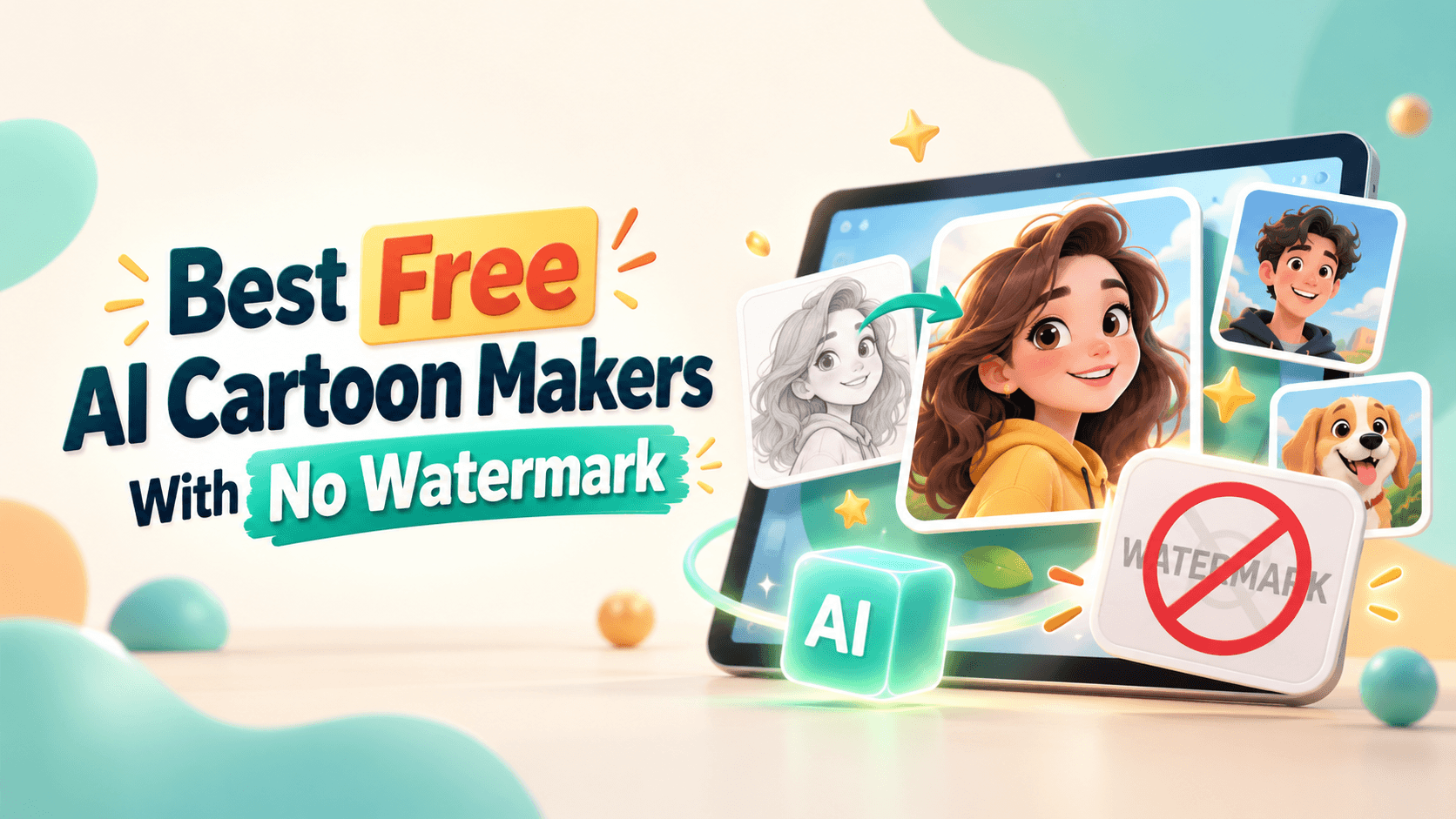
The best free AI cartoon makers with no watermark are not always the tools shouting “free” the loudest. Some let you generate a cartoon for free, then add a watermark when you download. Some give you a clean file, but only at low resolution. Others are free for personal use, but unclear for business, clients, ads, or monetized content.
Free is not the problem. The final download is the problem.
This guide compares free AI cartoon makers by what matters after the cartoon is generated: whether the export is clean, what type of cartoon it creates, whether signup is required, what the main limitation is, and whether the tool is safe enough for your intended use.
The goal is simple: help you find a clean cartoon output without wasting time on misleading “free” tools.
If you only need a clean free cartoon image, start with tools that clearly promote no-watermark exports. If you need a social design, animation, or full cartoon video workflow, the best choice changes.
The practical answer: use QuillBot, Perchance, or Facewow when your priority is a free no-watermark cartoon image. Use Canva when the cartoon needs to become a social post and you can stick to free assets. Use Krikey if you need free no-watermark character animation. Use Renderforest when you need a complete cartoon video workflow and are willing to upgrade for watermark-free export.
A lot of tools use “free” loosely. That is why you should separate the preview from the final file.
A clean download only answers the watermark question. It does not answer the rights question.
Before using a cartoon in public, check whether you can legally use the input photo, whether the output is allowed for your intended use, and whether the final file is actually clean.
This split matters because the best tool for a clean profile avatar is not the best tool for a cartoon video, social campaign, or business asset.
For this article, “free” was not enough. The ranking is based on whether the tool matches the no-watermark intent, how clear the export situation is, and whether the workflow fits a real use case.
Tool limits change often. Always check the current download screen before using any output in public.
Best for: quick watermark-free cartoons from text or photos
Output type: text-to-cartoon and photo-to-cartoon
Good fit for: students, creators, social users, casual avatars
Not ideal for: advanced brand campaigns or precise character systems
QuillBot is one of the strongest fits for this keyword because its AI Cartoon Generator directly describes the tool as free, fast, easy, and watermark-free. It also supports both text and photo inputs, which makes it more flexible than tools that only cartoonize uploaded images.
Use it when you want a quick cartoon image without building a full design project. It works well for simple avatars, character ideas, social images, and early creative concepts.
Watch-out: Check the current terms before using outputs in ads, client work, merchandise, or other commercial contexts.
Best use case: Create a quick cartoon avatar, character concept, or social image without a visible watermark.
Best for: fast no-login cartoon prompt experiments
Output type: text-to-cartoon characters and scenes
Good fit for: brainstorming, story ideas, casual creators, prompt testing
Not ideal for: polished brand assets that need formal usage clarity
Perchance is one of the most frictionless options. Its AI Cartoon Generator says it is free, no signup, no login, no restrictions, fast, and no watermark.
That makes it useful when you want to test many cartoon ideas quickly. You can try mascots, fictional characters, story scenes, cartoon backgrounds, and different visual styles without committing to a paid workflow.
Watch-out: Perchance is better for concepting than formal brand production. For business or client work, document the terms and check whether output quality and rights match the use case.
Best use case: Generate cartoon character ideas, mascot concepts, and story scenes quickly.
Best for: cartoon avatars from uploaded photos
Output type: photo-to-cartoon portraits
Good fit for: profile images, casual portraits, social avatars
Not ideal for: text-to-cartoon scenes or video workflows
Facewow is useful when the job is simple: upload a portrait and get a cartoon version. Its Photo to Cartoon page promotes no-signup, no-login, high-resolution, watermark-free cartoon photo downloads.
That makes it one of the clearer options for people who want a clean cartoon avatar without a long setup process.
Watch-out: Face tools require extra care. Do not upload someone else’s face, customer photos, employee images, or children’s photos without permission.
Best use case: Turn a personal portrait into a clean cartoon avatar.
Best for: cartoon posts, thumbnails, worksheets, simple branded graphics
Output type: photo-to-cartoon, AI images, design layouts
Good fit for: social creators, small businesses, educators, marketers
Not ideal for: users who want every premium element free
Canva is not only a cartoonizer. It is a design platform where a cartoon can become a finished social post, thumbnail, poster, presentation, or ad. Canva’s Photo to Cartoon tool turns uploaded images into cartoon-style visuals, and its AI Image Generator can create images from text prompts.
The watermark caveat is important. Canva’s Licensing Explained page says free users see a watermark on Pro content. That means Canva can be watermark-free if you use free assets, but it is not automatically watermark-free for every design.
Canva’s AI Product Terms also say users are responsible for inputs and outputs and must have the rights, licenses, and permissions needed for what they upload and generate.
Watch-out: Avoid Pro elements if you need a free clean export. Also avoid assuming AI-generated designs are automatically exclusive or commercial-safe.
Best use case: Create a cartoon portrait or character and place it inside a clean social design.
Best for: photo-to-cartoon avatars, stickers, and simple image edits
Output type: photo-to-cartoon images
Good fit for: creators, casual users, profile images, ecommerce teams
Not ideal for: text-to-cartoon prompts or cartoon videos
Pixelbin’s AI Cartoon Generator offers a free photo-to-cartoon workflow for avatars, profile pictures, stickers, and cartoon-style art.
Pixelbin is practical when your source is already an image and you want a cleaner cartoon version without building a large design project.
Watch-out: Confirm the final download is watermark-free in the current interface. Export rules can change.
Best use case: Cartoonize profile photos, product-style images, or casual creative assets.
Best for: simple cartoon filters for uploaded images
Output type: image-to-cartoon and video cartoonization tools
Good fit for: casual creators, pet photos, profile images, quick effects
Not ideal for: advanced brand control or original cartoon prompts
Media.io’s Image to Cartoon tool is positioned as a free single-click cartoonizer that turns pictures into cartoon-style images. It is useful if you want a photo-based cartoon output without writing prompts.
Media.io also has a Video Cartoonizer, which is helpful if you want to experiment with turning a video into a cartoon or anime-style clip.
Watch-out: Check the final export before assuming every Media.io image or video output is watermark-free. Export rules may differ by account, quality, or file type.
Best use case: Try several cartoon styles on a portrait, pet photo, or casual image.
Best for: beginner cartoon avatars, simple characters, and cartoon scenes
Output type: text-to-cartoon and photo-to-cartoon images
Good fit for: beginners, casual creators, small businesses, social users
Not ideal for: strict no-cost commercial workflows
Fotor’s AI Cartoon Generator supports text and photo cartoon generation, including avatars, characters, backgrounds, and cartoon art. Fotor also offers a Photo to Cartoon workflow for portraits, pets, and landscapes.
The main appeal is simplicity. You can start with a prompt or image and get a cartoon-style output without learning advanced settings.
Watch-out: Fotor’s free access may involve credits, export limits, or watermark rules depending on the feature and plan. Check the final download screen.
Best use case: Create simple cartoon avatars, character concepts, or playful social images.
Best for: prompt-based cartoon-style image generation
Output type: AI images, image editing, enhancement, video/3D access depending on plan
Good fit for: creators, designers, prompt testers, visual explorers
Not ideal for: one-click photo cartoonization
Krea is a broader AI creative suite rather than a dedicated cartoon-only tool. Its AI creative suite offers a free plan with daily compute units and access to creative tools for images, video, 3D, and enhancement depending on plan limits.
Krea is useful if you want to generate cartoon-style characters, posters, thumbnails, and visual concepts from prompts rather than cartoonizing one uploaded photo.
Watch-out: Krea’s commercial-use options may depend on plan level. If the output is for a business, client, ad, or product, verify the current licensing first.
Best use case: Generate cartoon-style visual concepts, character ideas, and creative social graphics.
Best for: talking cartoon characters and simple animated content
Output type: animated 3D cartoon characters
Good fit for: educators, social creators, simple explainers
Not ideal for: photo-to-cartoon portraits or 2D avatar filters
Krikey’s AI Animation Maker is relevant because it positions itself as a free AI animation maker with no watermark. It is not a standard photo cartoonizer. Instead, it helps create animated 3D cartoon characters that can talk and move.
That makes Krikey useful if your real goal is animation, not a static cartoon image.
Watch-out: Krikey is better for animated cartoon characters than for turning your own photo into a cartoon avatar.
Best use case: Create a short talking cartoon character animation without a watermark.
Best for: testing AI cartoon videos before upgrading
Output type: AI cartoon animations and videos
Good fit for: marketers, educators, YouTubers, small businesses, agencies
Not ideal for: users who need free watermark-free video export
Renderforest’s AI Cartoon Generator lets users create custom cartoon animations from an idea, with voiceover and music. That makes it more complete than a simple image cartoonizer when the goal is a finished cartoon video.
For this exact “free no watermark” topic, the caveat must be clear. Renderforest’s help center says free-plan content is intended for personal, non-commercial use only, and free exports include a Renderforest watermark that must not be removed. Source: Renderforest Help Center.
Watch-out: Renderforest is not a free no-watermark export option. Use the free plan to test the workflow, then upgrade if you need watermark-free commercial output.
Best use case: Build and preview AI cartoon video ideas before exporting a polished watermark-free version on a paid plan.
Best for: casual photo-to-cartoon experiments
Output type: photo-to-cartoon images
Good fit for: personal portraits, pets, landscapes, casual users
Not ideal for: advanced design, animation, or brand campaigns
Cartoonize AI’s Photo to Cartoon AI Generator describes itself as a free online cartoon photo converter for photos, pets, and landscapes. Its free access may include monthly credits, with premium plans offering higher limits.
This kind of tool is useful for casual tests, not necessarily for client work or brand assets.
Best use case: Cartoonize personal photos, pets, or landscape images for casual use.
Not every tool in this space should be treated the same.
This is the part many roundup articles skip. “Free” can mean free preview, free credits, free low-resolution output, free no-watermark image, or free-to-test workflow. Judge the downloaded file, not the headline.
Do not create 20 images before checking export rules. Test one file first.
A tool is only no-watermark if the downloaded file is clean.
A watermark-free image is not automatically a business-safe image.
Before using a cartoon for ads, client work, monetized videos, product pages, packaging, or merchandise, ask:
YouTube’s altered or synthetic content guidance says creators should disclose realistic content that is meaningfully altered or synthetically generated when it could mislead viewers. Source: YouTube Help: Disclosing use of altered or synthetic content.
Canva’s AI Product Terms also make users responsible for the inputs they upload and the outputs they generate, including whether they have the rights, licenses, and permissions needed.
For personal avatars, the risk is usually lower. For business use, the terms matter as much as the image.
A free tool can still produce weak results if your prompt is vague. Give the AI a clear job.
Turn this portrait into a clean cartoon avatar for a professional profile. Keep the person recognizable, preserve hairstyle and face shape, use soft shading, a friendly expression, and a simple background. Avoid exaggerated features and avoid adding text.
Create an original cartoon character for [use case]. The character should be friendly, expressive, and simple enough to use on social media. Include outfit, pose, personality, color palette, and background. Do not copy existing cartoon characters.
Turn this pet photo into a playful cartoon illustration. Keep the pet’s main features recognizable, including fur color, ears, markings, and expression. Use a clean background and warm lighting.
Create a cartoon-style product visual for [product]. Show the product clearly, keep its shape and packaging accurate, and use a friendly illustrated style. Do not change the logo, size, ingredients, or key product details.
Create a cartoon image for a social media post about [topic]. Use a simple composition, large readable space for text, bright but not childish colors, and a clean background. Avoid clutter and avoid copyrighted characters.
Before you use the cartoon, check it like an editor.
If the answer is unclear, do not use the cartoon for client work, paid ads, merchandise, or brand identity.
A free no-watermark cartoon maker is useful for quick images, but it is not always the right production choice.
Free tools are excellent for drafts. They are not a shortcut around ownership, consent, quality control, or brand safety.
Choose QuillBot if you want a simple free AI cartoon generator with a clear watermark-free claim. Choose Perchance if you want fast no-login text-to-cartoon experiments. Choose Facewow if you want a no-signup photo-to-cartoon avatar download. Choose Canva if the cartoon needs to become a social post or thumbnail and you can stick to free assets. Choose Krikey if you want no-watermark cartoon character animation. Choose Pixelbin, Media.io, Cartoonize AI, or Fotor if you want quick photo cartoonization and are willing to check export limits.
Use Renderforest when your goal is a finished cartoon video rather than a simple cartoon image. Its free plan is best for testing and previewing; watermark-free commercial export belongs on a paid plan.
The best free AI cartoon maker is not the one with the biggest promise. It is the one that gives you a clean file, clear enough rights, and an output that fits where you plan to publish it.
QuillBot, Perchance, Facewow, and Krikey are among the strongest options because their official pages clearly promote free cartoon generation without watermarks. Always check the downloaded file and current usage terms before publishing.
Yes. Tools such as Facewow, QuillBot, Pixelbin, Media.io, Cartoonize AI, and Fotor can help turn photos into cartoons for free or with free limits. Watermark rules may vary, so check the final download.
Canva can be used for free, and designs made with free assets can export without Pro watermarks. However, Canva says Pro content shows a watermark for free users, so avoid Pro elements if you need a clean free export.
No. Renderforest is free to try, but free exports include a watermark. Renderforest is useful for AI cartoon videos, voiceover, music, editing, and previews, but watermark-free exports require a paid plan.
Facewow, QuillBot, Pixelbin, Fotor, and Cartoonize AI are good starting points for cartoon avatars. Use a clear, well-lit photo and check that the face remains recognizable.
QuillBot, Perchance, Krea, and Fotor are useful for text-to-cartoon prompts. Perchance is especially useful for no-login experiments, while Krea is better for broader creative exploration.
Not always. Some free outputs may be personal-use only, limited by credits, unclear on rights, or restricted by input ownership. Always check the tool’s terms before using cartoons in ads, client work, products, or monetized content.
You should not remove a watermark unless the platform gives you the right to do so. If a tool watermarks free exports, use a different no-watermark tool or upgrade legally.
Avoid uploading private face images without consent, imitating famous cartoon characters, using unclear outputs for commercial work, creating fake testimonials, and assuming every free download is watermark-free or legally safe.
QuillBot, Facewow, Canva, Media.io, and Fotor are among the easiest options. Pick QuillBot or Facewow for simple clean cartoon outputs, Canva for designs, and Fotor or Media.io for beginner-friendly photo cartoonization.
Share this


Article by: Liana Ziroyan
Liana is a marketing professional with 11 years of experience in digital marketing, content, and product communication. She has a strong eye for visual storytelling and loves turning ideas into engaging campaigns that connect with audiences. With her experience across branding, creative content, and user-focused messaging, Liana enjoys finding simple, effective ways to make products feel clear, useful, and exciting.
Read all posts by Liana Ziroyan