AI
You’ve poured your heart, soul, and countless hours into your new track. The mix is perfect, the master is loud, and it’s ready for the world. But then, you hit the wall. In 2026, a song without a video is just audio. To compete, you need a visual.
For decades, this meant one of two things: emptying your bank account or settling for a static album cover on YouTube. The barrier to entry wasn’t talent; it was a five-figure budget.
But that era is over. Generative AI has completely demolished the barrier, handing the power of a full production studio to independent artists, marketers, and creators. You no longer need a crew, a RED camera, or a trust fund. You just need an idea and the right tool.
This guide is your new director’s handbook. We’re moving past the “what if” and into the “how-to.” We will show you, step-by-step, how to generate a professional music video with AI using the Renderforest AI Video Generator, a tool designed to turn your sound into a spectacle.
Before we dive into the “how,” let’s look at the “what.” The video below was created entirely using the Renderforest AI music video generator. It wasn’t filmed in a studio. It wasn’t animated by a team of artists. It was generated, scene by scene, from simple text prompts.
This is what’s possible right now.
For decades, the professional music video was a members-only club, and the price of admission was staggering. We’re talking $10,000 to $50,000 for a professional indie project and well over $100,000 for major labels, as production data from companies like Dotmotions confirms. This old model, built on expensive crews, gear rentals, and specialized post-production, wasn’t just a barrier; it was a locked door that kept 99% of creators out.
Generative AI just tore that door off its hinges. This technology is the revolution that finally puts the power in the hands of the artist. It’s not a small trend; it’s a massive shift, a market already valued at nearly $1.97 billion in 2024 and projected to explode to $20.7 billion by 2034, according to a GlobeNewswire market report. For musicians, this means the two biggest locks are broken: the cost barrier is smashed (a budget is now a subscription) and the tech barrier is obliterated (you no longer need to master complex software). This new model moves at the speed of music, letting you create in an afternoon, not months, with unlimited creative freedom.
This is where the magic happens. Many AI tools are just raw, clunky models. The Renderforest AI Video Generator is a complete, all-in-one production suite. It’s not just a generator; it’s a timeline, an editor, and a creative partner rolled into one.
It was built to solve the core problems of creation. It’s fast, intuitive, and gives you two powerful workflows to bring your music to life.
Let’s make your video.
We’ll cover two distinct methods. Method 1 utilizes our AI Video Editor, providing you with meticulous, scene-by-scene control. Method 2 is the AI Video/Story Generation workflow.
Method 1: AI Video Editor (Scene-by-Scene Generation)
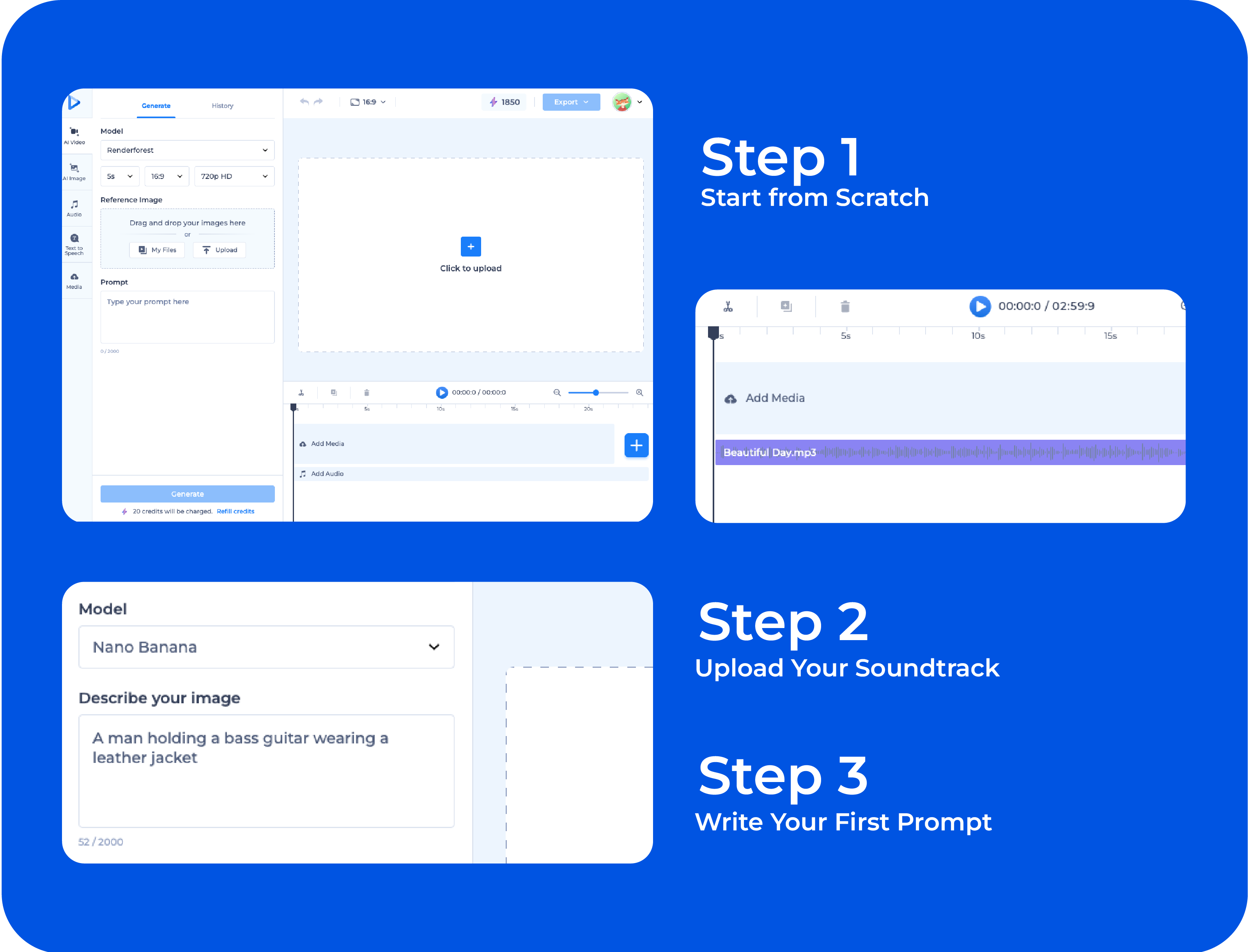
This method is for the visionary. You start with a blank canvas and build your video shot by shot, perfectly matching the music’s flow.
In the Renderforest dashboard, click “Create from Scratch” and choose 16:9 blank project. This will open a familiar video timeline.
This is your foundation. Upload your final song directly to the timeline. You will see the audio waveform, which will be your guide for placing and timing your scenes.
Listen to the first few seconds of your song. What do you see? Click on the timeline to add your first scene. You need to generate images first, and then animate them. In the prompt box, write what you want to generate.
Be descriptive! The more detail you give the AI, the better your result will be.
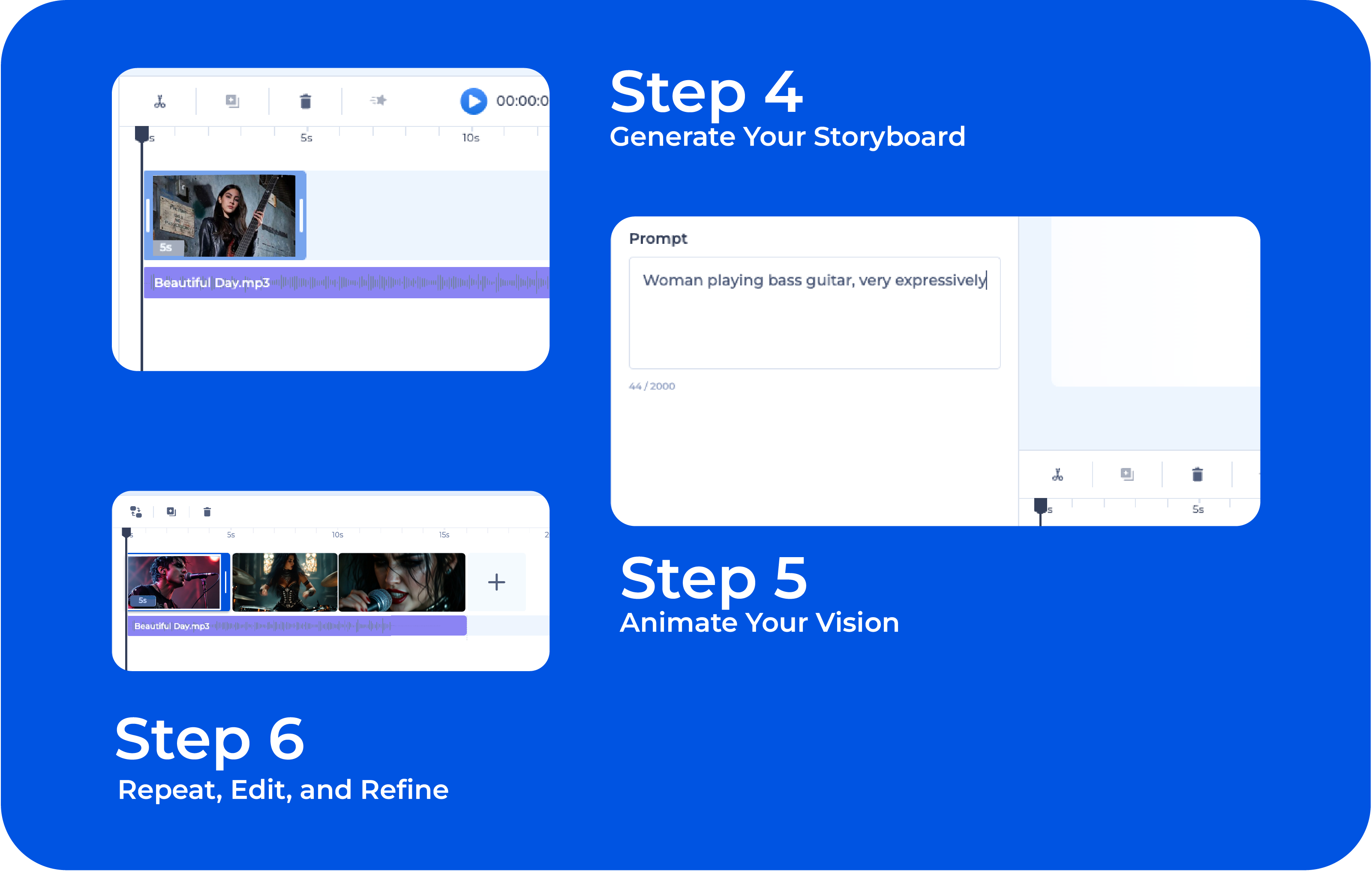
Click “Generate.” The AI will create a static image based on your prompt. This is your storyboard. You can generate several variations until you find the perfect one. This step is crucial—it ensures you like the “shot” before you “film” it.
You are now in the creative loop. Move your playhead to the next beat. Add a new scene. Write your next prompt. Generate. Animate.
This method gives you total creative control over every single second of your music video.
Method 2 infographic using AI Video Generation 6 steps infographic
If Method 1 is about full manual direction, Method 2 is about speed and storytelling. With this workflow, you provide a long, descriptive narrative, and the AI transforms it into a complete multi-scene music video. This is ideal for 3-minute songs, since the AI can interpret longer stories and spread them across a full-length timeline.
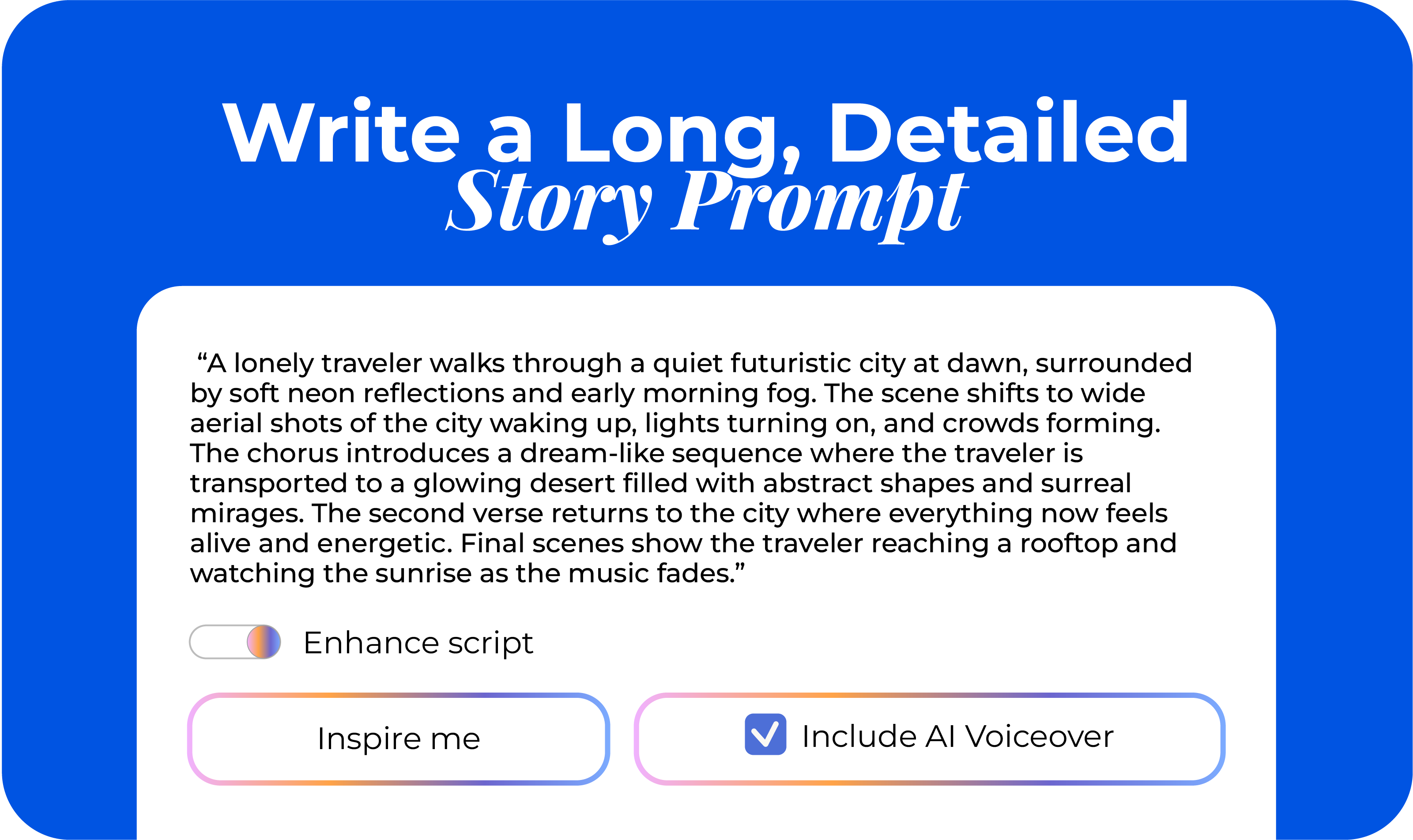
Open the AI Video Generator. You will see a single prompt box. This is where you write a full narrative for your video.
Short prompts are not enough here, for a multi-minute track, write a story of at least 4 to 8 sentences, describing the progression, mood shifts, and visuals you expect throughout the entire song.
Example of a long-form prompt for a 3-minute video:
“A lonely traveler walks through a quiet futuristic city at dawn, surrounded by soft neon reflections and early morning fog. The scene shifts to wide aerial shots of the city waking up, lights turning on, and crowds forming. The chorus introduces a dream-like sequence where the traveler is transported to a glowing desert filled with abstract shapes and surreal mirages. The second verse returns to the city where everything now feels alive and energetic. Final scenes show the traveler reaching a rooftop and watching the sunrise as the music fades.”
A long prompt like this gives the AI enough material to build a full-length video with varied scenes and pacing.
Since you will use your actual track later, switch Text-to-Speech off. This ensures the AI creates visuals only.
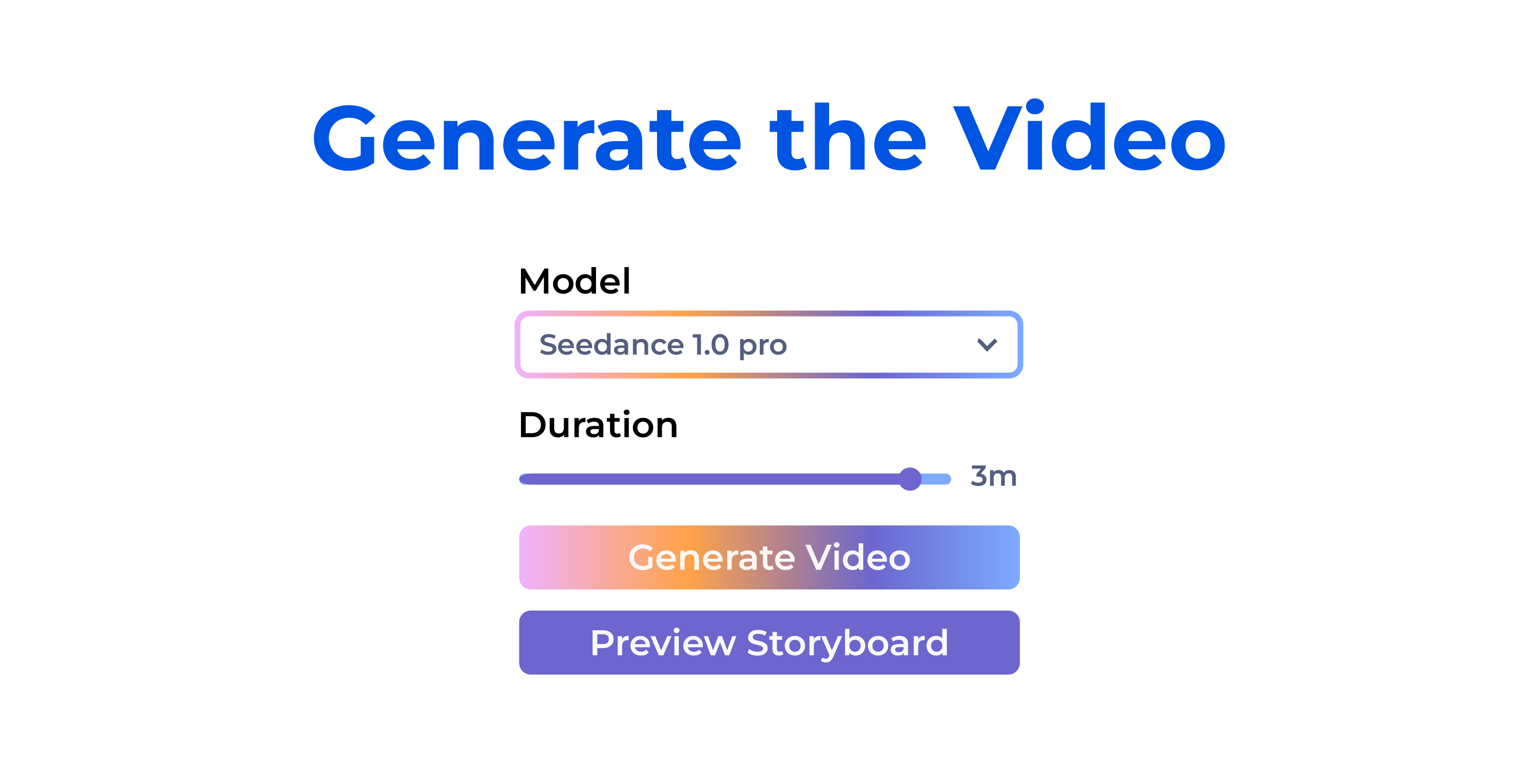
In the settings, choose Generative AI. Select your video style & aspect ratio. Then select the video model and the length of your final video. The AI will use your long-form story to distribute scenes across the entire timeline, creating a structured narrative with natural flow.
Step 3: Generate the Video
Click Generate and let the AI create your first full draft.
You will receive:
This gives you a strong foundation before fine-tuning.
Once you have your video, switch to the editor and upload your final song.
The waveform will appear, helping you match the visual rhythm to your audio.
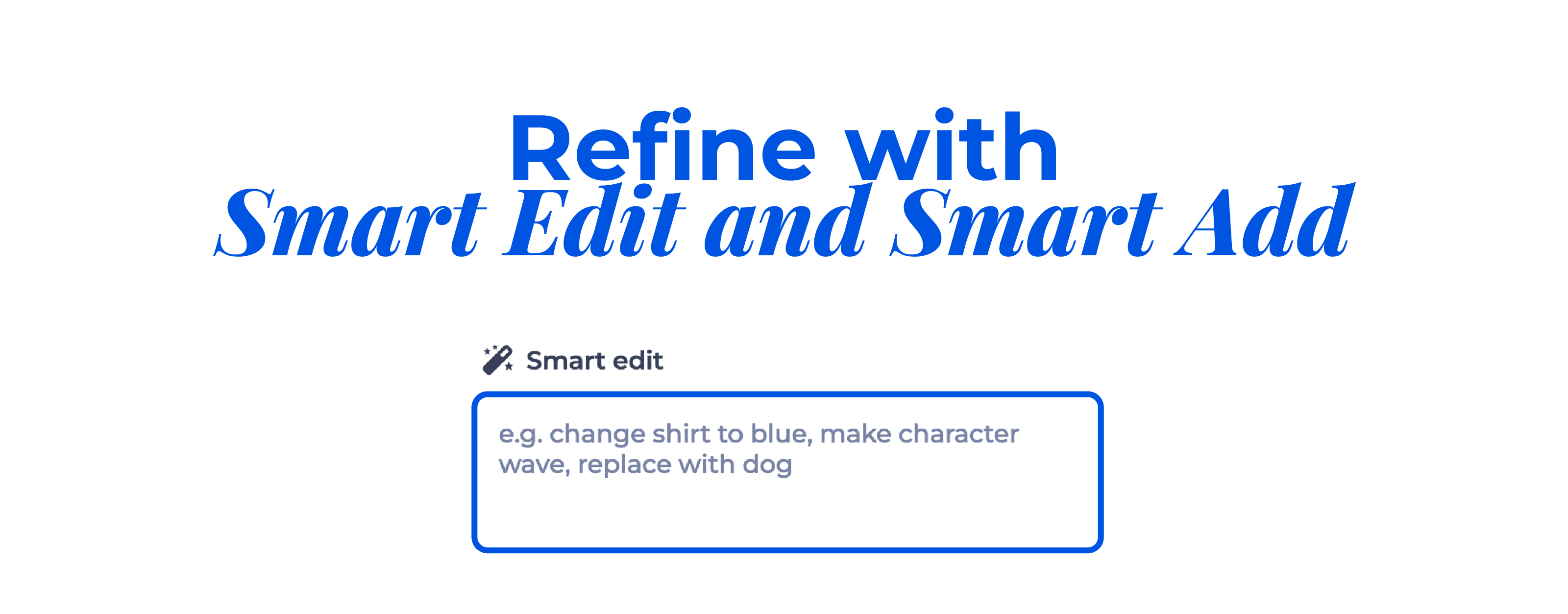
This step allows you to enhance and customize your video.
When you are satisfied with the sync, pacing, and visuals, export your video. Your complete music video is now ready for YouTube, TikTok, Instagram, or any platform.
The music industry has entered a new era. For the first time, any artist can turn a song into a powerful visual story without a production crew, expensive gear, or weeks of editing. AI has removed the limits that once defined music video creation and replaced them with a creative playground where imagination leads the way.
Whether you prefer full creative control with scene-by-scene editing or a fast narrative-driven workflow, the Renderforest AI Video Generator gives you everything you need to bring your sound to life. You can start with a simple idea, write a story, upload your track, and walk away with a complete music video ready for YouTube, TikTok, Instagram, or Spotify Canvas.
Your song is already alive. Now it is time to give it a world to live in.
Start creating your AI music video today and show your audience what your music looks like.
Share this


Article by: Sargis Melkonyan
Sargis works as a Digital & Product Marketer at Renderforest, bringing his computer science background into the mix. He’s got over four years of experience in digital and product marketing and loves helping businesses grow and pick up speed. When he’s not working, you’ll find him playing volleyball or messing around with code, always figuring out cool ways to combine his tech skills with his marketing know-how.
Read all posts by Sargis Melkonyan