AI
If you’ve ever wanted to create an animated video but didn’t know where to start, you’re not alone. Animation can feel technical and time-consuming, especially if you’ve never worked with design or editing tools before.
Renderforest is an online AI video generator that lets you create animated videos without manual animation. Instead of building every movement yourself, you simply describe your idea, choose a visual style, and let the AI generate the first version of your video. From there, you can review, adjust, and polish everything directly in your browser.
In this guide, we’ll walk through the full process step by step. You’ll see real screens, real settings, and a real example created from scratch, so you can follow along and create your own animated video from beginning to end.
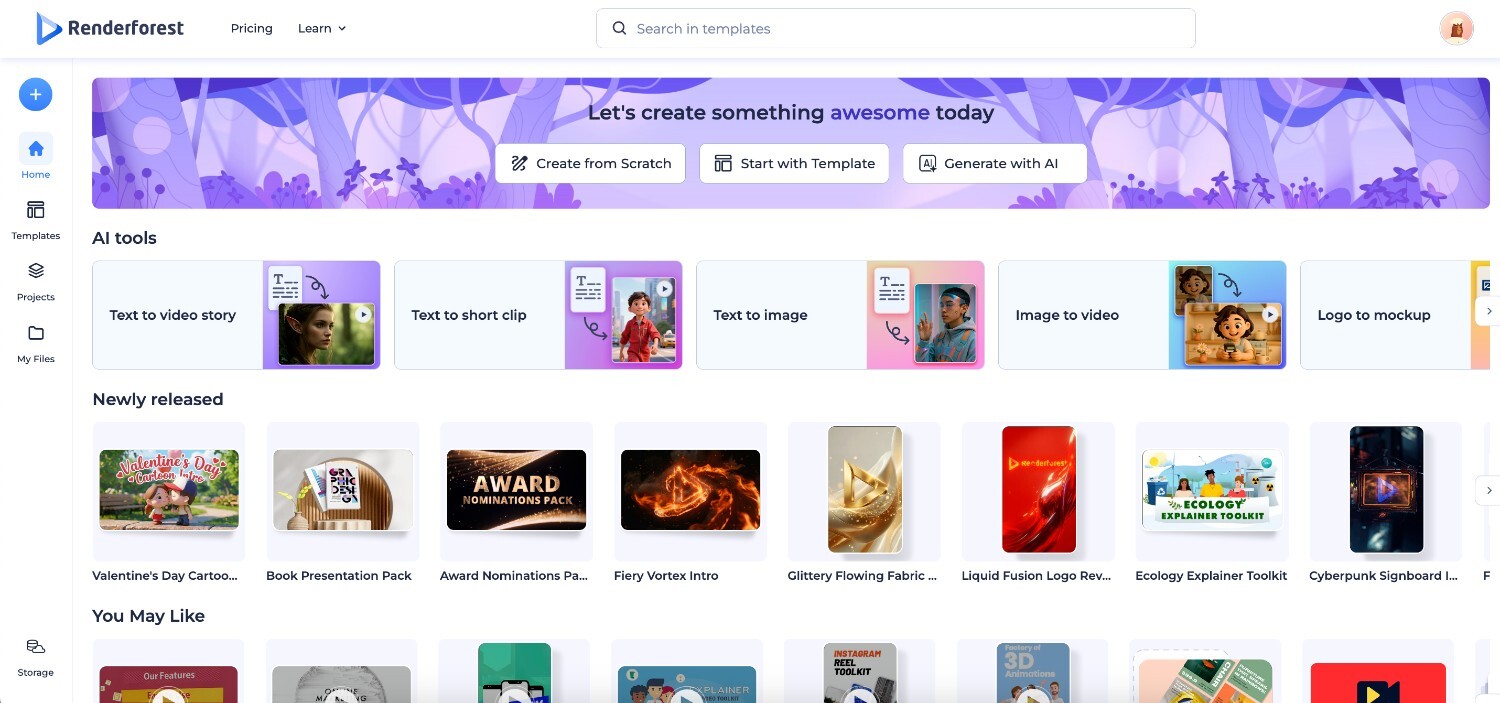
Open Renderforest and go to your dashboard. Click Create from Scratch, then select one of the AI-powered animated video options to begin. This starts a new project where the AI helps you build the structure of your video from the ground up.
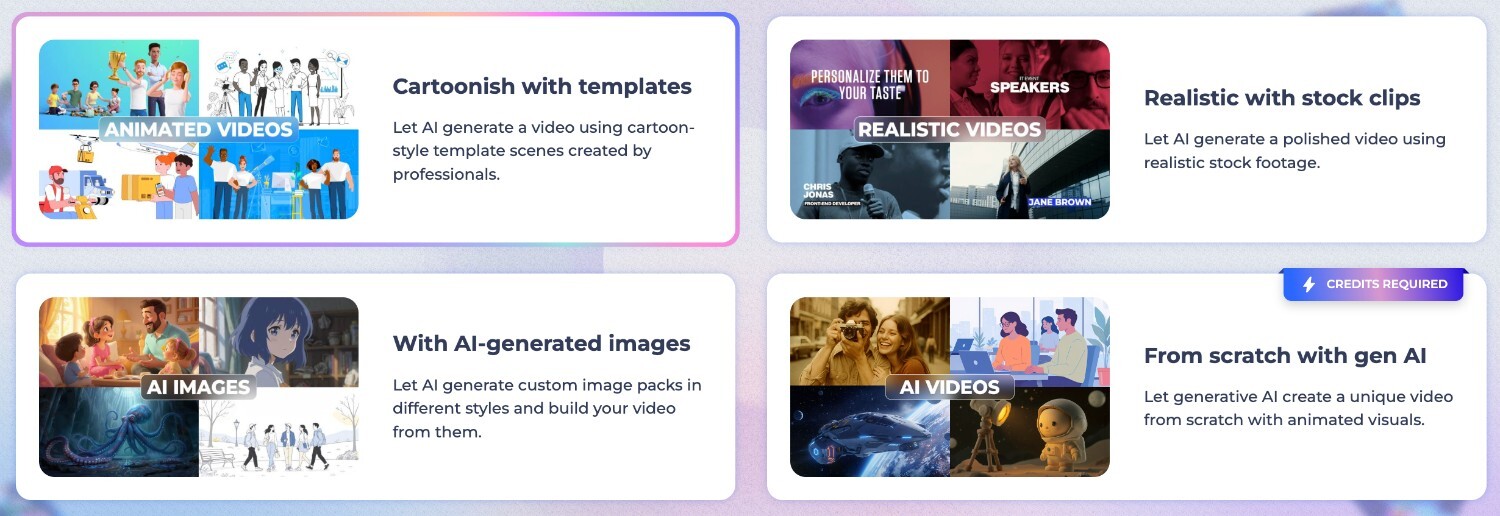
Renderforest offers different AI-driven approaches for animated videos. Some require more detailed input, while others guide you step by step. At this stage, you simply choose the option that fits how much direction you want to give the AI before it generates your first draft.
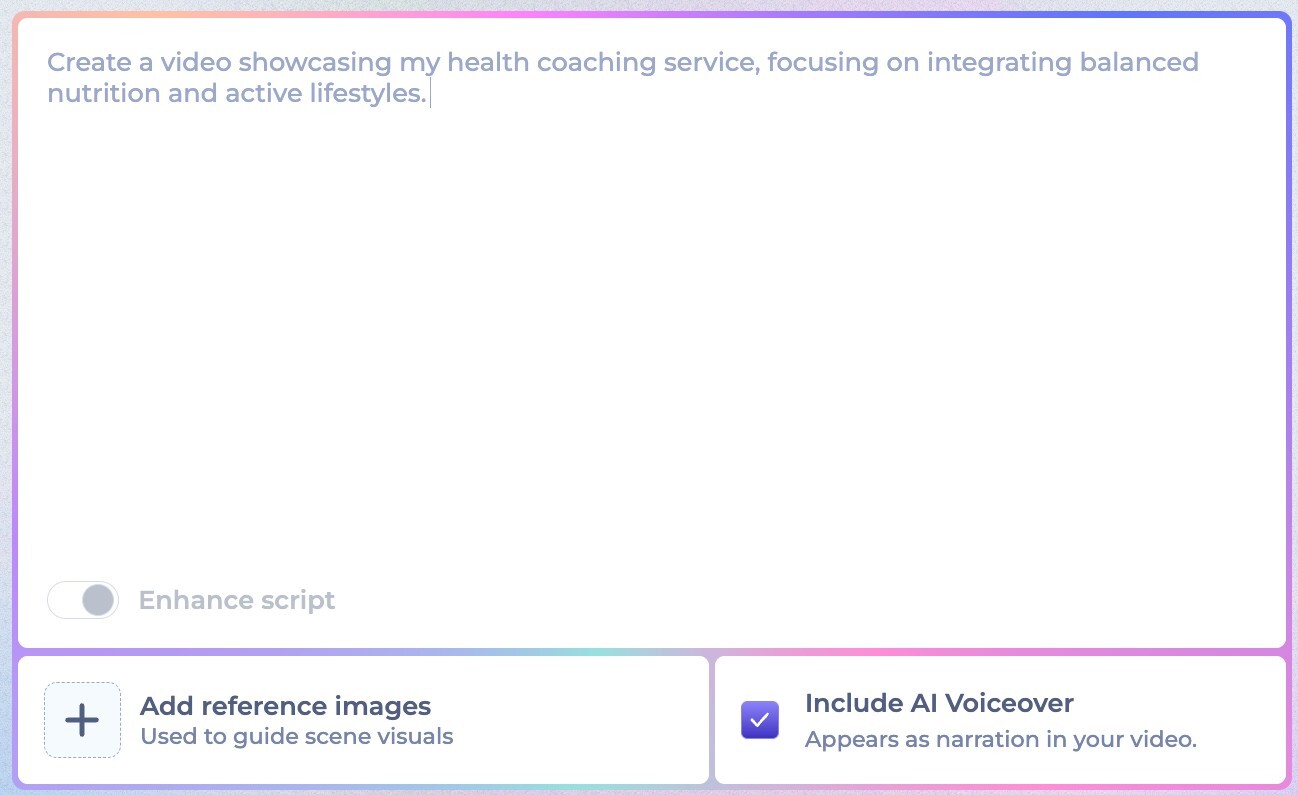
Next, enter a short description, a simple outline, or your full script. This is where you explain what your video is about and what you want it to achieve. You can keep it brief or provide more detail, depending on how specific you want the result to be.
The AI uses your input to plan the scenes, structure the flow, and suggest visuals that match your message. The clearer your description, the more accurate the first draft will be. Instead of manually building each scene, the AI creates a ready-to-edit version in minutes, saving you significant production time.
Now it’s time to decide how your video will look. You’ll see several animation styles, each designed with a different visual approach. For example, you might choose a structured explainer style with animated characters, or a hand-drawn format similar to an AI whiteboard animation if you want something simple and minimalistic.
Your choice affects how scenes move, how text appears, and how the story flows from one point to the next. When using an AI animation generator, this step lets you define the visual direction of your video without having any prior animation experience.
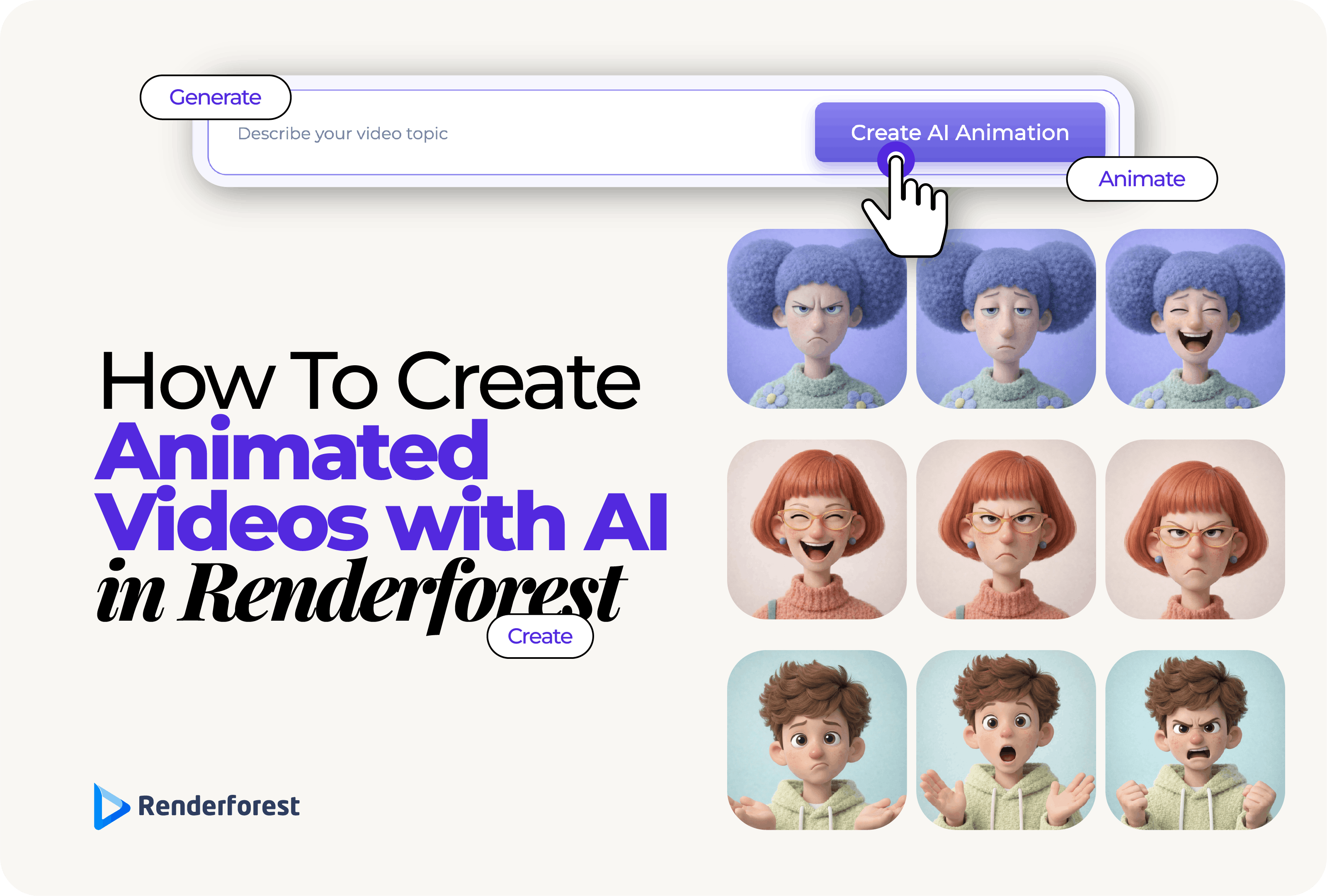
After choosing a style, review the scenes the AI has created for you. At this stage, you focus on what appears inside each scene. You can adjust characters by changing details like hairstyle, clothing, skin tone, and expressions to better reflect your audience or team. Renderforest includes a wide range of diverse character options, making it easy to create videos that feel relevant and inclusive.
You can also refine individual scenes by adjusting on-screen elements and reviewing how each detail supports your message. Everything is handled visually, so you can personalize the content without animating anything yourself.


Next, open the video in the online editor, where you have full editing control over the entire project. This is where you work with the timeline to rearrange scenes, adjust timing, and fine-tune the overall pacing.
You can edit text across scenes, replace sections if needed, and make structural changes to improve clarity and flow. The AI creates the first draft, but you control the final version. All editing happens directly in your browser, with no extra software required.

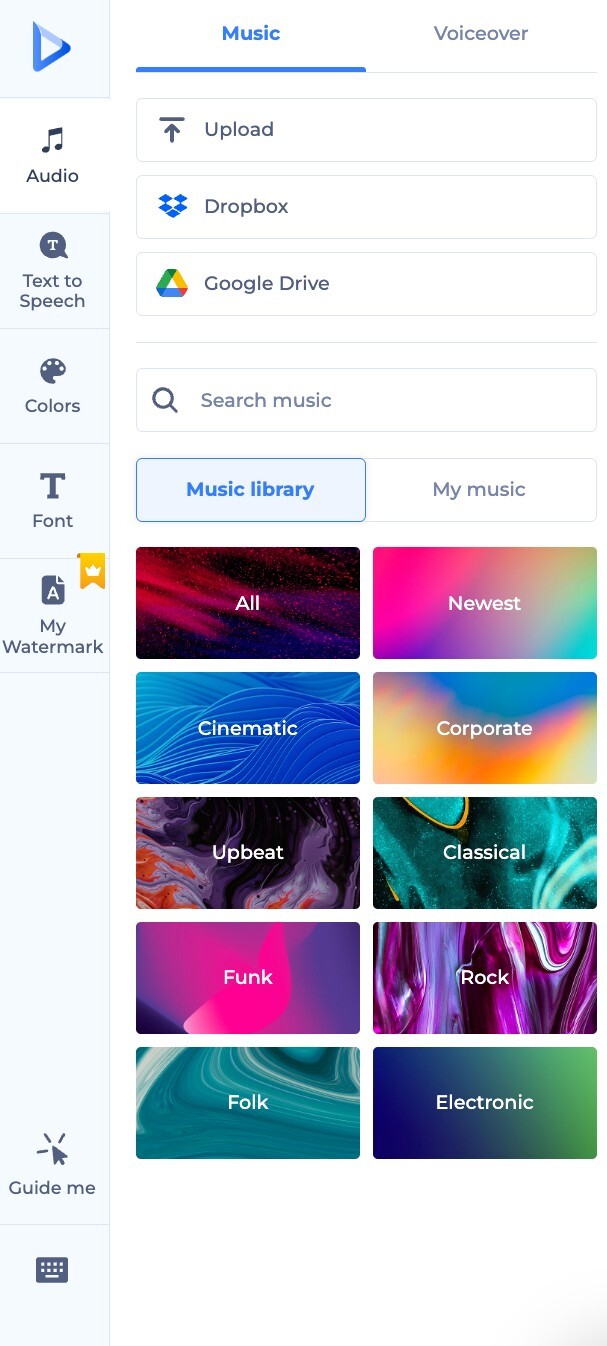
Before exporting, apply your brand elements to keep the video consistent with your identity. You can add your logo, set brand colors, choose fonts, and adjust visual details to match your guidelines. This makes the animated video suitable for marketing campaigns, educational content, or internal communications while keeping everything aligned with your brand.
Before finalizing, preview your video to make sure everything looks and sounds right. Once you’re satisfied, choose your preferred format and resolution, then export the file. Your animated video is ready to download and share online across platforms, websites, or internal channels.
Now that you understand the general workflow, let’s apply it to a real example
We’re creating a short onboarding explainer for Clearpath Learning, a small L&D team inside a growing SaaS company. They need a simple way to explain how their customer support workflow works to new hires.
The video will be around 60 seconds and titled: “How our customer support workflow works.”
Its purpose is to show how a support ticket moves from submission to resolution. The audience includes new hires across support, product, and customer success. The tone should be professional, clear, and friendly.
Inside Renderforest, we choose Create from Scratch and select an AI animated video option. This allows the AI to build the first draft based on our input.
We describe the workflow in the prompt and enable AI voiceover so the script becomes narration instead of only on screen text.
Renderforest generates the scenes, structure, and voiceover automatically.
We select a clean “Trendy Vector” animation style, choose the voice, confirm the language and screen size, and set the duration to about 60 seconds.
Then we click Generate.
In the editor, we adjust pacing, refine wording, and make small visual tweaks. We also upload Clearpath’s watermark to keep the video on brand.
We watch it once, adjust the intro timing slightly, and export in high resolution.
At this point, you’ve seen what the process actually looks like in practice. You describe what you need, guide the visual direction, review the draft, make adjustments, and export, without dealing with manual animation or complicated setups.
Because everything happens in one place, you avoid long production cycles and back and forth. The workflow stays focused and clear from start to finish, which makes it easier to create videos consistently whenever you need them.
If you’re looking for one of the best animation apps to support regular content creation, Renderforest lets you create videos confidently, even if you’re not an animation expert yet.
You can create animated videos online by using an AI animation platform like Renderforest that guides you through the process. Instead of animating scenes manually, you describe your idea, choose a style, review the draft, and make adjustments in the editor. Everything happens directly in your browser, which makes the process simple even for beginners.
The best AI animation generator for business use should help you create structured, professional videos without technical complexity. Look for features like script-based generation, editable scenes, branding options, and online exporting. Renderforest supports all of these, making it suitable for onboarding, training, and marketing videos.
An AI animation tool saves time by creating the first draft for you based on your script or prompt. Instead of building every scene from scratch, you start with a ready-made structure and refine it. This reduces planning, design, and editing time while still allowing full control over the final result.
Yes. AI animation makers are especially helpful for marketing explainers because they quickly turn a written message into a visual format. You can focus on refining your message and branding rather than handling technical animation steps, which makes production faster and easier to manage.
Share this


Article by: Sara Abrams
Sara is a writer and content manager from Portland, Oregon. With over a decade of experience in writing and editing, she gets excited about exploring new tech and loves breaking down tricky topics to help brands connect with people. If she’s not writing content, poetry, or creative nonfiction, you can probably find her playing with her dogs.
Read all posts by Sara Abrams