AI
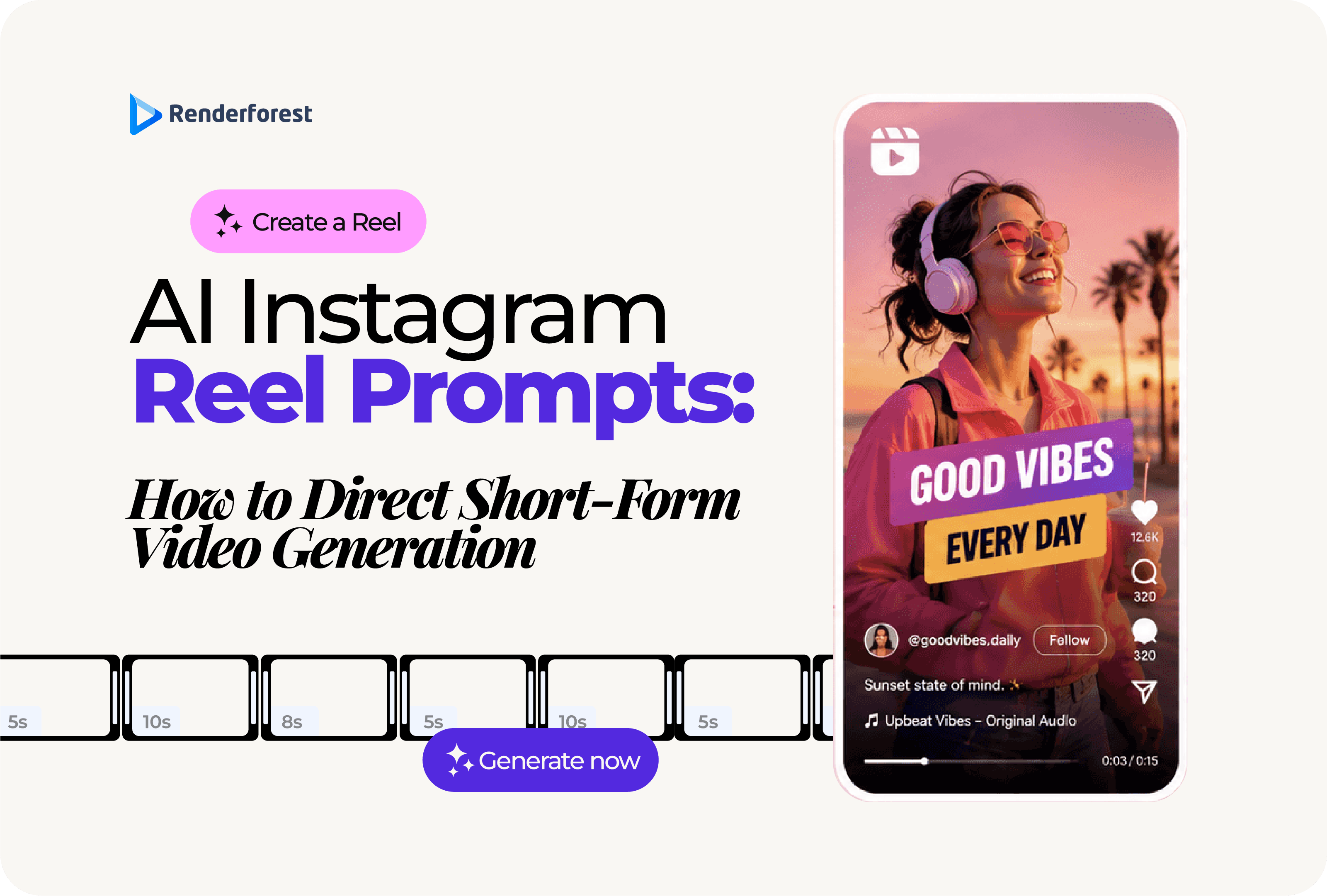
AI Instagram Reel prompts work best when they read less like a request and more like a short creative brief. A vague prompt asks the tool to “make a Reel.” A strong prompt directs the audience, hook, scene order, motion, captions, audio, brand details, and final payoff.
That difference matters. A 20-second Reel does not have room for a slow setup or random visuals. The opening has to make sense immediately. The scenes need to move in the right order. The captions need to be readable on a phone. And the final frame should tell the viewer what to understand, save, try, or do next.
This guide shows you how to write AI Instagram Reel prompts that give short-form video generators better direction. You will get a practical prompt formula, before-and-after examples, scene-by-scene structures, industry prompts, troubleshooting tips, and a Renderforest workflow for turning prompts into editable Reels.
To write better AI Instagram Reel prompts, describe the Reel like a short-form video brief. Include who the Reel is for, what the viewer should notice first, what happens in each scene, how the camera moves, what captions appear, what audio is used, what action the viewer should take, and what the AI should avoid.
Use this formula:
Create a [duration] vertical Instagram Reel for [audience] about [topic]. The goal is to [goal]. Open with the hook “[hook].” Use [visual style]. Structure the video in [number] scenes: [scene list]. Add , [camera movement], and
. End with [CTA]. Avoid [things to avoid].
Example:
Create a 20-second vertical Instagram Reel for small business owners about turning one product photo into a promo video. Open with the hook “You do not need a full shoot for your next Reel.” Use clean, modern visuals. Structure the video in four scenes: product photo on screen, AI generating motion, captions being added, final Reel preview on a phone. Use short captions, smooth zooms, upbeat music, and end with “Try it with one product image.” Avoid generic stock footage and exaggerated claims.
The best AI Reel prompts do not only describe the topic. They direct what the viewer sees, when they see it, and why it matters.
A strong AI Instagram Reel prompt usually has eight parts.
If you are writing for a real business, do not skip the last part. The avoid-list helps prevent generic visuals, exaggerated claims, unreadable text, fake statistics, competitor logos, and off-brand scenes.
A good prompt is not necessarily long. It is clear.
Writing a prompt for an AI image is usually about one moment. Writing a prompt for an AI Reel is about movement over time.
An image prompt can describe a subject, composition, and style. A video prompt has to control sequence, timing, action, camera movement, sound, captions, and attention. That is why short-form video prompts need more structure.
Google DeepMind’s Veo prompt guide recommends adding details such as shot framing, camera motion, style, lighting, location, action, and sound to improve video outputs. Source: Google DeepMind Veo prompt guide.
OpenAI’s Sora 2 prompting guide makes a similar point: a clear video prompt should describe the shot as if you were sketching a storyboard, including framing, action beats, lighting, palette, and subject details. Source: OpenAI Sora 2 Prompting Guide.
That advice matters even more for Instagram Reels because short-form video is unforgiving. The viewer is not waiting for the AI to set the scene. The first second has to make sense.
A useful AI Reel prompt answers:
If your prompt does not answer those questions, the AI has to guess.
Use this framework when you want more control over short-form AI video:
This is the difference between asking for a video and directing one.
Make an Instagram Reel about a coffee shop.
This might generate a cozy coffee shop video, but it does not tell the AI what the Reel is for.
Create a 15-second vertical Instagram Reel for a local coffee shop announcing a new morning pre-order option. Open with the hook “Skip the line before work.” Show three scenes: a phone order being placed, a barista setting the cup on a pickup counter, and a customer grabbing the drink on the way out. Use warm morning light, smooth handheld motion, short captions, and upbeat background music. End with “Pre-order before 9 AM.” Avoid crowded café shots or unreadable small text.
The better prompt gives the AI a job. It specifies the audience, offer, scenes, visual mood, camera motion, captions, and CTA.
A better prompt gets the draft closer. It does not replace editing.
Before publishing an AI-generated Reel, you still need to check:
The best creators do not use AI to skip judgment. They use AI to get to a stronger first draft faster.
Here is a simple test using the same product idea.
Make a Reel for a reusable coffee cup.
This prompt may produce a nice-looking video, but it leaves too much to chance. The AI may show a generic cup, random café shots, slow camera movement, or vague captions like “start your day right.”
Create a 20-second vertical Instagram Reel for commuters who want a cleaner morning routine. Open with “Your coffee should not leak before work.” Show four scenes: cup in a work bag, close-up of the lid, commute shot, cup on a desk. Use warm morning light, slow push-ins, short captions, and end with “Make mornings easier.” Avoid exaggerated spill-proof claims or changing the product shape.
This is the main lesson: prompt quality is not about sounding clever. It is about removing guesswork.
The hook is the most important part of an AI Instagram Reel prompt because it controls the opening.
There are two kinds of hooks you can direct:
The strongest Reels often use both.
Open with [visual moment] and the on-screen text “[hook].”
Examples:
If the AI tool allows scene-by-scene editing, generate several hook versions first. A different opening can change the whole Reel.
A Reel should not be one long visual. It should move through a small number of clear beats.
For most AI Instagram Reel prompts, use three to five scenes. That is enough to show progression without crowding the video.
Structure the Reel in [number] scenes:
Scene 1: [hook visual]
Scene 2: [problem or setup]
Scene 3: [process or product in use]
Scene 4: [result]
Scene 5: [CTA or final frame]
Example:
Structure the Reel in four scenes:
Scene 1: a product photo appears on a phone screen with the caption “Start here.”
Scene 2: the image animates with a soft camera push-in.
Scene 3: captions and brand colors appear.
Scene 4: the finished vertical Reel plays on a phone with the caption “Ready to post.”
This gives the AI a storyboard. It also makes the output easier to edit later.
Use this rule when directing AI video:
One shot should do one job.
Do not ask one shot to show a product, explain three benefits, introduce a founder, animate a background, show captions, and include a CTA. That is too much for one moment.
Instead:
This keeps the Reel clear and easier to edit.
Camera motion is where many AI video prompts fall apart. If you only say “make it dynamic,” the AI may add random zooms, sudden movement, or cinematic shots that do not fit the Reel.
Use specific motion language.
Use a vertical 9:16 frame. Start with a close-up of the product, then use a slow push-in as the first caption appears. Cut to a top-down shot of the product in use. End with a static final frame showing the CTA.
That is much clearer than:
Make it cinematic and engaging.
The practical goal is not to impress the AI model with fancy language. The goal is to tell it exactly how the shot should behave.
Instagram Reels often need to work without sound. That means captions and text overlays should be part of the prompt, not an afterthought.
Do not prompt:
Add captions.
Prompt:
Add short on-screen captions, no more than six words each, placed in the center-safe area. Use one caption per scene.
Better yet, write the captions yourself.
Example:
Use these captions in order: “Start with one product photo,” “Add motion,” “Keep captions short,” “Export as a Reel.”
That reduces the chance of generic AI copy.
A good caption should help the viewer understand the point faster. It should not explain the whole video in tiny text.
Audio direction depends on the type of Reel.
For product demos, music and sound effects may be enough. For educational Reels, voiceover may help. For founder Reels, a real human voice often feels more trustworthy than synthetic narration.
Use audio direction like this:
Google’s Veo prompt guide includes audio, sound effects, ambient noise, and dialogue as parts of effective video prompting. Source: Google DeepMind Veo prompt guide.
Renderforest’s AI Reel Generator also supports generating reels from text, scripts, or images with scenes, transitions, text overlays, background music, and optional voiceover, while allowing elements to be fine-tuned before export. Source: Renderforest AI Reel Generator.
The safest rule: if trust matters, use a human voice. If clarity matters, use captions. If energy matters, use music. If the Reel is a product demo, use sound effects only when they make the action easier to understand.
Negative direction tells the AI what to avoid. This is especially useful for brand safety and quality control.
Use an “avoid” line at the end of your prompt.
Examples:
Avoid cluttered backgrounds, unreadable text, fake statistics, exaggerated claims, competitor logos, and changing the product shape.
This does not guarantee a perfect result, but it gives the model clearer boundaries and helps you review the draft faster.
Use these templates as starting points. Replace the bracketed sections with your own details.
Best for: ecommerce, product launches, product features, Amazon-style product videos
Create a [duration]-second vertical Instagram Reel for [audience] showing how [product] solves [problem]. Open with the hook “[hook].” Structure the Reel in four scenes: [problem moment], [product close-up], [product in use], [final result]. Use [visual style], [camera motion], and short captions no longer than six words each. End with “[CTA].” Avoid [claims or visuals to avoid].
Example:
Create a 20-second vertical Instagram Reel for commuters showing how a reusable coffee cup helps prevent spills in a work bag. Open with the hook “Your coffee should not leak before work.” Structure the Reel in four scenes: bag being packed, close-up of the lid, cup placed in a side pocket, cup on a desk. Use clean morning light, slow push-ins, and short captions no longer than six words each. End with “Make mornings easier.” Avoid exaggerated spill-proof claims.
Best for: tips, tutorials, explainers, creator education, B2B content
Create a [duration]-second vertical Instagram Reel for [audience] teaching [topic]. Open with the hook “[hook].” Use a simple three-part structure: mistake, fix, takeaway. Show [visual examples]. Add short captions for each point. Keep the tone [tone]. End with “[CTA].” Avoid jargon and generic advice.
Example:
Create a 30-second vertical Instagram Reel for small business owners teaching why promo videos should not start with a logo. Open with the hook “Your logo is not the hook.” Use a simple three-part structure: mistake, fix, takeaway. Show a weak intro, then a better intro that starts with the customer problem. Add short captions for each point. Keep the tone direct and helpful. End with “Save this before your next video.” Avoid jargon and generic marketing phrases.
Best for: personal brands, startup founders, consultants, expert-led content
Create a [duration]-second vertical Instagram Reel from this founder message: [message]. Open with the strongest sentence. Keep the camera steady and centered. Use subtle zooms, clean captions, and minimal background music. Keep the tone human and direct. End with one useful lesson, not a hard sales pitch.
Example:
Create a 25-second vertical Instagram Reel from this founder message: “We stopped making long product videos because customers only needed to see the workflow in action.” Open with the strongest sentence. Keep the camera steady and centered. Use subtle zooms, clean captions, and minimal background music. Keep the tone human and direct. End with “Show the workflow before the features.”
Best for: agencies, consultants, accountants, lawyers, local service providers
Create a [duration]-second vertical Instagram Reel for [service business] targeting [audience]. Open with the problem “[problem].” Show three scenes: [problem], [process], [result]. Use realistic visuals, calm expert pacing, and readable captions. End with “[CTA].” Avoid overpromising results.
Example:
Create a 25-second vertical Instagram Reel for a local accounting firm targeting freelancers. Open with the problem “Your invoices should not be your tax plan.” Show three scenes: messy invoice folder, simple monthly tracking process, clean tax dashboard. Use realistic visuals, calm expert pacing, and readable captions. End with “Book a monthly cleanup.” Avoid overpromising tax savings.
Best for: transformations, redesigns, edits, product improvements, process content
Create a [duration]-second vertical Instagram Reel showing the difference between [before state] and [after state]. Open with a split-screen hook. Use [visual style]. Show the transformation in three steps. Add captions that explain what changed. End with “[CTA].” Avoid unrealistic results.
Example:
Create a 15-second vertical Instagram Reel showing the difference between a plain product photo and a polished AI-generated product Reel. Open with a split-screen hook. Use clean modern visuals. Show the transformation in three steps: still photo, added motion, final captioned Reel. Add captions that explain what changed. End with “Try this with one image.” Avoid unrealistic product movement.
Best for: content repurposing, SEO content distribution, educational social posts
Turn this article section into a [duration]-second Instagram Reel for [audience]. Extract one main idea and three supporting points. Open with “[hook].” Use one scene per point, short captions, and a save-worthy final takeaway. Do not summarize the entire article.
Example:
Turn this article section into a 30-second Instagram Reel for social media managers. Extract one main idea and three supporting points. Open with “Your AI prompt needs a storyboard.” Use one scene per point, short captions, and a save-worthy final takeaway. Do not summarize the entire article.
Best for: pop-ups, webinars, workshops, launches, local events
Create a [duration]-second vertical Instagram Reel promoting [event]. Open with why [audience] should care. Show [main benefit], [date/location], and [what to do next]. Use [visual style], energetic pacing, and clear text overlays. End with “[CTA].” Avoid cluttered text.
Example:
Create a 20-second vertical Instagram Reel promoting a weekend pop-up bakery. Open with why locals should care: “Fresh croissants, one weekend only.” Show close-ups of pastries, the shop counter, date and location, and the pickup CTA. Use warm visuals, energetic pacing, and clear text overlays. End with “Pre-order by Friday.” Avoid cluttered text.
Best for: low-polish social ads, product recommendations, creator-style videos
Create a [duration]-second vertical Reel that feels like a simple phone-shot product recommendation. The audience is [audience]. Open with “[hook].” Show [product/service] in a natural setting. Use handheld motion, casual captions, and realistic lighting. Keep the tone honest and low-polish. End with “[CTA].” Avoid glossy commercial visuals.
Example:
Create a 20-second vertical Reel that feels like a simple phone-shot product recommendation. The audience is first-time apartment renters. Open with “This made my tiny kitchen feel less chaotic.” Show a compact dish rack in a natural kitchen setting. Use handheld motion, casual captions, and realistic lighting. Keep the tone honest and low-polish. End with “Save this for your first apartment.” Avoid glossy commercial visuals.
Best for: fast educational posts, relatable brand content, lightweight creator content
Create a [duration]-second vertical Instagram Reel using a fast, trend-style structure but without copying a specific creator. Open with “[hook].” Use quick cuts, bold captions, and [visual style]. Show [scene list]. End with [payoff]. Avoid copyrighted visuals, copied formats, and low-effort repost style.
Example:
Create a 12-second vertical Instagram Reel using a fast, trend-style structure but without copying a specific creator. Open with “POV: your product video finally explains the product.” Use quick cuts, bold captions, and clean screen-recording visuals. Show a weak product intro, a better hook, and the final short Reel. End with “Lead with the problem.” Avoid copyrighted visuals, copied formats, and low-effort repost style.
Best for: product photos, mockups, portraits, branded visuals, ecommerce assets
Animate this image into a [duration]-second vertical Instagram Reel. Keep the main subject consistent and centered. Add [motion direction], [lighting direction], and . Use [style]. End with [CTA]. Avoid changing the product shape, logo, or key details.
Example:
Animate this product image into a 15-second vertical Instagram Reel. Keep the main subject consistent and centered. Add a slow push-in, warm studio lighting, and these captions: “One photo,” “Add motion,” “Ready for Reels.” Use a clean ecommerce style. End with “Create yours today.” Avoid changing the product shape, logo, or key details.
Generic prompts create generic Reels. Industry context makes the output more useful.
Create a 20-second vertical Instagram Reel for shoppers who want a cleaner travel bag. Open with “Your bag does not need to look like this.” Show three scenes: messy bag, product organizing the items, final clean bag. Use realistic close-ups, handheld motion, short captions, and soft natural light. End with “Pack smarter.” Avoid fake before/after exaggeration.
Create a 15-second vertical Instagram Reel for a local restaurant promoting a new lunch special. Open with “This is your Friday lunch plan.” Show close-ups of the dish being prepared, steam rising, plating, and the final table shot. Use warm lighting, natural kitchen sounds, quick cuts, and short captions. End with “Available Friday only.” Avoid cluttered menu text.
Create a 25-second vertical Instagram Reel for small business owners showing how a scheduling app saves time. Open with “Stop sending five emails to book one meeting.” Show three scenes: messy inbox, one booking link being sent, confirmed calendar slot. Use clean screen-focused visuals, simple captions, and subtle click sounds. End with “Share your booking link instead.” Avoid fake dashboards or unreadable screens.
Create a 20-second vertical Instagram Reel for first-time homebuyers touring a small city apartment. Open with “This layout makes 600 square feet feel bigger.” Show four scenes: entryway, kitchen storage, living area, natural light by the window. Use smooth walkthrough motion, bright natural lighting, and captions that explain one feature per scene. End with “Book a private tour.” Avoid distorted room proportions.
Create a 20-second vertical Instagram Reel for beginners learning better squat form. Open with “Fix this before adding weight.” Show three scenes: common squat mistake, corrected stance, final controlled rep. Use clear gym lighting, slow-motion on the correction, and short captions. Add a safety note: “Use a coach if you are unsure.” Avoid medical claims.
Create a 20-second vertical Instagram Reel for busy professionals who want a simple evening skincare routine. Open with “Your nighttime routine does not need seven steps.” Show three scenes: cleanser, moisturizer, finished routine on a bathroom shelf. Use soft lighting, realistic skin texture, short captions, and calm music. End with “Save this simple routine.” Avoid medical claims, fake before/after results, and over-smoothed skin.
Create a 25-second vertical Instagram Reel for startup founders who are planning a product launch video. Open with “Your launch video does not need to explain everything.” Show three scenes: cluttered feature list, simplified storyboard, final three-part launch video structure. Use clean workspace visuals, screen close-ups, and direct captions. End with “Start with the customer problem.” Avoid corporate stock footage.
Renderforest is useful for this workflow because you can start from a text prompt, script, or image, then refine the generated video instead of accepting the first draft.
The Renderforest AI Reel Generator describes a workflow where users provide an idea, script, or image, choose style and settings, generate a Reel, then adjust scenes, text, transitions, timing, music, and voiceover before exporting. Source: Renderforest AI Reel Generator.
Here is a practical prompt workflow for Renderforest.
Before writing the final prompt, answer:
Example brief:
Create a 20-second vertical Instagram Reel for ecommerce founders who think they need a full video shoot to make product videos. Open with “One product photo is enough to start.” Show four scenes: product photo on screen, AI adding motion, captions and brand colors appearing, final Reel preview on a phone. Use clean ecommerce visuals, smooth motion, short captions, and upbeat music. End with “Try it with your best product photo.” Avoid generic stock footage and unrealistic product movement.
After the AI creates the Reel, check:
AI may produce captions that sound polished but vague. Replace them.
Instead of:
Transform your visual storytelling with AI.
Use:
Turn one product photo into a Reel.
Instead of:
Unlock dynamic marketing possibilities.
Use:
Add motion before your next launch.
The edit is where the Reel becomes usable.
Some AI tools generate one clip at a time. Others can generate a complete Reel with scenes, captions, and audio. Your prompt should change depending on the workflow.
OpenAI’s Sora 2 prompting guide notes that shorter clips often follow instructions more reliably and that multiple shot blocks should remain distinct when describing sequences. Source: OpenAI Sora 2 Prompting Guide.
For Instagram Reels, that often means the best workflow is not one long generation. It is a set of short, controlled clips stitched together into a final Reel.
Once your basic prompt works, add more control.
If your tool supports image input, upload a reference image and say exactly what should stay consistent.
Prompt:
Use the uploaded product photo as the main reference. Keep the product shape, logo placement, color, and proportions consistent. Animate only the camera movement and background lighting.
This is especially important for ecommerce, real estate, branding, and product demos.
Google Cloud’s Veo 3.1 prompting guide discusses image-to-video workflows, first-and-last-frame direction, and using reference images to improve consistency and control in video generation. Source: Google Cloud Veo 3.1 prompting guide.
Even if your tool does not have a specific first-frame or last-frame feature, you can prompt with that structure.
Prompt:
Start with the product photo on a plain background. End with the final Reel playing on a phone screen. The motion should connect those two states naturally.
This helps the AI understand the transformation.
Instead of saying:
Make it professional.
Say:
Use clean ecommerce product visuals, neutral background, soft shadows, and subtle camera movement.
Instead of:
Make it viral.
Say:
Use fast cuts, bold captions, a clear first-second hook, and one strong takeaway.
Style should be visible, not abstract.
Timing matters in short-form video.
Prompt:
Keep scene 1 under 3 seconds, scenes 2 and 3 around 5 seconds each, and the final CTA under 3 seconds.
This helps prevent slow AI openings.
Prompt:
Use no more than one caption per scene. Each caption should be under six words.
This is one of the simplest ways to make AI-generated Reels feel more watchable.
If the output looks wrong, do not keep regenerating blindly. Diagnose the prompt.
This section is often where the best prompt improvements come from. A bad output usually tells you which instruction was missing.
Weak prompt:
Make a Reel about workout tips.
Stronger prompt:
Create a 20-second vertical Instagram Reel for beginner gym members learning squat form. Open with “Fix this before adding weight.” Show three scenes: common squat mistake, corrected stance, slow controlled rep. Use clear gym lighting, centered framing, short captions, and a calm coaching tone. End with “Save this for leg day.” Avoid medical claims and extreme body transformation language.
Weak prompt:
Make a Reel for our restaurant.
Stronger prompt:
Create a 15-second vertical Instagram Reel for local office workers promoting a weekday lunch special. Open with “Your lunch break deserves better than leftovers.” Show three scenes: close-up of the dish, chef plating it, customer picking it up. Use warm lighting, quick cuts, natural food sounds, and captions under five words. End with “Available weekdays until 2 PM.” Avoid crowded dining room shots.
Weak prompt:
Make a video about our app.
Stronger prompt:
Create a 25-second vertical Instagram Reel for freelance designers showing how a proposal app reduces back-and-forth. Open with “Stop rebuilding proposals from scratch.” Show four scenes: blank proposal, template selected, client details added, proposal sent. Use clean screen visuals, simple motion, click sound effects, and short captions. End with “Send the next one faster.” Avoid fake client names and unreadable UI.
Weak prompt:
Make a skincare Reel.
Stronger prompt:
Create a 20-second vertical Instagram Reel for busy professionals who want a simple evening skincare routine. Open with “Your nighttime routine does not need seven steps.” Show three scenes: cleanser, moisturizer, finished routine on a bathroom shelf. Use soft lighting, realistic skin texture, short captions, and calm music. End with “Save this simple routine.” Avoid medical claims, fake before/after results, and over-smoothed skin.
Weak prompt:
Make a Reel for this apartment.
Stronger prompt:
Create a 20-second vertical Instagram Reel for first-time renters touring a bright studio apartment. Open with “This studio feels bigger because of the layout.” Show four scenes: entryway storage, kitchen wall, living area, window light. Use smooth walkthrough motion, natural light, and one caption per feature. End with “Book a tour this week.” Avoid distorted room proportions or fake views.
Some prompt details hurt more than they help.
Avoid:
Do not ask AI to copy a specific creator. Instead, describe the mechanics: direct-to-camera framing, handheld motion, fast cuts, bold captions, product close-ups, casual voiceover, or split-screen comparison.
A good prompt gives direction. It does not dump every marketing idea into one request.
Before generating, check your prompt against this list:
If you can answer yes to most of these, your prompt is already stronger than the average “make me a Reel” request.
AI Instagram Reel prompts are instructions you give to an AI video tool to generate or edit a short vertical video for Instagram. A good prompt includes the audience, hook, scene order, motion, captions, style, audio, CTA, and avoid-list.
Write the prompt like a creative brief. Include the audience, goal, duration, vertical format, first-second hook, scene-by-scene structure, camera movement, captions, audio direction, CTA, and what to avoid.
An AI Reel prompt should include audience, topic, goal, length, aspect ratio, hook, scene list, visual style, camera motion, text overlays, voiceover or music direction, CTA, and negative instructions.
Yes. AI Reel tools can create videos from text prompts or scripts. Renderforest’s AI Reel Generator lets users create Reels from text, images, or scripts and then customize scenes, captions, music, voiceover, and timing before export. Source: Renderforest AI Reel Generator.
Use this formula: create a [duration] vertical Reel for [audience] about [topic], open with [hook], show [scene list], use [visual style and camera motion], add , end with [CTA], and avoid [negative direction].
Use short prompts when you want the AI to explore creatively. Use detailed prompts when you need control over scenes, brand style, captions, products, or claims. For business Reels, detailed prompts usually work better because they reduce guesswork.
Most AI Instagram Reels work best with three to five scenes. That gives enough structure for a hook, proof, and payoff without making the Reel feel crowded.
Use real product details, customer questions, founder opinions, process footage, specific captions, brand colors, and clear scene direction. Avoid vague prompts like “make it engaging” or “make it viral.”
You can reuse the core idea, but adjust the prompt for each platform’s pacing, caption style, audience expectation, and export requirements. Keep the creative direction flexible instead of assuming one prompt fits every short-form platform.
Yes. Mention that the video should be a vertical Instagram Reel, especially if the tool supports multiple formats. This helps the AI prioritize mobile-first framing, short captions, and fast pacing.
The prompt may be missing key direction. Add a clearer scene order, specific camera motion, caption limits, product consistency rules, timing instructions, and an avoid-list. If the product or character changes, use reference images where your tool supports them and explicitly say what must stay consistent.
The best AI Instagram Reel prompt does not simply ask for a video. It directs one.
Start with the viewer. Give the Reel one job. Write the hook yourself. Map the scenes. Control the motion. Limit the captions. Give audio direction. Add a clear CTA. Then include an avoid-list so the output stays realistic, branded, and safe to publish.
AI can generate the draft, but your prompt decides whether the Reel has a point. Treat the AI like a video assistant that needs direction, not a mind reader, and your short-form videos will come out sharper from the first draft.
Share this


Article by: Liana Ziroyan
Liana is a marketing professional with 11 years of experience in digital marketing, content, and product communication. She has a strong eye for visual storytelling and loves turning ideas into engaging campaigns that connect with audiences. With her experience across branding, creative content, and user-focused messaging, Liana enjoys finding simple, effective ways to make products feel clear, useful, and exciting.
Read all posts by Liana Ziroyan