AI
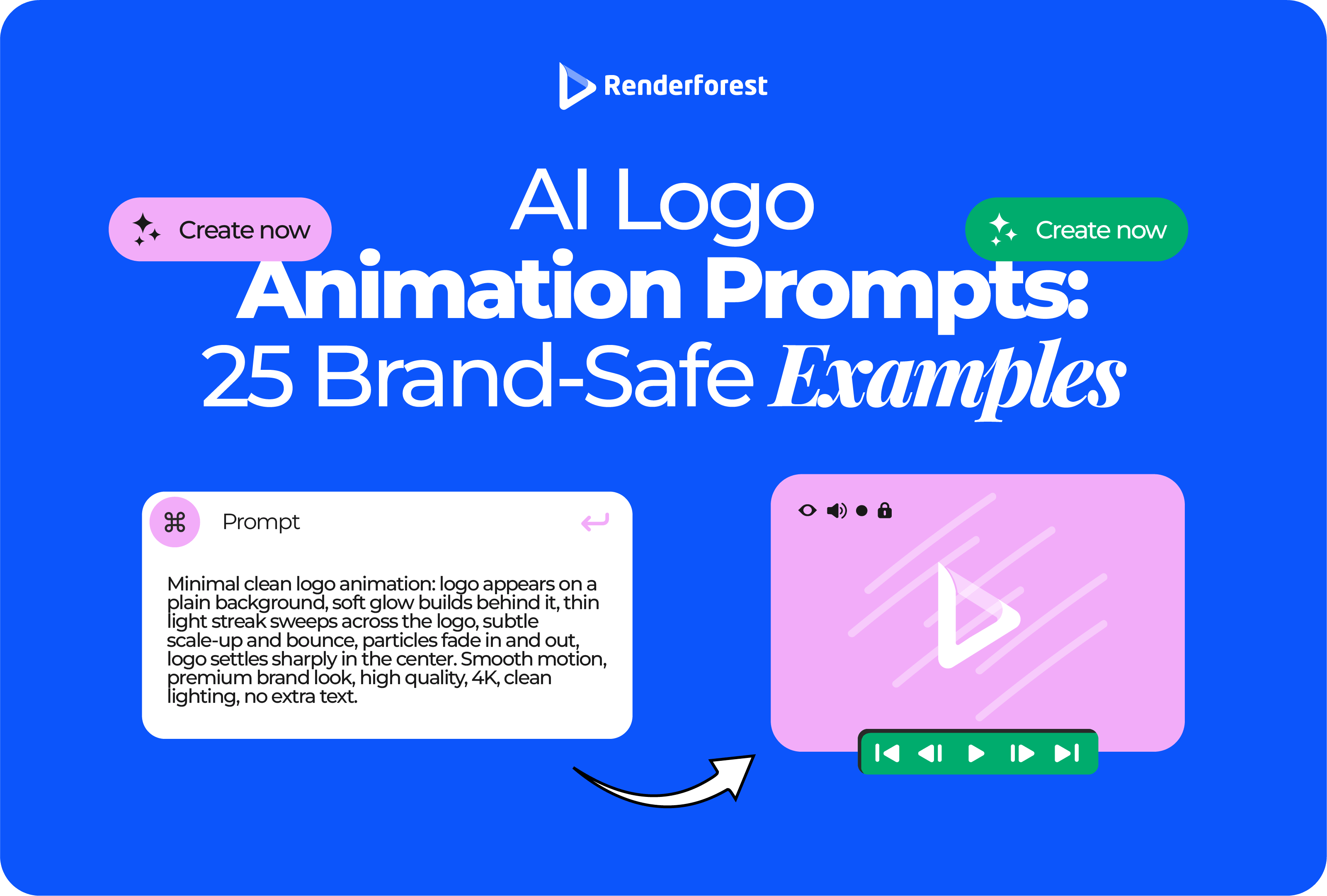
AI logo animation prompts need more control than normal video prompts. You are not asking AI to invent a scene from scratch. You are asking it to move a brand asset without damaging the shape, typography, colors, spacing, or final logo lockup.
That is where most bad prompts fail. They ask for something “cinematic,” “premium,” or “cool,” then let the AI redesign the logo by accident. A better prompt protects the logo first, adds one clear motion idea, defines the use case, and ends on a clean final frame.
A good AI logo animation prompt tells the model what to preserve, what to animate, where the animation will be used, how long it should last, and what the final frame should look like. The most important instruction is to keep the logo shape, typography, colors, spacing, and proportions unchanged.
A usable prompt usually includes six parts:
Google’s Veo prompt guide recommends using clear video elements such as subject, action, context, camera, and style, and notes that specificity helps avoid generic outputs. For logo animation, the subject is the uploaded logo, the action is the reveal, and the context is the placement where the logo will appear.
For a normal AI video, variation can be useful. If you ask for “a coffee shop at sunrise,” you may welcome unexpected lighting, camera movement, or background details.
Logo animation is different. Variation can damage the asset.
A model can improvise the glow, background, pacing, or camera angle. It should not improvise the logo itself. It should not rewrite the wordmark, add new symbols, change the brand colors, reshape the icon, or turn the final frame into a new logo.
OpenAI’s Sora 2 prompting guide explains the tradeoff clearly: detailed prompts give more control and consistency, while lighter prompts leave more room for creative interpretation. That balance matters for logo animation. Give the model freedom around the motion, but be strict about brand identity.
Use this rule:
Be strict about the logo. Be specific about the motion. Be simple about everything else.
The prompt is only part of the result. The source logo file matters too.
Use the cleanest logo version you have:
Renderforest recommends using a 1000×1000 transparent PNG for the best-looking animated logo, and its logo animation workflow supports uploading a logo, editing it, and exporting at available resolutions depending on plan.
Avoid uploading a logo inside a business card mockup, Instagram screenshot, website header, or product photo. AI may treat the whole image as the subject and animate the wrong thing.
The safest AI logo animation prompts follow three steps:
This rule keeps the prompt focused.
A weak prompt starts with the effect:
Make my logo cinematic, epic, modern, premium, glossy, dynamic, 4K.
A stronger prompt starts with the identity:
Preserve the uploaded logo exactly. Do not change the shape, typography, colors, spacing, or proportions. Create a clean 2-second line-draw reveal on a white background. End on the exact original logo, centered and fully readable.
The difference is not just wording. The second prompt gives the model a job it can follow.
Use the L.O.G.O. formula when writing AI logo animation prompts.
L = Logo rules
O = Occasion
G = Gesture
O = Output details
It gives you enough structure without making the prompt hard to edit.
Start with what must not change.
Use phrases like:
This is especially important for wordmarks. AI tools can distort letters, invent characters, or make text look almost right but not usable.
Say where the animation will appear.
A YouTube intro, TikTok ad, app splash screen, website loader, pitch deck opener, and event screen need different pacing.
Examples:
This stops you from getting a slow cinematic reveal when you need a fast mobile-friendly logo sting.
Choose one motion idea.
Good gestures include:
Avoid stacking five effects in one prompt. “Particles, smoke, glitch, neon, liquid morph, 3D spin” is not a direction. It is a list of distractions.
End with constraints.
Useful output details include:
Use this as your base template:
Animate the uploaded logo for [use case].
Logo rules:
Preserve the original logo exactly. Do not change the shape, typography, colors, spacing, proportions, or text. Do not add extra words, icons, slogans, symbols, or characters.
Motion:
[Describe one clear movement: line draw, soft pulse, geometric assembly, kinetic wordmark, 3D lift, light sweep, organic ripple, stamp reveal, etc.]
Style:
[Describe the brand feel: minimal, premium, playful, tech, handmade, calm, bold, elegant.]
Timing:
[Duration] seconds. Smooth easing. No unnecessary motion.
Background:
[White / transparent / dark / brand-color gradient / simple studio background.]
Final frame:
End on the exact original logo, centered, sharp, fully readable, and usable as a static frame.
Here is the same template filled in:
Animate the uploaded logo for a short YouTube intro.
Logo rules:
Preserve the original logo exactly. Do not change the shape, typography, colors, spacing, proportions, or text. Do not add extra words, icons, slogans, symbols, or characters.
Motion:
A thin line traces the symbol first, then the wordmark fades in with a soft upward movement.
Style:
Clean, modern, calm, and professional.
Timing:
2.5 seconds. Smooth easing. No camera shake, no particles, no smoke.
Background:
White background with a subtle soft shadow under the logo.
Final frame:
End on the exact original logo, centered, sharp, fully readable, and usable as a static frame.
Most weak prompts can be fixed by adding logo protection, one motion gesture, and a final-frame rule.
These prompts are written for uploaded-logo workflows. Replace the details with your brand information.
Best for: SaaS, consulting, education, agencies
Avoid when: the logo has very thin lines or complex detail
Animate the uploaded logo with a minimal line-draw reveal. Preserve the logo shape, typography, spacing, and colors exactly. A thin line traces the icon first, then the wordmark fades in smoothly. Use a clean white background, static camera, soft easing, and a 2-second duration. End on the exact original logo centered and fully readable.
Refine with: “Make the line reveal 30% slower and hold the final frame longer.”
Best for: luxury, beauty, fashion, finance, premium services
Avoid when: the brand is playful, casual, or youth-focused
Create a refined premium logo animation using the uploaded logo. Do not redesign the logo or alter the typography. Use a matte black background with one subtle gold light sweep across the logo. Keep the motion slow and controlled, 3 seconds total. No particles, no smoke, no extra text. End on the exact logo, sharp and centered.
Refine with: “Reduce the gold reflection and make the final frame more minimal.”
Best for: Reels, Shorts, TikTok, paid ads, creator content
Avoid when: the logo needs a slow luxury reveal
Create a 1-second logo sting for social media. Preserve the uploaded logo exactly. The logo quickly scales from 95% to 100%, locks into place, and holds for a clean final frame. Use the brand background color, no extra elements, no camera movement, and no text changes.
Refine with: “Make it vertical, centered, and readable on a phone screen.”
Best for: YouTube channels, tutorials, podcasts, online courses
Avoid when: the same intro will repeat many times in short videos
Animate the uploaded logo for a YouTube intro. Preserve all logo details exactly. Start with a subtle background glow, then reveal the icon and wordmark with smooth left-to-right motion. Keep it under 3 seconds. Use clean modern movement, no clutter, and end on the exact logo centered on screen.
Refine with: “Make the intro shorter and hold the final logo for 0.5 seconds.”
Best for: mobile apps, SaaS tools, product interfaces
Avoid when: the animation delays access to the app
Create a short app splash screen animation from the uploaded logo. Keep the logo unchanged. The icon gently pulses once, then settles into the final static mark. Use a plain background in the brand color. Duration: 1.5 seconds. No looping, no extra text, no complex effects.
Refine with: “Make the pulse smaller and more subtle.”
Best for: short loading moments, product transitions
Avoid when: the website does not need a loader
Animate the uploaded logo as a subtle website loading animation. Preserve the logo exactly. Use a simple loop where the icon softly brightens and returns to normal. Keep motion minimal, calm, and non-distracting. No flashing, no spinning, no typography changes. Provide a clean final static logo frame.
Refine with: “Create a reduced-motion version using only a fade-in.”
Best for: wordmarks, media brands, creators, agencies
Avoid when: the wordmark is already hard to read
Animate the uploaded wordmark without changing any letters, font, spacing, or proportions. Reveal the letters from left to right with smooth easing, then settle into the exact original wordmark. Use a clean background, 2-second duration, and no extra symbols or decorative effects.
Refine with: “Slow down the letter reveal and keep all letters perfectly readable.”
Best for: AI tools, SaaS, cybersecurity, analytics, product demos
Avoid when: the brand needs warmth or handmade texture
Create a clean tech-style logo animation using the uploaded logo. Preserve the original logo exactly. Simple geometric guide lines briefly appear, align, and disappear as the logo assembles into place. Use cool blue and white accents, static camera, 2.5-second duration, and a sharp final lockup.
Refine with: “Remove extra grid lines and keep only the clean assembly motion.”
Best for: wellness, beauty, healthcare, mindfulness, lifestyle
Avoid when: the brand needs precision or speed
Animate the uploaded logo with soft organic motion. Preserve the logo shape, colors, and typography exactly. Use a gentle expanding circle or soft ripple behind the logo, then let the logo settle calmly into the final frame. Use warm light, slow easing, and a 3-second duration. No liquid distortion of the logo itself.
Refine with: “Keep the ripple behind the logo and do not warp the logo shape.”
Best for: cafés, bakeries, restaurants, packaged food brands
Avoid when: the brand is formal or technical
Create a warm logo animation for a food or café brand. Preserve the uploaded logo exactly. Use a subtle steam-like motion or soft rising movement behind the logo, without changing the logo shape or text. Use a warm neutral background, 2.5-second duration, and a clean final centered frame.
Refine with: “Make the steam more subtle and keep the logo fully sharp.”
Best for: craft brands, local shops, artists, handmade products
Avoid when: the brand needs a polished tech feel
Animate the uploaded logo like a handmade stamp appearing on textured paper. Preserve the logo design exactly. The mark should press in gently with a slight ink texture, then hold steady. Use natural lighting, soft paper grain, 2 seconds total, and no extra text or icons.
Refine with: “Reduce the paper texture and keep the logo edges clean.”
Best for: fitness, sports, coaching, events
Avoid when: the logo includes delicate typography
Create a fast energetic logo sting using the uploaded logo. Preserve the logo exactly. The icon snaps into place with a quick impact movement, followed by the wordmark locking in. Use a dark background, subtle motion blur, 1.5 seconds total, and no distortion of the logo text.
Refine with: “Reduce motion blur and make the wordmark sharper.”
Best for: B2B, consulting, education, internal decks
Avoid when: the presentation needs a dramatic event opener
Animate the uploaded logo for a professional presentation opener. Keep the logo unchanged. Use a subtle fade-in with a gentle upward movement and a soft shadow. Duration: 2 seconds. White or light gray background. No flashy effects, no sound-dependent timing, and a readable final frame.
Refine with: “Make the motion even more restrained and remove the shadow.”
Best for: launches, announcements, startup videos, campaign pages
Avoid when: the brand needs a purely evergreen logo animation
Create a product launch logo reveal using the uploaded logo. Preserve all logo details exactly. Start with a simple abstract shape that matches the brand color, then transition into the logo lockup. Use smooth, confident motion, 3 seconds total, no extra text, and a clean final frame.
Refine with: “Make the abstract shape simpler and closer to the logo geometry.”
Best for: product brands, tech, entertainment, premium services
Avoid when: the logo must stay completely flat
Animate the uploaded logo with a subtle 3D lift. Do not redesign the logo or change the typography. The logo gently rises from a soft shadow, catches a small light reflection, and settles flat facing the viewer. Use a clean studio background, 3 seconds total, no spinning, and a sharp final lockup.
Refine with: “Keep the 3D effect subtle and make the final frame flat and front-facing.”
Best for: video overlays, lower thirds, existing footage
Avoid when: the effect needs a background to make sense
Create a logo animation with a transparent background. Preserve the uploaded logo exactly. Use a simple scale-and-fade reveal with smooth easing, 2 seconds total. No extra shapes, no particles, no background color, and end on the exact logo fully visible.
Refine with: “Remove the shadow and keep the background fully transparent.”
Best for: apps, websites, tech brands, video overlays
Avoid when: the logo colors do not have enough contrast on dark backgrounds
Animate the uploaded logo for dark-mode use. Keep the original logo unchanged. Use a deep charcoal background with a very subtle light sweep that reveals the logo. Duration: 2 seconds. No smoke, no sparks, no extra typography. End on the clear static logo.
Refine with: “Increase contrast slightly without changing the logo colors.”
Best for: kids, food, creators, education, casual lifestyle brands
Avoid when: the brand needs restraint or authority
Create a playful logo animation from the uploaded logo. Preserve the logo exactly. The icon bounces once with soft elastic easing, then the wordmark appears and settles. Use a bright clean background, 2 seconds total, no character additions, and no changes to the typography.
Refine with: “Make the bounce smaller and avoid cartoon exaggeration.”
Best for: cybersecurity, finance, compliance, privacy brands
Avoid when: the brand needs softness or warmth
Animate the uploaded logo with precise secure motion. Preserve the logo exactly. The symbol aligns from two clean parts and locks into place with a subtle click-like movement. Use a dark blue background, 2 seconds total, no glitch distortion, and a sharp final logo frame.
Refine with: “Make the lock-in motion more precise and remove all glitch effects.”
Best for: sustainability, organic products, nonprofits, wellness brands
Avoid when: the logo does not already use natural forms
Create a calm nature-inspired logo animation. Preserve the uploaded logo exactly and do not add leaves unless they already exist in the logo. Use a soft growth-like motion behind the symbol, warm green light, and smooth easing. Duration: 3 seconds. End on the exact logo centered and readable.
Refine with: “Remove extra plant shapes and keep only the soft growth motion.”
Best for: conferences, webinars, trade shows, launches
Avoid when: the animation will be used repeatedly in short content
Animate the uploaded logo for an event opener. Keep the logo unchanged. Use a confident reveal where abstract brand-colored panels slide away to reveal the logo. Widescreen format, 4 seconds total, smooth motion, no extra words, and a strong final centered logo frame.
Refine with: “Shorten the reveal to 3 seconds and simplify the panel movement.”
Best for: podcasts, interviews, audio-led brands
Avoid when: the logo will mostly be used without sound or waveform visuals
Create a short podcast logo animation. Preserve the uploaded logo exactly. Add a subtle waveform motion behind the logo that responds visually for one second, then fades as the logo settles. Use a dark or brand-color background, 2 seconds total, no extra text, and a readable final frame.
Refine with: “Make the waveform less dominant and keep it behind the logo.”
Best for: fashion, beauty, editorial, premium lifestyle
Avoid when: the logo has very small decorative text
Animate the uploaded fashion wordmark without changing the letters, font, tracking, or proportions. Use a slow tracking reveal where the wordmark fades in cleanly from slight blur to sharp focus. Minimal black or warm white background, 3 seconds total, no particles, no extra symbols.
Refine with: “Remove blur faster and keep the wordmark crisp.”
Best for: gaming channels, esports, streaming, entertainment
Avoid when: the logo needs broad corporate use
Create an energetic gaming logo animation using the uploaded logo. Preserve the logo shape and text exactly. Use fast angular motion, a brief neon edge light, and a sharp lock-in. Duration: 2 seconds. No excessive sparks, no new symbols, no unreadable glitch distortion. End on the exact logo.
Refine with: “Keep the neon edge light brief and make the final frame less busy.”
Best for: websites, apps, accessibility-conscious brand systems
Avoid when: there is no motion context at all
Create a reduced-motion version of the uploaded logo animation. Preserve the logo exactly. Use only a quick fade-in or very subtle opacity change. No movement across the screen, no flashing, no zooming, no looping. End on the static logo centered and fully readable.
Refine with: “Use the static logo only, with no movement, if reduced motion is enabled.”
A prompt list is only useful until the first bad result. Use this table when the animation is close but not usable yet.
Some AI tools have a separate negative prompt field. Others do not. If the tool does not support negative prompts, include the restrictions in the main prompt.
Use this longer version when the logo is detailed:
Avoid changing the logo shape, altering the typography, adding extra letters, adding slogans, changing brand colors, distorting the icon, warping the wordmark, adding people, adding unrelated objects, excessive particles, smoke, fire, sparks, flashing, camera shake, unreadable text, low-resolution blur, and a final frame that differs from the original logo.
Use this shorter version for simple prompts:
No logo redesign, no text changes, no extra symbols, no distortion, no flashing, no clutter, no unreadable final frame.
Negative prompts are especially useful for wordmarks, monograms, badges, and logos with fine details.
The same logo needs different prompt rules depending on where it will appear.
Animate the uploaded logo for a YouTube intro. Preserve the logo exactly. Use a clean 3-second reveal where the icon appears first, followed by the wordmark. Use smooth easing, a simple brand-color background, and a final centered logo frame. No extra text or effects.
Create a 1-second animated logo sting for a vertical social ad. Preserve the uploaded logo exactly. The logo should snap smoothly into place, hold briefly, and remain readable on a phone screen. No camera rotation, no extra elements, no text changes.
Create a subtle website loader using the uploaded logo. Preserve the logo exactly. Use a soft opacity pulse on the icon only, with no movement across the screen and no flashing. Keep it calm, minimal, and suitable for reduced-motion fallback.
Animate the uploaded logo for a professional presentation opener. Preserve the logo exactly. Use a soft fade, slight upward motion, and clean final lockup on a light neutral background. Duration: 2.5 seconds. No dramatic effects.
Your prompt should sound like your brand. A calm wellness brand and a gaming channel should not use the same motion language.
A good prompt does not chase the most impressive animation. It chooses motion that feels believable for the brand.
Do not judge the result only by whether it looks good. Judge whether it still works as branding.
Use this scorecard:
The final-frame check matters most. Pause the video at the end. If the logo is distorted, off-center, unreadable, or different from the uploaded mark, the output is not brand-safe.
Use this workflow before generating endless versions.
Write down where the animation will appear:
The placement decides duration, format, pacing, and background.
Pick one:
One clear motion idea is better than a prompt full of effects.
Tell the model what cannot change: shape, typography, colors, spacing, proportions, and final lockup.
Create three versions that differ by one main variable:
This makes comparison easier.
Use the scorecard above. Reject anything that changes the logo, makes the text unreadable, or ends on the wrong final frame.
Do not start from scratch if the result is close. Use a repair prompt:
Use the previous version, but make the motion 30% slower, remove the glow, keep the camera static, and hold the final logo frame for longer.
Controlled refinement usually beats random regeneration.
AI prompts are useful for concepting, fast social stings, YouTube intros, presentation openers, and style exploration. They are riskier when the logo must follow strict brand guidelines or every frame must be approved.
Do not rely only on AI prompts when:
In those cases, use AI prompts to explore direction, then finalize the animation in a controlled editing or template workflow.
Use AI prompts to explore motion ideas. Use a controlled workflow to make the final animation brand-safe.
If you already have a logo and want a clean reveal, Renderforest’s logo animation tool lets you upload your logo, choose an animation style, customize the result, preview it, and export the animation for digital placements. Renderforest also recommends a 1000×1000 transparent PNG for best results, which matches the input-quality principle behind better AI logo animation prompts.
For wider AI-generated brand scenes, Renderforest’s AI Animation Generator may fit better than a standalone logo reveal. Use that when the logo animation is part of a broader intro, explainer, or campaign scene rather than the only asset on screen.
The practical workflow is:
Before generating, check whether your prompt answers these questions:
If the answer is yes, your prompt is already stronger than most “make it cinematic” logo animation prompts.
AI logo animation prompts should not give the model unlimited freedom. They should give it a clear job: preserve the brand mark, animate one meaningful movement, and resolve into a clean final logo frame.
Start with the logo rules. Add the use case. Choose one gesture. Set the timing and background. End with the final-frame requirement. That structure keeps the animation useful for real branding, not just interesting as an AI experiment.
Share this


Article by: Liana Ziroyan
Liana is a marketing professional with 11 years of experience in digital marketing, content, and product communication. She has a strong eye for visual storytelling and loves turning ideas into engaging campaigns that connect with audiences. With her experience across branding, creative content, and user-focused messaging, Liana enjoys finding simple, effective ways to make products feel clear, useful, and exciting.
Read all posts by Liana Ziroyan