AI
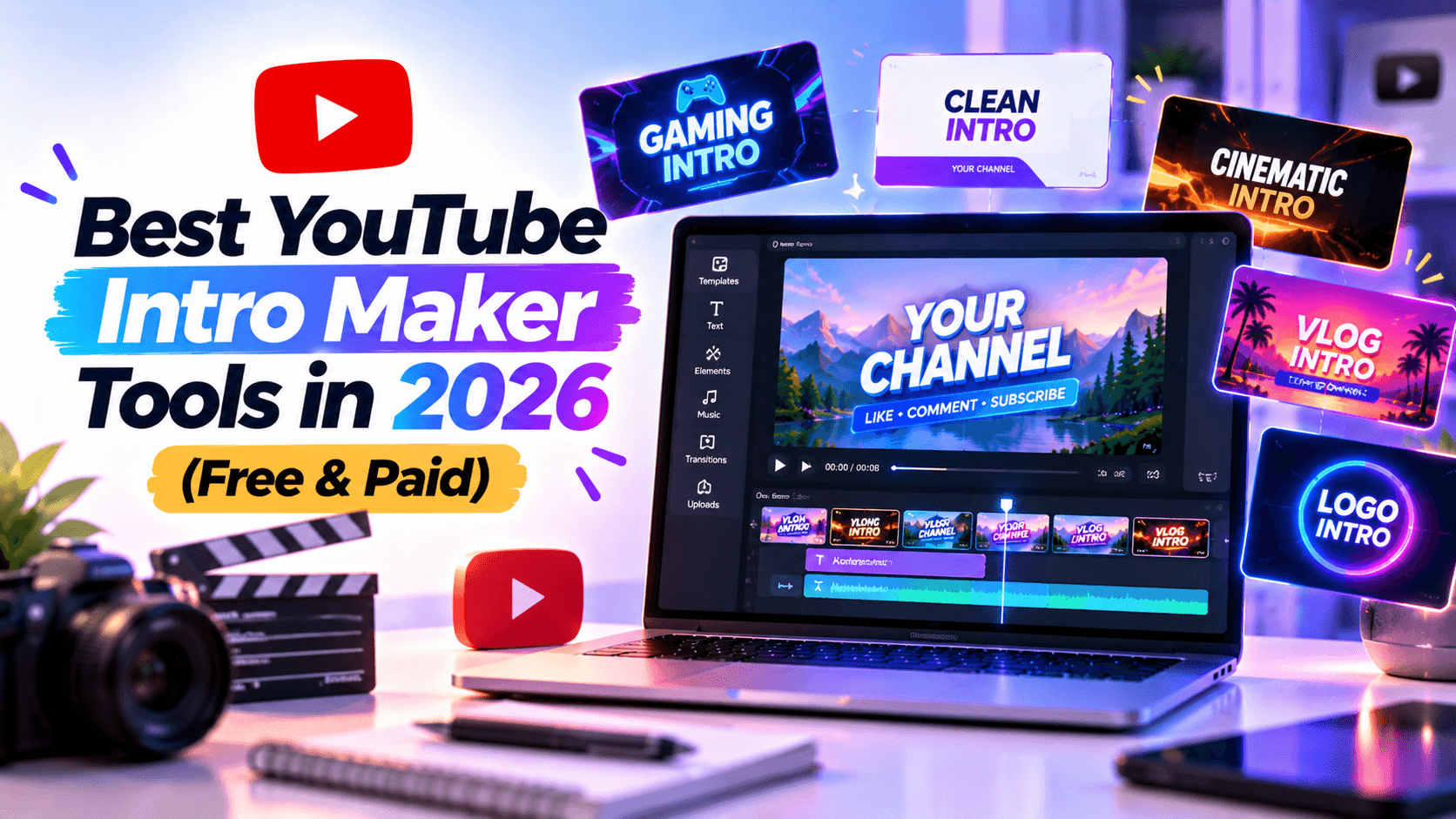
The best YouTube intro maker tools in 2026 depend on the intro you need to create. A three-second logo reveal, a gaming opener, a Shorts-first hook, an AI-generated scene, and a branded team template all ask for different things.
That is where many tool roundups go wrong. They compare features in a vacuum instead of asking what a creator actually needs to publish. A simple template tool can beat a full editor if it helps you make a clean intro faster. A full editor makes more sense when the intro is only one part of a larger YouTube workflow.
This guide compares free and paid YouTube intro makers by real creator use case. You will see which tool fits each job, where the free plan is useful, when paid access matters, and which tools to avoid for specific workflows.
For this article, we compared each tool against the jobs creators actually need an intro maker to do:
The most important criteria were speed to publish, template quality, brand control, export quality, editing depth, YouTube format support, and value. A simple template tool can outrank a full editor if it helps a beginner publish a clean intro faster.
Use a free tool to test style direction. Use a paid tool when the intro becomes part of your actual brand, monetized channel, client workflow, or team process.
Best for: Creators, small businesses, educators, and marketers who want a finished intro without learning motion design.
Not best for: Frame-by-frame compositing, complex manual timelines, or heavy desktop editing.
Free-plan value: Free to start; check export resolution, watermark, and premium-template limits before publishing.
Renderforest is the strongest fit when the intro itself is the main deliverable: a logo reveal, channel opener, gaming intro, brand intro, or short title sequence. It sits in the practical middle: more polished than a basic drag-and-drop title card, but easier than building motion graphics from scratch.
Renderforest’s YouTube intro maker includes YouTube intro templates and end screens with widescreen, portrait, and square options. Its broader intro maker also includes AI intro creation and ready-made intro templates.
Key features
Pros
Cons
Verdict: Choose Renderforest if you want a polished YouTube intro or logo reveal fast, especially when brand recognition matters more than manual timeline control.
Best for: Creators who already make thumbnails, banners, and social posts in Canva.
Not best for: Cinematic logo reveals, detailed motion timing, or advanced video editing.
Free-plan value: Strong free starting point for template-based intros and channel graphics.
Canva is a natural choice when your intro is part of a wider channel identity. If you want a title card, animated text, logo placement, and matching thumbnail style, it is easier to keep everything consistent in one design workspace.
Canva describes its intro maker as free, beginner-friendly, customizable, and drag-and-drop. Source: Canva intro maker.
Key features
Pros
Cons
Verdict: Choose Canva if your intro should match your thumbnails, banners, and social graphics more than it needs advanced motion.
Best for: Creators who want Adobe-style templates, stock assets, and Brand Kit support without using Premiere Pro.
Not best for: Deep motion graphics, pro timeline editing, or cinematic logo packages.
Free-plan value: Adobe states the YouTube intro maker is free to use, no credit card required, and videos can be downloaded watermark-free.
Adobe Express is a good fit for creators who want a polished browser-based intro and care about brand consistency. It is especially useful if your intro needs to live alongside YouTube banners, thumbnails, social posts, and other Adobe Express assets.
Adobe Express lists customizable YouTube intro templates, royalty-free Adobe Stock soundtracks, logo upload, Brand Kit, and watermark-free downloads. Source: Adobe Express YouTube intro maker.
Key features
Pros
Cons
Verdict: Choose Adobe Express if you want a simple branded YouTube intro with strong design assets and watermark-free browser export.
Best for: Shorts, TikTok-style edits, gaming clips, lifestyle content, and mobile-first creator workflows.
Not best for: Formal B2B brands, restrained corporate intros, or creators who need long-term brand consistency over trends.
Free-plan value: CapCut’s intro maker page describes template customization and watermark-free intro export.
CapCut is strongest when your YouTube workflow overlaps with Shorts, TikTok, Reels, or mobile-first editing. It is less of a traditional intro maker and more of a creator editing environment where the intro, captions, effects, and short-form pacing happen together.
CapCut says users can pick intro templates, edit captions, music, playback speed, stickers, animated fonts, and video effects, then export a watermark-free intro. Source: CapCut intro maker.
Key features
Pros
Cons
Verdict: Choose CapCut if your YouTube intros need to feel native to Shorts, Reels, and fast creator edits.
Best for: AI-first channels, faceless videos, stock-backed intros, and creators who want prompts to generate scenes.
Not best for: Exact logo preservation, clean logo-only reveals, or creators who only need one simple intro.
Free-plan value: Free option available; paid plans and credits matter if you generate regularly.
InVideo AI is useful when the intro is part of a larger AI video process: script, visuals, voice, music, and stock-supported scenes. It is not the cleanest answer for a simple logo reveal, but it can help build a full opener for faceless or automated channels.
InVideo’s pricing page lists access to 200+ image, video, audio, and music models, InVideo’s v4 agent, and stock providers including iStock and Storyblocks on paid plans. Source: InVideo pricing.
Key features
Pros
Cons
Verdict: Choose InVideo AI if your intro is part of an AI-generated video workflow, not just a standalone logo animation.
Best for: Creators who want to make an intro and then handle captions, trimming, subtitles, and repurposing in the same browser editor.
Not best for: Highly cinematic intros or large template marketplaces focused only on intro reveals.
Free-plan value: Free to start; verify export and watermark limits for your plan before publishing.
VEED is a practical choice when your intro is only one step in the editing workflow. It is especially useful for creators who care about captions, subtitles, clipping, and repurposing longer videos into social content.
VEED’s YouTube intro maker is described as free and online, and its intro maker page says users can add a logo, text, images, and more from the browser. Source: VEED YouTube intro maker.
Key features
Pros
Cons
Verdict: Choose VEED if you want a YouTube intro tool that also handles the practical editing tasks around the video.
Best for: Marketing teams, educators, social teams, and creators who need subtitles, resizing, AI tools, and collaborative editing.
Not best for: Creators who only need a one-time 3-second logo intro.
Free-plan value: Kapwing says its tools are available for free, while Pro and Business are subscription plans.
Kapwing is not the most intro-specific tool on this list, but it is strong when the intro is part of a broader YouTube repurposing workflow. If your team cuts long videos into clips, adds subtitles, resizes for platforms, and needs quick branding, Kapwing can make sense.
Kapwing’s pricing page says its tools are available for free and that Pro and Business are subscription plans. Source: Kapwing pricing.
Key features
Pros
Cons
Verdict: Choose Kapwing if you need a YouTube intro as part of a larger clipping, subtitling, and repurposing workflow.
Best for: Educational channels, training videos, character-led explainers, and animated lesson intros.
Not best for: Minimal logo reveals, cinematic creator intros, or formal brand films that need a premium restrained tone.
Free-plan value: Free plan available; paid tiers matter for quality, downloads, credits, and higher-volume work.
Animaker is useful when the intro needs animated characters, scenes, or explainer-style storytelling. It works better for educational and training channels than for creators who simply want a logo to appear cleanly in three seconds.
Animaker’s pricing page shows a free tier and paid options for video creation workflows. Source: Animaker pricing.
Key features
Pros
Cons
Verdict: Choose Animaker if your YouTube intro should feel like part of an animated lesson, course, or explainer series.
Best for: Marketing teams, internal comms, agencies, training videos, and business channels.
Not best for: Casual creators, gaming intros, and solo YouTubers who only need a quick free opener.
Free-plan value: Biteable offers a 7-day trial and paid plans; it is more business-oriented than free-first.
Biteable is strongest when YouTube intros are part of a wider business video system. It is less appealing for casual creators, but it makes sense for teams that need consistent branded openers, internal video templates, and marketing-ready output.
Biteable’s pricing page lists Pro plan features such as unlimited HD exports, stock clips and animations, custom brand profile, screen/video recordings, analytics, and support; its FAQ says the 7-day trial includes Pro/Premium features and no credit card is needed to start. Source: Biteable pricing.
Key features
Pros
Cons
Verdict: Choose Biteable if your YouTube intros belong to a business, agency, training program, or branded content team.
Best for: Gaming channels, creator logos, merch channels, and users who want fast template downloads.
Not best for: Detailed timing control, custom editing, or highly original motion design.
Free-plan value: Free templates are available; paid plans emphasize unlimited downloads.
Placeit is a template marketplace more than a full editor. That makes it fast. If you want a gaming intro, logo-based opener, or creator-style template with minimal setup, it can work well. If you want deep editing, it will feel limited.
Placeit’s YouTube intro page promotes YouTube intro templates that can create intros in minutes; its pricing page promotes free templates and unlimited downloads. Source: Placeit YouTube intro templates.
Key features
Pros
Cons
Verdict: Choose Placeit if speed and creator-style templates matter more than custom motion control.
Best for: YouTubers who want to edit the whole video, not just make a standalone intro.
Not best for: Creators who only need one quick browser-based logo reveal.
Free-plan value: Free trial available; check watermark/export conditions before using the result publicly.
Filmora makes sense when the intro is part of a larger editing workflow. You can create titles, transitions, effects, sound, and the rest of the episode in one desktop timeline. That control is useful, but it is slower than choosing a template-only intro maker.
Filmora’s official shop page explains subscription and perpetual license options; official Filmora trial guidance says watermark-free licensing requires purchase. Source: Wondershare Filmora pricing.
Key features
Pros
Cons
Verdict: Choose Filmora if you want to build intros inside the same editor you use for your full YouTube videos.
Best for: Free gaming intros, 3D text experiments, and community-template exploration.
Not best for: Modern brand intros, business channels, premium creators, or polished non-gaming identities.
Free-plan value: Free custom intro, animation, and clip creation.
Panzoid is one of the classic free intro tools, especially for gaming-style intros and 3D text. It can still be useful for experimentation, but many templates feel dated compared with modern creator branding.
Panzoid’s Clipmaker describes itself as an online custom intro and animation creator for YouTube and more. Source: Panzoid Clipmaker.
Key features
Pros
Cons
Verdict: Choose Panzoid if you specifically want a free, old-school gaming intro and are willing to customize it heavily.
A flashy intro can look good once and become annoying after five uploads. Pick a style your viewers can tolerate repeatedly.
If you only need a 3-second logo reveal, a heavy desktop editor may slow you down.
If your intro needs captions, episode footage, product shots, and custom timing, a basic template tool may not give you enough control.
A 5-second intro can work for long-form YouTube. It usually does not work for Shorts. Make a shorter vertical version.
If you monetize videos or work with clients, check commercial-use rights for templates, stock footage, music, and AI-generated assets.
A template intro should still feel like your channel. Change the pacing, colors, text, music, and logo treatment where possible.
If you want a clean intro without starting from a blank timeline, Renderforest’s YouTube intro maker is a practical place to start. It is strongest for creators who need polished logo reveals, YouTube intros, and repeatable branded openers without motion design experience.
If you need the full tutorial workflow, use Renderforest’s guide on how to make a YouTube intro instead; this article is focused on choosing tools, not step-by-step production.
The best YouTube intro maker tool depends on your use case. Renderforest is strong for polished logo reveals and intro templates. Canva and Adobe Express are better for simple branded intros and channel assets. CapCut is better for Shorts-first creators. Filmora is better if you want full timeline editing.
Canva, Adobe Express, CapCut, VEED, Kapwing, Panzoid, and other tools let you start for free. The best free option depends on the output you need: Canva for simple branding, Adobe Express for browser-based intros, CapCut for social-first editing, and Panzoid for classic gaming intros.
CapCut, Placeit, Renderforest, and Panzoid are strong gaming intro options. CapCut fits fast creator edits. Placeit works for quick gaming templates. Renderforest is better for polished intro templates. Panzoid is useful for free old-school 3D gaming intros.
Renderforest is one of the strongest choices for logo animation because it focuses on intro videos, logo reveals, and template-based motion. Adobe Express, Canva, Placeit, and Filmora can also work depending on how much editing control you need.
For broader logo-focused workflows, Renderforest’s logo animation tool is the more specific internal page.
Use a free intro maker to test styles. Use a paid tool when you need watermark-free export, higher resolution, commercial rights, premium templates, brand kits, licensed music, or team workflows.
Yes. Renderforest, Canva, Adobe Express, Placeit, and Biteable are designed for non-editors. Start with a template, upload your logo or text, customize colors and music, then export the intro.
Most YouTube intros should be 3–5 seconds. Shorts and clips often need 0–2 seconds or no separate intro. Podcasts, recurring shows, and cinematic series can use 5–8 seconds if the opener adds value.
The best YouTube intro maker tool is the one that fits the intro job. Use Renderforest for polished logo reveals and template-based YouTube intros. Use Canva or Adobe Express for simple branded intros that match your channel assets. Use CapCut for Shorts-first creator content. Use InVideo AI for prompt-based video scenes. Use Filmora if you want the intro inside a full desktop editing workflow. Use Biteable if a team needs repeatable business video intros.
A strong intro is not the one with the most effects. It is the one that makes your channel recognizable, supports the video’s promise, and gets out of the way before viewers lose patience.
Share this


Article by: Liana Ziroyan
Liana is a marketing professional with 11 years of experience in digital marketing, content, and product communication. She has a strong eye for visual storytelling and loves turning ideas into engaging campaigns that connect with audiences. With her experience across branding, creative content, and user-focused messaging, Liana enjoys finding simple, effective ways to make products feel clear, useful, and exciting.
Read all posts by Liana Ziroyan