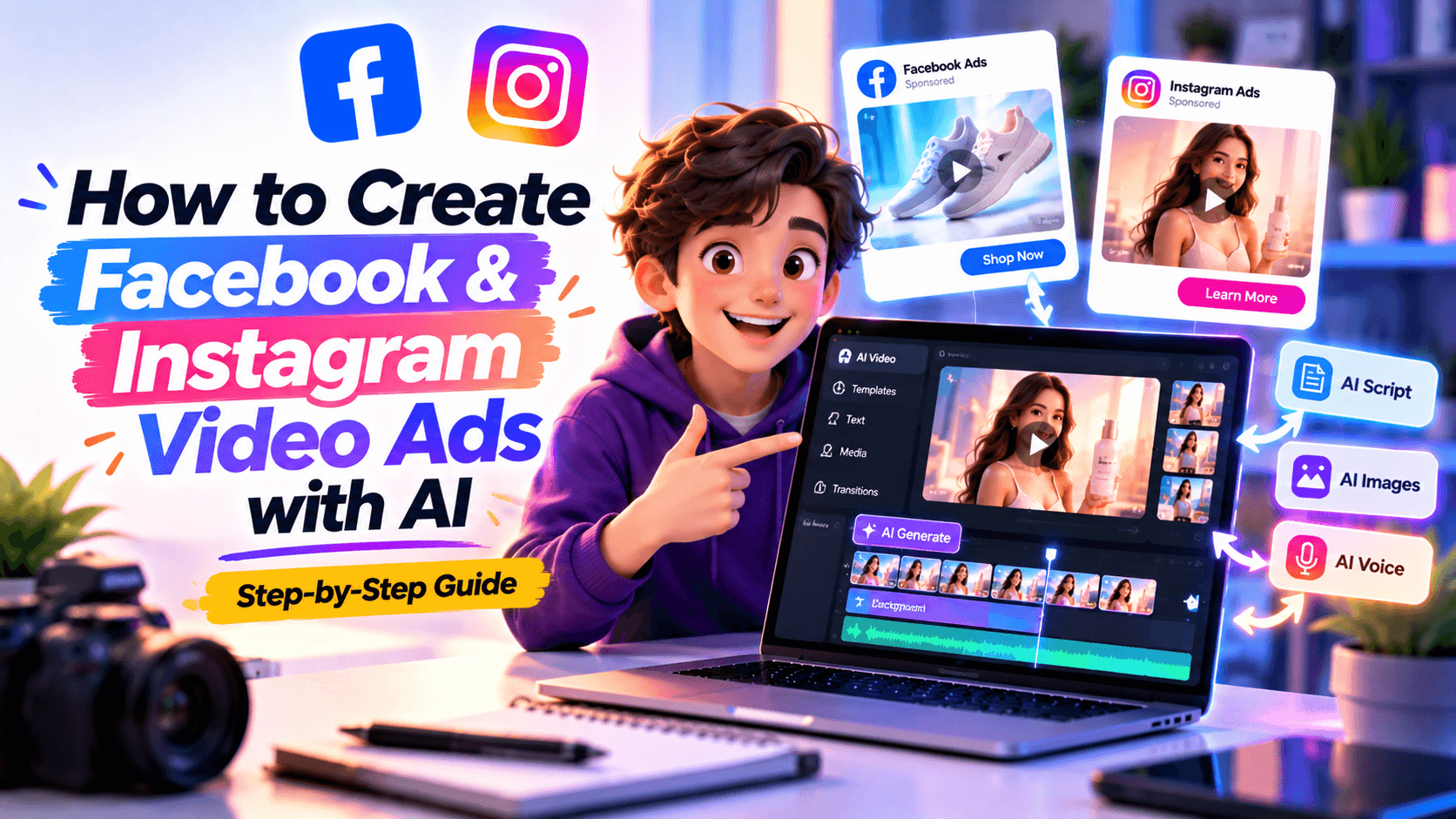
AI
You can create Facebook and Instagram video ads with AI faster than before, but speed does not make the ad worth running. A Meta ad still needs a clear offer, a real customer problem, proof people can trust, placement-specific formatting, readable captions, and a landing page that matches the promise.
AI helps you make more creative variations. It does not make every variation worth testing.
The real advantage is using AI inside a disciplined paid-social workflow: write the brief, choose the angle, script the first 20 seconds, create placement-ready versions, check claims and rights, then test controlled variations in Meta Ads Manager. This guide shows you how to do that without turning your ad account into a dumping ground for generic AI videos.
To create Facebook and Instagram video ads with AI, start with a campaign brief, choose the campaign objective and ad angle, write a short script, create video assets, adapt the creative for Feed, Stories, Reels, and square placements, add captions and CTA, review Meta policy and rights risks, then test a small set of controlled variations in Meta Ads Manager.
Meta recommends different aspect ratios across placements: vertical 4:5 for Feed video, 9:16 for Stories and Reels, square 1:1 for video carousel, and horizontal 16:9 for in-stream video. Source: Meta Business Help Center: Best practices for aspect ratios across placements.
The practical takeaway is simple: do not make one AI video and hope it works everywhere. Create one campaign idea, then adapt it for how people will actually see it.
A Facebook Feed ad, Instagram Reel, Story ad, and in-stream placement can use the same core campaign idea. They should not always use the same file.
Each placement changes the viewing context. That affects the opening frame, caption size, crop, pacing, CTA placement, and how polished or native the video should feel.
AI can resize and reframe videos, but it does not always know what matters most in the crop. A product label, face, CTA, or proof point can disappear if you treat adaptation as a technical step.
Think placement-first:
The first three seconds are not the place to introduce yourself. They are the place to prove the ad is for the right person.
AI is helpful when it turns one strategic idea into several usable creative drafts. It becomes risky when it invents proof, overstates claims, or creates synthetic scenes that viewers may mistake for reality.
Meta has said it labels a wider range of AI-generated video, audio, and image content as “Made with AI” when it detects industry-standard AI indicators or when people disclose AI-generated uploads. Source: Meta: Our approach to labeling AI-generated content and manipulated media.
Meta has also said it is evolving transparency for generative AI in ads, including its approach to labeling ad images made or edited with non-Meta generative AI tools. Source: Meta: Expanding GenAI transparency for Meta’s ads products.
For marketers, the safe rule is this: if AI realism could confuse viewers, review disclosure, policy, and trust before launch.
Do not start by asking, “What video should we make?”
Start by asking, “What job does this ad need to do?”
This is where AI can help quickly. Ask it for formats based on objective, not just generic “ad ideas.”
Use this prompt:
Give me five Meta video ad concepts for [product/service]. Campaign objective: [objective]. Audience: [audience]. Offer: [offer]. Proof: [proof]. For each concept, include the creative job, best format, hook, first three seconds, scene sequence, CTA, and best placement.
That prompt gives AI a performance-creative assignment, not a blank canvas.
Before generating anything, build the ad from the top down.
Many AI ads fail because they start with the format instead of the reason to care.
Weak prompt:
Make an Instagram ad for my meal-prep business.
Better prompt:
Create a 20-second Instagram Reels ad for busy professionals who buy takeout too often. Start with the hook: “Dinner should not become another decision.” Show fresh meals being packed, three menu options, and a fridge stocked for the workweek. Use real-food close-ups, quick cuts, large captions, and a clear CTA: “Order by Sunday for free local delivery.” Avoid fake customer claims or unrealistic food visuals.
The second prompt gives the AI a selling idea. The first gives it a category.
The brief keeps the AI from generating random creative.
A good Facebook and Instagram video ad brief answers:
Use this prompt:
Turn these notes into a Meta video ad creative brief. Include campaign goal, audience, customer problem, offer, proof points, placements, video format, hook ideas, CTA, and policy risks. Notes: [paste notes].
Then revise the output yourself. AI may invent benefits, exaggerate urgency, or suggest proof you do not have. Keep the parts that help. Cut anything you cannot support.
The best format depends on the job of the ad.
Use this AI prompt:
Give me five Facebook and Instagram video ad angles for [product/service]. Each angle should use a different format: product demo, UGC-style, offer-led, comparison, and retargeting. For each, include the hook, scene sequence, proof point, CTA, and best placement.
This creates a testable set instead of one isolated video.
Meta video ads need to earn attention quickly. Do not spend the first five seconds introducing the brand unless the brand is already famous enough to be the hook.
Use this prompt:
Write three 20-second Meta video ad scripts for [product/service]. Audience: [audience]. Problem: [problem]. Offer: [offer]. Proof: [proof]. CTA: [CTA]. Create one UGC-style version, one product-demo version, and one offer-led version. Keep the hook in the first three seconds and avoid unsupported claims.
Then ask AI to turn the best version into a shot list:
Turn this script into a scene-by-scene shot list for Facebook Feed, Instagram Reels, and Stories. Include visual direction, camera angle, on-screen text, caption notes, and CTA placement.
A useful script table looks like this:
A good script should be easy to understand with the sound off and stronger with sound on.
AI can help create the first video draft, but not every asset should be AI-generated.
Use AI for speed. Use real assets for trust.
A useful AI video prompt:
Create a 20-second vertical video ad draft for [product/service]. Use a [format] structure. Start with [hook]. Show [scene 1], [scene 2], and [scene 3]. Use [visual style], [camera direction], and large on-screen captions. End with [CTA]. Avoid fake testimonials, unrealistic results, distorted products, and unsupported claims.
If the AI output looks impressive but the product changes shape, the app screen is wrong, the food looks unrealistic, or the customer result is invented, do not publish it as proof. Use it as a concept draft and replace the risky scene.
This is where many AI-assisted ad workflows break. The video looks good in one format, then loses the hook, product, or CTA in another.
Start with one concept, then adapt it deliberately.
Example concept:
Meal-prep ad for busy professionals with the hook “Dinner should not become another decision.”
Use this prompt:
Adapt this 20-second Meta video ad into three versions: 9:16 for Reels and Stories, 4:5 for Feed, and 1:1 for square placements. Keep the same offer and proof point. For each version, adjust framing, text placement, CTA placement, and scene pacing.
Preview each version on a phone. Check whether the hook, product, proof, and CTA survive the crop.
Facebook and Instagram ads need to work quickly, often with sound off. Captions and text overlays are not decoration. They carry the message.
Use text overlays for:
Do not put full sentences on every frame. Use short, readable text.
Use this AI prompt:
Rewrite these video ad overlays so they are short, readable on mobile, and specific. Keep each overlay under six words where possible. Avoid vague phrases like “level up,” “transform,” and “unlock.”
Your CTA should match the viewer’s stage:
A good CTA is not clever. It is clear.
AI makes it easier to generate more creative. It also makes it easier to generate risky creative.
Before launching, review:
Meta’s Advertising Standards explain what ad content is allowed, restricted, or prohibited across Meta technologies. Source: Meta Transparency Center: Advertising Standards.
Meta’s IP guidance notes that ads and commerce listings must not contain content that infringes or violates third-party rights. Source: Meta Transparency Center: IP protection on Facebook and Instagram.
Use AI as a first-pass reviewer:
Review this Facebook and Instagram video ad script for possible Meta ad risks: unsupported claims, fake proof, personal attributes, restricted categories, misleading before/after, AI-generated people, rights issues, landing page mismatch, and unclear CTA. Flag anything that needs human review.
Do not rely on the AI review alone. Use it to catch obvious issues before your own policy, legal, or brand review.
AI’s biggest advantage is not creating one video. It is creating enough useful variations to test without starting from scratch every time.
But more variations do not automatically mean better testing.
Do not create 20 random AI ads. Create three to five controlled variations where one major creative variable changes.
A simple first test:
Use this prompt:
Create three Meta video ad variations for the same offer. Keep the audience, product, proof point, and CTA the same. Change only the hook and opening visual. Give me one problem-led version, one offer-led version, and one demo-led version.
This keeps the test clean. If every version changes everything, you will not know what actually helped.
The creative is only one part of the ad. Before publishing, make sure the campaign setup supports the creative.
In Meta Ads Manager, you will typically need to confirm:
Meta’s ad system increasingly uses automation and AI-assisted delivery. That makes the creative brief even more important. The algorithm can find audiences, but it cannot fix a vague offer or misleading video.
Before launch, click through the ad preview. Watch the ad in every placement you selected. Check:
If you would not stop scrolling for it, do not spend money on it yet.
This is the difference between an AI-generated clip and a Meta ad worth testing.
AI can help you make the first draft. The better ad usually comes from the human edit.
Renderforest fits best after you know the audience, offer, and placement plan. Use AI to turn the idea into an editable video draft, then refine the creative for Meta placements.
Renderforest’s AI Ad Generator can help create video ad drafts from a product, service, or campaign idea. For Facebook and Instagram campaigns, that is useful when you need to test multiple hooks, visual styles, or cutdowns without building each version from scratch.
A practical workflow looks like this:
The goal is not to let AI decide the campaign. The goal is to move from blank page to testable creative faster.
Use these prompts to create better first drafts.
Turn these notes into a Meta video ad creative brief. Include campaign goal, audience, problem, offer, proof points, format, placements, CTA, and policy risks. Notes: [paste notes].
Recommend five Facebook and Instagram video ad formats for this objective: [objective]. Product: [product/service]. Audience: [audience]. Offer: [offer]. For each format, explain the creative job, hook, best placement, proof point, and CTA.
Give me 15 video ad hooks for [product/service] targeting [audience]. Split them into problem-led hooks, offer-led hooks, demo-led hooks, and retargeting hooks. Avoid vague claims and clickbait.
Write three 20-second Facebook and Instagram video ad scripts for [product/service]. Audience: [audience]. Problem: [problem]. Offer: [offer]. Proof: [proof]. CTA: [CTA]. Create one UGC-style version, one product-demo version, and one offer-led version.
Turn this video ad script into a storyboard for Meta placements. Include scene timing, visual direction, camera angle, on-screen text, caption notes, and CTA placement.
Adapt this video ad into 9:16 for Reels and Stories, 4:5 for Feed, and 1:1 for square placements. Keep the same offer, proof, and CTA. Adjust framing, text placement, and scene pacing for each version.
Rewrite these text overlays so they are short, mobile-readable, and specific. Keep most overlays under six words. Avoid generic phrases like “level up,” “transform,” and “unlock.”
Create three Meta video ad variations for the same offer. Keep the audience, product, proof point, and CTA the same. Change only the hook and opening visual.
Review this Facebook and Instagram video ad for possible risks: unsupported claims, fake proof, misleading before/after, personal attributes, restricted categories, AI-generated people, rights issues, landing page mismatch, and unclear CTA. Flag anything that needs human review.
Here is how the process could look for an online course.
Script:
Placement versions:
AI can help create hooks, storyboard options, motion graphics, and placement variations. But the final ad should use the real instructor, real lesson screen, and real download page.
A video ad is not strong because AI generated it. It is strong because the audience understands the problem, offer, and next step.
Feed, Stories, and Reels do not frame content the same way. Adapt the same idea into placement-specific versions.
Do not use AI to invent testimonials, reviews, before/after results, product performance, app screenshots, or customer reactions.
The first frame needs one clear job. Too much text makes the ad look like a flyer.
If the text is not readable on a phone, it does not matter how good it looked in the editor.
If every version has a different hook, offer, format, CTA, and audience, you will not know what worked.
The best video ad cannot fix a slow, confusing, or mismatched landing page.
AI can flag risks, but it should not replace Meta policy review, legal review, or common sense.
Before publishing, check this list.
If one of these is weak, fix it before spending budget. AI helps you make more creative. It does not make weak creative cheaper to run.
Yes, AI can help create Facebook and Instagram video ads by generating hooks, scripts, storyboards, visuals, captions, motion graphics, cutdowns, and placement variations. The final ad still needs human review for strategy, claims, rights, policy compliance, and brand fit.
Start with a campaign brief, choose the ad format, write a short script, generate or assemble video assets, adapt the creative for Feed, Stories, and Reels, add captions and CTA, review claims and rights, then upload the variations into Meta Ads Manager for testing.
For broad Meta placement coverage, create multiple versions: 9:16 for Stories and Reels, 4:5 for Feed video, and 1:1 for square or carousel placements. Meta recommends 9:16 for Stories and Reels because most people hold phones vertically.
Many Facebook and Instagram video ads work best when they are short and focused. A practical starting point is 15 to 30 seconds, with the hook in the first three seconds. Longer videos can work for tutorials, retargeting, or complex offers if every scene adds value.
You can use AI-generated people in some cases, but review disclosure, rights, policy, and trust carefully. Do not present synthetic people as real customers, employees, experts, or endorsers if that could mislead viewers.
Disclosure depends on the content, category, jurisdiction, and platform rules. If realistic AI-generated images, voices, people, scenes, or results could mislead viewers, review disclosure and policy requirements before launch.
Avoid fake testimonials, fake before/after results, unsupported claims, unrealistic product visuals, unlicensed music, unreadable captions, one-size-fits-all placement crops, and landing pages that do not match the ad promise.
One concept can work across Facebook and Instagram, but the creative should be adapted by placement. A 9:16 Reels ad, a 4:5 Feed ad, and a 1:1 carousel video may need different framing, text placement, and pacing.
Start with three to five useful variations, not dozens of random ones. Test one major variable at a time, such as hook, format, offer framing, or opening visual. AI is most helpful when it creates controlled variations.
The best tool depends on your workflow. If you need an editable video ad draft from a product or campaign idea, Renderforest’s AI Ad Generator can help you create structured video ads quickly. For Meta campaign setup and delivery, you will still use Meta Ads Manager.
Share this


Article by: Liana Ziroyan
Liana is a marketing professional with 11 years of experience in digital marketing, content, and product communication. She has a strong eye for visual storytelling and loves turning ideas into engaging campaigns that connect with audiences. With her experience across branding, creative content, and user-focused messaging, Liana enjoys finding simple, effective ways to make products feel clear, useful, and exciting.
Read all posts by Liana Ziroyan