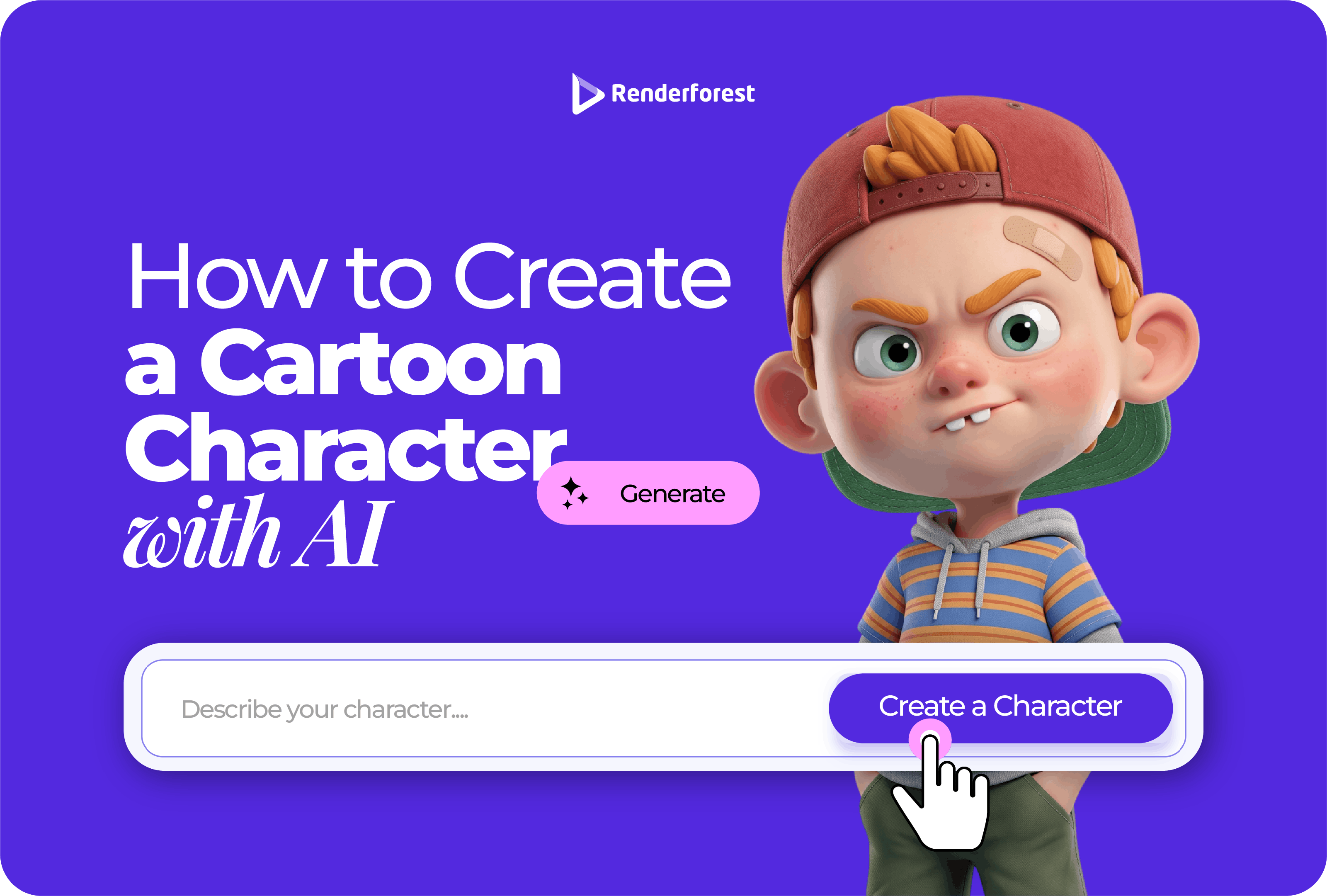
You can create a cartoon character with AI in minutes. Creating one you can reuse takes more thought.
A weak AI character is usually one nice-looking image. A strong character has a purpose, silhouette, personality, visual rules, colors, expressions, poses, and enough consistency to work across more than one post, scene, sticker, or video.
That difference matters. A YouTube avatar may only need a recognizable face. A brand mascot needs originality and repeatability. A story character needs expressions and scene flexibility. A cartoon video character needs simple shapes that can move.
This guide shows you how to create a cartoon character with AI like a creative director, not just a prompt writer. You will learn how to write a character brief, choose a type and style, build stronger prompts, create a character sheet, improve consistency, test the character in real contexts, and avoid the originality mistakes that make AI character design risky.
Quick answer: how to create a cartoon character with AI
To create a cartoon character with AI, define the character’s purpose, audience, personality, shape, style, colors, outfit, and use case. Then write a detailed prompt, generate several variations, choose the strongest design, create a character sheet, test poses and expressions, refine for consistency, and export the character in the right format.
| Step |
What to do |
Why it matters |
| 1 |
Decide what kind of character you need |
Avatar, mascot, story character, and video character require different choices |
| 2 |
Write a character brief |
The AI needs more than “cute cartoon character” |
| 3 |
Define the character DNA |
Role, audience, personality, shape, colors, and style keep the design focused |
| 4 |
Choose an archetype |
Helps the character feel clear at a glance |
| 5 |
Design the silhouette first |
Strong characters are recognizable before details |
| 6 |
Write the AI prompt |
The prompt turns your brief into visual direction |
| 7 |
Generate and compare variations |
The first result is rarely the strongest |
| 8 |
Create a character sheet |
Poses, expressions, and angles make the character reusable |
| 9 |
Build consistency rules |
Repeated use needs stable face, outfit, colors, and style |
| 10 |
Test in real context |
A character must work as an avatar, sticker, video frame, or brand asset |
| 11 |
Review rights and originality |
Avoid copying famous characters, brands, or real people |
Renderforest’s AI Image Generator is useful when you want still character concepts, avatars, social visuals, or image-based character designs. Renderforest’s AI Cartoon Generator is better suited when the character needs to appear in a cartoon animation or video, because it supports cartoon creation with scenes, pacing, voiceover, and music.
One image vs. a usable cartoon character
The first AI image may look good, but that does not automatically make it a usable character. A reusable character needs rules.
| Output |
What it means |
When it is enough |
| Cartoon image |
One nice-looking character picture |
Concept art, social post, quick visual idea |
| Cartoon avatar |
A face or portrait version |
YouTube profile, social account, creator identity |
| Character sheet |
Same character in poses, angles, and expressions |
Stickers, stories, videos, repeated use |
| Brand mascot |
Character system with design rules |
Business identity, campaigns, merchandise |
| Animated character |
Character prepared for motion |
Cartoon videos, explainers, ads, onboarding |
The mistake is treating a single generated image like a finished character system. If you only need a one-time visual, that may be fine. If the character will represent a brand, appear in a story, or show up across videos, build it like a system from the start.
A character is not finished when it looks good once. It is finished when you can use it again.
What kind of character are you creating?
Before writing a prompt, decide what the character needs to do. The use case should guide the design.
| Character type |
Best for |
What to prioritize |
| Avatar |
Profiles, YouTube, social accounts |
Face, expression, small-size readability |
| Mascot |
Brands, campaigns, product identity |
Originality, silhouette, repeatability |
| Explainer guide |
Videos, tutorials, onboarding |
Simple design, clear gestures |
| Story character |
Children’s books, comics, lessons |
Personality, expressions, scene flexibility |
| Sticker character |
Messaging, merch, social packs |
Bold outline, readable emotion |
| Game concept |
Early character ideation |
Costume, archetype, action poses |
| Video character |
AI cartoon videos, ads, explainers |
Consistency, mouth area, gesture clarity |
| App onboarding character |
Product education, empty states, walkthroughs |
Brand fit and low visual clutter |
A mascot for a finance app should not be designed like a random fantasy creature unless the brand has a reason for it. A sticker character should not be overloaded with tiny accessories. A video character should not have fragile details that change every time it moves.
The character DNA framework
Character DNA is the set of traits that should stay consistent across every version. It protects the character from becoming a different person, animal, or mascot every time you prompt.
| Character DNA element |
What it means |
Example |
| Role |
What the character does |
Brand mascot, explainer guide, story hero, avatar |
| Audience |
Who the character is for |
Kids, founders, gamers, teachers, small business owners |
| Personality |
How the character feels |
Curious, calm, bold, funny, wise, energetic |
| Shape language |
The basic body and form |
Round and friendly, angular and energetic, tall and elegant |
| Species/type |
What the character is |
Human, animal, robot, object, fantasy creature |
| Signature detail |
One memorable visual feature |
Big glasses, red scarf, star backpack, oversized shoes |
| Color system |
Main colors that repeat |
Blue jacket, cream fur, orange shoes |
| Style |
The cartoon world it belongs to |
Flat vector, 3D cartoon, comic, storybook, sticker |
| Use case |
Where it will appear |
Logo, video, sticker, social post, app onboarding, lesson |
A prompt can describe appearance. Character DNA protects identity.
Step 1: write the character brief
Do not start with the prompt. Start with the brief. The brief is the decision-making layer behind the prompt.
Use this template:
| Brief field |
Fill this in |
| Character name |
Optional, but useful for internal consistency |
| Role |
Mascot, guide, avatar, hero, helper, teacher |
| Audience |
Who the character is for |
| Personality |
3–5 traits |
| Shape language |
Round, angular, compact, tall, soft, bold |
| Species/type |
Human, animal, object, robot, fantasy creature |
| Signature detail |
One memorable feature |
| Outfit/accessory |
Clothing or prop |
| Color palette |
Main and accent colors |
| Style |
Flat vector, 3D, storybook, sticker, comic |
| Use context |
Avatar, video, sticker, app, ad, story |
| Restrictions |
No text, no logos, no famous-character resemblance |
Example brief:
| Brief field |
Example |
| Character name |
Finley |
| Role |
Budgeting guide |
| Audience |
Freelancers and small business owners |
| Personality |
Calm, clever, encouraging |
| Shape language |
Round and friendly |
| Species/type |
Owl |
| Signature detail |
Tiny calculator |
| Outfit/accessory |
Navy scarf |
| Color palette |
Warm brown, cream, navy, soft yellow |
| Style |
Clean flat vector cartoon |
| Use context |
App onboarding, blog graphics, short videos |
| Restrictions |
No text, no logos, no resemblance to existing mascots |
The brief does not need to be long. It needs to be specific.
Step 2: choose the character archetype
Archetypes help the character feel understandable at a glance. They are not stereotypes. They are creative shortcuts that guide personality, posture, outfit, and expression.
| Archetype |
Best for |
Visual clues |
| The Guide |
Explainers, tutorials, education |
Calm expression, clear gestures, simple outfit |
| The Explorer |
Travel, kids’ content, discovery brands |
Backpack, map, binoculars, curious posture |
| The Helper |
SaaS, support, onboarding |
Friendly face, open hands, soft shapes |
| The Rebel |
Gaming, youth brands, sports |
Angular shapes, bold pose, intense expression |
| The Inventor |
Tech, science, startups |
Goggles, tools, lab coat, clever smile |
| The Caregiver |
Health, wellness, nonprofits |
Warm colors, rounded shapes, gentle posture |
| The Trickster |
Entertainment, comedy, social media |
Exaggerated face, playful motion, asymmetry |
| The Hero |
Brand campaigns, games, stories |
Strong stance, clear silhouette, confident expression |
A good AI prompt does not only describe what the character looks like. It describes who the character is.
Step 3: design the silhouette first
Silhouette is the character’s shape before details. It is one of the fastest ways to make a cartoon character memorable.
Ask yourself:
- Would the character still be recognizable as a black outline?
- Is the head shape distinct?
- Does the body shape match the personality?
- Is there one visual feature people would remember?
- Can the character work at small sizes?
| Personality |
Better shape language |
| Friendly |
Round head, soft body, open posture |
| Energetic |
Lean body, diagonal pose, sharp movement |
| Wise |
Taller shape, slower pose, calm face |
| Playful |
Big head, expressive hands, asymmetry |
| Strong |
Broad shoulders, stable stance, simple shapes |
| Shy |
Smaller body, closed posture, softer features |
| Curious |
Forward lean, large eyes, raised brows |
| Premium |
Minimal shape, controlled detail, balanced posture |
Do not start with buttons, freckles, shoe laces, or tiny patterns. Start with shape.
If the character disappears when you shrink it, the design is not ready.
Step 4: choose the right cartoon style
Style affects how seriously people take the character. It also affects whether the character can be reused in videos, ads, thumbnails, stickers, apps, or brand assets.
| Cartoon style |
Best for |
Watch-out |
| Flat vector cartoon |
SaaS, apps, education, onboarding |
Can look generic if the silhouette is weak |
| 3D cartoon |
YouTube, social media, playful brands |
Can feel childish if over-polished |
| Storybook illustration |
Children’s stories, nonprofits, education |
Needs age-appropriate review |
| Comic book style |
Games, campaigns, entertainment |
Can overdo emotion and shadows |
| Anime-inspired style |
Creator avatars, entertainment, fan-style visuals |
Avoid copying existing characters or franchises |
| Sticker style |
Messaging, social posts, merch concepts |
Needs simple shapes and strong expressions |
| Mascot logo style |
Brand mascots, sports, creators |
Needs originality and designer review |
| Minimal line-art style |
Professional brands, websites, explainers |
Needs strong posture and context testing |
If the character is for a business, do not choose a style only because it looks impressive. Choose the style you can repeat.
Step 5: write the AI character prompt
A weak prompt says:
Create a cute cartoon character.
A stronger prompt gives the AI a creative brief.
| Prompt part |
What to include |
| Character role |
Mascot, avatar, guide, hero, teacher, pet, robot |
| Audience |
Kids, founders, gamers, parents, students, customers |
| Personality |
Calm, curious, funny, bold, caring, clever |
| Shape language |
Round, angular, tall, compact, soft, energetic |
| Style |
Flat vector, 3D cartoon, comic, storybook, sticker |
| Outfit/details |
Clothing, accessories, signature item |
| Color palette |
Main colors and accent colors |
| Pose |
Standing, waving, thinking, running, presenting |
| Background |
Transparent, simple studio, app screen, classroom |
| Restrictions |
No text, no logos, no copyrighted character style |
Prompt progression: weak to strong
Most people do not need more prompt tricks. They need better creative direction.
| Prompt level |
Example |
Problem or strength |
| Too vague |
“Create a cute cartoon fox.” |
No role, audience, style, or originality direction |
| Better |
“Create a friendly cartoon fox mascot for a budgeting app.” |
Has role, but not enough visual direction |
| Strong |
“Create an original flat vector fox mascot for a budgeting app for freelancers. The character should feel clever, calm, and encouraging. Use round friendly shapes, orange fur, a navy vest, a small notebook, a presenting pose, and a clean light background. Do not add text, logos, or copied character style.” |
Gives role, audience, style, personality, shape, colors, pose, and restrictions |
A strong prompt is not longer for the sake of being longer. It includes the decisions that protect the character.
Brand mascot prompt
Create an original cartoon mascot for a small business finance app. The character is a clever fox who helps freelancers understand budgeting. Use a clean flat vector cartoon style, round friendly shapes, warm orange fur, navy blue vest, small notebook, and a confident but approachable expression. The character should stand in a simple presenting pose on a clean background. Do not copy existing cartoon fox characters. Do not add text, logos, or brand names.
YouTube avatar prompt
Create a cartoon avatar for a YouTube creator who explains beginner fitness tips. The character should feel energetic, friendly, and confident. Use a modern 3D cartoon style, clear facial expression, athletic hoodie, short dark hair, and a bold thumbnail-ready pose. Keep the design clean and recognizable at small size. Do not add text.
Children’s story character prompt
Create an original storybook-style cartoon character for a children’s story. The character is a curious young turtle who wants to learn about the ocean. Use soft rounded shapes, gentle colors, expressive eyes, and a small explorer backpack. The character should feel warm, kind, and age-appropriate. Use a simple background. Do not make the design scary or overly detailed.
Explainer video guide prompt
Create a simple cartoon guide character for an animated explainer video. The character should be friendly, clear, and easy to animate. Use a flat vector style, limited color palette, rounded body shape, simple facial features, and a presenting pose. Include a front-facing full-body view on a plain background. Do not add text or complex patterns.
Sticker character prompt
Create a cute original cartoon sticker character of a sleepy cat holding a coffee cup. Use a bold outline, simple shapes, expressive face, limited colors, and a transparent background. The character should be readable at small size and suitable for a sticker pack. Do not add words or speech bubbles.
The prompt should protect what matters: identity, shape, style, use case, and restrictions.
Step 6: generate variations and choose like a designer
Do not use the first output automatically. Generate several versions and compare them with design criteria.
| What to compare |
What a strong version has |
| Silhouette |
Recognizable shape even without details |
| Personality |
Expression and posture match the brief |
| Simplicity |
Easy to understand quickly |
| Originality |
Does not resemble a famous character |
| Flexibility |
Can work in more than one pose or scene |
| Color |
Palette fits the brand or story world |
| Small-size readability |
Still works as an avatar, sticker, or thumbnail |
| Consistency potential |
Easy to describe and recreate |
The best character is not always the most detailed. It is usually the one you can reuse without explaining it every time.
AI gives you options. Your job is to choose, simplify, and protect the idea.
Step 7: create a character sheet
A single image is not enough if the character will appear in videos, comics, social posts, stickers, or brand campaigns. You need a character sheet.
A useful AI character sheet includes:
| Sheet element |
Why it matters |
| Front view |
Main design reference |
| Side view |
Helps with animation and consistency |
| Back view |
Useful for stories, games, and video scenes |
| Neutral pose |
Baseline version |
| Action pose |
Shows movement potential |
| 4–6 expressions |
Makes the character usable in different contexts |
| Color palette |
Keeps the design consistent |
| Signature details |
Prevents important features from changing |
| Do-not-change notes |
Protects identity across generations |
Prompt example:
Create a character sheet for the same original cartoon fox mascot. Include front view, side view, back view, neutral pose, waving pose, thinking pose, happy expression, confused expression, excited expression, and calm expression. Keep the same orange fur, navy vest, notebook, face shape, proportions, and flat vector cartoon style. Use a clean white background. Do not add text.
This is where many AI character workflows fail. People create one nice image and then cannot recreate the character again.
Step 8: build a character consistency system
AI can drift between generations. The ears change. The jacket changes. The face shape changes. The character suddenly looks older or younger. Consistency is the real challenge.
Use this checklist:
| Consistency issue |
How to reduce it |
| Face changes |
Repeat face shape, eye shape, nose, and expression style |
| Outfit changes |
Describe clothing and colors the same way every time |
| Proportions change |
Specify big head, short body, long arms, etc. |
| Style changes |
Repeat the same style phrase in every prompt |
| Colors drift |
List exact color names or brand palette references |
| Accessories disappear |
Name the signature object every time |
| Character looks older |
Specify age range or visual age cues |
| Background distracts |
Ask for plain, transparent, or simple background |
| Text appears |
Add “do not add text, letters, labels, or logos” |
For more controlled production workflows, Adobe’s Firefly Custom Models documentation explains that subject models can focus on representing specific characters, products, or objects, while style models can focus on aesthetic traits such as color palettes and illustration cues. That is the professional version of solving consistency drift.
For most small teams, a practical character sheet plus repeated prompt language is the simplest starting point.
Character consistency language bank
Use these phrases when creating new poses, expressions, or scenes of the same character.
| Need |
Add this language |
| Same character |
“Use the same character design, proportions, face shape, outfit, and color palette.” |
| Same style |
“Keep the same flat vector cartoon style, line weight, and simple shading.” |
| Same outfit |
“Keep the navy vest, round glasses, and orange scarf unchanged.” |
| Same face |
“Keep the same large almond eyes, small round nose, and soft smile.” |
| Same palette |
“Use the same warm orange, cream, navy, and soft yellow palette.” |
| Same signature detail |
“Keep the tiny calculator as the character’s signature accessory.” |
| No text |
“Do not include text, letters, labels, logos, or watermarks.” |
| Clean export |
“Use a plain or transparent background.” |
Do not rewrite the character from scratch each time. Repeat the identity rules.
Step 9: test the character in real context
A character can look great in isolation and fail where people actually see it. Test it in the formats that matter.
| Test |
What to do |
| Avatar test |
Shrink it to 128×128 px |
| Thumbnail test |
Place it beside a title and busy background |
| Sticker test |
View it on mobile at chat size |
| UI test |
Place it next to real app text |
| Video test |
Put it inside a vertical 9:16 frame |
| Explainer test |
Place it near captions and scene elements |
| Print/merch test |
Test it on white and colored backgrounds |
| Brand test |
Place it beside your logo and colors |
If the character only works as a full-size image, it is not ready yet.
Step 10: prepare the character for animation
If the character will appear in a cartoon video, design it for motion from the start.
Simple characters animate better. Too many tiny details can flicker, change, or distract between scenes.
| Animation need |
Design choice |
| Talking character |
Clear mouth area, simple face, expressive eyes |
| Explainer guide |
Open hands, readable gestures, simple body |
| Running or jumping |
Flexible limbs, clean silhouette |
| Product demo |
Pointing pose, clear hand shapes |
| Children’s story |
Big expressions, soft shapes, warm colors |
| Brand mascot video |
Consistent outfit, repeatable posture, strong signature detail |
Renderforest’s AI Cartoon Generator is useful when the character needs to move inside an animated cartoon video with voiceover and music. Renderforest’s AI Animation Generator can also help when the goal is to turn creative ideas into animated content.
The better the character sheet, the easier the video workflow becomes.
How to create a cartoon character in Renderforest
A practical Renderforest workflow depends on whether you need a still character, an animated character, or a full cartoon video.
| Need |
Renderforest workflow |
| Still character concept |
Use the AI Image Generator for prompt-based character visuals |
| Cartoon visual direction |
Use the AI Cartoon Generator for cartoon-style scenes and animations |
| Character in a video |
Use the AI Cartoon Generator or AI Video Generator workflow |
| Character-style animation |
Use AI animation tools for motion and animated storytelling |
| Brand/social asset |
Generate character visuals, then adapt them for social, ads, or design layouts |
For a still character concept:
- Start with a character brief.
- Write a detailed character prompt.
- Generate several visual options with the AI Image Generator.
- Choose the version with the strongest silhouette and personality.
- Refine the prompt for expressions, poses, or style variations.
- Export the character for your design, social post, thumbnail, or concept board.
For an animated cartoon character:
- Define the character’s role in the story or video.
- Write a short scene idea or script.
- Use the AI Cartoon Generator to generate cartoon animation from the idea.
- Add or adjust voiceover, music, scenes, and pacing.
- Export the final cartoon video for your target platform.
Use the image workflow when you need a character design. Use the cartoon video workflow when you need the character to perform.
AI cartoon character prompt template
Use this template when starting from scratch:
Create an original cartoon character for [use case]. The character is [role/archetype] for [audience]. Their personality is [personality traits]. Use [cartoon style] with [shape language]. The character should have [body/head/face features], wear [outfit], and include [signature detail]. Use [color palette]. Show the character in [pose] on [background]. The design should be [simple/readable/professional/playful] and work for [platform or format]. Do not add text, logos, copyrighted character references, or brand names.
Example filled version:
Create an original cartoon character for a small business budgeting app. The character is a friendly owl guide for freelancers. Their personality is calm, clever, and encouraging. Use a clean flat vector cartoon style with soft rounded shapes. The character should have large thoughtful eyes, small wings, a navy scarf, and a tiny calculator as a signature detail. Use warm brown, cream, navy, and soft yellow. Show the character standing in a presenting pose on a clean light background. The design should be simple, readable, and professional enough for app onboarding and social media. Do not add text, logos, copyrighted character references, or brand names.
This gives the AI enough structure without burying it in unnecessary detail.
Example: from idea to usable character
Let’s say the idea is:
A mascot for a meal-planning app.
That is too broad. Turn it into a character brief.
| Brief element |
Decision |
| Role |
Helpful meal-planning guide |
| Audience |
Busy parents |
| Archetype |
The Helper |
| Personality |
Warm, organized, practical |
| Shape language |
Rounded and friendly |
| Character type |
Small raccoon chef |
| Signature detail |
Blue apron and wooden spoon |
| Style |
Soft 3D cartoon |
| Colors |
Gray fur, cream face, blue apron, warm kitchen accents |
| Use case |
App onboarding, social videos, recipe tips |
Prompt:
Create an original soft 3D cartoon mascot for a meal-planning app. The character is a small raccoon chef who helps busy parents plan dinner. The personality is warm, organized, practical, and friendly. Use rounded shapes, expressive eyes, gray fur, cream face markings, a blue apron, and a wooden spoon as the signature detail. Show the character standing in a cheerful presenting pose in a simple warm kitchen background. The design should be readable at small size and suitable for app onboarding and social media. Do not add text or copy any existing cartoon characters.
Then test:
| Test |
What to check |
| Avatar size |
Does the face still read clearly? |
| App screen |
Does it fit beside UI text? |
| Social post |
Does it stand out in vertical format? |
| Expression set |
Can it look happy, confused, excited, and helpful? |
| Animation test |
Can it point, wave, and explain without too much detail? |
| Originality check |
Does it resemble any famous raccoon or chef character? |
That is a character workflow, not just image generation.
What to cut from your character design
The best mascot is usually the one with one strong idea, not ten decorative details.
| Weak design issue |
Cut or simplify |
| Too many accessories |
Keep one signature detail |
| Too many colors |
Limit to 2–4 main colors |
| Busy outfit |
Use simpler shapes |
| Unclear species/type |
Make the character identity obvious |
| Weak expression |
Strengthen eyes, brows, mouth, and pose |
| Generic mascot feel |
Add one specific role-based detail |
| Hard to animate |
Remove tiny patterns and fragile details |
| Poor small-size readability |
Enlarge the face and simplify the silhouette |
Do not decorate your way out of a weak idea. Simplify until the character is readable.
AI vs. designer: where human judgment still matters
AI is useful, but it should not replace creative judgment. It can generate options faster than most teams can sketch, but the best result still needs selection, editing, and direction.
| Task |
AI is good for |
Human review needed for |
| Early ideation |
Fast visual directions |
Choosing the right concept |
| Variations |
Poses, outfits, expressions |
Consistency and taste |
| Style exploration |
Testing looks quickly |
Brand fit and originality |
| Character sheet draft |
Front, side, expression ideas |
Cleanup and production use |
| Brand mascot |
Concept exploration |
Ownership, trademark, final system |
| Animation prep |
Motion ideas |
Rigging, exact consistency, polish |
| Commercial use |
Drafting options |
Rights, likeness, and legal review |
AI can help you explore faster. It cannot decide whether the character is ownable, on-brand, or worth building around.
Rights, originality, and commercial-use checks
AI character design can create legal and brand problems if you treat it too casually.
Check these before using the character publicly:
| Risk |
What to check |
| Famous character similarity |
Does it look too close to a known cartoon, mascot, anime character, or game character? |
| Brand confusion |
Could viewers think it belongs to another company? |
| Real person likeness |
Does it resemble a real person without permission? |
| Training/input rights |
Did you upload images you have permission to use? |
| Commercial terms |
Does the tool allow your intended business use? |
| Copyright protection |
Is there enough human authorship, selection, editing, or modification? |
| Children’s content |
Is the character age-appropriate and safe? |
| Sensitive topics |
Avoid misleading uses in health, finance, politics, or legal claims |
Canva’s AI Product Terms say users are responsible for the content they upload to AI products and for the outputs they generate, and that users must have the needed rights, licenses, and permissions for their inputs.
Adobe’s Generative AI User Guidelines include restrictions around harmful, deceptive, infringing, or abusive uses of generative AI.
The U.S. Copyright Office’s AI registration guidance says copyright protection depends on human authorship. For AI-assisted work, the human creative contribution, such as selection, arrangement, editing, or modification, matters.
For personal avatars and early concept art, the risk may be low. For brand mascots, merchandise, ads, children’s content, or client work, review originality and rights before publishing.
When not to use AI alone for character design
AI is useful for ideation, style exploration, draft concepts, and quick variations. But it is not always enough.
| Situation |
Better option |
| You need a trademarkable mascot |
Hire a brand illustrator or character designer |
| You need long-term character consistency |
Build a full character system with human art direction |
| You need exact animation rigging |
Use professional animation tools or an animator |
| You need a character for merchandise |
Get legal and design review |
| You need a character based on a real person |
Get permission and likeness review |
| You need a game-ready model |
Work with a concept artist and 3D artist |
| You need children’s content at scale |
Add editorial and safety review |
| You need a character in a famous style |
Choose an original style direction instead |
AI can get you to a strong starting point. It should not replace ownership strategy, brand judgment, or legal review.
Final checklist before publishing your AI cartoon character
Before you use the character publicly, check:
| Check |
Question |
| Purpose |
Does the character have a clear job? |
| Audience |
Does the design fit the people who will see it? |
| Type |
Is it an avatar, mascot, sticker, story character, or video character? |
| Silhouette |
Is the character recognizable without details? |
| Personality |
Does the face, pose, and shape match the brief? |
| Signature detail |
Is there one memorable feature? |
| Style |
Can this style repeat across future assets? |
| Color |
Is the palette consistent? |
| Small-size test |
Does it work as an avatar, sticker, or thumbnail? |
| Character sheet |
Do you have poses and expressions? |
| Context test |
Does it work in the real design or video format? |
| Originality |
Does it avoid famous character similarity? |
| Rights |
Are inputs, outputs, and commercial use reviewed? |
A cartoon character is not finished when it looks good once. It is finished when it can be used again.
Final thoughts
Creating a cartoon character with AI is easy. Creating a character people remember takes structure.
Start with the character’s job. Define the audience, personality, shape, style, colors, and signature detail. Generate variations, but choose with discipline. Build a character sheet before you rely on the design. Test it in the real place it will appear.
AI can help you explore faster. Your creative direction is what turns the output into a character.
FAQ
How do I create a cartoon character with AI?
Start with a character brief, including the character’s role, audience, personality, shape, style, outfit, colors, and use case. Then write a detailed prompt, generate several variations, choose the strongest design, create a character sheet, and test the character in real use.
What should I include in an AI cartoon character prompt?
Include the character role, audience, personality, shape language, cartoon style, outfit, colors, pose, background, signature detail, and restrictions. Add “do not add text” and “do not copy existing characters” if needed.
Can AI create a consistent cartoon character?
Yes, but consistency takes work. Use the same character description, style, colors, outfit, proportions, and signature details in every prompt. For more advanced consistency, create a character sheet or use tools designed for custom models and repeated character generation.
What is a character sheet?
A character sheet is a reference page showing the same character from different angles, poses, and expressions. It helps keep the character consistent across videos, comics, stickers, social posts, and brand assets.
Can I create a cartoon mascot with AI?
Yes. AI can help generate mascot concepts, variations, poses, and expressions. For a public brand mascot, review originality, rights, trademark risk, and long-term consistency before using the design commercially.
Can I animate an AI cartoon character?
Yes. You can use the character as a reference for animated scenes or create a cartoon video workflow. Renderforest’s AI Cartoon Generator can help create cartoon animations with voiceover and music from an idea.
Can I use an AI cartoon character commercially?
Sometimes, but it depends on the tool’s terms, your input assets, the output, and how you use it. Check commercial-use terms before using AI characters in ads, merchandise, client work, apps, games, or brand identity.
How do I make an AI cartoon character look original?
Avoid naming famous characters, franchises, or copyrighted styles in the prompt. Create your own role, shape, color palette, personality, outfit, and signature detail. Compare the result against known characters before publishing.
What makes a cartoon character memorable?
A clear silhouette, simple shape language, strong personality, consistent colors, readable expression, and one signature detail make a character easier to remember.
Should I use AI alone for a brand mascot?
AI is useful for concept exploration, but a serious brand mascot should usually involve human design review, originality checks, character system development, and legal review.