
AI
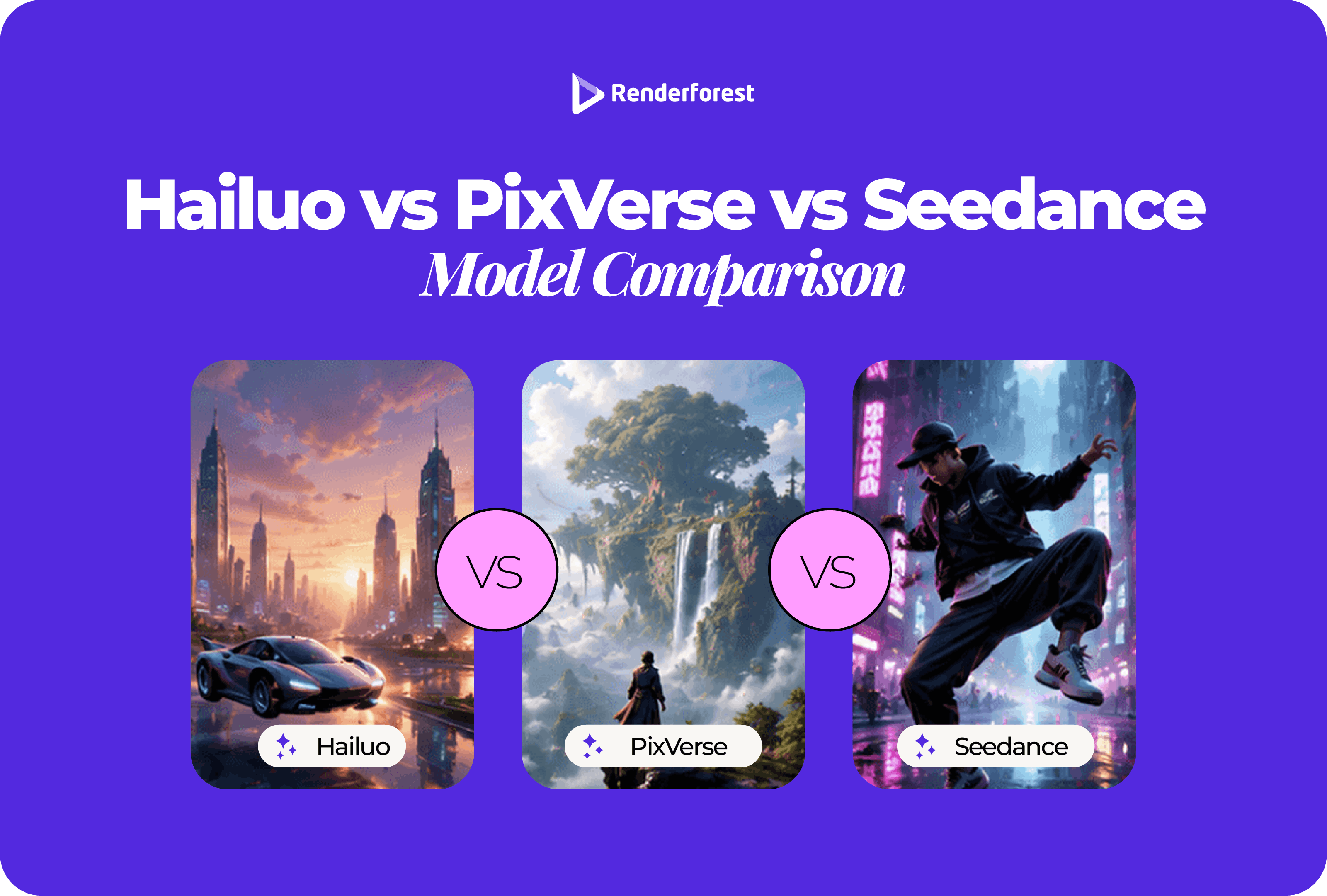
Hailuo, PixVerse, and Seedance can all create impressive AI videos. The real question is not which model is “best.” The real question is which model is least likely to fail for the video you are making.
If your clip needs expressive motion, start with Hailuo. If your clip needs clean camera control and a social-ready workflow, start with PixVerse. If your clip needs multimodal references, synchronized audio-video generation, or more complex scene direction, start with Seedance.
That distinction matters because AI video models fail in different ways. One model may produce beautiful motion but distort product text. Another may follow a camera prompt well but make character movement feel stiff. Another may handle complex references better but add more workflow decisions than a simple social ad needs.
This comparison gives you a practical way to choose between Hailuo, PixVerse, and Seedance based on real creator needs: motion, control, consistency, audio, image-to-video quality, and workflow fit.
Hailuo is best for expressive motion, stylized image-to-video clips, and videos where body movement or emotion matters. PixVerse is best for creator-friendly workflows, camera control, transitions, and social-ready content. Seedance is best for complex multimodal generation, especially when your prompt uses text, image, audio, or video references.
The simplest way to choose is this: choose Hailuo when motion is the risk, PixVerse when production control is the risk, and Seedance when scene complexity is the risk.
MiniMax says Hailuo 2.3 improves physical actions, stylization, character micro-expressions, and response to motion commands. PixVerse says V6 advances camera control, character performance, multi-shot video generation, and native audio. ByteDance says Seedance 2.0 supports text, image, audio, and video inputs through a unified multimodal audio-video architecture. Sources: MiniMax Hailuo 2.3 announcement, PixVerse V6 announcement, Seedance 2.0 official page.
A fair AI video model comparison should not rely only on product demos. Demos are useful, but they are usually selected to show the model at its best.
For this article, the comparison is based on:
The fairest way to compare Hailuo, PixVerse, and Seedance is to use the same prompt, same source image, same aspect ratio, and same output goal. Then judge the visible failures.
For example, do not compare a polished Seedance demo with a casual Hailuo test prompt. Compare all three with the same product image, same portrait image, and same cinematic scene prompt.
This comparison does not mean one model will win every prompt.
AI video results change depending on the image, prompt, duration, aspect ratio, platform settings, and model version. A model that wins a cinematic scene may lose a product-label test. A model that creates better motion may still distort small text. A model that ranks well on a public leaderboard may still be less practical for a simple social campaign.
Use this article as a decision framework, not a permanent ranking.
At the time of review, Artificial Analysis listed Dreamina Seedance 2.0 720p as the leading text-to-video model with audio output in its arena leaderboard, and it explains that its rankings come from blind user votes where people compare two videos generated from the same prompt. That is a useful signal, but it should not replace testing the models on your own brief. Source: Artificial Analysis Text to Video Leaderboard.
PixVerse’s V6 platform documentation lists text-to-video, image-to-video, first/last-frame transition, video extension, and reference-to-video support, with durations from 1 to 15 seconds and quality options up to 1080p. It also shows audio and no-audio credit consumption options. Source: PixVerse V6 Platform Docs.
Hailuo is the model to test first when your clip needs to feel alive.
That includes a person walking, a character reacting, a fashion photo gaining subtle fabric movement, a stylized illustration becoming animated, or a product image getting natural motion without feeling overproduced.
MiniMax describes Hailuo 2.3 as an upgrade that improves dynamic expression, physical actions, stylization, character micro-expressions, and response to motion commands. The same announcement says Hailuo 2.3 can render more complex body movements with greater fluidity, naturalness, precision, and control, even with dynamic camera movement. Source: MiniMax Hailuo 2.3 announcement.
Hailuo is useful when motion quality carries the video.
It is a strong first test for:
If the video’s success depends on the viewer believing the movement, Hailuo deserves a test.
Hailuo should be reviewed carefully when the source image includes exact text, logos, packaging details, interface screens, legal copy, or architecture that must remain unchanged.
This is not a Hailuo-only problem. It is a general AI video problem. But because Hailuo’s strength is motion, you should make sure motion does not come at the cost of brand accuracy.
A weak Hailuo prompt would be:
Make this product photo cinematic.
A stronger Hailuo prompt would be:
Turn this product photo into a 6-second motion clip. Keep the product shape, label, logo, color, and packaging unchanged. Add a slow camera push-in with soft studio light movement. Avoid changing text, adding objects, or warping the product.
Use Hailuo when the brief sounds like this:
This image looks good, but it feels too still.
Do not rely on Hailuo alone when the brief sounds like this:
Every word, logo, label, and UI element must remain perfect.
For those cases, keep important text and logos in editable layers after generation.
PixVerse feels less like a research model and more like a creator tool. That matters when the goal is not to admire a demo, but to make something usable for a campaign by Friday.
PixVerse is a strong first test for:
PixVerse says V6 advances shot execution, character performance, and multi-shot audio-visual generation. The same announcement says V6 adds precision camera control, expressive character performance, and one-click commercial output. Source: PixVerse V6 announcement.
PixVerse is useful when the final video needs to fit a publishing context.
That means format, camera movement, transitions, pacing, and production polish matter. If you are making multiple ad variations, social posts, short campaign assets, or creator-style videos, PixVerse is often easier to think with.
It is especially useful when your prompt already includes production language:
PixVerse can make polished clips, but polished is not the same as accurate.
For brand, product, real estate, or UI content, review:
PixVerse’s own V6 announcement notes that current video models still have evolving areas, including precise directional control in complex scenes and consistency across significant spatial changes. Source: PixVerse V6 announcement.
Use PixVerse when the brief sounds like this:
We need a polished short-form clip that works in a real campaign format.
Be careful when the brief sounds like this:
Let’s add every effect, camera move, transition, and audio option at once.
A good PixVerse output usually comes from one clear motion idea, not five.
Seedance is the model to test when a simple prompt is not enough.
If your brief includes a reference image, sound cue, previous video, style reference, character action, or richer scene direction, Seedance is built for that kind of input.
ByteDance describes Seedance 2.0 as a unified multimodal audio-video joint generation model supporting text, image, audio, and video inputs. Its official page also highlights motion stability, audio-video joint generation, and control over performance, lighting, shadow, and camera movement. Source: Seedance 2.0 official page.
The Seedance 2.0 technical paper states that the model supports direct audio-video generation from 4 to 15 seconds, with native output resolutions of 480p and 720p. It also says the open platform supports up to 3 video clips, 9 images, and 3 audio clips as multimodal references. Source: Seedance 2.0 paper.
Seedance is useful for more complex creative briefs:
It is the model to test when the prompt is closer to a creative brief than a single animation instruction.
Seedance is powerful, but that does not automatically make it the right model for every small business or creator workflow.
There are three practical caveats.
First, multimodal power can add workflow complexity. If all you need is a product photo with a slow push-in, Seedance may be more model than you need.
Second, access and implementation can vary depending on the platform you use.
Third, audio-video generation raises the review bar. If the clip includes a voice, likeness, brand, music-like output, or character that resembles protected IP, review it carefully before publishing.
Use Seedance when the brief sounds like this:
We need a richer scene with references, audio, camera direction, and story logic.
Do not use Seedance just because it sounds more advanced. Use it when the brief actually needs multimodal control.
Best first test: Hailuo or Seedance
Hailuo is strong when the clip depends on physical movement, character action, stylization, or expressive image-to-video. Seedance is strong when motion is part of a more complex scene with multiple references or audio-video context.
For a simple expressive shot, test Hailuo first. For a complex scene, test Seedance first.
Best first test: Hailuo or PixVerse
Hailuo is a strong first choice when you want to make a still image feel naturally animated. PixVerse is a strong first choice when the still image needs to become a formatted social or ad asset.
Renderforest’s Image to Video AI page says its image-to-video workflow applies AI-driven character and camera motion, transitions, depth effects, and cinematic animations to static images. It also says Renderforest combines models such as Hailuo, Seedance, and PixVerse with an editor and branding tools. Source: Renderforest Image to Video AI.
Best first test: PixVerse for creator workflows; Seedance for advanced reference-based control
PixVerse is easier to recommend for creator-facing camera control because its V6 positioning directly emphasizes camera control and commercial output. Seedance is stronger when camera direction is part of a broader multimodal scene with references.
Best first test: Seedance
Seedance 2.0 is explicitly built around audio-video joint generation. PixVerse V6 also supports audio in documented workflows, but Seedance’s core public positioning is more centered on multimodal audio-video generation. Sources: Seedance 2.0 official page, PixVerse V6 Platform Docs.
Best answer: depends on prompt type
Use Hailuo for motion-specific prompts. Use PixVerse for production-structured prompts. Use Seedance for multimodal or scene-level prompts.
A prompt like “make the character turn, pause, and smile subtly” is a Hailuo test. A prompt like “make this 9:16 product ad with a clean reveal and light sweep” is a PixVerse test. A prompt that uses image, audio, and video references is a Seedance test.
Best first test: PixVerse or Hailuo
For fast short-form experimentation, PixVerse and Hailuo are easier first choices. Seedance may be more powerful, but power is not the same as ease.
For creators and marketers, the easiest model is often the one that produces a usable first draft with the least correction.
Best answer: PixVerse for campaign speed, Hailuo for motion assets, Seedance for premium concepts
For day-to-day marketing, PixVerse is useful because it fits production thinking: formats, camera control, commercial output, and social use. Hailuo is useful when a static asset needs emotional or physical motion. Seedance is useful when the campaign idea is more cinematic, reference-driven, or audio-led.
Do not ask only, “Which model is best?”
Ask:
What can this video not afford to get wrong?
This is the most useful way to choose. A model is only “best” if it avoids the failure that would make your specific video unusable.
Before committing to Hailuo, PixVerse, or Seedance for a campaign, test them with the same prompts.
Use this test when you need ecommerce, beauty, tech, food, packaging, or product-launch videos.
Prompt:
Turn this product photo into a 6-second vertical video for a social ad. Keep the product shape, label, logo, color, packaging, and proportions unchanged. Add a slow camera push-in with a soft studio light sweep. Avoid changing text, adding objects, or warping the product. Format as 9:16.
Review for:
Use this test for founder posts, fashion campaigns, creator portraits, personal branding, and social announcements.
Prompt:
Turn this portrait into a 5-second professional motion clip. Keep the person’s face, identity, expression, clothing, and posture unchanged. Add subtle background parallax and a slow camera push-in. Avoid changing facial features, skin tone, teeth, eyes, hands, or clothing.
Review for:
Use this test for storytelling, short branded scenes, concept ads, music visuals, and premium campaign ideas.
Prompt:
Create an 8-second cinematic scene of a small business owner opening a coffee shop in the morning. Use warm natural light, subtle camera movement, realistic human motion, and soft ambient sound if available. Keep the scene grounded and avoid exaggerated movement, distorted hands, unreadable text, or sudden scene changes.
Review for:
Renderforest’s advantage in this comparison is not that one model always wins. It is that model choice can become part of the creative workflow instead of a separate technical decision.
Renderforest’s AI Video Generator page says the platform brings together multiple AI models and creative tools in one workspace, and lists models such as Google Veo, OpenAI Sora, Minimax Hailuo, PixVerse, and ByteDance Seed. Source: Renderforest AI Video Generator.
That matters because the best model can change from prompt to prompt.
For one image, Hailuo may give the best movement. For another, PixVerse may give the cleanest ad-ready framing. For a more cinematic prompt, Seedance may produce the strongest scene.
A practical workflow looks like this:
That is more reliable than choosing a model based on reputation alone.
Choose Hailuo if your video needs expressive motion from a still image, stylized character movement, or a short scene where body language matters.
Hailuo is a good first choice for:
Use extra review when the clip contains small text, exact product labels, UI screens, legal copy, or brand marks.
Choose PixVerse if your video needs fast, controlled, creator-ready output for social, ads, transitions, or formatted campaign clips.
PixVerse is a good first choice for:
Be careful not to overuse effects. A polished social video still needs one clear idea.
Choose Seedance if your video needs multimodal references, synchronized audio-video generation, or more complex scene direction.
Seedance is a good first choice for:
Use extra review for commercial use, especially if the output resembles a real person, protected character, branded asset, or copyrighted style.
Use the same prompt structure for all three models:
Create a [duration] video for [use case]. The subject is [source image or scene]. Keep [protected details] unchanged. Add [one main motion] with [camera direction]. Use [style]. Avoid [failure points]. Format as [aspect ratio].
Example:
Create a 6-second vertical product video for a social ad. Use the uploaded product image as the main reference. Keep the product shape, label, logo, color, packaging, and proportions unchanged. Add a slow camera push-in with a soft light sweep. Use a clean premium ecommerce style. Avoid changing text, adding objects, warping packaging, or making the motion too dramatic. Format as 9:16.
The goal is not to write the most poetic prompt. The goal is to reduce the number of variables so you can judge the models fairly.
Hailuo is better when the main goal is expressive movement, stylized motion, or character-driven image-to-video. PixVerse is better when the goal is creator-friendly production, camera control, transitions, and social-ready output.
Seedance is stronger for multimodal audio-video generation and complex scene references. That does not mean it is the best choice for every project. For fast social clips, simple product videos, or quick image-to-video tests, PixVerse or Hailuo may be more practical.
Hailuo and PixVerse are usually the easiest first tests for image-to-video. Hailuo is strong for expressive image motion. PixVerse is strong for controlled, publishable creator output. Seedance is worth testing when the image is part of a larger multimodal or cinematic scene.
PixVerse is the strongest first choice for social media workflows because it is positioned around creator workflows, camera control, and commercial output. Hailuo is also a strong option when the social clip depends on expressive motion or stylized visuals.
Seedance is the strongest first choice for cinematic scenes that need multimodal references or audio-video generation. Hailuo is useful for expressive cinematic motion. PixVerse is useful when a cinematic look needs to become a short, formatted social video.
PixVerse and Hailuo are the safest first tests for product videos. Use PixVerse when you need controlled framing and ad-ready output. Use Hailuo when you want natural motion, atmosphere, or expressive image-to-video movement. Always protect product labels, logos, shape, color, and packaging in the prompt.
PixVerse is the most creator-friendly choice for camera control. Seedance is stronger for advanced reference-based control when camera movement is part of a larger multimodal scene. Hailuo can also respond well to motion and camera commands, but it is better framed as an expressive motion model.
Seedance is the strongest first choice for audio-video generation because Seedance 2.0 is explicitly built around a joint audio-video architecture. PixVerse V6 also supports audio in documented workflows, so it is worth testing for creator-facing audio-video clips.
Yes. Renderforest’s AI Video Generator and Image to Video AI workflows support multiple leading AI video models, including Hailuo, PixVerse, and ByteDance Seed/Seedance, making same-prompt comparisons more practical inside one creative workflow. Sources: Renderforest AI Video Generator, Renderforest Image to Video AI.
Use the same prompt, same image, same duration, same aspect ratio, and same review criteria. Then compare visible failures: motion quality, prompt following, identity consistency, product accuracy, text stability, camera control, and workflow usefulness.
Do not choose Hailuo, PixVerse, or Seedance by asking which one is “best.” Choose by asking what your video cannot afford to get wrong.
If your video cannot afford stiff motion, start with Hailuo. If it cannot afford messy framing or slow campaign workflow, start with PixVerse. If it needs multimodal references, synchronized audio-video generation, or more complex scene direction, start with Seedance.
For most creators and marketers, the smartest answer is not to pick one model forever. Run the same prompt through more than one model, compare the outputs, and use the one with the fewest deal-breaking errors.
That is where a multi-model workflow becomes more useful than a single-model tool. The best AI video model is the one that fits the specific clip you are making today.
Share this


Article by: Liana Ziroyan
Liana is a marketing professional with 11 years of experience in digital marketing, content, and product communication. She has a strong eye for visual storytelling and loves turning ideas into engaging campaigns that connect with audiences. With her experience across branding, creative content, and user-focused messaging, Liana enjoys finding simple, effective ways to make products feel clear, useful, and exciting.
Read all posts by Liana Ziroyan