AI
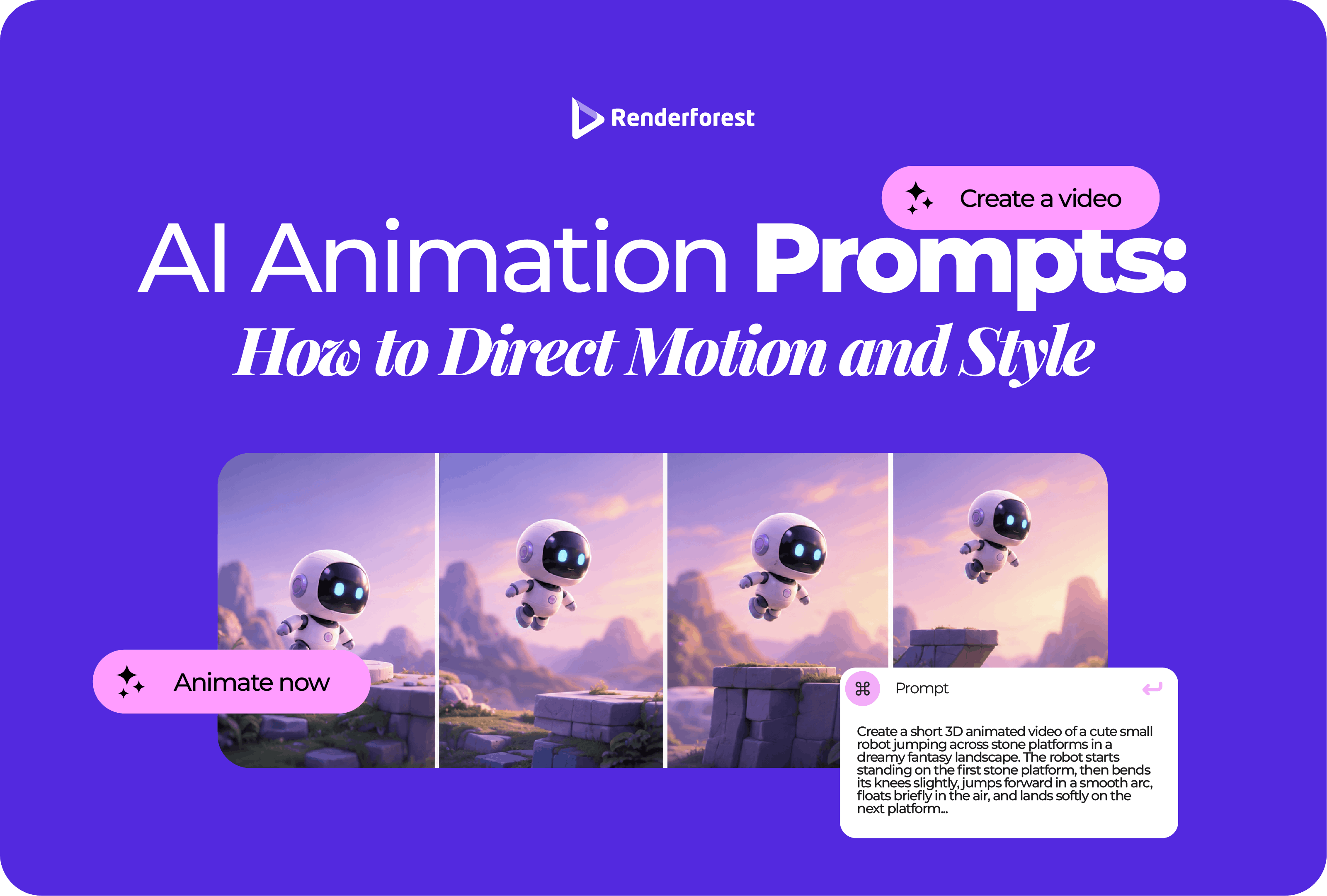
AI animation prompts work when they describe what changes over time, not just what the scene looks like.
A still-image prompt tells the AI what to show. An animation prompt tells it what should happen. That means action, camera movement, timing, pacing, emotion, continuity, and style all matter.
This is where many prompts go wrong. “A futuristic city, cinematic, beautiful lighting” may create a good-looking frame, but it does not explain how the scene should move. Should the camera glide forward? Should lights turn on? Should people walk through the street? Should the movement feel calm, urgent, playful, or premium?
This guide shows you how to write AI animation prompts that direct motion and style more clearly. You will learn the prompt formula, motion vocabulary, camera terms, timing controls, style systems, continuity rules, prompt rewrites, troubleshooting fixes, and examples you can adapt for your own videos.
To write strong AI animation prompts, describe the subject, action, motion, camera behavior, timing, visual style, emotion, continuity rules, and avoid rules. The prompt should explain what changes during the animation, not only what appears in the first frame.
A useful prompt formula is:
Create a [length] [style] animation of [subject]. [Action/motion happens]. The camera [camera direction]. The motion should feel [pace/emotion]. Keep [continuity rules]. Avoid [common errors].
Example:
Create a 7-second clean 2D animation of a freelance designer at her desk. Scattered notes slide into three organized storyboard cards one by one. The camera slowly pushes in from a medium shot. The motion should feel calm, focused, and satisfying. Keep the same green sweater, short dark hair, desk lamp, blue-white color palette, and rounded illustration style. Avoid tiny text, extra people, flickering objects, and sudden background changes.
If you are using a tool like Renderforest’s AI Animation Generator, the text prompt can become the starting point for animated scenes, explainers, product demos, pitch visuals, and story-based videos: Renderforest AI Animation Generator.
Renderforest’s text-to-video AI workflow can also start from a script or idea, then create a structured video draft with scenes, pacing, and narration: Renderforest text-to-video AI.
The biggest mistake is writing animation prompts as if they were image prompts.
A weak prompt describes a picture.
A strong prompt describes behavior.
Weak prompt:
A futuristic city at sunset, cinematic, beautiful, high detail.
Better prompt:
Create a 6-second cinematic AI animation of a futuristic city at sunset. The camera slowly glides forward between tall glass buildings while small flying vehicles move in organized lanes. Window lights turn on gradually as the sky shifts from orange to deep blue. Use smooth motion, atmospheric depth, and a calm optimistic mood. Avoid shaky camera movement, unreadable signs, flickering buildings, and sudden object changes.
The second prompt gives the AI a timeline. It has scene behavior, camera behavior, mood, and avoid rules. Runway’s Gen-4 video prompting guide also points to the importance of subject motion, scene motion, and camera motion when directing video generation: Runway Gen-4 Video Prompting Guide.
A strong animation prompt does not need to be complicated. It needs to be built in the right order.
Start simple, then add control.
Here is how the prompt improves layer by layer:
Prompting is not about writing more words. It is about adding the missing direction.
Use this formula when you want practical control:
Create a [length] [style] animation of [subject]. [Motion/action happens]. The camera [camera behavior]. The scene should feel [emotion/pace]. Keep [continuity rules]. Avoid [errors].
Example:
Create an 8-second clean flat 2D animation of a marketer reviewing campaign ideas. Sticky notes move from a messy cluster into three labeled columns: audience, message, and channel. Keep the camera mostly static with a slight push-in as the final column locks into place. The movement should feel calm, focused, and satisfying. Use rounded shapes, soft blue and yellow colors, and simple character design. Avoid tiny text, clutter, random extra characters, and sudden style changes.
This gives the AI a clear scene to animate.
When quality matters, use a complete prompt anatomy.
You do not need every part in every prompt. But if an output is inconsistent, chaotic, or generic, one of these parts is usually missing.
Motion words help AI understand what kind of movement you want. Instead of memorizing a giant list, choose verbs by the job the motion needs to do.
“Add motion” is too vague.
“Three product cards slide in from the left, pause, then the center card expands slightly” is direction.
Camera movement changes how the scene feels. You do not need film-school language, but you do need to explain how the viewer should move through the scene.
For most business animations, use simple camera moves. A static shot, slow push-in, or pull-back often looks cleaner than a dramatic camera flight.
Style words like “modern,” “professional,” or “cinematic” are too broad by themselves.
A better style prompt defines the visual system.
Use this style formula:
medium + shape language + color palette + lighting + texture + motion behavior
Weak style phrase:
Modern animation.
Better style direction:
Clean flat 2D animation with rounded UI cards, simple icons, a blue-white color palette, soft shadows, smooth vector shapes, and gentle sliding transitions.
More examples:
The more specific the visual system, the less generic the output feels.
Good animation direction is not about adding the most impressive movement. It is about choosing the movement that helps the viewer understand or feel the message.
If the motion does not clarify the message, it is decoration.
Timing tells the AI how quickly things should happen.
Weak prompt:
Show a product reveal.
Better prompt:
Create a 7-second product reveal. First 2 seconds: close-up of the texture. Next 3 seconds: camera slowly pulls back as the full product rotates. Final 2 seconds: three feature labels appear one at a time.
Use this simple timing structure:
Prompt example:
Create a 7-second 3D animation of a reusable water bottle. From 0–2 seconds, show a close-up of the cap texture. From 2–5 seconds, slowly pull back as the bottle rotates on a white studio surface. From 5–7 seconds, show three clean feature labels appearing one at a time: insulated, leak-proof, reusable. Use soft shadows and smooth motion. Avoid fast cuts and cluttered text.
Do not ask for five things to happen in six seconds. Pick the movement that matters most.
Sometimes you need one scene. Sometimes you need a full draft. The prompt should match the job.
For important projects, scene prompts usually give more control. Ask for one useful animated moment at a time, then assemble the scenes in editing.
Use full-video prompts when you need a draft, a rough storyboard, or a quick direction to refine.
Different styles need different instructions. A whiteboard prompt should not sound like a cinematic product prompt.
Create an 8-second flat 2D animation of a marketer organizing campaign ideas. Sticky notes move from a messy cluster into three labeled columns: audience, message, channel. Use rounded shapes, soft blue and yellow colors, simple character design, and smooth sliding motion. Keep the camera static. Avoid tiny text and clutter.
Create a 10-second 3D product animation of a wireless speaker on a matte studio surface. The camera slowly orbits the speaker as light moves across the fabric texture. Show three feature callouts appearing one at a time: deep bass, 12-hour battery, waterproof design. Use premium lighting, realistic shadows, and smooth rotation. Avoid exaggerated reflections and unreadable labels.
Create a 9-second isometric animation showing an online order moving from website checkout to warehouse packing to delivery truck to customer doorstep. Use clean geometric shapes, map lines, package icons, and smooth step-by-step motion. Keep the color palette consistent and avoid crowded scenes.
Create a 45-second whiteboard animation explaining how compound interest works. Draw a small stack of coins, then show it growing over time as interest is added. Use simple handwritten labels, clean arrows, and a step-by-step drawing sequence. Keep the visuals minimal and easy to follow.
Create a 12-second vertical kinetic typography animation for an event announcement. Animate the words “Marketing Summit 2026,” “June 18,” and “Yerevan” with bold readable type, quick but smooth transitions, and a confident rhythm. Use high contrast and leave enough space around the text. Avoid tiny letters and overly fast motion.
Character prompts need body language, action, and emotion.
Weak prompt:
A woman working at a computer.
Better prompt:
Create a 7-second 2D character animation of a freelance designer at her desk. She starts with a tired expression, looks at a messy board of notes, then smiles slightly as the notes organize into a clean storyboard. Use subtle facial expression changes, gentle hand movement, and a calm creative mood. Keep her green sweater, short dark hair, desk lamp, and background consistent.
Use this checklist:
For AI animation, simple character motion is usually more reliable than complex acting. A glance, posture shift, hand gesture, or expression change often works better than asking for detailed physical performance.
Product animation works best when the product is the hero.
Prompt example:
Create an 8-second 3D animation of a matte black smartwatch. Start with a close-up of the curved glass, then slowly rotate to show the side button and strap texture. Three feature labels appear one by one: heart rate, sleep tracking, waterproof. Use soft studio lighting, clean shadows, and a premium minimal background. Avoid distorted screen text, fake brand logos, and fast spinning.
Product prompts should not overload the scene. Choose two or three features, not ten.
UI animation needs clarity. Do not ask AI to recreate a complex interface with tiny text.
Weak prompt:
Show our app dashboard.
Better prompt:
Show a simplified app dashboard with three large cards: tasks, progress, insights. A cursor selects “insights,” and the screen transitions to a clean chart with three readable bars. Use minimal UI, large labels, and smooth tap gestures. Avoid tiny text, fake metrics, and crowded screens.
Use this UI prompt structure:
Prompt example:
Create a 10-second UI animation for a project management app. A user opens a dashboard, drags three task cards into “To do,” “In progress,” and “Done,” then a progress bar fills to 100%. Use clean flat UI, large readable labels, smooth drag motion, and a blue-white palette. Avoid tiny interface text and unrealistic data.
Consistency is one of the biggest challenges in AI animation. Characters may change. Objects may shift. Text may break. The camera may jump. The style may drift.
Create a continuity block at the end of your prompt.
Continuity block example:
Keep the same character, green sweater, short dark hair, desk, lamp, soft blue palette, rounded 2D style, and static camera throughout the scene. Avoid changing outfits, extra people, unreadable text, flickering objects, and sudden background changes.
This is one of the simplest ways to improve AI animation prompts.
Avoid rules are useful because AI often fills missing details on its own.
Do not make the avoid list longer than the actual prompt. Focus on the problems most likely to ruin the output.
Create a 45-second flat 2D product explainer for small business owners. Show a messy workflow becoming organized: scattered files move into a clean dashboard, tasks sort into columns, and a final report exports. Use smooth sliding motion, readable labels, friendly character design, and a calm confident tone. Keep the palette blue, white, and warm yellow. Avoid tiny text, fake metrics, and cluttered screens.
Create a 12-second vertical AI animation for social media. Open with bold text: “Your idea is not the problem. The structure is.” Show scattered notes snapping into three clean story cards. Use quick but readable kinetic typography, bold 2D motion, high contrast, and a satisfying final lock-in animation. Avoid slow buildup and tiny text.
Create a 45-second soft 2D educational animation explaining how rain forms. Show water evaporating, clouds forming, droplets combining, and rain falling back to the ground. Use simple icons, smooth arrows, large labels, and a calm teaching tone. Avoid overly detailed science diagrams and cluttered labels.
Create a 60-second warm hand-drawn animation about a founder who notices small businesses struggling to create video content, sketches a simpler workflow, tests it with early users, and launches a creative platform. Use soft textures, human gestures, warm colors, and gentle camera movement. Avoid exaggerated startup clichés and fake customer numbers.
Create a 20-second abstract music visual for a slow electronic track. Use glowing geometric shapes that pulse gently with the beat, deep blue and violet gradients, and slow camera drift through a soft digital space. The motion should feel hypnotic and calm. Avoid literal instruments, flashing lights, and cluttered particles.
Create a 6-second logo reveal animation. Small glowing particles move in from the edges, form a clean circular mark, then fade into the final logo on a dark blue background. Use smooth motion, premium lighting, and a calm confident pace. Avoid excessive sparks, shaky camera, and unreadable text.
Create a 20-second mobile app demo animation. A user opens a habit tracker, adds “morning walk,” sets a reminder, checks off the task, and sees a simple streak badge appear. Use clean UI, large readable labels, smooth tap gestures, and a friendly color palette. Avoid crowded screens and fake complex data.
Create a 45-second warm 2D story animation showing a student who struggles with reading, receives after-school tutoring, practices step by step, and gains confidence reading aloud. Use respectful character design, soft colors, gentle motion, and an optimistic ending. Avoid exaggerated sadness and generic charity imagery.
Create a 15-second vertical event promo animation for a creative marketing conference. Use bold kinetic typography for the event name, date, location, and three topic cards. Add fast but readable transitions, confident motion, and a clean modern palette. Avoid tiny text and overly crowded speaker cards.
Create a 30-second 3D real estate animation showing a modern apartment from entryway to living room, kitchen, balcony, and neighborhood view. Use warm natural lighting, smooth camera movement, minimal labels, and a calm premium mood. Avoid inaccurate floor plans and unrealistic room proportions.
Prompt rewriting is the fastest way to improve AI animation quality. Add action, camera, timing, style, and avoid rules.
Most bad outputs are not model failures. They are missing-brief failures.
Do not rewrite the whole prompt every time. Change the part that controls the problem.
Example:
Original issue:
The product reveal spins too fast and the labels are hard to read.
Revision:
Slow the camera orbit by 50%. Keep the product centered and stable. Show only two feature labels, one at a time, in large readable text. Avoid fast spinning, small labels, and sudden cuts.
Small prompt changes often work better than starting over.
The AI cannot follow a brief that has not been written.
Before generating, check your prompt against this list.
If your prompt passes this checklist, the output is more likely to feel directed instead of accidental.
AI animation prompts are not magic phrases. They are creative direction.
The better you describe motion, camera, timing, style, continuity, and purpose, the less the AI has to guess. That does not guarantee a perfect result, but it gives you a better starting point and makes revisions easier.
Do not begin with “make it cinematic” or “make it modern.” Begin with what needs to happen.
What moves? How does it move? How should the camera behave? What should stay consistent? What should the viewer understand or feel by the end?
Answer those questions, and your AI animation prompts will become far more useful.
AI animation prompts are written instructions that tell an AI tool what animated scene to create. They usually describe the subject, action, motion, camera, style, timing, mood, and details to avoid.
Write what appears in the scene, what moves, how the camera behaves, how long the motion should take, what visual style to use, what emotion the scene should create, and what should stay consistent.
Include subject, action, camera, timing, style, motion, emotion, continuity rules, and avoid rules. For business videos, also include audience, platform, message, and CTA if relevant.
A useful structure is: Create a [length] [style] animation of [subject]. [Action/motion happens]. The camera [camera direction]. The motion should feel [pace/emotion]. Keep [continuity rules]. Avoid [common errors].
Use clear motion verbs such as glide, slide, rotate, pulse, drift, morph, reveal, assemble, flow, zoom, pan, tilt, orbit, and fade. Avoid vague phrases like “add motion.”
Use a specific visual system. Define the medium, shape language, color palette, lighting, texture, and motion behavior. For example: clean flat 2D animation with rounded cards, blue-white palette, soft shadows, and smooth sliding transitions.
Use a continuity block. Repeat details such as character appearance, product shape, color palette, location, camera behavior, line style, lighting, and avoid rules.
The prompt may describe appearance but not action, motion, camera, timing, or purpose. Add what changes during the scene and how the viewer should experience it.
Yes, but keep them focused. Common avoid rules include no tiny text, no flickering objects, no changing outfits, no extra characters, no warped logos, no shaky camera, and no sudden style changes.
Sometimes, but you need to check the AI tool’s terms, model licenses, uploaded asset rights, music, fonts, voices, stock assets, and platform rules. For client or paid work, save proof of usage rights.
The biggest mistake is writing prompts like still-image prompts. Animation needs motion, timing, camera direction, and continuity.
It should be long enough to direct the scene clearly, but not so long that it becomes confusing. For most scenes, one focused paragraph plus avoid rules is enough.
Share this


Article by: Liana Ziroyan
Liana is a marketing professional with 11 years of experience in digital marketing, content, and product communication. She has a strong eye for visual storytelling and loves turning ideas into engaging campaigns that connect with audiences. With her experience across branding, creative content, and user-focused messaging, Liana enjoys finding simple, effective ways to make products feel clear, useful, and exciting.
Read all posts by Liana Ziroyan