AI
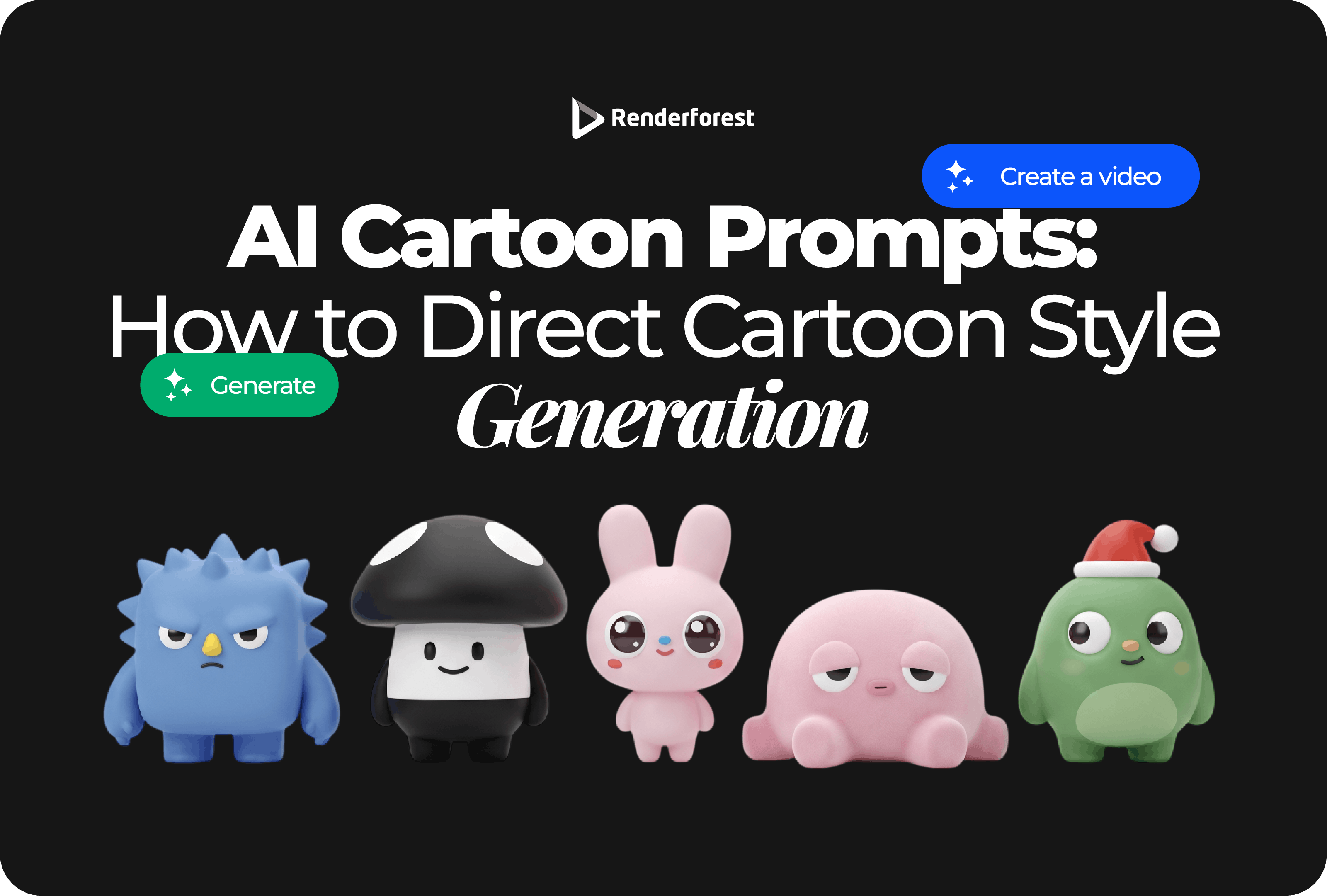
AI cartoon prompts are not magic phrases. They are creative direction.
A weak prompt asks the AI to “make a cartoon.” A strong prompt tells it what the cartoon should do, who it is for, what style it should use, what happens in the scene, how it should move, and what must be avoided.
That difference matters. If your prompt is vague, the output will usually feel generic: random mascot, random background, random style, random mood. If your prompt has direction, the cartoon starts to behave like a real creative asset. It can explain a product, teach a concept, introduce a character, support a campaign, or become the first draft of a short animated video.
This guide shows you how to write AI cartoon prompts that control style, character, scene, motion, composition, color, and consistency. You will get prompt formulas, examples, repair tactics, and review checks you can use before generating your next cartoon image or video.
To write good AI cartoon prompts, describe the cartoon’s job, audience, style, subject, scene, motion, format, and restrictions. The more clearly you direct those choices, the less the AI has to guess.
A practical formula:
Create a [format] cartoon for [audience]. The goal is to [purpose]. Show [subject/character] in [scene]. Use [cartoon style], [mood], [color palette], and [composition]. If animated, include [motion/pacing]. Avoid [restrictions].
Renderforest’s AI Cartoon Generator can turn an idea into a custom cartoon animation with voiceover and music. Renderforest’s AI Image Generator is better when you need still cartoon concepts, character drafts, thumbnails, or visual directions before animation.
Most weak prompts fail because they ask for a style without giving the style a job.
A prompt like this is too vague:
Make a fun cartoon about a business.
The AI has to guess the audience, message, character, setting, tone, visual style, format, and ending. That is why the output often looks polished but feels unusable.
A stronger prompt gives direction:
Create a 30-second flat vector cartoon for small business owners. Show a bakery owner struggling to manage online orders, then using an order tracking app to organize requests and prepare deliveries. Use warm colors, simple character animation, readable captions, and a calm helpful tone. Avoid fake app text or unrealistic claims.
The better prompt works because it makes decisions. It does not ask the AI to be creative in every direction at once.
OpenAI’s prompt engineering guidance describes prompting as a mix of art and science because model outputs are non-deterministic. That is worth remembering. A good prompt improves your odds, but you should still expect to review, refine, and regenerate.
Before writing a prompt, define the six controls that shape the output.
Do not ask the AI to “make it cartoon.” Tell it what the cartoon is supposed to do.
That one shift makes the prompt more useful immediately.
A prompt ladder helps you see what is missing.
The strong prompt is not better because it is longer. It is better because it tells the AI what matters.
“Cartoon style” is too broad. A better prompt uses a style recipe: medium, shape, line, color, lighting, detail, motion, and brand fit.
Example style recipes:
Style is not decoration. Style tells the viewer how seriously to take the message.
Use this table when building prompts quickly.
You do not need to use every variable in every prompt. Use the ones that affect the final output.
Different cartoon styles create different expectations. Match the style to the viewer and the job.
Avoid prompting for the exact style of a living artist, famous studio, franchise, or copyrighted character. Use broader visual language instead: “warm storybook,” “soft 2D animation,” “retro comic,” “flat vector,” or “expressive anime-inspired character.”
Adobe’s Firefly prompt guidance recommends clear, descriptive, and specific prompts to generate desired image variations. That principle applies directly to AI cartoon prompts: the prompt creates the draft, but the final asset still needs human editing.
A strong AI cartoon prompt usually contains six core parts.
Example:
Create a 9:16 flat vector cartoon for freelancers learning budgeting. Show a friendly owl mascot explaining three money jars: taxes, savings, and spending. Use calm colors, simple shapes, light motion, and an encouraging tone. Keep the scene clean and avoid legal or financial advice.
This prompt works because it tells the AI what to create, who it is for, how it should look, and what it should avoid.
Use this formula when you need a fast starting point:
Create a [length/aspect ratio] cartoon for [audience/use case]. The goal is to [main message]. Show [character or subject] doing [action] in [setting]. Use [cartoon style], [mood], [color palette], and [composition]. If animated, include [motion, pacing, transitions]. Avoid [text problems, copied styles, unrealistic claims, unsafe content].
Filled example:
Create a 30-second 9:16 cartoon for new fitness studio members. The goal is to make beginner classes feel less intimidating. Show a nervous first-time visitor entering the studio, meeting a friendly coach, following simple movements, and leaving confident. Use a soft 3D cartoon style, warm colors, gentle pacing, and readable captions. Avoid body transformation claims or medical advice.
This is the structure you can reuse for most cartoon prompt tasks.
For cartoon videos, one paragraph is often not enough. Use a prompt stack so the AI gets the story, style, motion, communication, and restrictions.
Reusable video prompt template:
Scene: [what happens]
Style: [cartoon style, shape language, palette]
Motion: [camera, character actions, transitions]
Voice/captions: [tone, reading level, caption length]
Restrictions: [no logos, no fake text, no unsupported claims]
Motion needs verbs. “Animate this” is not direction.
Use this when you need a character, mascot, or avatar.
Create an original cartoon mascot for a budgeting app. The character is a friendly owl guide for freelancers. Use a clean flat vector cartoon style, round shapes, warm brown feathers, cream face markings, a navy scarf, and a tiny calculator as the signature detail. The character should feel calm, clever, and encouraging. Show a full-body front view on a clean background. Do not add text, logos, or copied character references.
Why it works: it defines role, audience, style, personality, colors, and signature detail.
Use this when you need a short animated sequence.
Create a 30-second cartoon video for an ecommerce product. Show a busy parent struggling with a messy backpack, discovering a modular organizer, and preparing school items faster the next morning. Use a friendly flat vector style, warm colors, quick pacing, simple transitions, and short captions. End with a clean product-focused final scene. Avoid exaggerated time-saving claims.
Why it works: it gives the AI a beginning, middle, and end.
Use this when you need to simplify a concept.
Create a 60-second whiteboard-style cartoon explaining how two-factor authentication works. Show a character logging in with a password, receiving a verification code, and blocking a suspicious login attempt. Use simple drawings, clear labels, calm narration, and step-by-step pacing. Avoid technical jargon and real account data.
Why it works: it breaks the topic into visual steps.
Use this when you need a short marketing asset.
Create a 15-second vertical cartoon ad for a local bakery’s weekend pastry box. Show a sleepy Saturday morning, a box opening with fresh pastries, and friends sharing coffee at the table. Use warm storybook-style visuals, soft lighting, gentle motion, and a simple end card. Avoid fake discount text or invented awards.
Why it works: it sells a feeling without making unsupported claims.
Use this when the idea must land quickly.
Create a 12-second sticker-style cartoon for social media about opening one browser tab and ending up with twenty. Show a character confidently opening a laptop, then being surrounded by tabs, notes, and reminders. Use exaggerated facial expressions, fast pacing, and minimal captions. Keep it readable on mobile.
Why it works: it is specific, short, and built around a familiar moment.
Use this when accuracy matters.
Create a 60-second cartoon lesson for middle school students explaining photosynthesis. Show sunlight, water, and carbon dioxide entering a plant, then energy and oxygen being produced. Use friendly plant characters, simple labels, bright classroom colors, and clear narration. Keep the explanation scientifically accurate and age-appropriate.
Why it works: it defines audience level and asks for accuracy.
Use this when a product needs to explain one action.
Create a 40-second flat vector cartoon onboarding video for a task management app. Show a new user creating a project, adding three tasks, setting a deadline, and checking off the first task. Use a friendly mascot, simple UI-inspired shapes, calm pacing, and short captions. Avoid fake interface text or features that are not shown in the product.
Why it works: it focuses on one action instead of the entire product.
Use this when emotion matters.
Create a warm 45-second storybook cartoon about a small café owner preparing for the first day of spring. Show opening the windows, baking fresh bread, greeting the first customer, and placing flowers on the counter. Use soft colors, gentle camera movement, and a hopeful tone. Do not add text or invented heritage claims.
Why it works: it creates atmosphere without overloading the story.
Many prompt lists overuse style words without explaining what they control. Use style language carefully.
The goal is not to sound artistic. The goal is to guide the model toward a usable result.
Consistency is one of the hardest parts of AI cartoon generation. A character may change face shape, outfit, age, color, or proportions between outputs.
Use fixed character details every time.
Consistency prompt:
Use the same owl mascot character: round face, large oval eyes, cream face markings, warm brown feathers, navy scarf, tiny calculator accessory, short compact body, clean flat vector cartoon style, calm encouraging expression. Create three poses: waving, thinking, and pointing. Keep the same proportions, outfit, colors, and style in every pose.
If the cartoon is for a serious brand mascot, treat the first AI output as concept art, not the final system. Create a character sheet, review similarity to existing characters, and have a designer refine the final version.
For cartoon videos, prompt movement, not just appearance.
Weak motion prompt:
Animate this cartoon.
Better motion prompt:
Create a 20-second vertical cartoon. Show a character entering a messy room, looking overwhelmed, tapping a cleaning app, and smiling as the room becomes organized. Use quick cuts, simple character motion, a clean before-and-after transition, and a final still frame for the CTA.
If nothing moves in the prompt, the AI may give you a static-looking scene.
Composition controls what viewers notice first.
Cartoon prompts fail when the image has the right style but the wrong layout. Add composition instructions when the output needs to fit a platform.
Color changes the emotional reading of the cartoon.
Example:
Use a calm palette of soft blue, cream, and warm gray. Avoid neon colors, heavy shadows, or overly childish tones.
Color instructions are especially important for brand content. If the cartoon must match brand colors, include the palette every time.
Restrictions help prevent common issues: fake text, distorted logos, copied styles, unsafe claims, or cluttered scenes.
A negative prompt should prevent real problems, not become a list of anxieties.
The first output is a draft. Do not rewrite everything at once. Diagnose the problem.
Do not keep adding adjectives. Add better decisions.
Create a 20-second vertical cartoon ad for an online backpack organizer. Show a student struggling to find school supplies, then using the organizer to separate books, pens, and lunch items. Use a bright flat cartoon style, quick pacing, simple transitions, and a clean product reveal. Avoid exaggerated claims or fake discount text.
Create a 45-second flat vector cartoon for a project management app. Show a small marketing team losing track of feedback in messages, then using one shared dashboard to assign tasks and approve work. Use clean UI-inspired visuals, calm colors, and short captions. Avoid showing features that are not available.
Create a 60-second whiteboard-style cartoon explaining the water cycle to elementary students. Show evaporation, condensation, precipitation, and collection with simple arrows, friendly cloud characters, and clear narration. Use accurate science terms and age-appropriate visuals.
Create a gentle 30-second cartoon reminder about scheduling a routine dental checkup. Show a friendly toothbrush character, a calendar reminder, and a smiling family entering a clinic. Use soft colors and reassuring tone. Avoid scary dental imagery or treatment claims.
Create a 45-second minimal flat cartoon explaining the difference between saving and investing at a basic educational level. Show two labeled paths: short-term savings and long-term investing. Use calm colors and clear metaphors. Avoid personalized financial advice or guaranteed returns.
Create a warm storybook-style cartoon for a neighborhood bakery. Show early morning dough preparation, bread coming out of the oven, and customers picking up fresh loaves. Use soft lighting, warm colors, and gentle motion. Do not invent awards, history, or sourcing claims.
Create a 20-second 9:16 cartoon promo for a beginner yoga class. Show a nervous first-timer entering the studio, meeting a welcoming instructor, trying simple poses, and leaving relaxed. Use soft 3D cartoon visuals and gentle pacing. Avoid weight-loss or medical claims.
Create a 45-second cartoon for a school supply donation campaign. Show donated notebooks, pencils, and backpacks moving through a community center and reaching students before class. Use warm, sincere visuals and a clear call to action. Do not exaggerate impact or invent real beneficiary stories.
Use the prompt differently depending on what you are creating.
A practical Renderforest workflow:
Renderforest works best when the input is not just an idea, but a short creative brief. Give the tool a purpose, a scene, and a style to follow.
Before generating, check your prompt against this list.
If the prompt cannot answer these questions, the output will probably need more cleanup.
Cartoon prompts feel low-risk because the output is stylized, but publishing still needs review.
Avoid prompts that ask for famous characters, recognizable franchises, living artists, real-person likenesses, brand logos, or misleading realistic scenarios. If you use uploaded images, make sure you have the rights to use them.
Canva’s AI Product Terms say users are responsible for the content they upload to AI products and for the outputs they generate, including having the needed rights, licenses, and permissions.
Adobe’s Generative AI User Guidelines restrict harmful, deceptive, infringing, or abusive uses of generative AI.
YouTube’s guidance on disclosing altered or synthetic content says realistic AI-created or meaningfully altered content may require disclosure, while non-realistic content and minor edits may not. If your cartoon includes realistic people, events, voices, or potentially misleading situations, check the platform rules before publishing.
The U.S. Copyright Office’s AI guidance explains that copyright questions around AI-generated outputs depend on human authorship and the nature of the human creative contribution.
For ads, healthcare, finance, politics, children’s content, client work, or brand mascots, slow down. Review claims, licensing, likeness, disclosure, and commercial-use terms before publishing.
Good AI cartoon prompts are not about finding one perfect phrase. They are about giving clear creative direction.
Start with the job. Define the viewer. Choose the style. Describe the character and scene. Add motion if it is a video. Control format, color, and composition. Then review the draft like a human editor, not a passenger.
The best prompt does not make the cartoon more complicated. It makes the idea harder to misunderstand.
AI cartoon prompts are written instructions used to generate cartoon images, characters, scenes, or videos with AI tools. A good prompt describes the subject, style, character, scene, mood, format, motion, and restrictions.
Start with the purpose and audience. Then describe the subject, cartoon style, character, scene, mood, colors, composition, motion, format, and what to avoid.
A useful formula is: “Create a [format] cartoon for [audience]. The goal is to [purpose]. Show [subject] in [scene]. Use [style], [mood], [colors], and [composition]. If animated, include [motion]. Avoid [restrictions].”
Flat vector, 3D cartoon, storybook, comic-style, sticker-style, whiteboard, minimal line-art, mascot-led, anime-inspired, and cutout cartoon styles can work well when matched to the right audience and use case.
Repeat the same character details in every prompt: face shape, body proportions, outfit, colors, style, signature accessory, and personality. For repeated use, create a character sheet first.
Yes, but only where useful. Common restrictions include “no text,” “no logos,” “no copied character style,” “simple background,” “keep the same character design,” and “avoid unrealistic claims.”
Yes. For video prompts, include actions, scene progression, transitions, pacing, camera movement, captions, and format. Motion verbs help the output feel animated rather than static.
Use a specific audience, situation, style, character, action, and takeaway. Avoid broad prompts like “make a fun cartoon.” Give the AI a clear scene and purpose.
Sometimes, depending on the tool’s terms, input rights, output rights, music, voiceover, and platform rules. Review commercial-use terms before using AI cartoons in ads, client work, product pages, or branded campaigns.
Avoid famous character names, copyrighted franchises, living artist references, fake product claims, unsupported health or finance advice, logos you do not own, and real-person likenesses without permission.
Share this


Article by: Liana Ziroyan
Liana is a marketing professional with 11 years of experience in digital marketing, content, and product communication. She has a strong eye for visual storytelling and loves turning ideas into engaging campaigns that connect with audiences. With her experience across branding, creative content, and user-focused messaging, Liana enjoys finding simple, effective ways to make products feel clear, useful, and exciting.
Read all posts by Liana Ziroyan