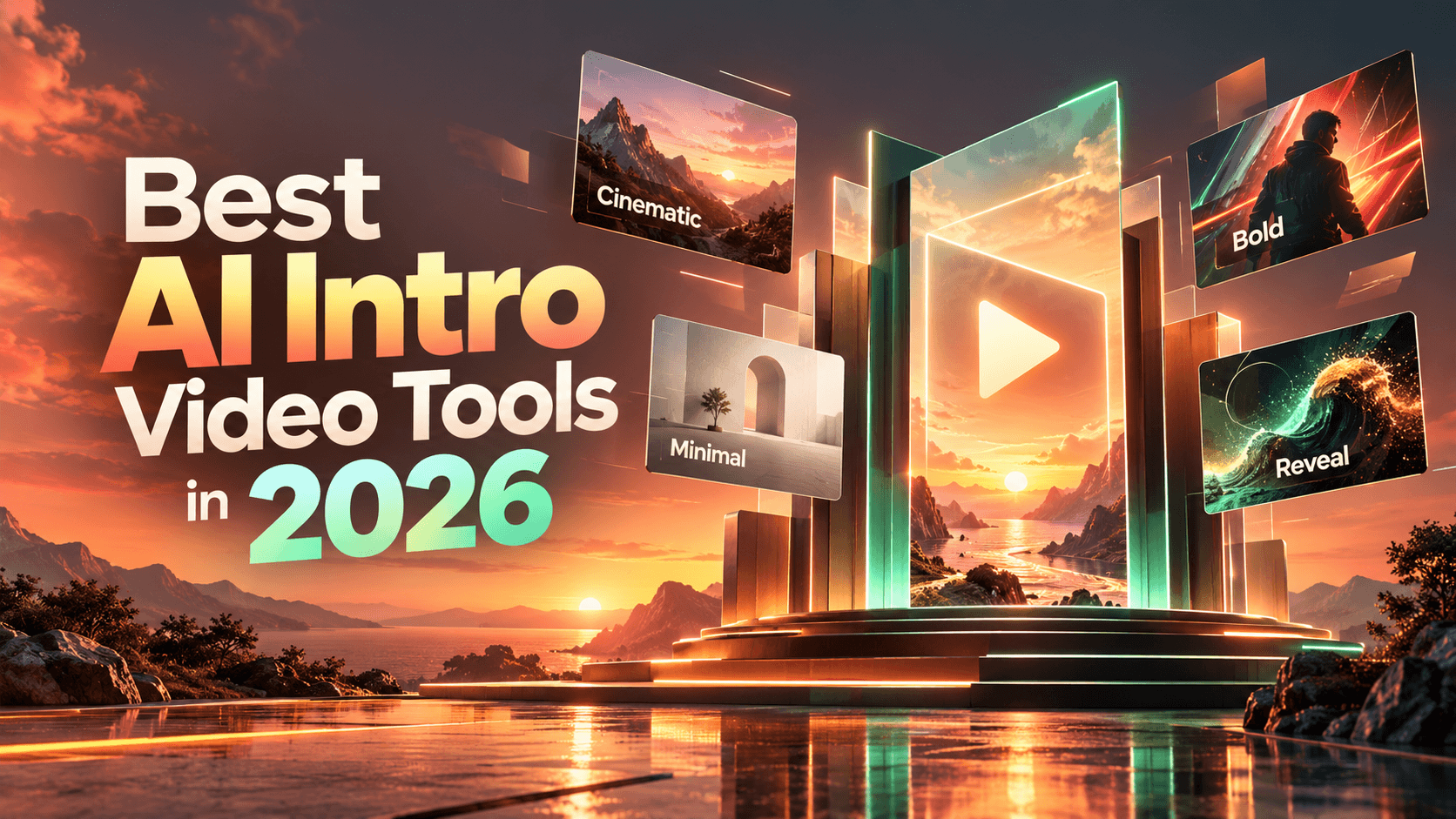
The best AI intro video tools in 2026 are not always the ones with the loudest feature pages or the most advanced generative model. An intro has a smaller, more unforgiving job. In a few seconds, it has to tell people what they are watching, who it is from, and why it is worth staying.
That is why the right tool depends less on “which AI is most impressive” and more on what kind of intro you need. A branded logo reveal needs control. A YouTube opener needs speed and readability. A social hook needs the point on screen immediately. A cinematic brand film needs atmosphere. An avatar intro needs a believable presenter and clean narration.
The best AI intro video tools in 2026 are Renderforest for branded intros and logo reveals, InVideo AI for prompt-to-video intros, Canva and Adobe Express for template-based creator intros, VEED and Kapwing for browser editing and short AI clips, FlexClip for logo intro templates, Pictory for repurposed-content intros, Runway and Pika for cinematic AI concepts, and HeyGen for avatar-led intros.
For intros, control usually matters more than surprise. A beautiful AI-generated clip is not useful if the text is unreadable, the logo changes, the opener drags on too long, or the final frame does not match the brand.
Best AI intro video tools by use case
Quick comparison of the best AI intro video tools
AI intro tool types: templates vs generators vs editors
Before comparing individual tools, it helps to know what kind of tool you actually need. AI intro video tools usually fall into four practical categories.
Template-based intro makers
Template-based intro makers are best when you need a polished, repeatable opener and do not want to build motion from scratch. They usually give you more predictable timing, layout, final frames, and brand control.
Best for:
- Logo reveals
- YouTube intro templates
- Brand openers
- Webinar intros
- Presentation openers
Best examples: Renderforest, FlexClip, Canva, and Adobe Express.
Prompt-to-video generators
Prompt-to-video generators are best when you want to explore a visual direction from a written idea. They are useful for testing style, mood, pacing, and first-draft concepts, but the outputs still need a careful review.
Best for:
- AI-generated intro concepts
- Social hooks
- Cinematic openers
- Experimental visual directions
- Short first drafts
Best examples: InVideo AI, Kapwing, Runway, and Pika.
Online editors with AI features
Online editors are best when you already have a logo, title, generated clip, or piece of footage and need to assemble or polish the intro.
Best for:
- Adding logos
- Adding titles
- Editing AI-generated clips
- Adding captions
- Exporting for social formats
Best examples: VEED, Kapwing, and Canva.
Avatar-led AI video tools
Avatar-led AI tools are best when the intro needs a speaker, narration, localization, or a presenter-style opening.
Best for:
- Course intros
- Training videos
- Product explainers
- Onboarding videos
- Sales videos
Best example: HeyGen.
How we chose the best AI intro video tools
This is not a general “best AI video generator” list. The focus here is narrow: tools that can create or improve the first 1–5 seconds of a video. That could be a logo reveal, branded opener, YouTube intro, social hook, product opener, title card, or avatar-led welcome.
We evaluated each tool using intro-specific criteria.
The most important distinction is control. A visually impressive AI clip is not automatically a good intro. If the logo changes, the title is unreadable, or the intro takes too long to reach the point, the tool has not solved the real problem.
1. Renderforest: best overall for branded AI intro videos
Renderforest is the best overall pick for branded AI intro videos because it combines AI intro creation, ready-made intro templates, logo reveals, YouTube intro templates, and controlled customization. That mix matters because most intros need more than a generated clip. They need readable text, accurate branding, clean timing, a usable final frame, and the right export format.
Renderforest’s intro maker page says users can create intros with an AI intro maker or customize ready-made intro templates, and its YouTube intro maker page includes customizable templates for branded intros, outros, and call-to-action animations.
Best for
- Branded business intros
- YouTube intros
- Logo reveals
- Social video intros
- Product video openers
- Webinar and presentation intros
- Small business and creator branding
Why it stands out
Renderforest works well when you want AI speed without losing structure. You can start with an idea or choose a ready-made intro template, then customize the logo, colors, text, music, timing, and style. That makes it useful for people who want a polished opener without learning professional motion design software.
This is especially important for brand-facing intros. A generative video model may create a beautiful clip, but it may not protect your logo, typography, final frame, or title layout. Renderforest is stronger when the intro needs to look consistent across many videos.
Key features
- AI intro creation
- Ready-made intro templates
- Logo reveal templates
- YouTube intro and outro templates
- Template categories for 3D, minimal, glitch, corporate, cinematic, and footage-based intros
- Widescreen, portrait, and square format support depending on template
- Customizable colors and text in many templates
Pros
- Strong fit for branded intros and logo reveals
- Easier for non-editors than full motion design software
- Template structure helps protect timing and layout
- Good for YouTube, business, social, presentation, and webinar intros
- Useful for repeatable brand openers
Cons
- Not the best fit for highly experimental cinematic AI scenes
- Template-based control is different from frame-level manual animation
- Export quality, premium templates, and watermark removal may depend on plan
Pricing note
Free and paid options are available, but export resolution, watermark removal, template access, and commercial-use needs can vary by plan. Check the current pricing page before publishing client or brand work.
Who should not use it
Do not choose Renderforest as your first option if your main goal is a surreal cinematic AI scene, a fully custom animation built frame by frame, or experimental generative footage that does not need strict brand consistency.
Best-fit verdict: Choose Renderforest if you need a branded intro or logo reveal where final-frame clarity, text readability, and repeatable exports matter more than cinematic experimentation.
2. InVideo AI: best for prompt-to-video intros
InVideo AI is a strong option when you want to turn a written idea into a complete intro draft. Its AI video generator says it can generate videos from simple text prompts, creating scripts and adding clips, subtitles, music, and transitions. Source: InVideo AI video generator.
Best for
- Prompt-generated intros
- YouTube intro drafts
- Creator intros with voiceover
- Short social openers
- Marketing intro concepts
- Script-led intros
Why it stands out
InVideo AI is useful when you know the idea but do not yet have a structure. You can describe the audience, tone, topic, and video purpose, then let the tool generate a first draft with visuals, sound, subtitles, and pacing.
That makes it a good option for creators who want fast idea-to-video generation. It is less ideal when the intro must exactly preserve logo shape, final-frame layout, or strict brand typography.
Key features
- Prompt-to-video generation
- AI script generation
- Clip selection
- Subtitles
- Music and transitions
- Voiceover support
- Useful for YouTube and social video drafts
Pros
- Strong prompt-to-video workflow
- Good for fast first drafts
- Useful when the intro needs narration or structure
- Helpful for creators who do not want to build a timeline manually
- Good for social and YouTube ideation
Cons
- Exact logo treatment may need manual review
- Generated text and subtitles should be checked carefully
- Brand colors and final frames may require cleanup
- Less controlled than template-first intro makers
Pricing note
Free and paid plans may differ by export quality, watermark, AI generation limits, stock access, and commercial-use terms. Check the current plan details before relying on it for production.
Who should not use it
Do not choose InVideo AI if your priority is an exact logo reveal, locked brand typography, or a final frame that must match strict brand guidelines.
Best-fit verdict: Choose InVideo AI if you want a prompt-based AI intro generator that can create a full intro draft with script, visuals, subtitles, music, and voiceover.
3. Canva: best for design-heavy creator intros
Canva is a strong pick for creators and small businesses that want a design-led intro. Its intro maker emphasizes customizable templates and a drag-and-drop workflow, while Canva’s AI video tools can generate videos from text descriptions. Source: Canva intro maker.
Best for
- Creator intros
- Simple YouTube intros
- Branded title cards
- Social-first intros
- Design-heavy intros
- Channels already using Canva assets
Why it stands out
Canva works well when the intro is closer to a branded design asset than a complex motion sequence. It is especially useful if your thumbnails, social graphics, brand kit, and templates already live in Canva.
For many creators, this is enough. A short title card with brand colors, readable text, and light motion can outperform an overdesigned intro that delays the video.
Key features
- Intro video templates
- Drag-and-drop editing
- Brand kits
- AI video generation
- Social and YouTube layouts
- Large template library
Pros
- Easy for beginners
- Strong design controls
- Good for branded title cards
- Useful for creators already using Canva
- Strong fit for social-first formats
Cons
- Less advanced motion control
- Template-based intros can feel generic without customization
- Not the strongest tool for precise logo reveal animation
Pricing note
Free and paid options are available. Some templates, brand kit tools, stock assets, and AI features may require a paid plan.
Who should not use it
Do not choose Canva if your main need is advanced motion design, cinematic AI footage, or a logo reveal that needs precise animation control.
Best-fit verdict: Choose Canva if you want a simple design-led intro with strong layout control, brand colors, and easy social format adaptation.
4. Adobe Express: best for quick branded intros in the Adobe ecosystem
Adobe Express is a practical beginner-friendly option for template-based intros. Its intro maker page says users can start with free intro video templates and use an intuitive drag-and-drop editor with no prior editing experience needed. Source: Adobe Express intro maker.
Best for
- Quick intro templates
- Adobe ecosystem users
- Simple branded openers
- YouTube channel intros
- Social video title cards
- Beginner creators
Why it stands out
Adobe Express is strongest when you need a clean intro quickly and do not want to open a full editor. It is also useful if your creative workflow already includes Adobe assets, templates, or brand materials.
It should not be treated as a full AI intro generator. Its value is speed, simplicity, and easy branded editing.
Key features
- Free intro video templates
- Drag-and-drop editing
- Text, soundtracks, and effects
- Adobe ecosystem compatibility
- Beginner-friendly workflow
Pros
- Easy to use
- Good for template-based intros
- Useful for Adobe users
- Low learning curve
- Good for social and YouTube intros
Cons
- Less AI-native than dedicated prompt-to-video tools
- Limited compared with full motion design software
- Advanced animation control may require other Adobe tools
Pricing note
Adobe Express has free and paid options. Premium templates, brand controls, stock assets, and some AI features may depend on plan.
Who should not use it
Do not choose Adobe Express if you need deep generative-video experimentation or exact custom motion control.
Best-fit verdict: Choose Adobe Express if you want a fast branded intro template and already prefer Adobe’s design ecosystem.
5. VEED: best browser-based intro editor
VEED is useful when you want to create, edit, caption, and export intros directly in a browser. Its intro maker page says users can create YouTube and social media intros online, add logos, text, images, and more, and work straight from the browser. Source: VEED intro maker.
Best for
- Browser-based intro editing
- Text-led intros
- Captioned intros
- YouTube and social intros
- Editing existing clips into openers
- Cleaning up AI-generated intro clips
Why it stands out
VEED is more editor-led than generator-led. That is useful when you already have footage, a logo, or an AI-generated clip and need to turn it into a usable intro with text, captions, logo overlays, or format changes.
It is a good tool for practical cleanup. If an AI model gives you a good visual but weak text, VEED can help you rebuild the intro with readable overlays.
Key features
- Browser-based editing
- Logo, text, and image overlays
- Subtitle and caption tools
- YouTube and social intro workflows
- Online project access
- AI editing tools across VEED’s platform
Pros
- Strong browser editing workflow
- Good for captions and text overlays
- Useful for social-first intros
- Easy to access without desktop software
- Good for cleanup after AI generation
Cons
- More editor-led than generator-led
- Not the best choice for cinematic AI generation
- Some manual assembly may be needed
Pricing note
Free and paid plans vary by export quality, watermark removal, storage, subtitle features, AI tools, and team access.
Who should not use it
Do not choose VEED if you want a fully generated intro from a single prompt with minimal manual editing.
Best-fit verdict: Choose VEED if you need a browser-based editor to add logos, readable text, captions, and final polish to intro clips.
6. Kapwing: best for short AI intro clips with editing control
Kapwing is a strong option for short AI-generated intro clips with built-in editing. Its AI video generator supports text-to-video and image-to-video, creates clips up to 12 seconds, and gives access to models such as Veo, Kling, Seedance, and Sora inside an editing workflow. Source: Kapwing AI video generator.
Best for
- Short AI intro clips
- Social video hooks
- Text-to-video experiments
- Image-to-video intros
- Fast concept testing
- Editing AI-generated clips
Why it stands out
Kapwing is useful because it combines generation and editing. You can create a short AI clip, then adjust it with text, logo, subtitles, timing, and exports. That makes it practical for social hooks, short-form openers, and experimental drafts.
It is more open-ended than a template intro maker. That gives you flexibility, but it also means you need to make more creative decisions.
Key features
- Text-to-video
- Image-to-video
- Multiple AI video models
- Timeline editing
- Short-form workflows
- Online export and editing
Pros
- Good for short AI intro clips
- Strong access to multiple video models
- Useful for social hooks
- Generation and editing in one place
- Good for testing several visual directions
Cons
- Less guided than template-first intro makers
- Brand consistency still needs manual checking
- Logo and text accuracy require review
- May be more than beginners need for a simple logo intro
Pricing note
Free and paid plans may differ by export resolution, watermark settings, AI credits, collaboration, and advanced editing features.
Who should not use it
Do not choose Kapwing if you want the safest path to a polished branded logo reveal with minimal creative decisions.
Best-fit verdict: Choose Kapwing if you want to generate short AI intro clips and immediately edit them in an online timeline.
7. FlexClip: best for AI logo intros and template variety
FlexClip is a strong option for logo intro templates and AI logo intro workflows. Its AI logo intro page says users can generate logo intros with text prompts, AI logo animation templates, or by turning a logo image into video, then edit with text, effects, and music. Source: FlexClip AI logo intro video maker.
Best for
- Logo intros
- Logo reveals
- Template-heavy intros
- Beginner-friendly brand openers
- Quick small business intros
- Simple YouTube intros
Why it stands out
FlexClip is useful when the intro is mainly a logo reveal. It gives users several ways to create one: prompt, template, or logo image-to-video. That makes it more intro-specific than broad AI video generators.
The tradeoff is distinctiveness. Like any template-heavy workflow, the result can feel generic if you do not customize colors, timing, text, music, and final frame.
Key features
- AI logo intro creation
- Logo animation templates
- Logo image-to-video
- Text, effects, and music editing
- Multiple export ratios and definitions
- Large logo intro template library
Pros
- Strong fit for logo intros
- Beginner-friendly workflow
- Useful template variety
- Good for fast branded openers
- Practical for small businesses and creators
Cons
- Heavy template use can feel generic
- Less useful for cinematic AI scenes
- Customization is still needed for brand distinctiveness
- Not as broad as a full branded intro workflow
Pricing note
Free and paid plans may differ by export quality, watermark removal, template access, stock assets, and AI usage.
Who should not use it
Do not choose FlexClip if you need highly custom cinematic intros, avatar-led intros, or precise brand systems across many content formats.
Best-fit verdict: Choose FlexClip if your main need is a fast AI logo intro or logo reveal with a large template library.
8. Pictory: best for intros from scripts and repurposed content
Pictory is not a pure intro maker, but it belongs here because many intro videos are attached to repurposed content: webinars, scripts, articles, product explainers, and training videos. Pictory’s AI video generator says it can convert text, prompts, URLs, images, or audio into structured videos with scripting, scene creation, visual matching, transitions, captions, and voiceovers. Source: Pictory AI video generator.
Best for
- Script-to-video intros
- Blog-to-video workflows
- Webinar highlight intros
- Branded openings for repurposed videos
- Content marketing videos
- Training and explainer content
Why it stands out
Pictory makes sense when the intro is part of a larger content production workflow. If you are turning a blog post into a video, repurposing a webinar, or creating short clips from long-form content, Pictory can help structure the video and add a branded opening.
It is less compelling if the only task is a standalone logo reveal or YouTube channel intro.
Key features
- Text-to-video
- Prompt-to-video
- URL-to-video
- Captions and voiceovers
- Scene matching
- Brand and content marketing workflows
Pros
- Good for content repurposing
- Useful for script and blog-to-video workflows
- Good for training and explainer content
- Captions and structured video assembly help speed production
- Fits marketing teams creating content from existing materials
Cons
- Not a dedicated intro maker
- Less focused on logo reveals
- Best results depend on the source script or content
- May be more workflow-heavy than needed for simple intros
Pricing note
Free trials and paid plans may vary by exports, video length, branding, stock access, and team features. Check current terms before choosing it for regular production.
Who should not use it
Do not choose Pictory if your main goal is a short standalone logo reveal, creator intro, or cinematic AI opener.
Best-fit verdict: Choose Pictory if your intro is part of a script-to-video, blog-to-video, webinar, or repurposing workflow.
9. Runway: best for cinematic AI intro visuals
Runway is best for cinematic AI intro concepts, atmospheric shots, and high-end generative visuals. Runway describes Gen-4.5 as a video model focused on visual fidelity, cinematic and realistic outputs, creative freedom, and control over generation. Source: Runway Gen-4.5.
Best for
- Cinematic intro shots
- AI-generated mood openers
- Experimental brand films
- Visual concepting
- Atmospheric product scenes
- High-end creative exploration
Why it stands out
Runway is not the safest choice for strict logo reveals. It is much stronger when the intro needs a cinematic scene, mood shot, or concept visual before a title or brand lockup.
For example, a documentary channel might use Runway to create an atmospheric opening shot, then finish the logo and title card in a more controlled editor.
Key features
- Advanced AI video generation
- Cinematic visual output
- Realistic and stylized generation
- Prompt-based creative control
- Useful for concept shots and premium visuals
Pros
- Strong visual quality
- Good for cinematic openers
- Useful for experimental creative direction
- More flexible than template-based tools
- Strong fit for advanced creators
Cons
- Not ideal for exact logo control
- Text and titles often need external editing
- Brand consistency needs review
- More advanced workflow than beginner tools
Pricing note
Plan and credit systems can change as models update. Check the current pricing, commercial-use terms, generation limits, and export settings before production use.
Who should not use it
Do not choose Runway if you need an exact logo reveal, clean brand typography, repeatable YouTube intro template, or final frame that must match strict brand rules.
Best-fit verdict: Choose Runway if you need cinematic AI intro visuals, not a controlled logo reveal or simple branded title intro.
10. Pika: best for stylized and effects-driven AI intros
Pika is useful for stylized, creator-led, and effects-driven intros. Its official site describes it as an idea-to-video platform, which makes it a fit for users who want creative motion and experimental visual effects rather than strict template control. Source: Pika.
Best for
- Stylized AI intro clips
- Creator intros
- Experimental effects
- Music or social visuals
- Visual transitions
- Short-form concept tests
Why it stands out
Pika is a creative exploration tool. It can help you test visual ideas quickly, especially when the intro should feel energetic, surreal, playful, or effects-driven.
It is not the best option when brand accuracy is non-negotiable. If a company logo, title, or final frame must be exact, you should finish the intro in a more controlled editing or template workflow.
Key features
- Idea-to-video generation
- Prompt-based visual creation
- Stylized effects
- Short creative video outputs
- Creator-focused workflow
Pros
- Strong for visual experimentation
- Good for stylized short intros
- Useful for social-first creative tests
- Can generate unusual motion directions
- Good fit for creator-led channels
Cons
- Not ideal for strict brand systems
- Logo and text accuracy need review
- May require editing elsewhere
- Better for effects than controlled branded intros
Pricing note
Access, credits, and plans can change as AI video tools evolve. Check the current plan and usage terms before using outputs commercially.
Who should not use it
Do not choose Pika if the intro must preserve exact logo shape, typography, legal text, or brand guidelines.
Best-fit verdict: Choose Pika if your intro needs a stylized AI effect or creative transition rather than a strict logo reveal.
11. HeyGen: best for avatar-led intros
HeyGen is the best option when the intro needs a presenter, avatar, narration, captions, or localization. HeyGen says users can generate videos from text, image, or audio, with narration, captions, visuals, animations, avatars, and 1080p or 4K output depending on product and model. Source: HeyGen.
Best for
- Presenter-led intros
- Course introductions
- Product explainer openings
- Training and onboarding intros
- Localized video intros
- Sales or customer education videos
Why it stands out
Not every intro should be a logo reveal. For courses, onboarding, product explainers, and training content, a short presenter-led opening can work better because it tells viewers who is speaking and what they will learn.
HeyGen is strongest when the person or voice is part of the message.
Key features
- AI avatars
- Text-to-video
- Image and audio inputs
- Voiceover and narration
- Captions
- Localization and multiple languages
- 1080p or 4K output depending on product and plan
Pros
- Strong for presenter-led intros
- Good for training and onboarding
- Useful for localization
- Reduces need for filming
- Good when narration matters
Cons
- Not best for logo reveals
- Avatar intros can feel unnecessary for fast social videos
- Less useful for motion-graphic creator intros
- Tone and avatar realism need review
Pricing note
Free and paid plans may differ by avatar access, video minutes, export quality, localization, watermark removal, and advanced AI features.
Who should not use it
Do not choose HeyGen if you need a logo sting, kinetic text intro, gaming opener, or motion-graphic YouTube channel intro.
Best-fit verdict: Choose HeyGen if the intro needs a speaker, avatar, narration, or localized presenter-led opening.
Intro Tool Fit Matrix
Use this matrix when you know the intro’s job but not the right tool type.
Which AI intro video tool should you choose?
Before publishing an AI-generated intro, check rights and control
AI tools can create impressive intros quickly, but every intro still needs a review pass before it goes on a channel, client video, ad, course, or brand campaign.
Check these before publishing:
- Timing: Most intros should be short. A beautiful intro that delays the content is still a problem.
- Text accuracy: AI-generated text can be misspelled, distorted, or too small. Check it at mobile size.
- Logo accuracy: The logo should not be stretched, recolored, redrawn, replaced, or turned into an AI approximation.
- Final frame: Pause the intro at the end. The final frame should work as a clean brand or title card.
- Aspect ratio: A 16:9 YouTube intro will not automatically work in a 9:16 Shorts, Reels, or TikTok format.
- Sound-off playback: Many viewers watch muted. The intro should still communicate the brand or topic without audio.
- Music and asset rights: Check whether the music, sound effects, stock footage, templates, voices, avatars, and AI-generated assets are cleared for your intended use.
- Watermarks and plan limits: Confirm whether your plan allows watermark removal, commercial use, client work, monetized YouTube publishing, high-resolution export, or paid ad use.
- Repeat viewing: If the intro appears before every video, shorten it. Repeat viewers notice delays quickly.
This is especially important when using open-ended AI video generators. A cinematic output may look impressive, but a usable intro needs clarity, readable text, brand consistency, and the right format.
FAQ
What are the best AI intro video tools in 2026?
The best AI intro video tools in 2026 are Renderforest for branded intros and logo reveals, InVideo AI for prompt-to-video intros, Canva and Adobe Express for template-based creator intros, VEED for browser editing, Kapwing for short AI clips, FlexClip for logo intro templates, Pictory for repurposed content, Runway and Pika for cinematic or stylized AI visuals, and HeyGen for avatar-led intros.
What is the best AI intro video tool overall?
Renderforest is the best overall choice for branded AI intro videos because it combines AI intro creation, logo reveal templates, YouTube intro templates, and controlled customization. That makes it a strong fit for creators, businesses, marketers, and teams that need polished intros without advanced editing.
What is the best AI intro generator from a prompt?
InVideo AI is one of the strongest prompt-to-intro options because it can generate scripts, visuals, voiceovers, subtitles, music, and transitions from a prompt. Kapwing is also useful if you want short AI clips with timeline editing.
What is the best AI tool for logo intro videos?
Renderforest and FlexClip are the strongest picks for logo intro videos. Renderforest is better for broader branded intro workflows, while FlexClip is useful if you want a large logo intro template library and simple AI logo intro options.
What is the best AI intro maker for YouTube?
Renderforest is a strong choice for branded YouTube intros and outros. InVideo AI is better if you want prompt-generated YouTube intros with voiceover, scenes, subtitles, and sound effects. Canva and Adobe Express are good for simple creator intros.
Are AI intro video tools good for business videos?
Yes, but business intros need more control than random AI-generated scenes. Choose tools that let you control logo placement, colors, fonts, text, timing, final frame, aspect ratio, and export format.
Are cinematic AI video tools good for intros?
Cinematic AI tools like Runway and Pika can create strong visual openings, but they are not always best for strict branding. Use them for atmosphere, mood, and concept shots. Use a more controlled intro maker when the logo, text, and final frame must be exact.
Can I use AI-generated intros commercially?
You may be able to, depending on the tool, plan, template, music, stock assets, AI model, and output terms. Always check commercial-use rights before using an intro in ads, monetized YouTube videos, client work, courses, or brand campaigns.
What should I look for in an AI intro video tool?
Look for timing control, readable text, logo accuracy, brand colors, aspect-ratio exports, editing after generation, music rights, and a clean final frame. For intros, control usually matters more than surprise.
How long should an AI-generated intro be?
Most AI-generated intros should be short: 0–1 second for Shorts and Reels, 1–3 seconds for logo stings or product intros, 1–5 seconds for YouTube videos, and 3–8 seconds for webinars, podcasts, or event openers.
Final takeaway
The best AI intro video tool is the one that matches the intro’s job.
Use Renderforest when you need a branded intro, logo reveal, or YouTube opener with a controlled workflow. Use InVideo AI when you want prompt-to-video generation. Use Canva or Adobe Express when design and templates matter most. Use VEED or Kapwing when you need browser-based editing and short AI clips. Use Runway or Pika when the intro needs cinematic AI visuals. Use HeyGen when the intro needs an avatar or presenter.
A good intro is not the most complex one. It is the one that makes the viewer understand the brand, topic, or promise quickly enough to keep watching.