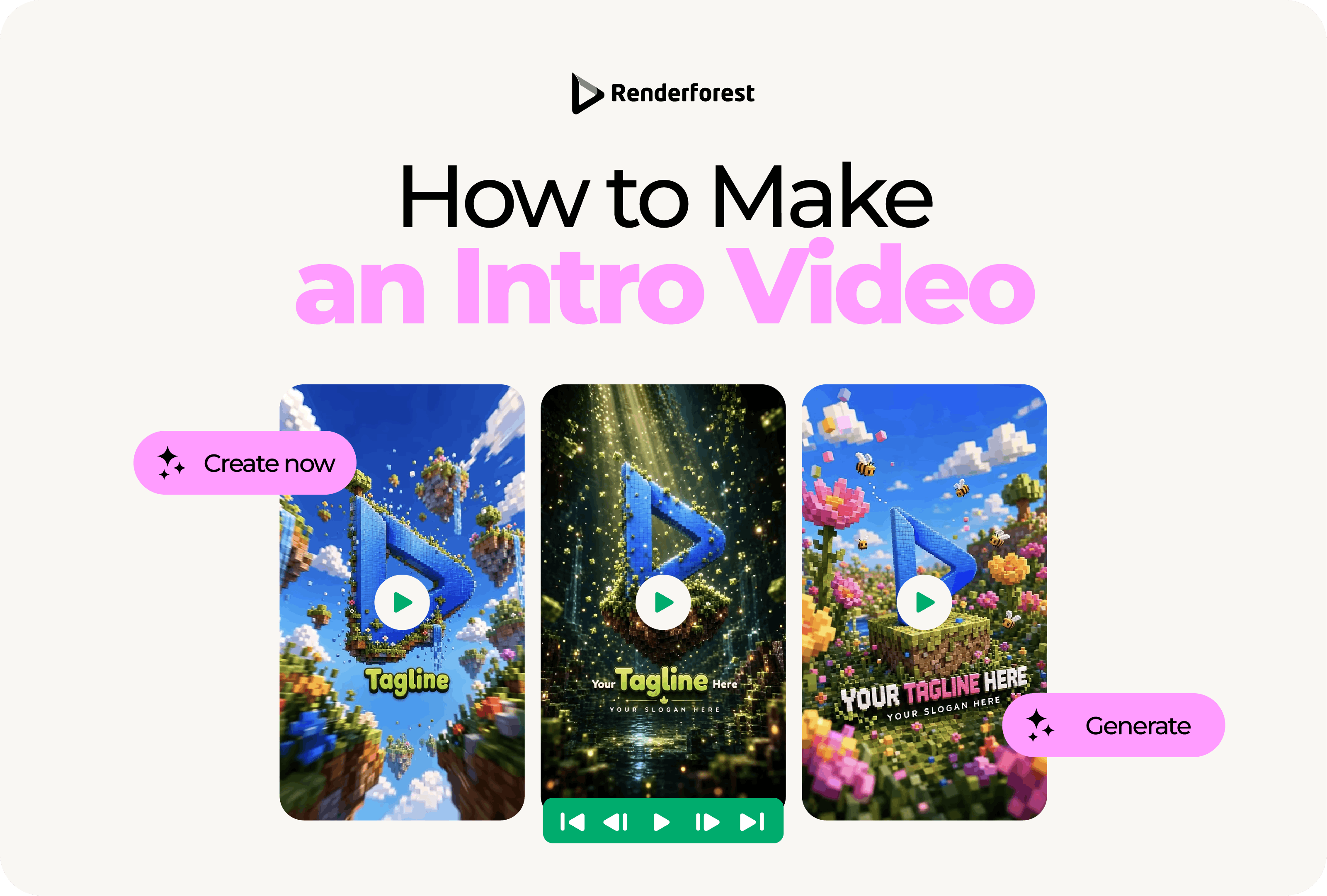
Learning how to make an intro video is less about finding the biggest logo reveal and more about making the first few seconds useful.
A good intro does three things quickly: it tells viewers what they are watching, shows who it is from, and moves them into the main content before the opening starts to feel like a delay. That can be a one-second brand cue, a short YouTube title card, a product opener, a webinar screen, or a polished logo animation. The format changes, but the job stays the same.
The process is straightforward: define the purpose, choose the format, write a short hook or title, add your logo and brand style, use motion that supports the message, preview everything at full speed, then export the right version for each platform.
The key is planning the intro before choosing effects. If the message is unclear, better animation will not fix it.
How to make an intro video: quick steps
To make an intro video, follow these steps:
- Decide what the intro needs to introduce.
- Choose the right intro format.
- Keep the intro short for the platform.
- Write a clear hook, title, or opening line.
- Add your logo, brand colors, and visual style.
- Choose motion that supports the message.
- Add music or sound only if it improves the intro.
- Preview the intro at full speed.
- Export the correct size and format.
- Create shorter versions for social media or repeat use.
Think of your intro as a bridge, not a separate showpiece. It should take viewers from “What is this?” to “I know why I’m watching.”
The Intro Video Blueprint
Before you open an editor, build the intro around six elements: hook, identity, promise, motion, sound, and transition.
This blueprint keeps the intro focused. If an element does not help the viewer understand the video faster, cut it.
Before you start: decide what your intro needs to do
A common mistake is opening an editor before deciding what the intro should accomplish. That is how intros become too long, too busy, or disconnected from the actual video.
Start with three questions.
What are you introducing?
A YouTube channel, product demo, podcast episode, course video, brand film, webinar, social ad, event recap, and presentation opener all need different pacing.
Where will the intro appear?
A YouTube tutorial can handle a short branded intro. A TikTok, Reel, or Short usually needs the hook in the first frame. A webinar or keynote can use a more formal opener because the audience is already committed.
What should viewers understand immediately?
Do they need to know the topic, the brand, the host, the product, the episode title, or the event name? Pick the one thing that matters most.
A good intro starts with purpose. The animation comes after.
Step 1. Choose the right intro video format
Different intro formats solve different problems. Do not choose a cinematic reveal if all you need is a one-second brand cue.
The shorter the viewer’s attention window, the less room you have for a separate intro. For short-form video, the intro is often the first shot itself: a bold claim, a visual result, a question, or a fast product moment.
For YouTube uploads, avoid adding padding or black bars directly into the video file. YouTube’s help documentation says padding can interfere with how the player adapts to different screens and devices. Source: YouTube Help.
Step 2. Write the hook or title
The hook is the reason viewers stay. It can be spoken, written on screen, shown visually, or implied through the opening shot.
A weak intro starts with branding before meaning:
Welcome to another video from our channel.
A stronger intro starts with the value:
Here is how to make your first product demo look professional in under 10 minutes.
A weak product intro says:
Introducing our new app.
A stronger product intro says:
Plan your week, track every deadline, and see your workload in one dashboard.
A weak webinar intro says:
Marketing Strategy Webinar 2026.
A stronger webinar intro says:
How to turn one customer story into 12 pieces of content.
The best intro copy is specific. Viewers should know what the video is about before the animation finishes.
Intro hook formulas you can use
Keep the text short enough to read at full speed. If viewers need to pause the video to understand the title, the intro is doing too much.
Step 3. Add your logo, brand colors, and visual style
Your intro should feel like part of your brand system, not a random effect placed before the video.
Start with the basics:
- Logo or channel name
- Brand colors
- Main font or a close match
- Product screenshots, if relevant
- Short tagline, if it adds clarity
- Visual style that matches the content
A finance brand might use restrained motion, clean typography, and a calm sound cue. A gaming channel can use faster cuts, stronger contrast, and heavier effects. A wellness brand should probably avoid aggressive transitions and loud audio. A children’s channel can use brighter colors, playful motion, and musical rhythm.
The goal is not to make the intro look expensive. The goal is to make it feel intentional.
Static logo or animated logo?
Use a static logo if the intro needs to be very short, formal, or clear at small sizes. Use an animated logo if motion adds recognition, personality, or a smoother transition into the main video.
For most brands, the animated intro should resolve into a clean static logo by the end. That final frame may become a thumbnail, pause state, website fallback, or presentation slide. If the logo is the main asset, a dedicated logo animation workflow can help keep the final lockup clean.
Step 4. Choose motion that supports the message
Motion should explain, reveal, emphasize, or transition. It should not exist only because the editor has effects available.
If the motion makes the logo harder to read or delays the main video, simplify it. A clean one-second reveal is often better than a six-second sequence people skip.
Step 5. Add music and sound carefully
Music can make an intro feel more complete, but it can also make it feel generic. Choose audio after the visual structure is working.
Good intro sound should match:
- The brand personality
- The video topic
- The expected platform
- The length of the intro
- The transition into the main content
A fast tech intro may need a short electronic cue. A cooking channel may need something warm and light. A business webinar may only need subtle background music. A serious documentary may need no music at all in the opening seconds.
Also test the intro without sound. Many social videos autoplay muted, and many viewers watch with captions or low volume. If the intro only works because of the sound effect, it is too dependent on audio.
Use music you have the right to use. Do not pull a trending song into a branded intro unless your license covers that use.
Step 6. Preview the intro like a viewer
Creators often judge intros frame by frame. Viewers do not. They experience the intro at full speed, usually while deciding whether to keep watching.
Preview the intro as if you have never seen the brand before.
The repeat test is especially important for YouTube channels, course videos, podcasts, and branded series. A dramatic intro can feel exciting once and frustrating when viewers see it every episode.
Step 7. Export the right version for each platform
One intro export rarely works everywhere. A widescreen YouTube intro may not fit a vertical Reel. A long webinar opener may be too slow for a paid social ad. A transparent logo animation may work in editing software but not in every web placement.
Use this table as a practical export guide:
For pages where you want Google to understand video content, Google’s video SEO documentation recommends making video content easy to find on the page and providing consistent information such as title, description, thumbnail, and structured data when appropriate. Source: Google Search Central.
How to make an intro video with Renderforest
Once you know the format, timing, and message, you can build the intro in Renderforest. The intro maker lets you create intros with AI or customize ready-made intro templates, so you can test styles without starting from a blank editing timeline.
1. Start with the intro type
Choose the format that matches your use case: logo reveal, YouTube intro, product opener, event intro, webinar title, or social video hook.
Do not begin by choosing the most dramatic template. Begin by choosing the format that fits where the video will appear. For channel-specific openings, the YouTube intro maker is the more focused starting point.
2. Add your idea or choose a template
If you already know the concept, use an AI workflow to describe what you want. If you want more control from the start, choose a template close to your desired style.
For example:
A clean 3-second intro for a productivity app, using blue and white colors, simple UI motion, soft electronic music, and the final text “Plan your week in minutes.”
Or:
A fast YouTube channel intro for a fitness creator, with bold typography, quick workout clips, energetic motion, and a final logo reveal.
3. Upload your logo and brand assets
Add your logo, product screenshots, channel name, tagline, or title. Keep the intro readable. A logo, one title, and one short subtitle are usually enough.
4. Customize colors, fonts, and timing
Match your brand colors and adjust the pacing. Shorten anything that feels like it delays the main content. For repeat videos, build a shorter version you can reuse.
5. Add music or remove it
Choose music that supports the mood. If the intro is for social media, make sure it still works muted. For webinars or business presentations, subtle music is usually safer than a loud sound cue.
6. Preview on the target screen
Watch the intro on the device where viewers will see it. Check mobile readability, title length, logo clarity, and the transition into the main video.
7. Export platform-specific versions
Export a 16:9 version for YouTube, webinars, presentations, or websites. Create a vertical version for Reels, Shorts, TikTok, or mobile-first ads. If the intro will be used inside other edits, keep a clean version without extra end-screen elements.
Intro video examples by use case
Here is how the same brand might approach different intro videos.
YouTube channel intro
A YouTube intro should be short and repeatable. For most channels, 1–3 seconds is enough. Show the channel name, the topic, or a visual cue that tells viewers where they are.
Example:
“Design in 5 Minutes” appears with a quick logo reveal, then cuts directly into the tutorial screen.
Product demo intro
A product demo intro should show the product quickly. Do not spend five seconds on abstract motion before revealing the interface.
Example:
A dashboard appears immediately, the title says “Build a client report in 3 steps,” and the video moves into the first click.
Podcast intro
A podcast intro can be slightly longer because viewers expect a recurring show format. Show the show name, host, guest, and topic.
Example:
“The Founder Desk” title appears, followed by the guest’s name and the line “How she built a $2M product launch from one email list.”
Webinar intro
A webinar intro should feel clear and professional. Include the session title, speaker name, date if needed, and brand.
Example:
“2026 Social Video Planning Workshop” appears with the speaker name and company logo before the session begins.
Social ad intro
A social ad intro should usually not feel like an intro at all. It should start with the hook.
Example:
“Your logo animation is too long” appears on screen while the video immediately shows a before-and-after comparison.
Event intro
An event intro can carry more energy because people expect a branded opening. Show the event name, theme, sponsor or host brand, and a quick montage if useful.
Example:
Fast clips of the venue, audience, speakers, and city lead into the event title.
Common intro video mistakes to avoid
Choosing effects before the message
This is the fastest way to make a polished intro that says nothing. Write the hook first, then choose the motion.
Making the intro too long
If viewers came for a tutorial, product answer, or social clip, they do not want a long animated pre-roll. Keep the intro short unless the format genuinely supports a longer opener.
Starting with the logo before the hook
For unknown brands, the hook often matters more than the logo. Give viewers a reason to care, then reinforce the brand.
Using unreadable text
Thin fonts, low contrast, tiny subtitles, and fast transitions make intros feel unprofessional. Test text on a phone before publishing.
Choosing generic music
Generic music can make even a good intro feel like a template. Choose audio that matches the brand and content. When in doubt, use a subtle sound cue.
Adding too many effects
Particles, lens flares, glitches, camera shakes, 3D spins, and animated icons can work in the right context. They should not all appear in the same intro.
Forgetting the transition
The intro should lead into the video. If it ends abruptly and the main content starts with a different tone, the whole opening feels stitched together.
Exporting only one version
Create versions for each platform. A 16:9 YouTube intro, 9:16 social hook, and webinar opener should not all use the same timing or layout.
Intro video checklist
Use this checklist before exporting:
- The intro has one clear purpose.
- The first second gives viewers useful information.
- The intro is short enough for the platform.
- The logo or title is readable.
- The text works on mobile.
- The intro works without sound.
- The motion matches the brand.
- The music is licensed for your use.
- The final frame is clean.
- The transition into the main video feels natural.
- You have the right aspect ratio for the platform.
- You have shorter versions for repeat or social use.
If the intro passes these checks, it is ready to test with real content.
FAQ
What is an intro video?
An intro video is the opening sequence that introduces a brand, channel, product, show, speaker, event, or topic before the main video begins. It can be a logo sting, title card, product reveal, animated opener, podcast intro, webinar title, or cinematic sequence.
How do I make an intro video?
To make an intro video, define the purpose, choose the format, write a short hook or title, add your logo and brand style, choose motion and music, preview the pacing, then export the right version for your platform.
How long should an intro video be?
Most intro videos should be short. Use 0–1 seconds for TikTok, Reels, Shorts, and ads; 1–5 seconds for YouTube and product videos; and 3–8 seconds for webinars, podcasts, presentations, and events.
What should an intro video include?
An intro video should include the most important identity cue and message. That may be your logo, channel name, product, topic, speaker, event title, or hook. Avoid adding too much text or too many effects.
Do I need an intro for every video?
No. Short-form videos often work better without a separate intro. For social media, the first shot should usually be the hook. Use a separate intro when it improves clarity, branding, or format consistency.
What is the best intro video format for YouTube?
For most YouTube channels, a 1–3 second logo sting or title opener works best. Long intros can hurt pacing, especially for tutorials, reviews, and educational videos.
Can I make an intro video without editing experience?
Yes. You can use an intro maker, AI video tool, or template-based editor to create an intro without advanced editing skills. The important part is planning the message, timing, and platform before choosing effects.
What size should an intro video be?
Use 16:9 for most YouTube videos, webinars, websites, and presentations. Use 9:16 for TikTok, Instagram Reels, YouTube Shorts, and mobile-first ads. Use square or 4:5 for some LinkedIn, Instagram, and feed placements.
Should an intro video have music?
Music can help if it matches the brand and mood, but the intro should still work without sound. Many viewers watch social videos muted, so do not rely on music to explain the intro.
What makes an intro video look professional?
A professional intro is short, readable, consistent with the brand, and connected to the main content. It uses motion intentionally instead of adding effects for decoration.
Final takeaway
A good intro video does not need to be complicated. It needs to be clear, short, and built for the place where people will watch it.
Start with the message before the motion. Decide what the intro needs to introduce, choose the right format, keep the first second useful, and export versions that fit each platform. Once the structure is clear, tools like Renderforest’s intro maker can help you turn the plan into a polished opening faster.