AI
I’ve been watching Kling since it launched internationally in 2024. By February 2026, when Kling 3.0 dropped, it had climbed to the top of the Artificial Analysis Video Arena benchmark with a 1,243 ELO score, which was ahead of Veo 3.1, Runway Gen-4.5, and Pika 2.2.Suffice to say, that number got my attention.
I tested it properly, with screenshots of the interface, video stills, and multi-shot comparisons included throughout, so I could give an honest review of what Kling 3.0 delivers, what it gets wrong, and whether the pricing makes sense for the kind of work most creators are doing.
Kling AI is a video generation platform built by Kuaishou Technology, one of China’s largest video companies with over 700 million users. It launched internationally in 2024 and has since grown to 22 million users worldwide. The current version, Kling 3.0, released on February 5, 2026, generates video from text prompts or reference images, with native audio in five languages, clips up to 15 seconds, and output up to native 4K at 60fps on the highest tier.
It sits alongside Runway, Veo 3, and Seedance 2.5 as one of the four serious players in AI video generation right now, with OpenAI’s Sora having shut down in March 2026.
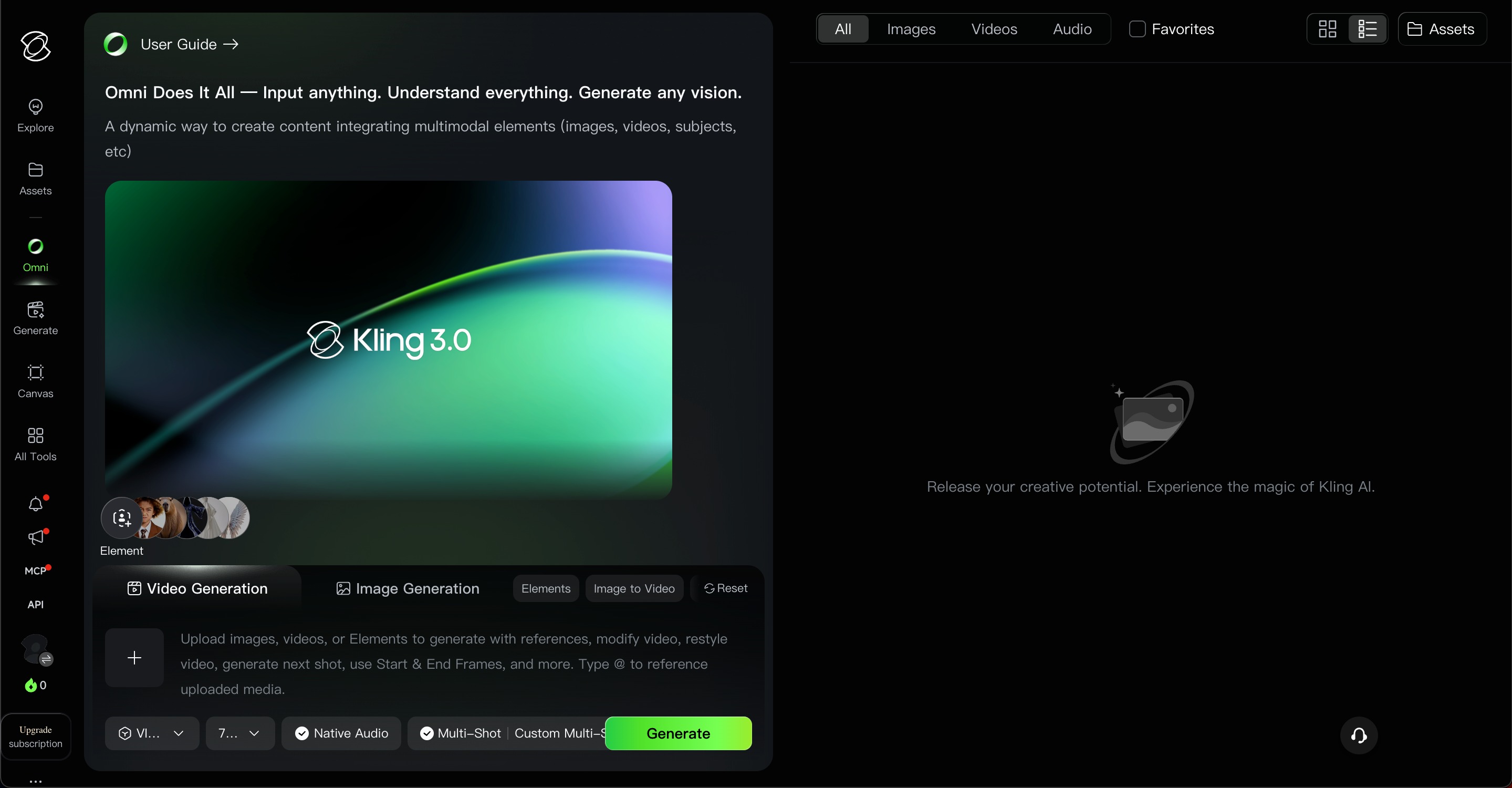
This wasn’t an incremental update. Kling 3.0 literally changed what you can make.
You can now chain up to six distinct camera shots in a single prompt, with shot-reverse-shot transitions and scene continuity across the sequence. You specify the length of each shot individually. Before this, building any kind of narrative required generating dozens of separate clips and assembling them manually. That workflow still exists, but now you have a real alternative. The transitions can still be slightly clunky, but the underlying coherence across shots is genuinely new.
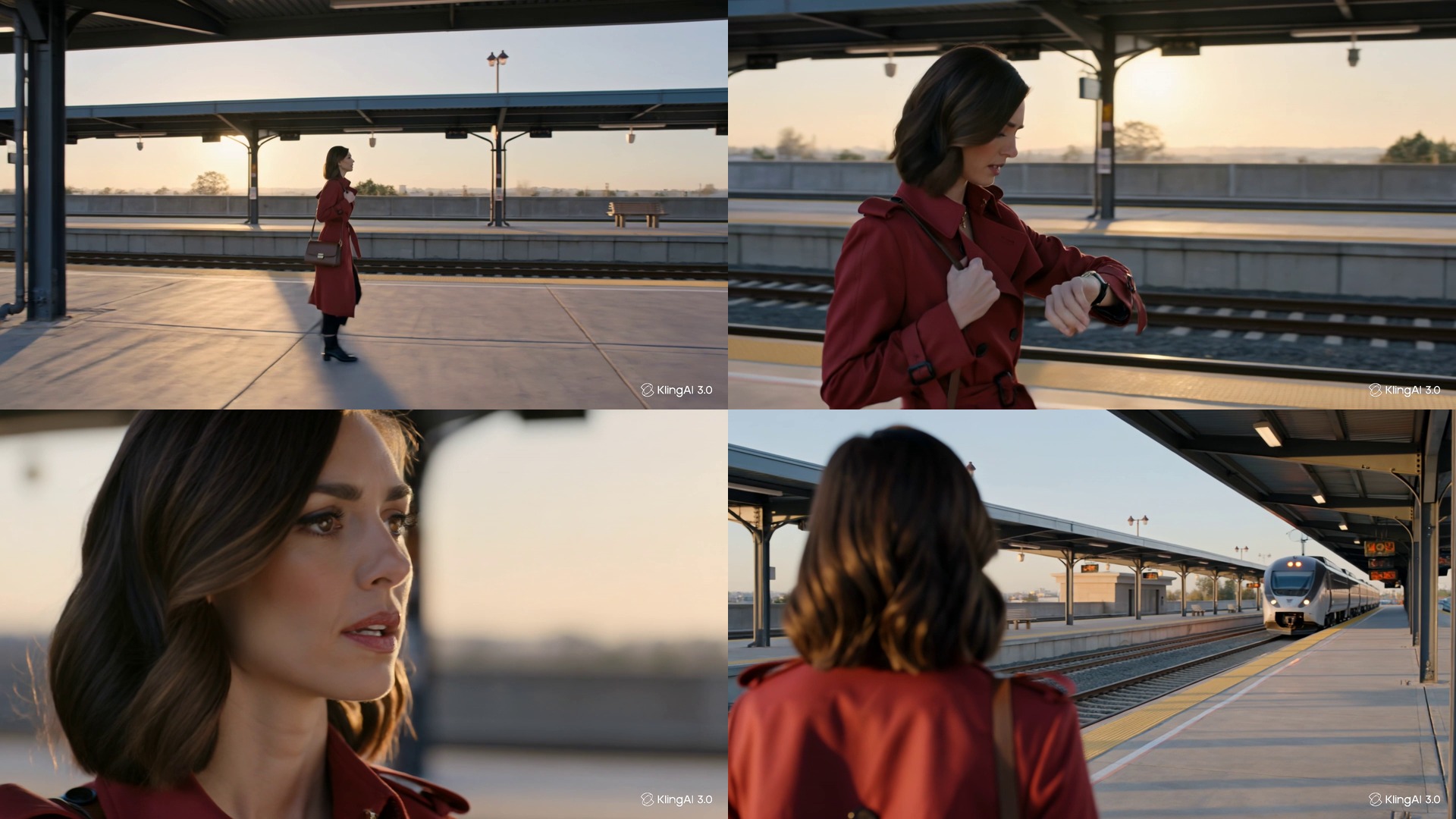
Upload a video reference rather than just a photo, and Kling analyzes the 3D structure and motion of the subject to replicate character appearance consistently across scenes. Image-only reference systems tend to fall apart when a character turns their head or moves quickly. Video reference handles this more reliably. For anyone doing ad production or short-form storytelling where the same character needs to appear across multiple shots, this changes the workflow meaningfully.
Kling 3.0 Omni generates voiceover, lip-synced dialogue, sound effects, and ambient audio in a single pass alongside the video. The five supported languages are Chinese, Japanese, Spanish, American English, British English, and Indian English. This is native-language generation from the prompt itself, which removes a separate step from the production workflow for teams that are producing multilingual content.
Motion Control lets you specify camera movement: push-in, pull-out, pan, orbit, etc.. Motion Brush lets you draw motion paths directly onto frames. So if you need a specific object or character to move in a particular direction, you draw the path rather than trying to describe it in a prompt. No other major AI video model offers this natively.

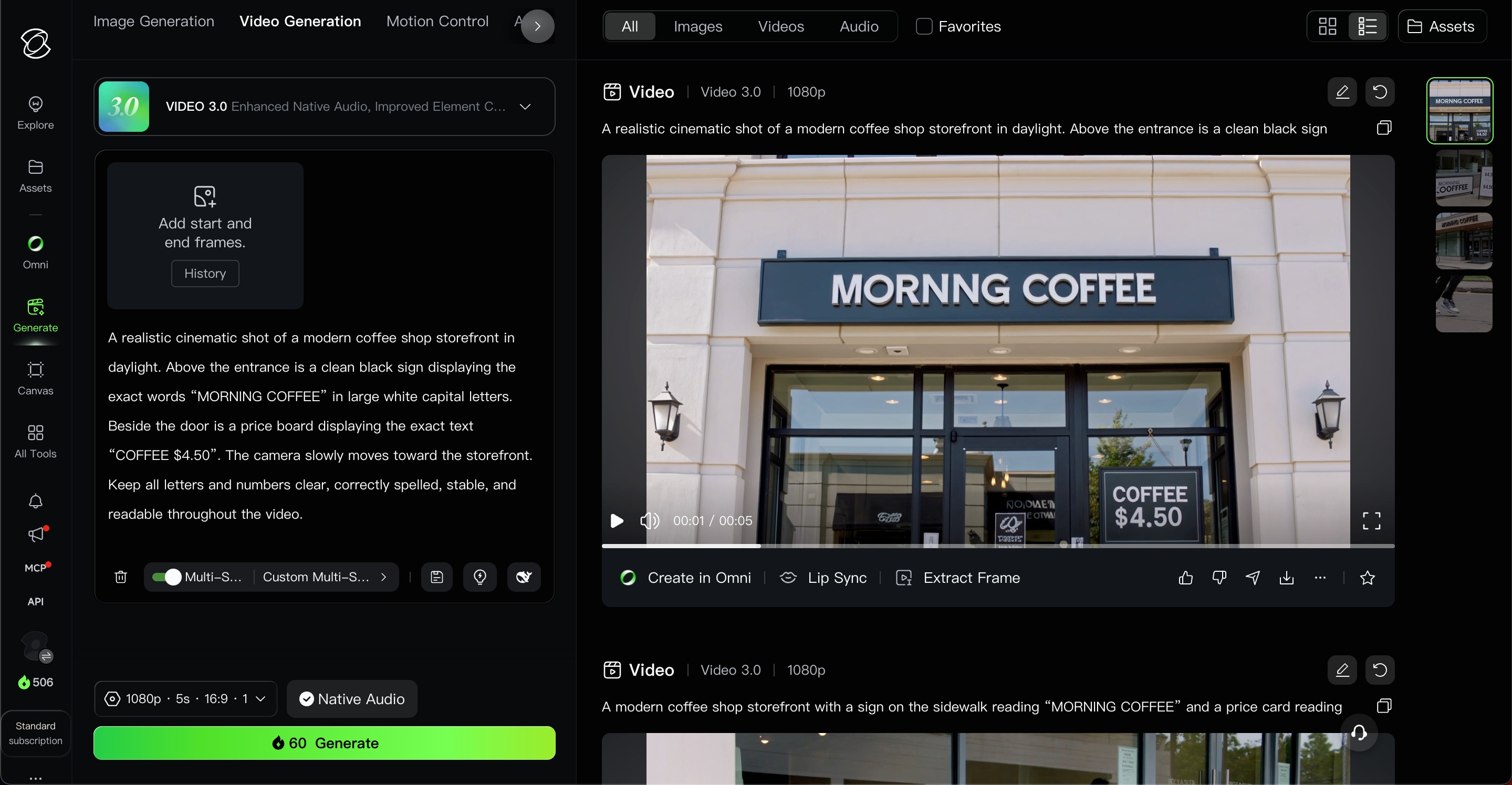
Kling 3.0 generates legible text: signs, logos, price tags. This is where most AI video models still fail consistently, and for e-commerce or marketing teams that need readable brand elements in the video itself, this can be an important differentiator.
Testing Kling 3.0 across motion, human realism, and prompt behavior surfaces a clear pattern: it has a specific set of things it does better than anything else at this price, and a specific set of things it does not.
This is where Kling is genuinely ahead. Human movement like walking, running, and gesturing renders with an accuracy that most competitors at this price do not match. Fabric, fluid, and environmental effects like water and smoke all behave pretty convincingly.
The prompt:
A runner steps into a shallow puddle in slow motion. Water splashes naturally around both shoes while the camera follows from the side.
A still of the output:

The Atlas Cloud review described it as the strongest model in the comparison for motion realism, and the Curious Refuge Labs testing confirmed it: Kling 3.0 is a physics-first model that prioritizes temporal consistency and motion quality even when it has to sacrifice prompt adherence to do it.
Because of that, Kling doesn’t always do exactly what you describe. But it does something that moves correctly, which can often be a different thing. If your prompt has a clear anchor (like a fixed object in the frame, a specific camera movement direction) adherence is strong. But complex or ambiguous prompts produce results that look good but may not match what you specified.
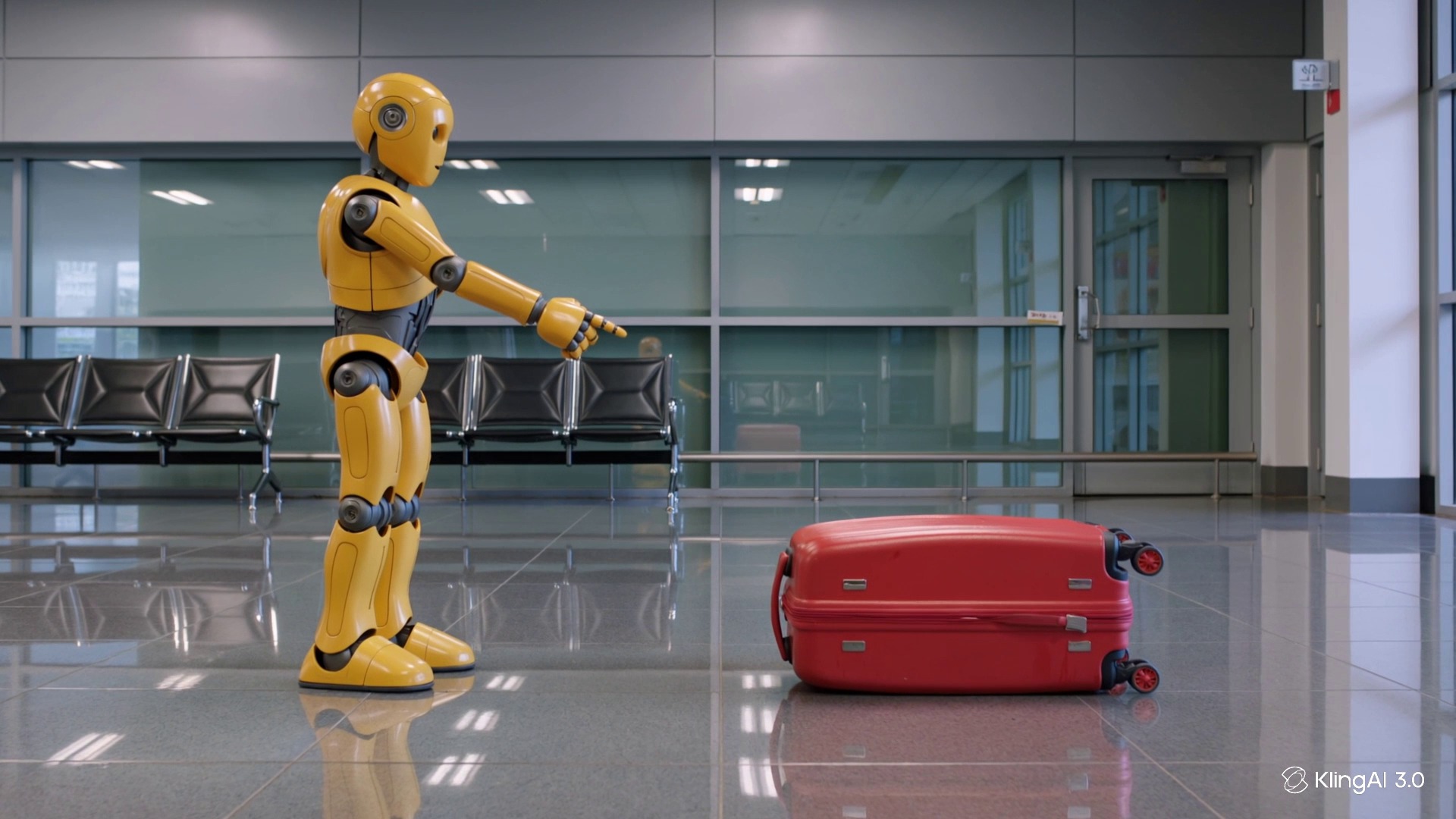
Here’s an example prompt:
A yellow humanoid robot stands on the left side of an empty airport terminal. A bright red suitcase remains stationary on the right side of the frame. The robot raises its right hand and points toward the suitcase. The camera slowly pushes forward in a perfectly straight line. Do not move the suitcase. Do not change its color. Do not add other people or objects.
And here’s a still of what it gave me:
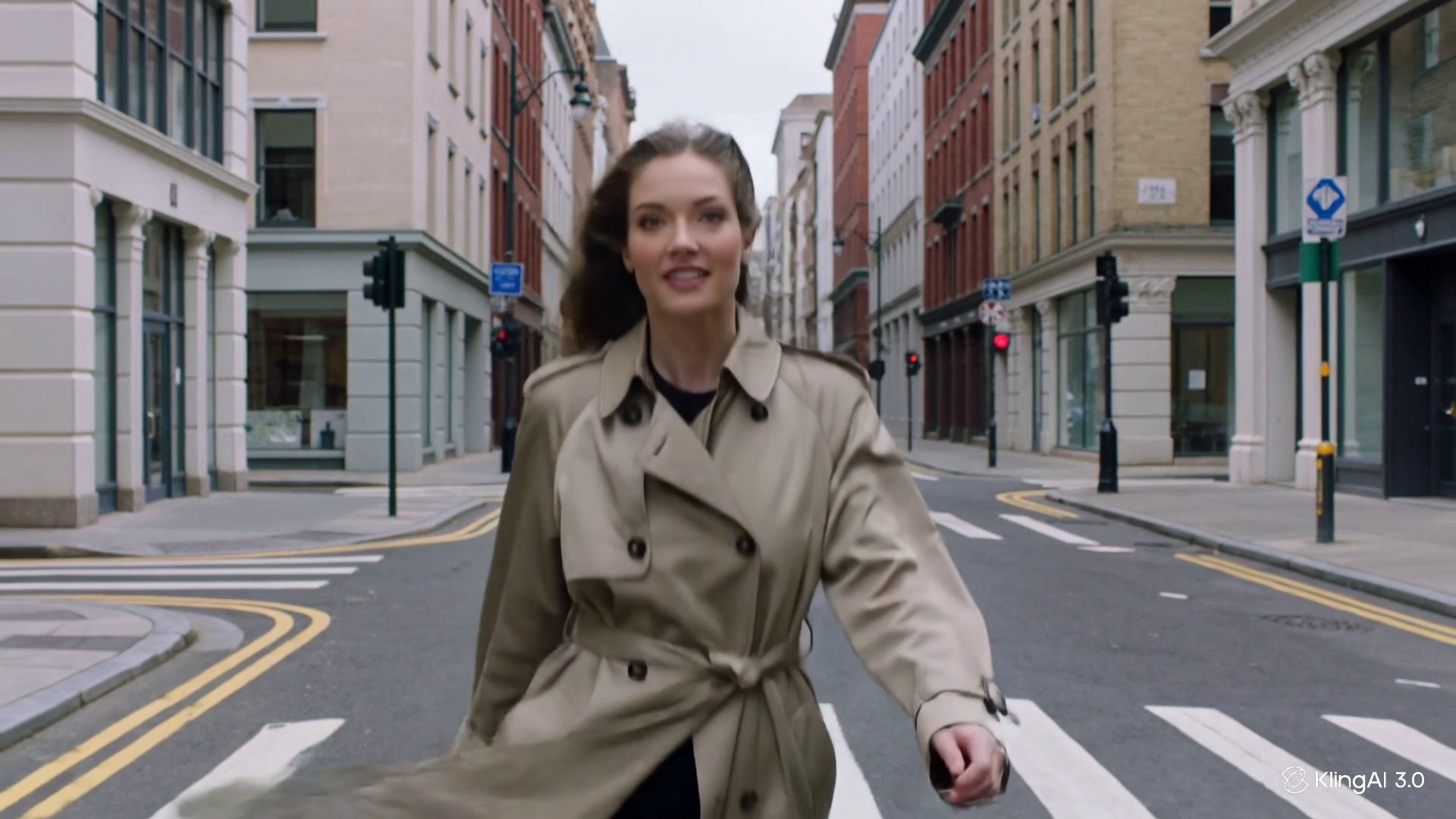
No other AI video tool I found in 2026 renders faces, skin texture, and body motion at this price point as well as Kling, and multiple head-to-head comparisons confirm this. Lip sync accuracy in all five supported languages is good enough for professional content. If your work involves people, this may be the primary reason to use Kling.
This section deserves more space than most reviews seem to give it, because the pricing is where Kling earns most of its negative feedback.
Worth flagging here: Ultra launched at $128/month in August 2025 and rose to $180 by January 2026, which is a 41% increase in six months. There’s no guarantee that that trajectory stops.
Credits expire monthly and never roll over on Standard, Pro, and Premier. Separately-purchased credit packs are valid for two years, which is a better option if your volume is inconsistent.
Intro pricing on first-time subscriptions is approximately 30% below the renewal rate; the standard rate kicks in from the second billing cycle, and multiple Trustpilot users described this as a surprise. Kling’s Trustpilot rating is 1.3 out of 5 across 318 reviews, with billing practices, unauthorized charges after cancellation, and refused refunds as the most consistent complaints.
And to note, it’s not a small number of frustrated users. On the contrary, it seems to be a pattern that repeats across Trustpilot, Reddit, and Product Hunt throughout the last 1.5 years.
Failed generations consume credits. There is no automatic refund for a generation that fails or produces unusable output. Independent testing documented a 30–40% failure rate during peak hours on the free tier. Paid tier users report better but not consistent credit recovery. The practical effect is that your effective credit budget is lower than the plan numbers suggest.
Kling’s official refund policy is clear: all payments are non-refundable once activated, including unused credits and cancelled subscriptions. Refunds are considered only for billing errors, duplicate charges, or unauthorized transactions.
Kling is available as one of several generation models within Renderforest’s AI video platform, alongside Veo 3, Seedance 2.0, Sora 2, Hailuo, and Pixverse. Using it through Renderforest means the output connects directly into a full production workflow so you can access voiceover in over 50 languages, editing, transitions, and platform-formatted export in the same tool, instead of producing clips and using other tools to patch clips together and finalize. There’s also no separate Kling account or credit system to manage.
Let’s take a look at the step-by-step:
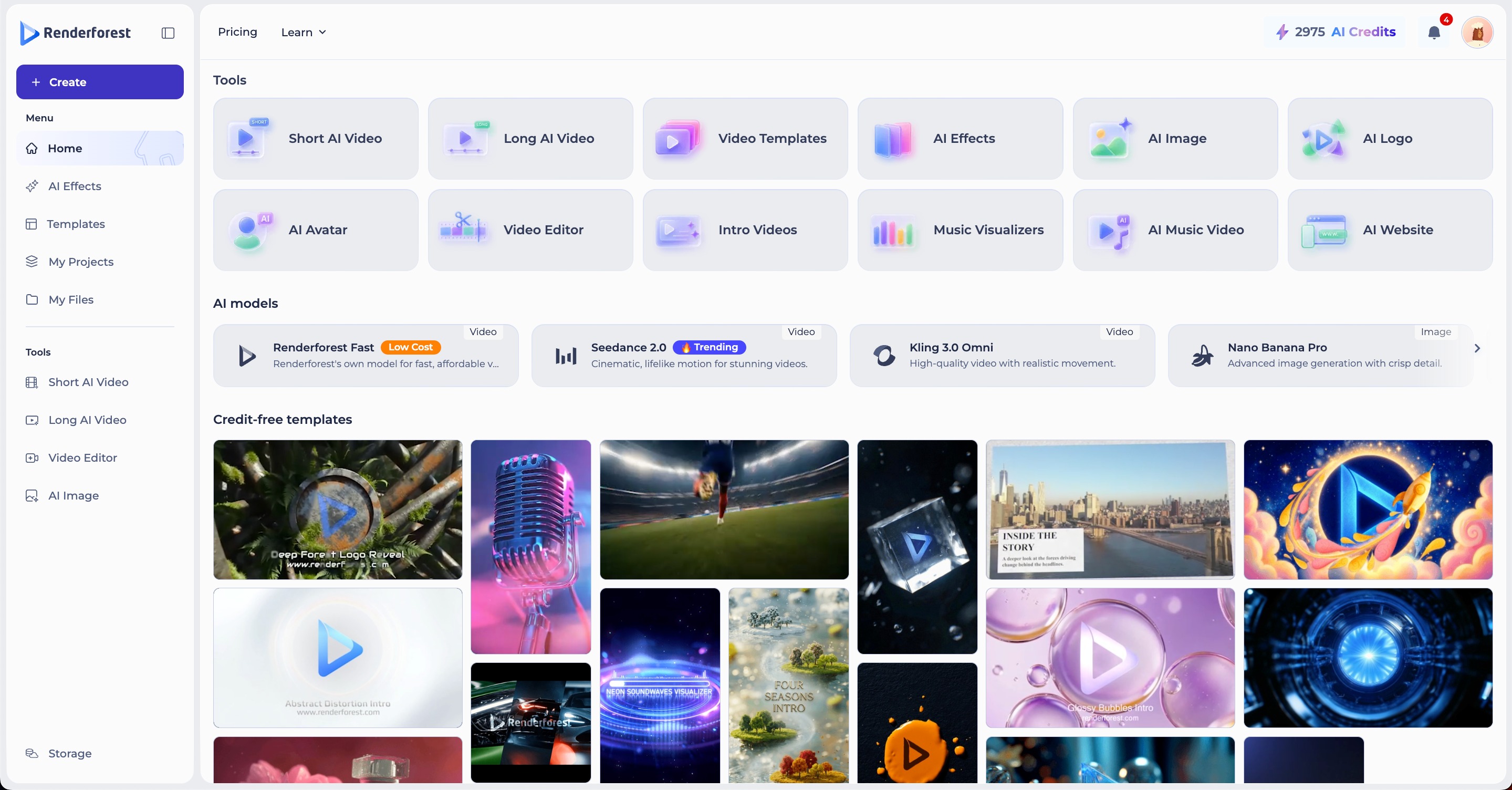
Go to the Renderforest dashboard and select Short AI Video from the left menu under Tools.
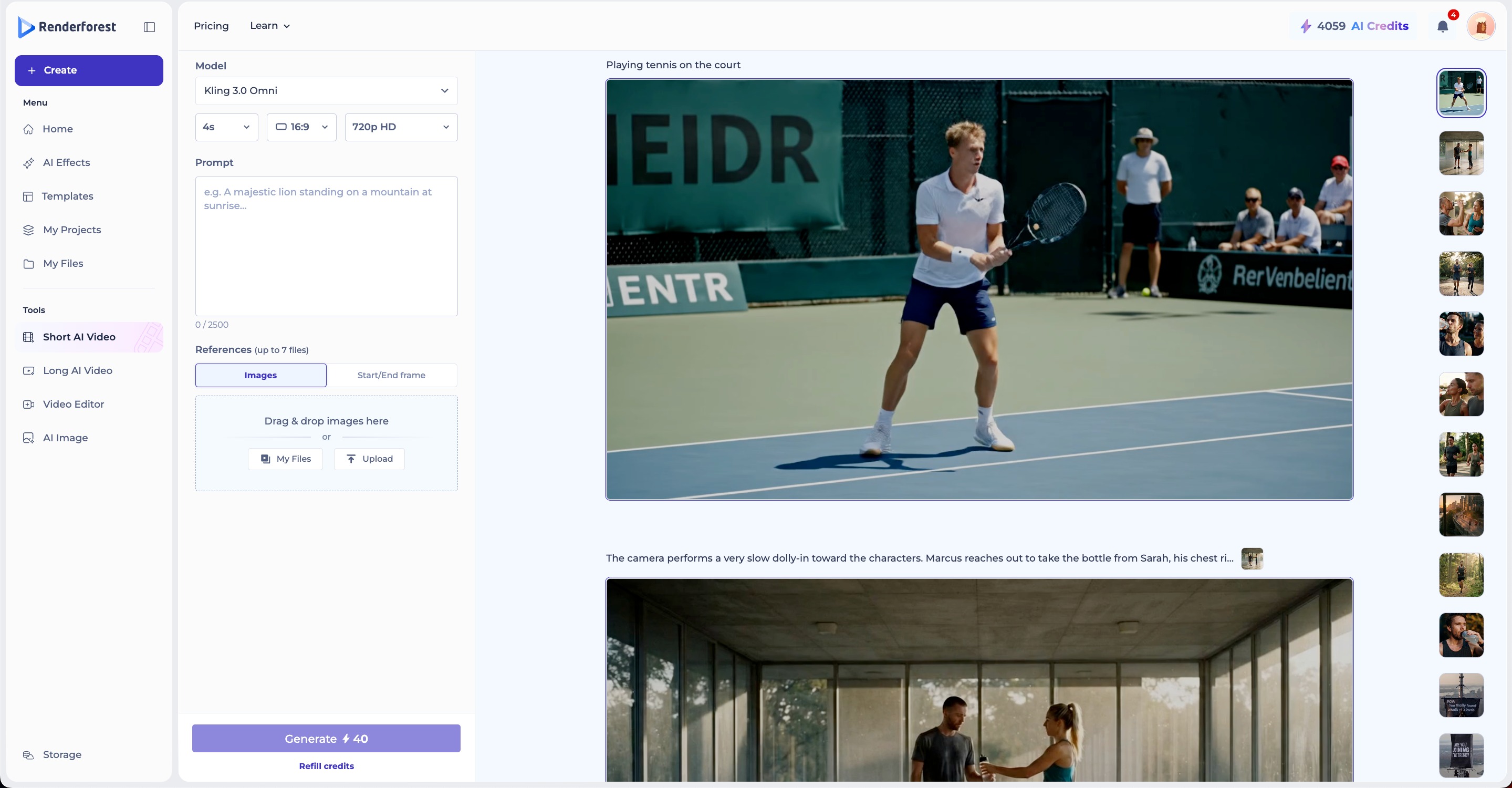
Select Kling as your model, then set your duration, aspect ratio (16:9, 9:16, or 1:1), and quality (720p HD or higher depending on your plan).
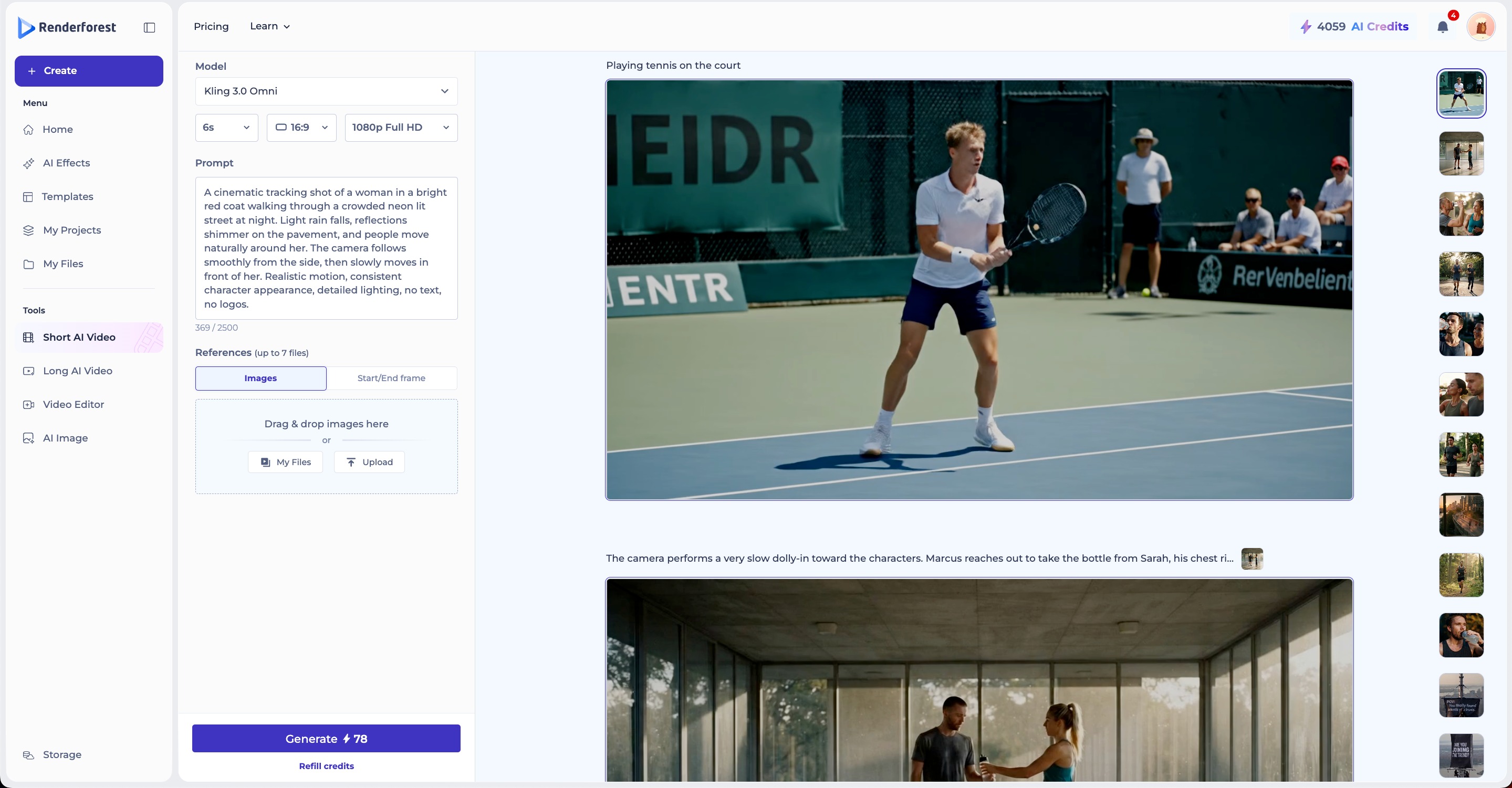
Enter your prompt in the text field (up to 2,000 characters) and optionally drag and drop a reference image or upload one from your files using the Source section below the prompt.
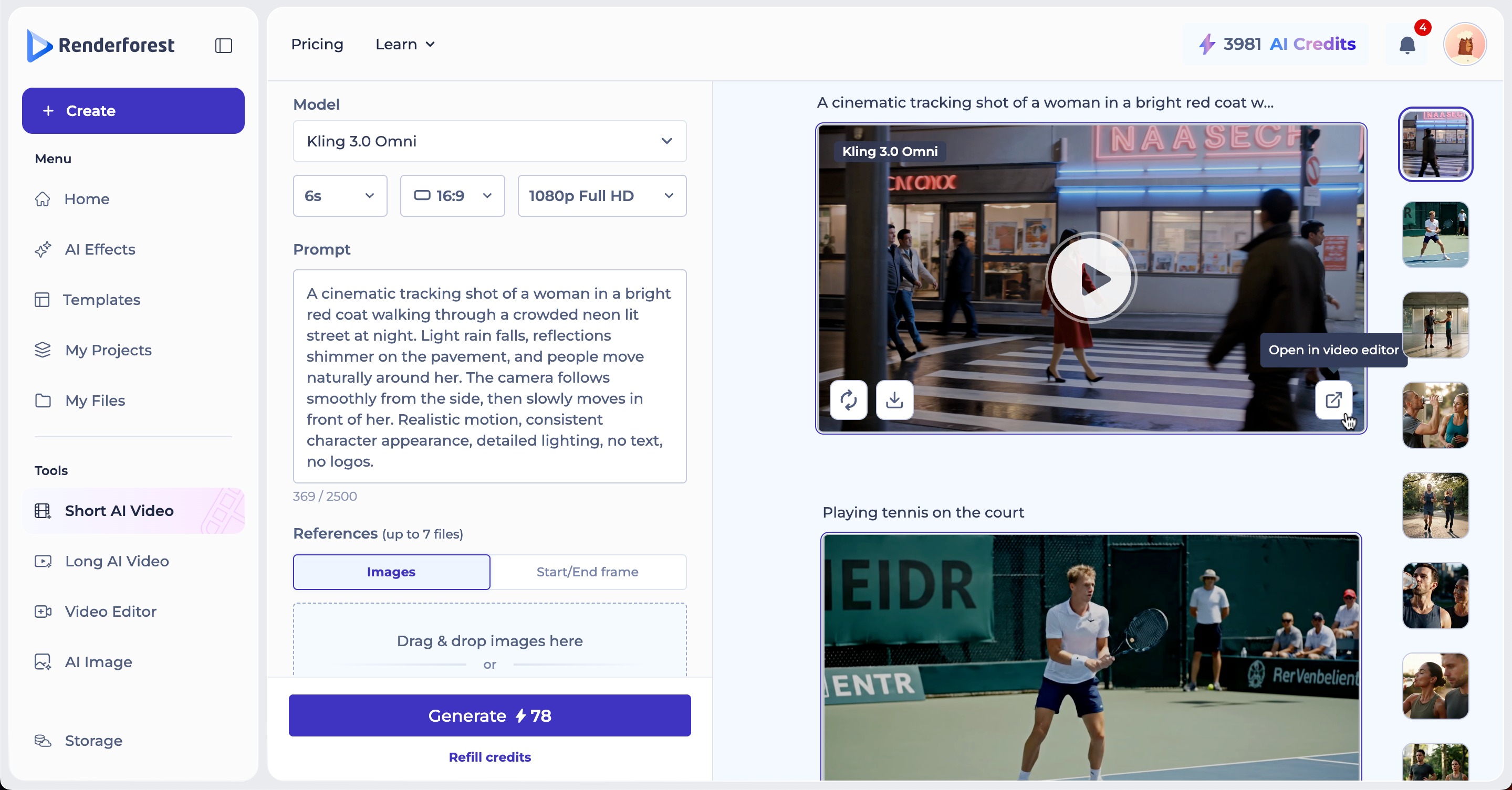
Click Generate to start. The credit cost is shown on the button before you confirm. You can also make edits in the video editor.
For social media managers and marketing teams producing human-subject video, I would say yes. The motion quality and human realism at $6.99/month for commercial use is a combination no direct competitor currently matches at that price point.
For anyone who needs a complete production workflow and doesn’t want to assemble clips manually, Kling through Renderforest makes more practical sense.
For professional filmmakers or VFX work that requires editorial control, Runway would be a better fit.
For audio-first workflows where reference audio drives the video, Seedance 2.0 handles that more better than others.
For anyone planning to use the free tier for real production work: it’s not viable. The credit limits, resolution cap, and failure rate under load make it a testing environment, not a production one.
Kling 3.0 is technically the strongest general-purpose AI video model available right now at its price point. The motion physics are real, the human realism benchmark results are real, and the feature set with multi-shot generation, Motion Brush, native audio is ahead of most direct alternatives.
The billing practices are also real. The 1.3/5 Trustpilot rating reflects a pattern, not outliers. If you go in knowing that (monthly credit expiry, intro pricing that reverts silently, no refunds, customer support that’s hard to reach) and you still think the output quality justifies the cost for your workflow, then it probably does for you. Just use monthly billing until you’re certain the tool is going to stay part of your workflow. Locking into an annual plan on a platform whose Ultra tier increased 41% in six months is a risk worth thinking about.
Kling AI is an AI video generation platform built by Kuaishou Technology, a Chinese tech company with over 700 million users. It launched internationally in 2024 and reached 22 million users worldwide. The current version, Kling 3.0, was released in February 2026.
There is a free tier with 66 daily credits that replenish every 24 hours, no credit card required. Output is capped at 360 to 540p, watermarked, and cannot be used commercially. It’s sufficient for testing the tool but not for any real production work.
Kling leads on motion physics and human realism at a lower price point. Runway has the stronger editorial suite with inpainting, outpainting, and camera path control in one platform. Veo 3.1 handles complex multi-perspective scenes and prompt adherence more consistently. The right choice depends on what you’re making.
Motion Brush lets you draw motion paths directly onto frames rather than describing movement in a text prompt. If you need a specific object or character to move in a particular direction, you draw the path. No other major AI video model offers this natively.
Yes, from the Standard plan at $6.99/month. The free tier does not include commercial rights. Always verify current terms at klingai.com before using generated content in a paid campaign or client deliverable.
Yes. Kling is available as one of several generation models within Renderforest’s AI video platform. You can access it through the Renderforest without needing a separate Kling account.
Share this


Article by: Sara Abrams
Sara is a writer and content manager from Portland, Oregon. With over a decade of experience in writing and editing, she gets excited about exploring new tech and loves breaking down tricky topics to help brands connect with people. If she’s not writing content, poetry, or creative nonfiction, you can probably find her playing with her dogs.
Read all posts by Sara Abrams