Veo 3.1 makes the clip. Renderforest makes the video.
Generate Google Veo 3.1 clips with native dialogue, sound effects and ambience inside Renderforest — then edit, brand, subtitle and resize them in the same workspace. One flat subscription. No Google AI Ultra commitment, no credit anxiety.
Prompt to published in four steps
- Step 1
Choose Veo 3.1
Open the AI video generator and pick Veo 3.1 from the model menu — it sits right beside MiniMax H3, Kling, Seedance and the rest of the stack.
Choose Veo 3.1 - Step 2
Prompt with sound in mind
Describe the scene and its audio — dialogue lines, effects, ambience. Veo 3.1 generates picture and 48kHz sound in one pass, from text, an image, or reference images.
Prompt with sound in mind - Step 3
Extend and edit
Chain scenes with Veo's extension workflow, then cut, reorder, subtitle and score everything in the built-in editor — logo and brand colours applied from your brand kit.
Extend and edit - Step 4
Publish everywhere
Auto-resize for YouTube, Shorts, TikTok, Reels and ads. Export in HD with commercial rights and no Renderforest watermark on paid plans.
Publish everywhere
What Veo 3.1 does here
Veo 3 introduced native audio at Google I/O in May 2025; Veo 3.1 is the current flagship, with reference images, frame control, scene extension and — since January 2026 — native 4K. This is what that buys you inside a real production pipeline.
Try Veo 3.1 NowBuilt for the people shipping video weekly
Match the capability to the work. Every one of these runs on the same plan, next to every other frontier model in the menu.
Performance marketers
Test five ad concepts before lunch — Veo 3.1 renders the scenes with sound, templates wrap them into platform-ready ads.
Social & YouTube creators
Hook clips with real dialogue, auto-subtitled and resized for Shorts, Reels and TikTok in one pass.
Ecommerce & product teams
Turn product stills into moving demos with Ingredients — the product stays pixel-consistent shot after shot.
Filmmakers & storyboarders
Previsualize with first/last-frame control and camera direction language, then extend scenes into full animatics.
L&D and educators
Script-accurate scenario videos with spoken dialogue — no actors, studio or per-seat enterprise video tool required.
Agencies
Every client, every model, one workspace: brand kits keep outputs on-spec, team seats keep reviews in-house, flat pricing keeps margins predictable.
Prompts in, campaigns out
Every clip below is Veo 3.1, and the prompt behind it is printed in full. Copy any prompt and run it yourself — none of this is stock footage.
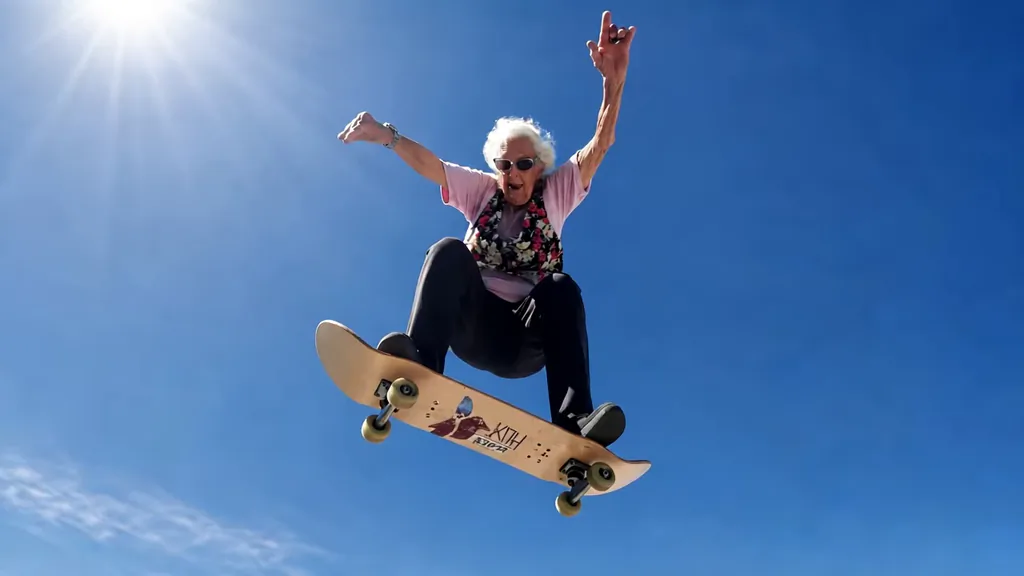
“Elderly woman with white curls, sunglasses and floral vest launches high on a skateboard under a blue sky, fists raised joyfully. Hair and vest whip in the wind as she descends. Extreme low angle, lens flare, cinematic 35mm grain, energetic viral style.”
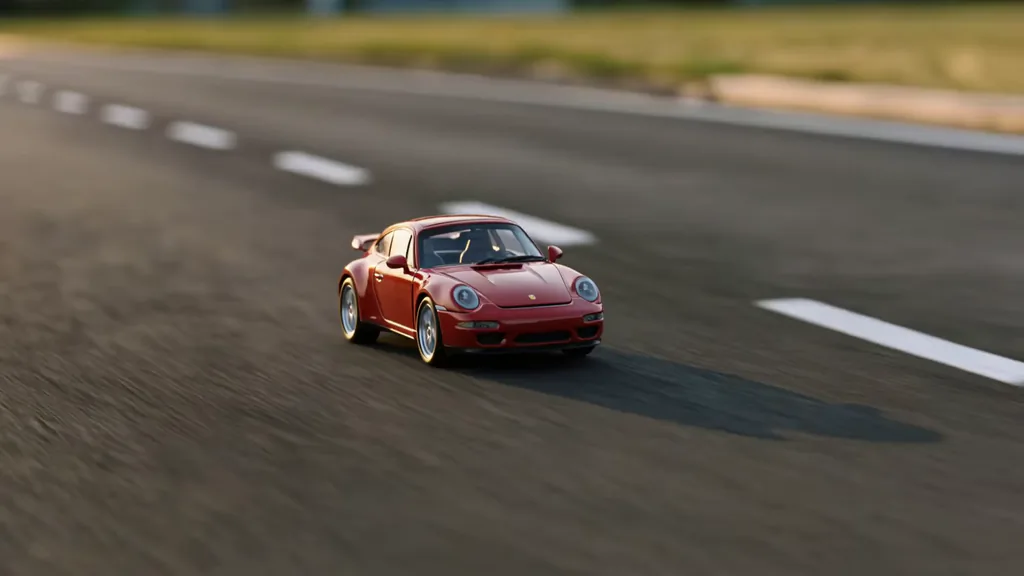
“Tiny red Porsche 911 races across a giant empty road, headlights flickering, launching with a wheelie before a smoky 180° handbrake spin. It emerges facing camera, revs twice, then rockets away. Tilt-shift miniature look, golden hour, shallow DOF.”
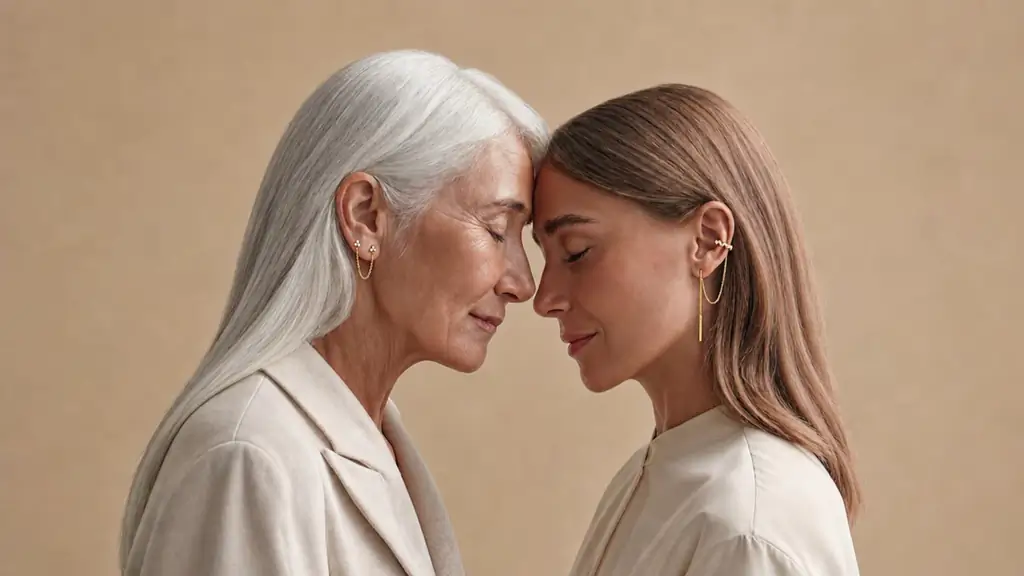
“Two women—an older silver-haired woman and younger brunette—stand forehead-to-forehead, eyes closed, breathing in sync as gentle smiles form. Warm studio light, beige backdrop, soft 35mm grain, subtle push-in, intimate luxury campaign mood.”
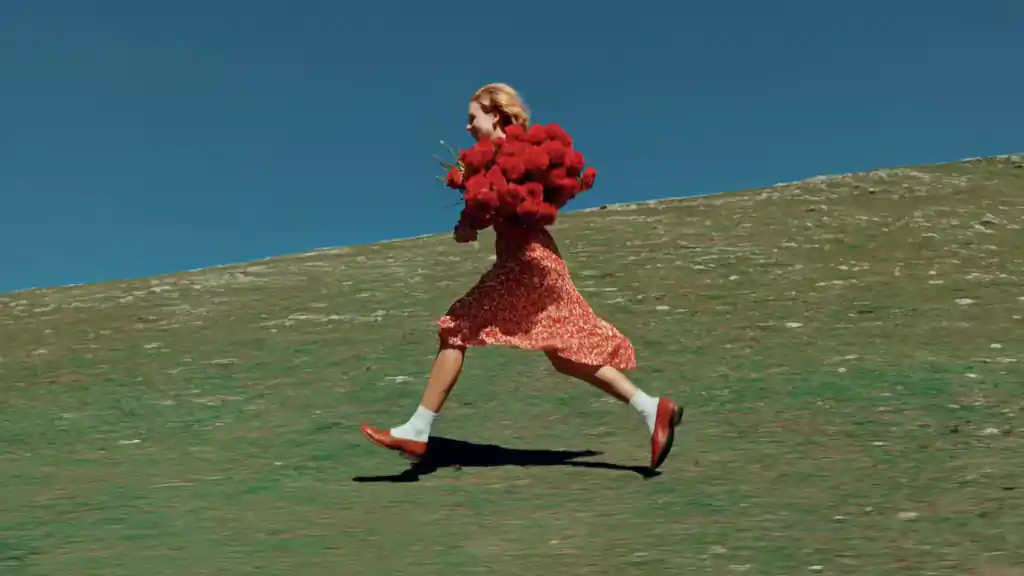
“Blonde woman in a red floral dress leaps joyfully across a grassy hillside under a cobalt sky, clutching a huge bouquet of red roses. Dress and hair billow, petals drift in the wind. Side-profile tracking shot, saturated colors, 35mm film grain, editorial summer romance.”
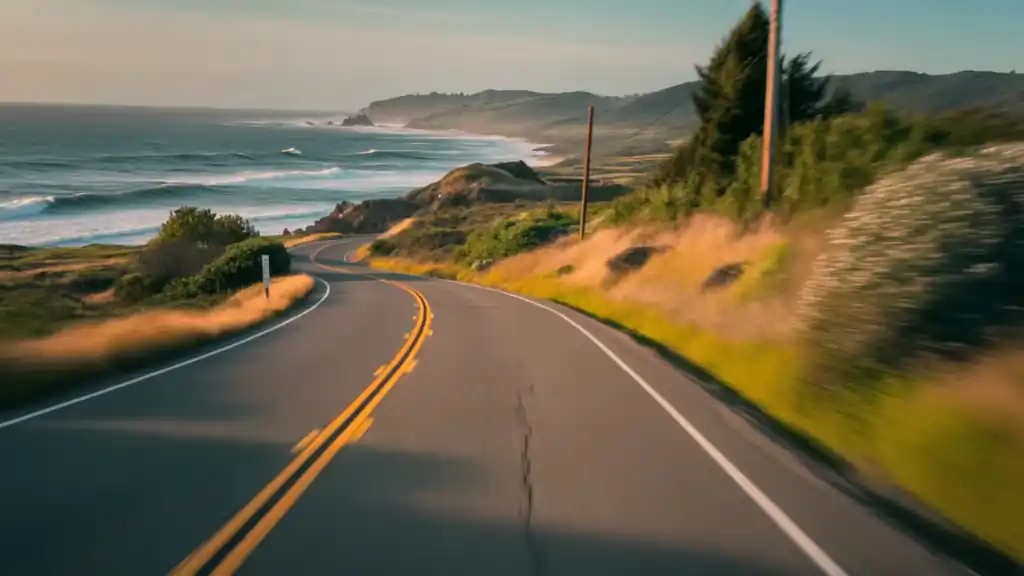
“First-person drive along winding Pacific Coast Highway at golden hour, cliffs above a turquoise ocean. Road curves past coastal grasses, waves and rocky headlands. Warm sunset light, subtle dashcam sway, 35mm film grain, Portra 400 road-trip aesthetic.”

“Baby orangutan with wild orange bedhead fur wobbles on a rug in a cozy minimalist bedroom, yawns, scratches its belly, shuffles forward, and blinks sleepily. Warm morning light, beige palette, centered camera, 35mm grain, charming Wes Anderson-style symmetry.”
Veo, explained properly
What is Google Veo 3 — and which version is which?
Veo 3 is Google DeepMind's video generation model family, introduced at I/O in May 2025 as the first mainstream model to generate video and audio together. Veo 3.1 (October 2025) is the current flagship: better prompt adherence, richer soundscapes, reference-image “ingredients”, first/last-frame control, scene extension, and — since its January 2026 update — native 4K output. Gemini Omni, announced at I/O in May 2026, is a separate any-input-to-video “world model” aimed at conversational editing; Veo 3.1 remains Google's dedicated cinematic engine, and it is the version running in Renderforest.
What Veo actually costs — there vs here
Through Google, Veo lives behind the Google AI subscription ladder: video generation is excluded from the free tier, metered by compute credits on paid tiers, and the generous allowances sit in premium plans that cost more monthly than most creators' entire software stack. Failed generations still consume credits, and Google's own support forums are full of subscribers surprised by daily ceilings. Renderforest takes the opposite bet — a flat subscription that includes Veo 3.1 alongside every other model, the editor, templates and commercial rights, so your cost does not move when your ambition does.
How to prompt Veo 3.1 like a director
Write the audio direction explicitly: “Dialogue: ‘We open at nine.’ — spoken tiredly; ambience: empty diner hum; SFX: coffee pot clink”. Veo 3.1 follows layered audio instructions better than any current model.
Use Ingredients for anything that must stay consistent — faces, products, wardrobe. Upload reference images instead of describing them repeatedly.
Think in 8-second beats. Draft each beat as its own generation, then extend or stitch; you will waste far fewer renders than cramming a plot into one prompt.
Specify the lens. “Slow dolly-in, 35mm, shallow depth of field” — Veo rewards camera language.
Veo 3.1 vs Sora 2 in 2026
Head-to-head tests through early 2026 gave Veo 3.1 the edge on prompt adherence and complex audio, with Sora 2 praised for single-shot atmosphere. The debate ended abruptly: OpenAI retired the Sora app in April 2026 and shut down its API that September. Veo 3.1 is now the reference model for audio-native generation — and if you miss Sora 2 for specific shots, these are the models that replaced it, in the same editor.
Loved by Creators
If you're looking for the best AI video creation tool, just try Renderforest. It's the only option that produces videos 100% true to your prompt and the reference images you add.
Süleyman ElmasTrustpilot Short learning curve and very intuitive. I created a product explainer video a couple of hours after signing up, with no video editing knowledge.
Teja GudluruTrustpilot I love using Renderforest for creating intro and AI videos. Everything is fast and works exceptionally well, especially the video quality.
HanabiG2 With the AI tools they added, you can create a professional commercial for your business or brand just by typing a script.
Daniel R. S.Capterra I love the AI feature of Renderforest — that is just awesome. And I can make eye-catching reels using the AI reels maker.
JonathanTrustpilot Renderforest offers a diverse range of options for editing our videos with AI or manually. Unlike other AI tools, it's cost-effective and efficient.
Tony PongoTrustpilot The new AI features are awesome. Using image to video, I created beautiful short animations with my kids' book characters.
Vidmantas NarijauskasTrustpilot
I don't come from a video production background, but the platform turns my scripts into clear, professional videos without any hassle.
Kashif SyedTrustpilot A leap in the quality of our campaigns. With this speed of production, we serve retail clients with media on par with large ad agencies.
W RamosTrustpilot The AI features are very impressive. These tools make the creation process even faster and smarter, especially for video and branding content.
Muzammil M.G2 I've been using Renderforest for my video creation needs and I'm beyond impressed. The variety of templates is fantastic. A solid 5 stars!
Ashwin LakraTrustpilot The user-friendly interface, wide template collection, extensive customization options and fast rendering speed make my creative work achievable.
Mohamad Zaki B.Capterra Hundreds of videos later, I'm continually impressed with the quality of the results. The best money I've spent in 30 years of marketing.
Antonio CisnerosTrustpilot I'm dedicated to audiovisual creation, and Renderforest helps me create professional-level work quickly and simply. Fast, simple and pro.
Sembrando V.G2
Veo 3 questions, answered straight
Is Veo 3 free to use?
Not through Google — video generation is excluded from Gemini's free tier and metered by credits on paid plans. In Renderforest, Veo 3.1 is not free either — it's included in paid subscriptions at a flat monthly price, with HD export, commercial rights and watermark-free output, and never a credit pack.
How do I use Veo 3 without a Gemini subscription?
Use a platform that licenses Veo through Google's API. Renderforest runs Veo 3.1 — including native audio, image-to-video and reference inputs — inside its own editor, so you never need a Google AI plan, and your generations land in a timeline instead of a downloads folder.
Does Veo 3 generate audio and dialogue?
Yes — that's Veo's signature. Veo 3 introduced native audio in May 2025, and Veo 3.1 generates synchronized dialogue with lip-sync, sound effects and ambient sound in the same pass as the visuals. Write your audio directions into the prompt for best results.
How long can Veo 3.1 videos be?
Base generations are 8 seconds, and Scene Extension continues a shot from its last second — chaining extensions carries a sequence past a minute while keeping picture and sound consistent. For full-length videos, stitch and score your scenes in the Renderforest editor.
What's the difference between Veo 3 and Veo 3.1?
Veo 3.1 (October 2025) upgraded Veo 3 with richer native audio, stronger prompt adherence, reference-image “ingredients”, first/last-frame control, scene extension, and — from January 2026 — 1080p and 4K output. Renderforest runs Veo 3.1, so you're always on the current engine.
What is Ingredients to Video?
It's Veo 3.1's reference-image feature: upload images of a character, object or scene and the model uses them as visual anchors, keeping identity consistent across generations. It's the closest thing AI video has to a casting department — ideal for brand mascots, products and recurring characters.
Do Veo videos have a watermark?
Two kinds exist. Consumer outputs from the Gemini app carry a visible corner mark on most tiers; all Veo videos also carry SynthID, Google's invisible AI-provenance signal. Veo 3.1 videos exported from Renderforest paid plans have no visible watermark; SynthID remains embedded — a transparency standard we recommend leaving intact.
Veo 3.1 vs Sora 2 — which should I use now?
Veo 3.1 wins on prompt adherence, audio control and reference consistency, and it's the only one of the two still running — OpenAI retired the Sora app in April 2026 and shut down its API on September 24, 2026. In Renderforest, Veo 3.1 keeps running, and your best Sora prompts transfer almost unchanged.
Veo 3.1 or Gemini Omni?
Omni, announced at I/O 2026, is Google's conversational any-input model — impressive for quick edits and remixing. Veo 3.1 remains the cinematic workhorse for controlled, audio-native production. For finished marketing and brand video, Veo 3.1 inside a real editor is the dependable choice today.
Can I use Veo videos commercially?
Videos you create in Renderforest on a paid plan include commercial usage rights — ads, client work, monetized channels. Keep AI-disclosure rules in mind on platforms like YouTube and Meta, which ask creators to label realistic synthetic footage.
Stop rationing renders. Start shipping videos.
Predictable price. Unpredictable creativity.
Veo 3.1 with native audio, every other frontier model, the full editor, 1200+ templates, brand kit and commercial rights — on one flat plan. No credit packs, ever.
Try Veo 3.1 Now- One flat monthly price
- New models at no extra cost
- Commercial rights on exports