AI
You do not need to show your face to make TikToks people watch. But you do need a point of view.
That is where most faceless AI content goes wrong. The creator hides their face, then hides their judgment too. The result is a stream of robotic voiceovers, random AI B-roll, tiny captions, recycled facts, and videos that feel like nobody made a decision.
AI can help you make faceless TikToks faster. It can generate ideas, write scripts, create voiceovers, produce visual scenes, animate still images, edit captions, and turn one idea into several versions. But the strongest faceless TikToks still need human taste: a clear niche, a useful promise, a believable source, a sharp hook, and a reason to keep watching.
This guide shows you how to make faceless TikToks with AI without making them feel anonymous, fake, or disposable.
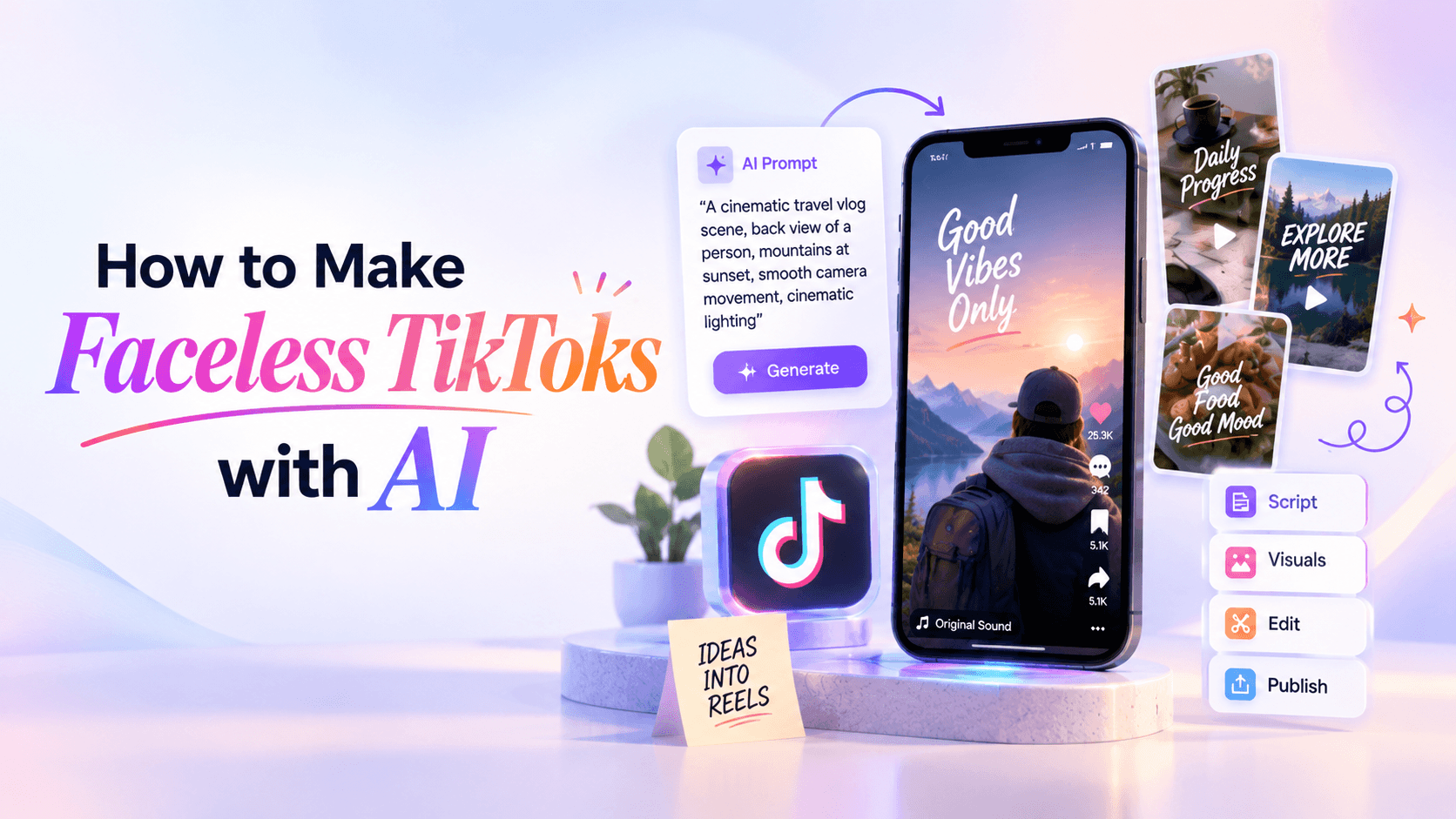
To make faceless TikToks with AI, choose a niche, pick a repeatable video format, write a strong hook, script the video in three layers, create visuals that prove or clarify the idea, add a natural voiceover or text-led captions, edit for retention, disclose realistic AI-generated content when needed, and test variations.
The goal is not to hide behind AI. The goal is to create useful, watchable TikToks without putting your face on camera.
TikTok explains that its recommendation system considers signals such as user interactions and video information, including captions, sounds, hashtags, and other content details. That means faceless videos are not automatically weaker because the creator does not appear on camera. They still need to create viewer behavior: watch time, completion, rewatching, comments, saves, shares, and follows. Source: TikTok: How TikTok recommends content.
The best faceless TikTok is not “AI-generated content.” It is useful, entertaining, or emotionally specific content made with AI assistance.
A faceless TikTok can hide the creator’s face. It cannot hide the creator’s thinking.
That is the difference between a faceless video people watch and faceless AI spam. One has editorial taste. The other has a voiceover and moving footage.
A strong faceless TikTok still has:
The viewer does not need to see your face. They need to feel that someone made a decision.
That decision can show up in the angle you choose, the examples you include, the way you explain something, the visual rhythm, the voiceover style, the caption writing, or the series format you repeat.
Bad faceless content removes the face and the human judgment.
Good faceless content removes the face but keeps the voice.
A faceless TikTok is a video where the creator does not appear on camera as the main personality. The video can still have a voice, a point of view, a brand, a style, and a recognizable format.
Faceless TikToks can use:
A faceless video is not the same as a low-effort video. It simply means the creator is not relying on their face as the main visual anchor.
That makes faceless TikToks useful for people who:
The mistake is thinking “faceless” means “personality-free.” It does not.
A faceless account still needs a recognizable promise. For example:
The creator is hidden. The editorial taste should not be.
Faceless TikToks are a good fit when the value of the video does not depend on seeing your face. They are a weaker fit when trust, personal experience, or human connection is the main product.
Faceless content works best when the video gives viewers something concrete: a trick, a result, a story, a test, a comparison, a visual transformation, or a useful answer.
It works poorly when it becomes filler.
A face can help with trust, emotion, and memory. But for many topics, the viewer mainly wants the answer, the demo, the transformation, or the proof. That is where faceless content can work well.
Most faceless AI videos fail because creators start with the wrong question.
They ask:
“What can I generate today?”
A better question is:
“What repeatable promise can I deliver without showing my face?”
Use this content engine:
Niche → viewer problem → repeatable format → source material → script → visuals → voice → captions → edit → test
This keeps the content from becoming random. Every video belongs to a system.
Faceless TikTok accounts grow stronger when viewers know what kind of value to expect. That does not mean every video should look identical. It means your format, promise, and point of view should become recognizable.
Before you generate anything, choose the right type of faceless video. The format should match the job.
This decision matters because faceless videos have fewer human signals. You cannot rely on facial expression, eye contact, or body language to hold attention. The structure and visuals have to do more work.
If your visuals could sit under any voiceover, they are probably too generic.
A faceless niche needs clear value. If viewers do not see you, they need to understand quickly why the account exists.
Good faceless niches often have one of these patterns:
Avoid niches where faceless AI content easily becomes untrustworthy:
A good niche should pass three tests:
If the answer is no, the niche may be too vague.
The format decides what the viewer sees. For faceless content, this is critical because you do not have facial expression, eye contact, or body language to hold attention.
Here are the strongest faceless TikTok formats:
Pick the format based on the promise.
If the promise is “I will teach you how to do this,” use a tutorial.
If the promise is “you are making this mistake,” use a breakdown.
If the promise is “look what changed,” use a before/after.
If the promise is “this is interesting,” use story narration or visual explanation.
Do not force every idea into the same faceless template. That is how accounts become invisible.
AI is excellent for generating raw ideas. It is less reliable at choosing the best one. Ask for a large pool, then filter manually.
Use this prompt:
Act as a TikTok content strategist for a faceless account about [niche].

Generate 50 faceless TikTok ideas for [target audience].
For each idea, include:
- video format
- 2-second hook
- visual concept
- why someone would watch until the end
- whether the video is more likely to get comments, saves, shares, or follows

Avoid generic ideas, motivational quotes, fake facts, and anything that requires showing a face.
Then score each idea with this table:
The best faceless ideas usually have a built-in visual change:
Faceless content needs motion, contrast, or information density. If nothing changes visually, the viewer has little reason to stay.
The hook is the first job. The visuals come second.
Weak faceless hooks:
Better faceless hooks:
Use this hook prompt:
Write 25 hooks for a faceless TikTok about [topic].

Audience: [audience]
Format: [tutorial / mistake breakdown / before-after / list / story / comparison]
Goal: [comments / saves / shares / follows]

Rules:
- under 12 words
- specific
- easy to show as on-screen text
- no generic phrases like "did you know" or "here are tips"
- no fake urgency
- no overpromising
A good faceless hook should do at least one of these:
The hook should also match the first visual. If the hook says “this AI video looks fake,” the first shot should show the fake-looking problem immediately.
A faceless TikTok script has three layers:
Many AI scripts fail because they only write the voiceover. A faceless video needs all three layers working together.
Use this script structure:
Use this prompt:
Write a 25-second faceless TikTok script about [topic].

Audience: [audience]
Format: [format]
Goal: [save / comment / share / follow]

Create three columns:
1. voiceover
2. on-screen caption
3. visual direction

Rules:
- no intro
- no "welcome back"
- no generic motivational language
- one clear idea
- visual change every 2–4 seconds
- include a payoff by the end
This prevents the video from becoming a narrated essay.
The viewer should be able to understand the idea with sound off, sound on, or while casually watching. That is why captions and visuals need to carry the message too.
Faceless videos need a visual system. Otherwise every video becomes random clips under a voiceover.
The right visual source depends on how much trust the topic requires.
Use this ladder before choosing AI visuals, stock, screenshots, or real footage.
The rule is simple: the more trust your topic requires, the more real your visuals should be.
AI visuals are useful when they clarify, illustrate, or support the idea. They are weaker when they replace proof.
A product demo should not rely only on synthetic product behavior. A tutorial should show the actual screen. A customer result should use real evidence, not AI-generated “before and after” scenes. A concept explainer, on the other hand, can use AI visuals to make an abstract idea easier to understand.
Screen recordings are one of the most trustworthy faceless formats because the viewer can see exactly what is happening.
Best for:
Use them for videos like:
Product footage usually performs better than fully synthetic visuals when the viewer needs to trust the product.
Best for:
You can film hands, products, packaging, close-ups, textures, and demonstrations without showing your face.
AI-generated video is useful when you need a scene that is hard to film, a visual metaphor, or supporting B-roll for a faceless story.
Best for:
Renderforest’s AI Video Generator can help create AI video scenes from prompts, which is useful when you need vertical B-roll, stylized visuals, product concepts, or quick scene ideas for a faceless TikTok. Source: Renderforest AI Video Generator.
Use AI-generated visuals carefully. They should support the idea, not replace it.
A useful AI visual prompt includes:
Create a vertical 9:16 video scene for a faceless TikTok.

Topic: [topic]
Audience: [audience]
Hook: [hook]
Scene purpose: [what this visual needs to show]
Subject: [main object or scene]
Action: [what changes or moves]
Camera: [close-up / top-down / slow push-in / handheld / screen-like view]
Style: [realistic / clean / cinematic / minimal / UGC-style]
Mood: [curious / urgent / calm / educational / dramatic]
Avoid: distorted hands, fake logos, unreadable text, unrealistic product claims, random extra objectsAI images with motion work well when full AI video is too unpredictable or when the video needs a controlled visual style.
Best for:
You can generate a still image, then add subtle motion: zoom, pan, parallax, animated text, or simple transitions.
Text-led faceless videos can work if the writing is sharp. They fail when the text is too small, too long, or too generic.
Best for:
A good text-led TikTok has:
Stock clips can help, but generic stock is one of the easiest ways to make faceless content feel cheap.
Best for:
Use stock only when it matches the exact moment in the script.
Do not use random city footage under a video about AI prompts unless it adds meaning.
Faceless does not mean voiceless.
You have three main choices:
If you use AI voiceover, write for speech. Many scripts sound fake because they were written like blog paragraphs.
Bad voiceover:
“In this video, we will be discussing the various ways in which artificial intelligence can be leveraged to produce faceless TikTok content.”
Better voiceover:
“Your faceless TikTok sounds fake because the script is too polished. Cut the intro. Say the problem first.”
Use this prompt:
Rewrite this script for a natural AI voiceover.

Make it:
- conversational
- direct
- short-sentence friendly
- easy to understand on TikTok
- less polished
- less corporate
- more human

Keep the meaning, but remove filler.

Script:
[paste script]
Then read it out loud. If it sounds strange when spoken by a real person, it will sound worse as an AI voice.
A faceless account still needs a voice. It just may not be a literal one.
Captions matter even more in faceless TikToks because viewers do not have a face to watch.
Good captions are not subtitles alone. They guide attention.
Use captions to:
Weak caption:
“Today I’m going to show you how to make faceless TikToks with AI.”
Stronger caption:
“Faceless TikToks fail when the visuals have no job.”
Use this caption prompt:
Turn this faceless TikTok script into on-screen captions.

Rules:
- short lines
- mobile-readable
- no full transcript
- highlight tension and takeaway
- one caption every 2–4 seconds
- include a saveable final line

Script:
[paste script]
Caption placement matters too. Keep text away from TikTok’s interface areas. Avoid placing key text too low, too close to the right edge, or over important product details.
A faceless video has to earn attention through movement, contrast, and information flow.
Cut:
Add:
The edit should answer one question:
Is there a reason to keep watching right now?
Tools like Renderforest’s AI Video Editor, CapCut, Canva, Adobe Express, and TikTok’s native editor can help with trimming, captions, vertical formatting, and final polish. The tool matters less than the decision to remove anything that does not help retention. Source: Renderforest AI Video Editor.
Faceless TikToks often use AI-generated visuals, AI voices, or synthetic characters. That makes transparency important.
TikTok says creators are required to label AI-generated content that contains realistic images, audio, or video. TikTok also says creators can disclose AI-generated content directly on the post by adding text, a hashtag sticker, or context in the post description. Source: TikTok: About AI-generated content.
Pay special attention to labeling when your faceless TikTok includes:
Labeling does not make the video less creative. It protects trust.
The better rule is simple: if a viewer could reasonably think the AI-generated scene is real, disclose it.
Here are practical faceless TikTok ideas that do not require showing your face.
The best niche is not the one with the most hype. It is the one where you can make useful, repeatable videos with proof.
If you want to research trends before choosing angles, TikTok says its Creative Center includes resources for trends, creative examples, best practices, and tools for creating TikTok ads. Source: TikTok: About Creative Center.
Use trend research as input, not as a replacement for your own angle.
Let’s build one faceless TikTok for a small business audience.
“Use AI to make product TikToks.”
Too broad.
Small business owners who sell physical products online.
Their product videos feel like ads because they start with the product, not the customer’s situation.
Mistake breakdown with product footage and AI-generated B-roll.
“Your product TikTok looks like an ad because of the first shot.”
Your product TikTok looks like an ad because the first shot has no context.

If you start with the product, people have to guess why they should care.

Try this instead:
show the problem first,
then show the product solving it,
then show the result.

Faceless videos work when the visuals have a job.Create a vertical 9:16 AI video scene for a faceless TikTok.
Audience: small business owners selling physical products.
Hook: "Your product TikTok looks like an ad because of the first shot."
Scene purpose: show a customer problem before the product appears.
Subject: a clean home workspace with someone struggling to organize small items on a desk.
Action: the desk starts messy, then space opens for a product solution.
Camera: close-up, handheld, natural lighting, social-native style.
Mood: practical, clear, realistic.
Avoid: fake logos, unreadable text, distorted hands, unrealistic motion, exaggerated commercial style.That is a complete faceless TikTok system. AI helps with ideas, script, visuals, captions, and variations. Human judgment decides the angle, truth, and edit.
A lot of faceless AI content fails for the same reason: it has motion, but no meaning.
The best faceless videos feel edited by someone with taste, not assembled by a machine.
Faceless AI content can go wrong quickly. Avoid these shortcuts.
Faceless does not mean consequence-free. You are still responsible for the information, claims, visuals, and tone.
You can batch faceless TikToks without turning them into a content factory.
Here is a practical weekly workflow:
Use AI to speed up the repetitive parts:
Do the judgment yourself:
That is the difference between a faceless content system and AI spam.
Use these prompts to build your own workflow. You do not need all of them for every video. Start with the one that matches your bottleneck.
Act as a TikTok strategist for a faceless account in the [niche] space.

Find 30 video ideas for [audience].
Each idea must work without showing a face.

For each idea, include:
- viewer problem
- faceless format
- 2-second hook
- visual concept
- proof or source needed
- likely engagement behavior: save, share, comment, or follow

Avoid generic ideas and anything that relies on fake claims.Turn this topic into 8 faceless TikTok formats:
[topic]
Use these formats:
1. screen recording tutorial
2. mistake breakdown
3. before/after
4. myth vs. fact
5. product demo
6. list video
7. story narration
8. comment reply
For each one, include hook, visual opening, script angle, and final takeaway.Write a 25-second faceless TikTok script.
Topic: [topic]
Audience: [audience]
Format: [format]
Goal: [save / comment / share / follow]
Output in three columns:
- voiceover
- on-screen caption
- visual direction
Rules:
- no intro
- no "welcome back"
- no generic AI phrases
- visual change every 2–4 seconds
- one clear takeawayCreate 5 vertical 9:16 AI video prompts for this faceless TikTok:
Hook: [hook]
Audience: [audience]
Script summary: [summary]
Each visual prompt should include:
- subject
- action
- setting
- camera movement
- mood
- style
- what the visual proves or clarifies
- what to avoidRewrite this script for a natural AI voiceover.
Make it:
- shorter
- clearer
- more conversational
- less corporate
- easier to speak
- more TikTok-native
Keep the meaning, but remove filler and unnatural phrasing.
Script:
[paste script]Create on-screen captions for this faceless TikTok script.
Rules:
- one short caption per beat
- readable on mobile
- no full transcript
- emphasize hook, tension, proof, and takeaway
- include one saveable final line
Script:
[paste script]Create a 7-day batching plan for a faceless TikTok account about [niche].
Goal: publish [number] videos per week.
Available assets: [screen recordings / product footage / AI visuals / stock / text only]
Voice style: [real voice / AI voice / text only]
Include:
- daily tasks
- video formats
- prompts to use
- what to batch first
- quality checks before postingAnalyze these TikTok comments from my faceless account.
Find:
1. repeated questions
2. objections
3. confusion points
4. new video ideas
5. comment-reply opportunities
6. hooks based on the comments
7. which topics are worth turning into a series
Comments:
[paste comments]Yes. Faceless TikToks can go viral if they create strong viewer behavior: watch time, completion, rewatching, comments, saves, shares, or follows. A face can help with trust and personality, but it is not the only way to make a TikTok work. Faceless videos need strong hooks, clear visuals, useful captions, and a reason to keep watching.
Start with a niche and a repeatable format. Use AI to brainstorm ideas, write hooks, draft scripts, generate visuals, create voiceovers, rewrite captions, and produce variations. Then edit the video vertically, cut slow intros, add readable captions, label realistic AI content when needed, and test several hooks or formats.
Good faceless TikTok niches include AI tools, app tutorials, product demos, small business marketing, productivity, design tips, history stories, language learning, cooking, personal finance education, travel tips, book notes, and software tutorials. The best niche is one where you can show useful visuals and proof without appearing on camera.
You can use AI writing tools for ideas and scripts, AI video tools like Renderforest for generated scenes, editing tools for captions and vertical formatting, screen recording tools for tutorials, and voiceover tools for narration. The tool stack depends on your format. A screen-recording tutorial needs different tools than an AI visual story.
Yes. AI voiceovers can work well for faceless TikToks, especially tutorials, explainers, and list videos. The script must sound natural. Avoid corporate wording, long intros, and robotic pacing. Rewrite the script for speech before generating the voiceover.
You should label AI-generated content when it contains realistic AI-generated or significantly edited images, audio, or video that could mislead viewers. TikTok says creators are required to label AI-generated content that contains realistic images, audio, or video. Source: TikTok: About AI-generated content.
The right length depends on the format. A quick tip may need 8–15 seconds. A tutorial may need 20–40 seconds. A story or explainer may need longer. The video should be only as long as the idea needs. If a section does not add clarity, proof, or payoff, cut it.
Yes. Businesses can use faceless TikToks for product demos, app walkthroughs, customer problem videos, before-and-after examples, tutorials, educational clips, and campaign variations. The key is to avoid making the video feel like a traditional ad. Start with the viewer’s problem, not the company logo.
Use real examples, proof, product footage, screen recordings, or sourced information. Make every visual serve the script. Avoid generic AI B-roll, fake facts, robotic voiceovers, copied scripts, and misleading realism. A faceless TikTok should still feel like a human made creative decisions.
Faceless TikTok accounts can be used for brand building, affiliate content, product promotion, lead generation, education, and audience growth. Monetization rules depend on your region, account eligibility, content type, and platform policies. Avoid fake claims, stolen content, misleading AI media, and undisclosed promotions.
Faceless TikToks work when the viewer does not miss your face because the idea, visuals, voice, and captions are doing their jobs.
AI can help you build those pieces faster. It can generate ideas, scripts, visuals, voices, captions, and variations. But it should not replace the thinking that makes a video worth watching.
Start with a niche. Pick a repeatable format. Write the hook before generating the visuals. Use AI to support the story, not bury it. Add proof where trust matters. Label realistic AI content when needed. Then test, learn, and improve the next video.
The best faceless TikToks do not feel faceless. They feel focused.
Share this


Article by: Liana Ziroyan
Liana is a marketing professional with 11 years of experience in digital marketing, content, and product communication. She has a strong eye for visual storytelling and loves turning ideas into engaging campaigns that connect with audiences. With her experience across branding, creative content, and user-focused messaging, Liana enjoys finding simple, effective ways to make products feel clear, useful, and exciting.
Read all posts by Liana Ziroyan