AI
Seedance 2.5 is ByteDance’s video generation model, launched in February 2026, and it made an immediate mark by producing video up to 2K resolution with synchronized audio, including dialogue, sound effects, and ambient sound, all generated in a single pass. Most AI video tools handle visuals and sound separately, so this alone made Seedance 2.5 worth a look for anyone producing video content.
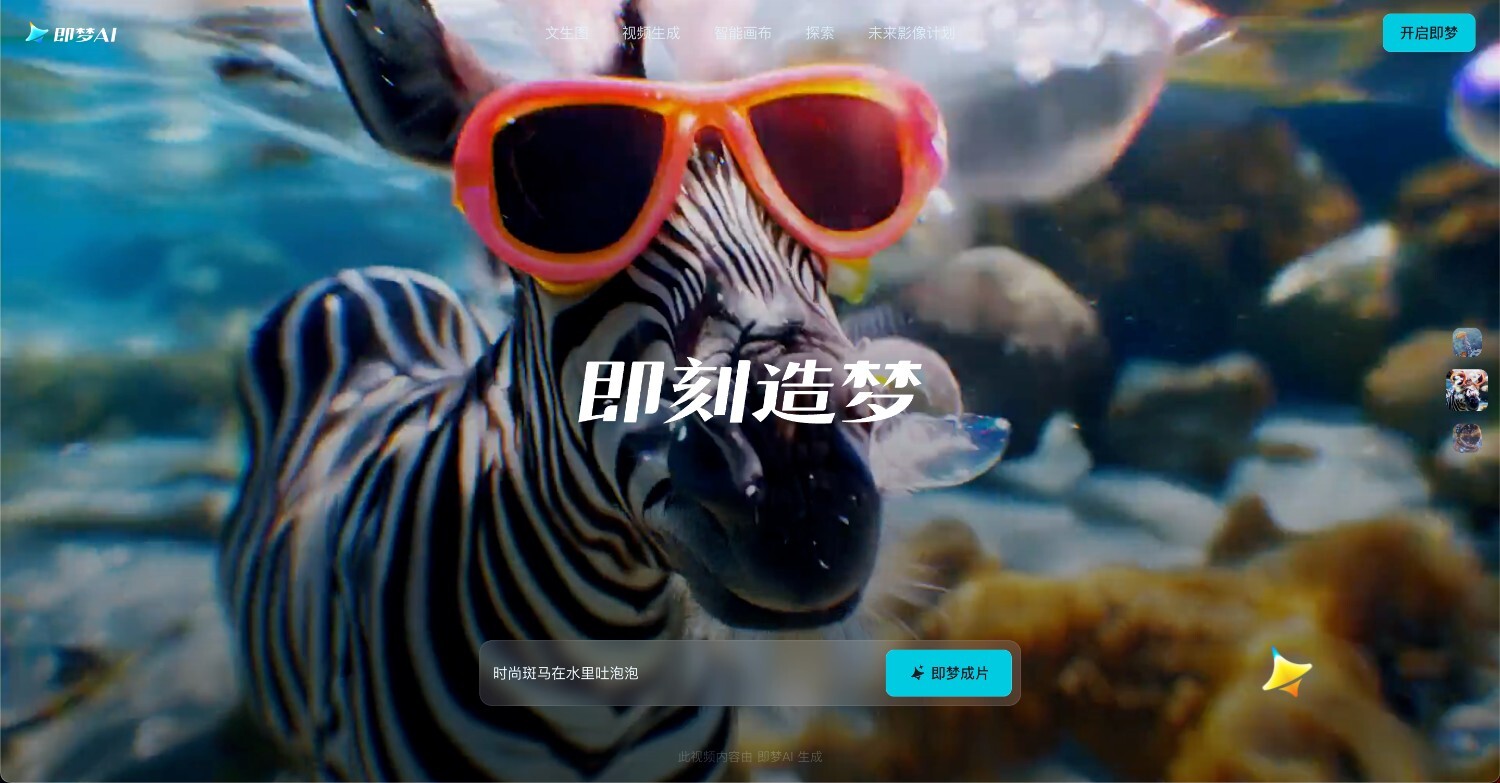
The bigger issue is getting to it. ByteDance’s own platforms, Jimeng and Dreamina, are primarily built for a Chinese-language audience, and Dreamina restricts photorealistic face generation without live verification. That leaves international users with two real paths: third-party platforms that offer broader access, or Renderforest, which integrates Seedance 2.5 into a full video production workflow.
This guide covers how to use Seedance 2.5 through both routes, so you can pick the one that fits your workflow.
Seedance 2.5 is a video generation model built by ByteDance’s Seed research team, launched on February 10, 2026. It generates text-to-video and image-to-video output at up to 2K resolution.
Its standout feature is a multimodal reference system: you can upload up to 9 images, 3 video clips, and 3 audio files in a single generation, then tag each one directly in your prompt using @Image, @Video, and @Audio labels to assign it a specific role.
The model also generates audio natively, including dialogue with lip sync in 8 or more languages, sound effects, and ambient sound, all in the same pass as the video. It supports multi-shot narrative generation, keeping characters and environments consistent across cuts within one clip.
Clips run from 4 to 15 seconds, with generation time ranging from about 60 seconds to 10 minutes depending on complexity.
There’s no single official way to use Seedance 2.5, and that’s what trips most people up. ByteDance splits access across a few different platforms, each with its own rules around cost, region, and restrictions. Here’s how the main routes compare, and who each one suits best.
Dreamina is ByteDance’s international platform, integrated into CapCut as of March/April 2026. It gives you access to Seedance models with limited free trial credits on signup, and no Chinese ID is required to create an account. Exact credit amounts vary by account and region, so check what’s available at signup.
One restriction you should consider is that Seedance 2.5 access via Dreamina doesn’t allow photorealistic face generation without live verification. ByteDance introduced this after the March 2026 Hollywood copyright disputes, as part of wider copyright and safety policies.
Best for: international users who want a browser-based interface at no cost.
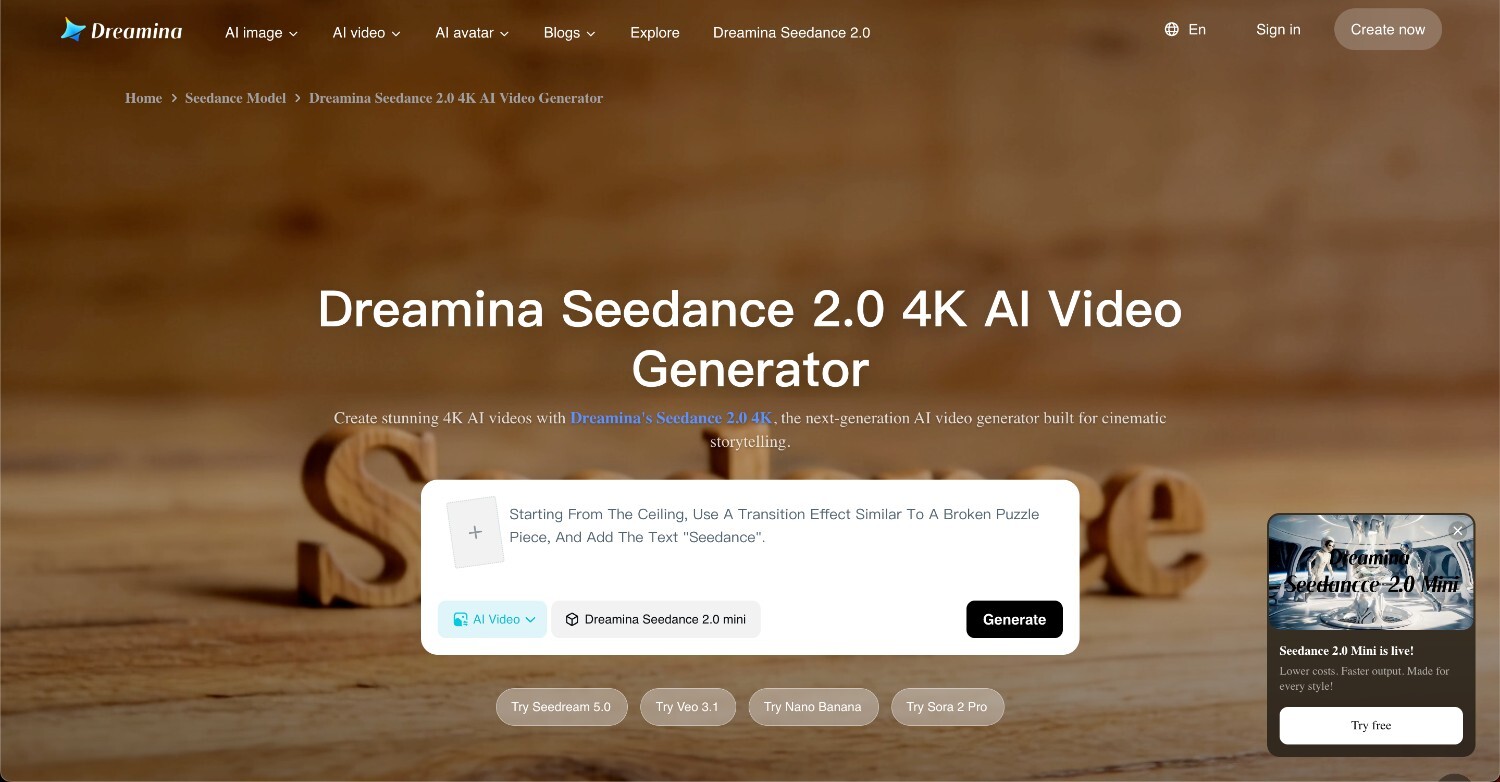
Jimeng is ByteDance’s official platform, used primarily for a Chinese-language audience. Full account creation requires a Chinese phone number (+86), and you’ll also need a VPN set to China or Hong Kong if you’re accessing from outside the region, plus WeChat Pay if you want to top up credits. Jimeng offers Seedance 2.5 beta access through a paid membership, priced at approximately $9.60 a month.
Here’s how to get set up:
Best for: users with access to a Chinese phone number who want the most direct route to the official platform.
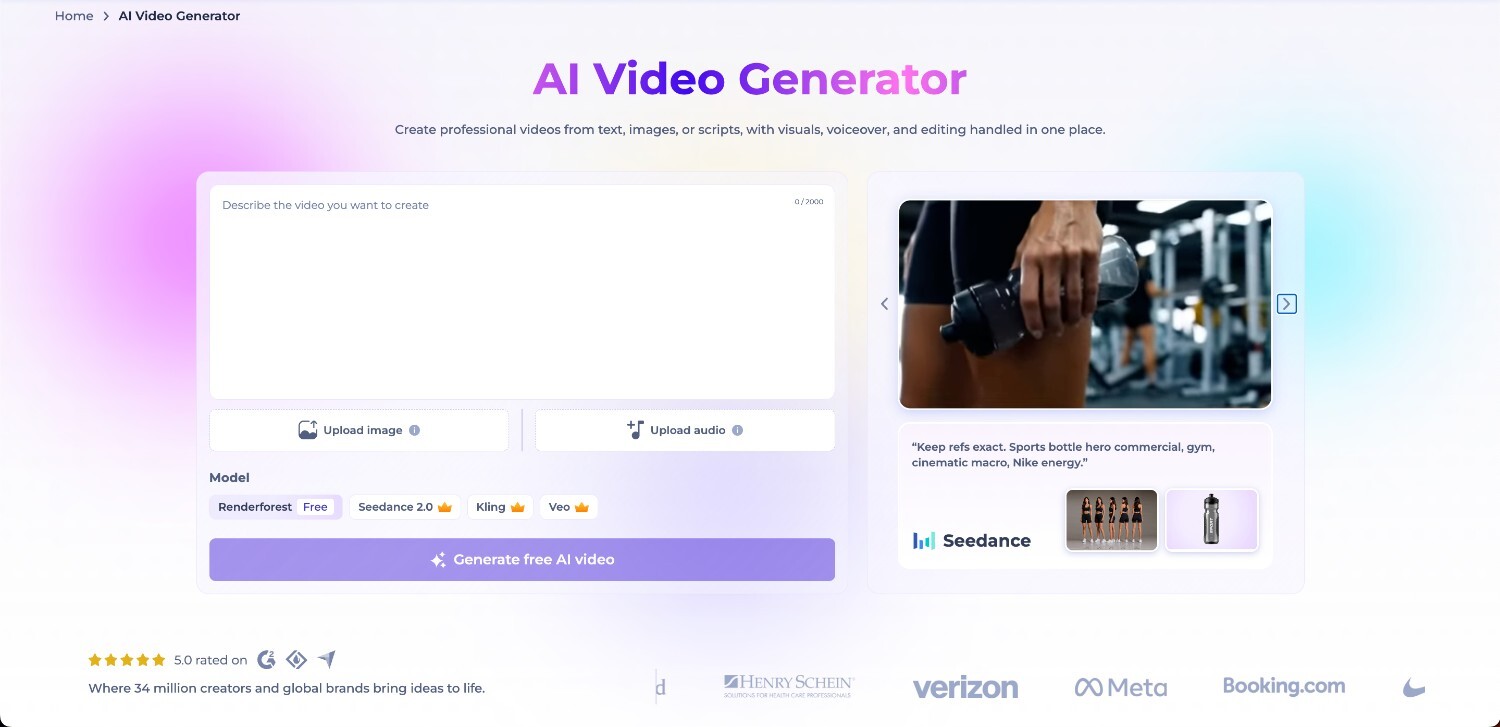
Renderforest integrates Seedance 2.5 as part of its broader AI video production platform, covered in detail later in this article.
Best for: users who want a quick, publish-ready video without stitching together separate tools for generation, editing, and voiceover.
Several third-party platforms offer Seedance 2.5 access with their own free credit tiers, and pricing varies from one to the next. fal.ai and OpenArt both give new accounts free credits on signup, so you can test the model before committing to a paid plan.
Best for: international users who want full Seedance 2.5 capability without the restrictions that come with Dreamina or Jimeng.
Once you’ve picked a platform, the workflow looks roughly the same everywhere. Here’s how to go from idea to finished clip.
The quality of your output depends almost entirely on how you structure your prompt. Most guides either stop at a single generic example or dive into technical language that’s more confusing than helpful. Here’s a framework you can use right away, along with the model’s most distinctive feature: a reference system that lets you control what shows up on screen.
A strong Seedance 2.5 prompt follows a simple structure: subject, action, environment, camera movement, and mood or style. Covering all five gives the model enough detail to work with, without over-explaining.
Weak prompt: “A woman walking in a city.”
Strong prompt: “A woman in a red coat walks briskly down a rain-soaked street at night, camera tracking alongside her at eye level, moody and cinematic lighting.”
The second version tells the model who’s in the shot, what they’re doing, where it’s happening, how the camera moves, and what tone to aim for. That extra detail is what separates a generic clip from one that matches what you pictured accurately.
This is what sets Seedance 2.5 apart from most other video generators. Alongside your text prompt, you can upload reference files, up to 9 images, 3 video clips, and 3 audio files, and the model automatically labels each one: @Image1, @Video1, @Audio1, and so on.
Once labeled, you reference them directly in your prompt to tell the model what role each file plays. For example: “@Image1 as the main character’s appearance, @Video1 for camera movement reference.”
This opens up a few practical uses:
In plain terms: instead of trying to describe everything from scratch, you’re showing the model what you mean.
To get a cut within a single generation, include the phrase “lens switch” in your prompt. Seedance 2.5 keeps characters and environments consistent across the cut so that a single 15-second clip can cover multiple angles or beats instead of just one continuous shot.
Seedance 2.5 generates audio natively, so sound is part of the same generation as the video, not something added afterward. You can specify dialogue by putting the exact words in quotes, along with sound effects, ambient noise, and a background music style, all directly in your prompt.
Dialogue comes with lip sync support in 8 or more languages, including English, Chinese, Japanese, Korean, Spanish, French, German, and Portuguese.
No tool is perfect, and Seedance 2.5 is no exception. Here’s an honest look at where it delivers and where you’ll still run into friction.
What works well:
Limitations:
Renderforest gives you access to Seedance 2.5 as one of several AI models in its video production pipeline. The real advantage is what surrounds it: generate a clip, then edit it, add voiceover, and prepare it for a specific platform, all in the same place. Here’s what that looks like in practice.
With Renderforest, there’s no platform-switching or separate account to manage. Seedance 2.5 sits alongside other models, including Sora 2, Veo 3, Hailuo, and Pixverse, as one option in Renderforest’s AI video generator.
Once a clip is generated, it goes directly to the video editor, so you can adjust scenes, timing, and visuals without starting over. Voiceover in 50 or more languages is available alongside generation, and you can start from one of over 1,200 templates instead of a blank prompt. Exports are formatted for YouTube, TikTok, Instagram Reels, and other platforms, and generating through Renderforest doesn’t carry the face generation restrictions that apply on Dreamina.
The Seedance 2.5 video generation process takes just a few steps, and you don’t need any prior experience with the platform to follow along.
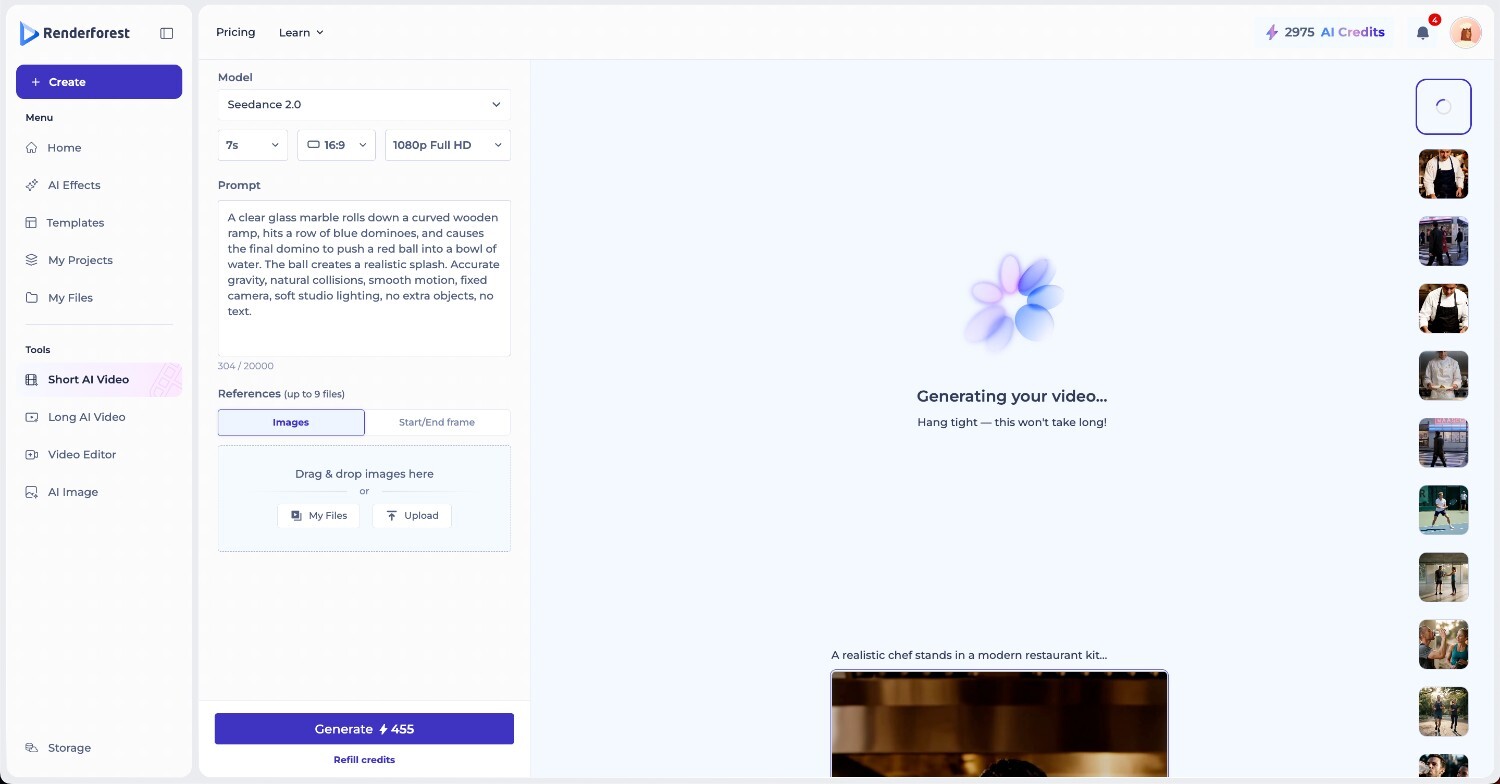
Go to the dashboard and select Short AI Video from the left menu under Tools.
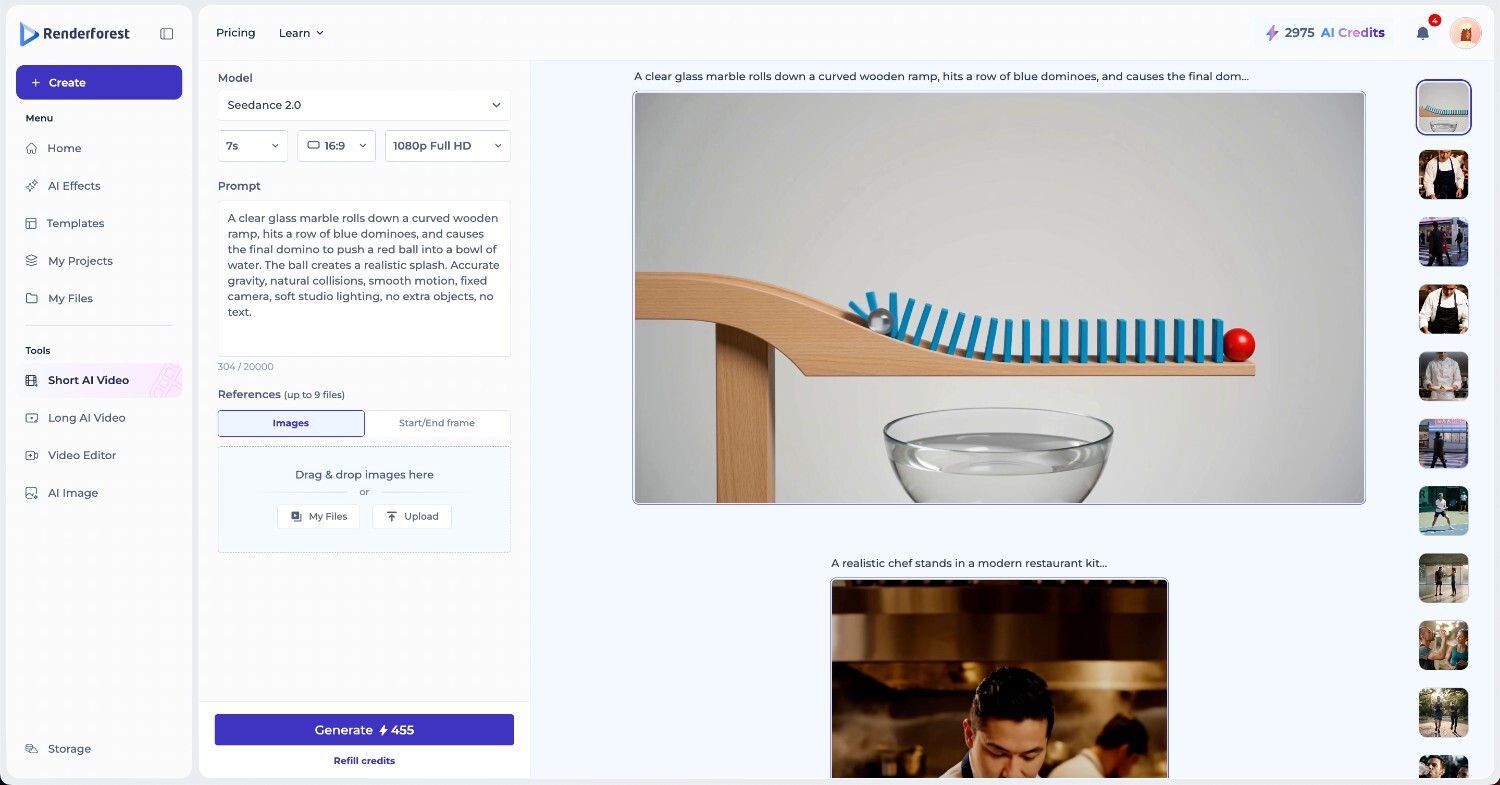
Select Seedance 2.5 as your model, then set your duration, aspect ratio (16:9, 9:16, or 1:1), and quality (720p HD or higher depending on your plan).
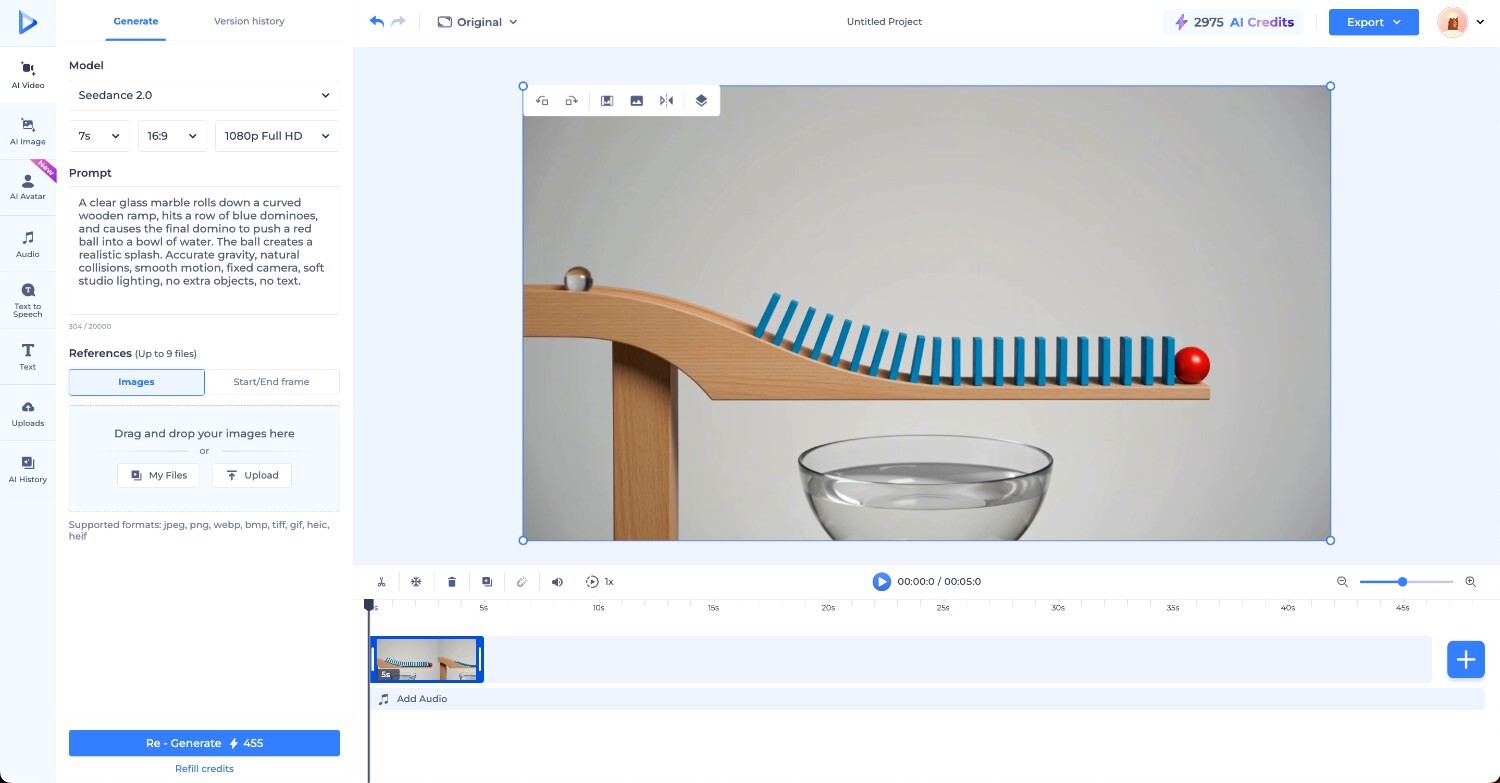
Enter your prompt in the text field (up to 2,000 characters) and optionally drag and drop a reference image or upload one from your files using the Source section below the prompt.
Click Generate to start. The credit cost is shown on the button before you confirm.
The right choice depends on what you’re actually trying to produce, not just which platform is cheapest or fastest to set up.
Most Seedance 2.5 tutorials stop at the basics: write a prompt, click generate, download the clip. That skips the multimodal reference system, which is what separates a generic AI clip from something that looks directed. Once you’re referencing images for character appearance, footage for camera movement, and audio for tone, you’re controlling the scene, not just describing it.
Access is still the main hurdle for most people, whether that’s a Chinese phone number, a VPN, or managing credits across third-party platforms. Renderforest removes that friction by giving you Seedance 2.5 alongside a full editing workflow, so you can go from prompt to finished video without leaving the platform.
Seedance 2.5 is a video generation model built by ByteDance’s Seed research team, launched on February 10, 2026. It generates text-to-video and image-to-video output with native synchronized audio.
Dreamina, ByteDance’s international platform integrated into CapCut, is the most direct route and doesn’t require a Chinese phone number. Third-party platforms like fal.ai and OpenArt offer access with their own free credit tiers, and Renderforest includes Seedance 2.5 as part of its broader video production platform.
Clips run from 4 to 15 seconds per generation, with generation time ranging from about 60 seconds to 10 minutes depending on complexity. Including “lens switch” in your prompt lets you fit multiple angles or beats into a single clip instead of one continuous shot.
Audio generates natively in the same pass as the video, rather than being added afterward. That includes dialogue with lip sync in 8 or more languages, sound effects, ambient sound, and background music, all specified directly in your prompt.
It lets you upload reference images, video clips, and audio files alongside your prompt, then tag each one (@Image1, @Video1, @Audio1) to assign it a specific role, such as locking in a character’s appearance, replicating a camera movement, or setting the audio track.
Usage rights depend on the platform you generate through, so check the specific terms of service for Dreamina, Jimeng, or your chosen third-party platform before using output commercially.
Seedance 2.5 is available as a model option within Renderforest’s AI video generator, alongside models like Sora 2, Veo 3, Hailuo, and Pixverse, and pairs directly with Renderforest’s editing suite, voiceover, and template library.
Share this


Article by: Sara Abrams
Sara is a writer and content manager from Portland, Oregon. With over a decade of experience in writing and editing, she gets excited about exploring new tech and loves breaking down tricky topics to help brands connect with people. If she’s not writing content, poetry, or creative nonfiction, you can probably find her playing with her dogs.
Read all posts by Sara Abrams