
AI
A good YouTube intro does not make viewers wait for the video to begin. It makes them feel that the video has already begun.
For most YouTube videos, the strongest opening is simple: give viewers a reason to stay, introduce your brand briefly if it adds value, then move straight into the content. In practice, that often means a hook first, a short 1–5 second brand cue second, and the main video immediately after. Some videos—especially Shorts and quick tutorials—do not need a separate branded intro at all.
If you want to make a YouTube intro that people actually watch rather than skip, start with the viewer, not the animation. Decide what they need to understand in the first few seconds, choose one recognizable brand element, keep the sequence easy to read, and test the finished opening inside the real video rather than judging it on its own.
Here is the process:
A YouTube intro is the opening portion of a video that establishes the topic, creator, channel, series, or visual identity.
That definition is broader than the traditional animated logo sequence. A modern YouTube intro might be a two-second logo sting, a title card, a quick montage, a recurring sound, the host stating the video’s promise, or simply the first shot of the content.
It helps to separate three things that are often treated as if they were the same:
YouTube treats the channel trailer as a separate channel feature that can be shown to people who have not subscribed. You can read the platform’s explanation in YouTube’s channel layout documentation.
For this guide, we are concerned primarily with the opening of an individual YouTube video: how to get from the click to the content without losing momentum.
No. Not every video needs a separate branded intro.
That may sound strange in a guide about creating intros, but it is an important distinction. A branded opener earns its place when it adds recognition, structure, context, atmosphere, or a useful transition. If it merely delays the information someone clicked to see, removing it can make the opening stronger.
A separate intro often makes sense for:
Consider shortening or skipping it for:
YouTube’s own guidance on content performance says that the initial seconds are where viewers decide whether to stay or move on. It recommends making the opening deliver on the promise created by the title and thumbnail and getting to the value quickly. You can see the guidance in YouTube’s explanation of content performance and recommendations.
So instead of asking, “Does a professional channel need an intro?” ask a better question:
Does this intro make the viewer’s experience better than beginning the content immediately?
For tutorials, reviews, educational videos, product content, and many creator-led channels, one of the most reliable opening structures is:
Hook → Brand → Content
The hook confirms why someone clicked. The brand cue tells them who they are watching. The content fulfills the promise.
Suppose your video is called 5 Microphone Settings That Instantly Improve Your Audio.
A slow opening might sound like this:
Welcome back to the channel. If you’re new here, my name is Alex. Before we start, don’t forget to subscribe…
A stronger opening could be:
Your microphone may not be the problem. This one setting can make a bigger difference than buying a new mic.
Then use a two-second branded sting and move directly into the setting.
The difference is not that one version is louder or more dramatic. The second version immediately validates the click.
This matters because the title, thumbnail, and opening are one continuous experience. The thumbnail creates an expectation. The title clarifies it. The opening needs to confirm that the video will deliver.
That does not mean every video needs a scripted “hook.” Sometimes the strongest opening is simply showing the thing viewers came to see: the finished recipe, the product in your hand, the broken setting on screen, the travel destination, the before-and-after result, or the most interesting moment from the story.
Branding should support that moment rather than compete with it.
There is no official YouTube rule that says a branded intro must last a particular number of seconds.
For most standard YouTube videos, a 1–5 second branded cue is a useful starting point. Shorts and quick-answer videos may work better with no separate intro at all, while podcasts, recurring shows, and cinematic formats can justify a longer title sequence when the opening is part of the experience.
The practical rule is simpler than any fixed number: the intro has to earn its time.
If five seconds are spent revealing nothing more than a logo, five seconds may be too long. If a six-second opening introduces the guest, episode topic, and recognizable show format while keeping the story moving, it may be entirely appropriate.
For a detailed breakdown by format, including Shorts, tutorials, podcasts, gaming videos, and recurring shows, see Renderforest’s guide to how long a YouTube intro should be.
A strong intro usually includes fewer elements than creators expect.
The first image or line should tell viewers, explicitly or implicitly, “Yes, this is the video you meant to click.”
Show the result. State the problem. Introduce the tension. Put the product on screen. Start with the strongest question. You do not need to manufacture suspense when relevance is already interesting.
You rarely need your logo, channel name, slogan, website, social handles, upload schedule, animated subscribe button, and three different effects in the same five seconds.
Pick the strongest cue:
Good motion directs attention. It reveals the channel name, introduces the episode title, connects two shots, or gives a static logo personality.
It does not need to prove how many effects your editor contains.
A useful rule from years of watching branded video work: if you can describe the animation only by listing effects—glitch, sparks, particles, zoom, spin, flash—the concept probably needs simplifying.
A short sonic signature can become more recognizable than an elaborate animation, but the volume and tone have to fit what follows.
Avoid the familiar problem of an explosive intro sting followed immediately by quiet speech. Play the intro and first spoken sentence together when mixing your audio.
And check your rights. YouTube says music and sound effects in its Audio Library are copyright-safe for YouTube, while music obtained elsewhere may come with different licensing conditions. “Royalty-free” is not a substitute for reading the license.
Before choosing a template, complete this sentence:
This intro needs to __________________.
For example:
If you cannot identify a useful job, you may not need a separate intro.
Ask what the viewer needs to see or hear first.
For a camera review, show the camera. For a tutorial, show the outcome or problem. For food content, show the finished dish. For a podcast, a compelling guest quote may be a better opening than the show logo.
This is where many intros go wrong. The creator designs branding first and then tries to squeeze the viewer’s reason for watching around it.
Reverse that order.
You have three useful options.
Hook → branding → content
A strong default for tutorials, reviews, educational channels, creator videos, and business content.
Branding → content
Better suited to podcasts, recurring entertainment formats, established shows, and series where viewers expect the title sequence.
Content immediately
Often best for Shorts, quick answers, troubleshooting videos, clips, and other formats where any separate opener would feel like friction.
Gather your logo or channel name, brand colors, primary typeface, title, and any footage or sound cue you intend to use.
If your logo is the main focus, use a transparent high-quality version where possible. If you specifically want to turn a static logo into motion, Renderforest’s logo animation maker provides dedicated logo-reveal templates.
Do not delay publishing because you do not yet have a sophisticated logo. A well-typeset channel name with consistent motion can be a stronger identity than an overdesigned logo that nobody can read.
You can create a YouTube intro in three main ways.
None is automatically better. The right method is the one that gives you enough control without turning a four-second intro into a four-day production.
If you want to start with an existing structure instead of a blank timeline, open Renderforest’s YouTube Intro Maker. It includes customizable intro and logo-reveal templates where you can add your own text, logo, branding, and audio.
Browse by style, but do not automatically choose the most dramatic option. Look for a template whose pacing and visual language already resemble the channel you are building.
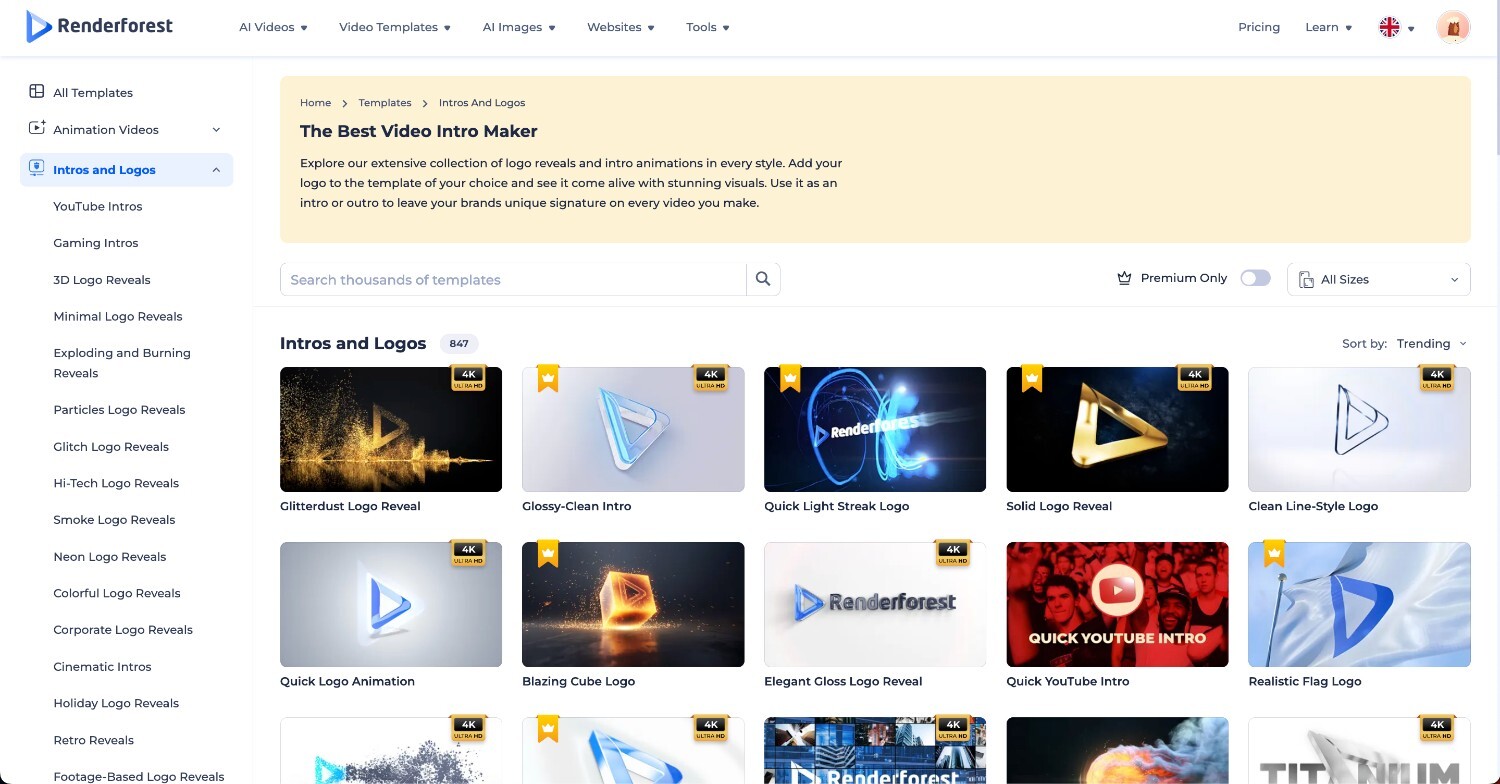
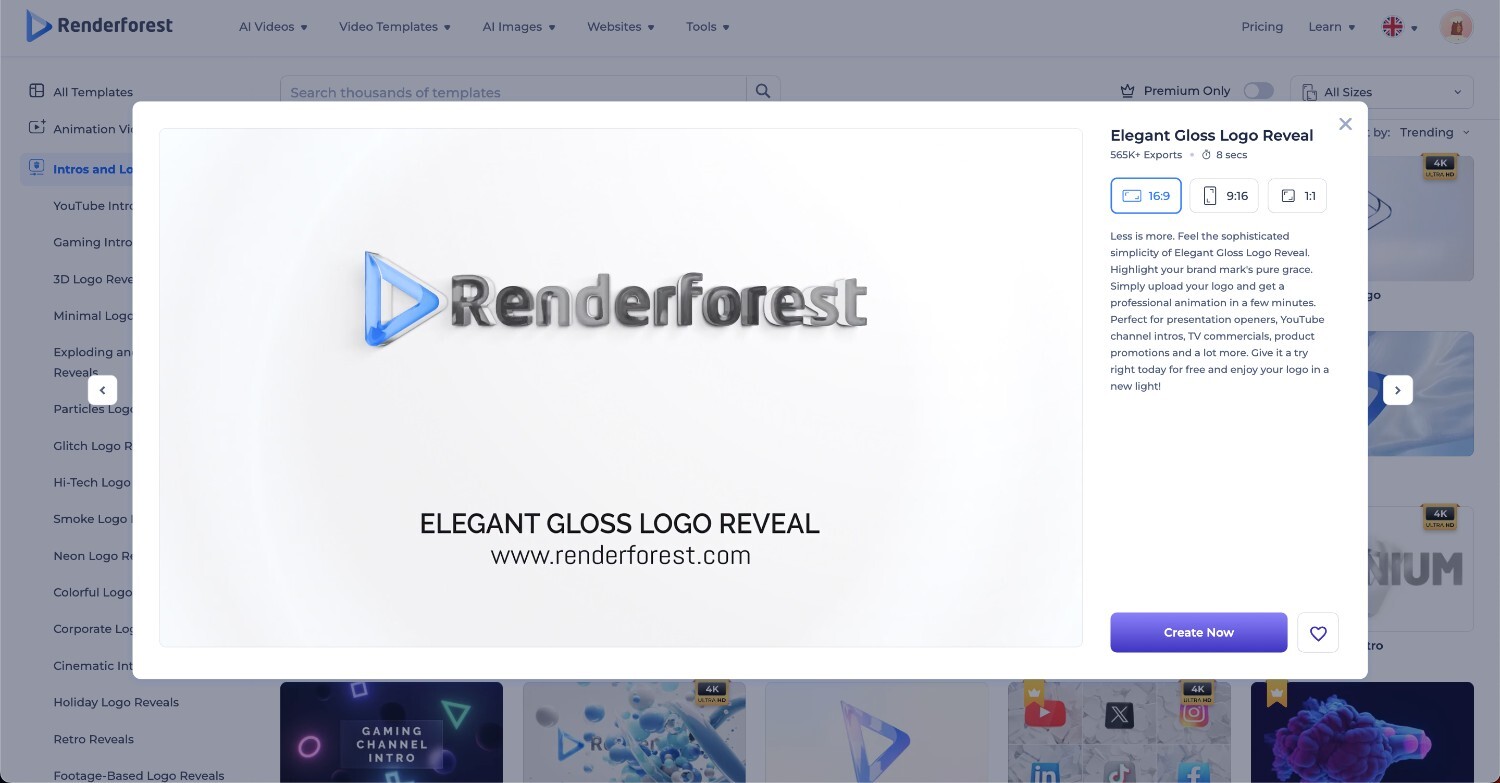
Once you find a suitable template, open it and replace the sample content with your own. Keep only what helps viewers recognize the channel or understand the video.
Customize your text, logo, typography, visuals, and music. Pay particular attention to readability. A channel name that looks elegant on a desktop editing screen may disappear when someone watches on a phone.
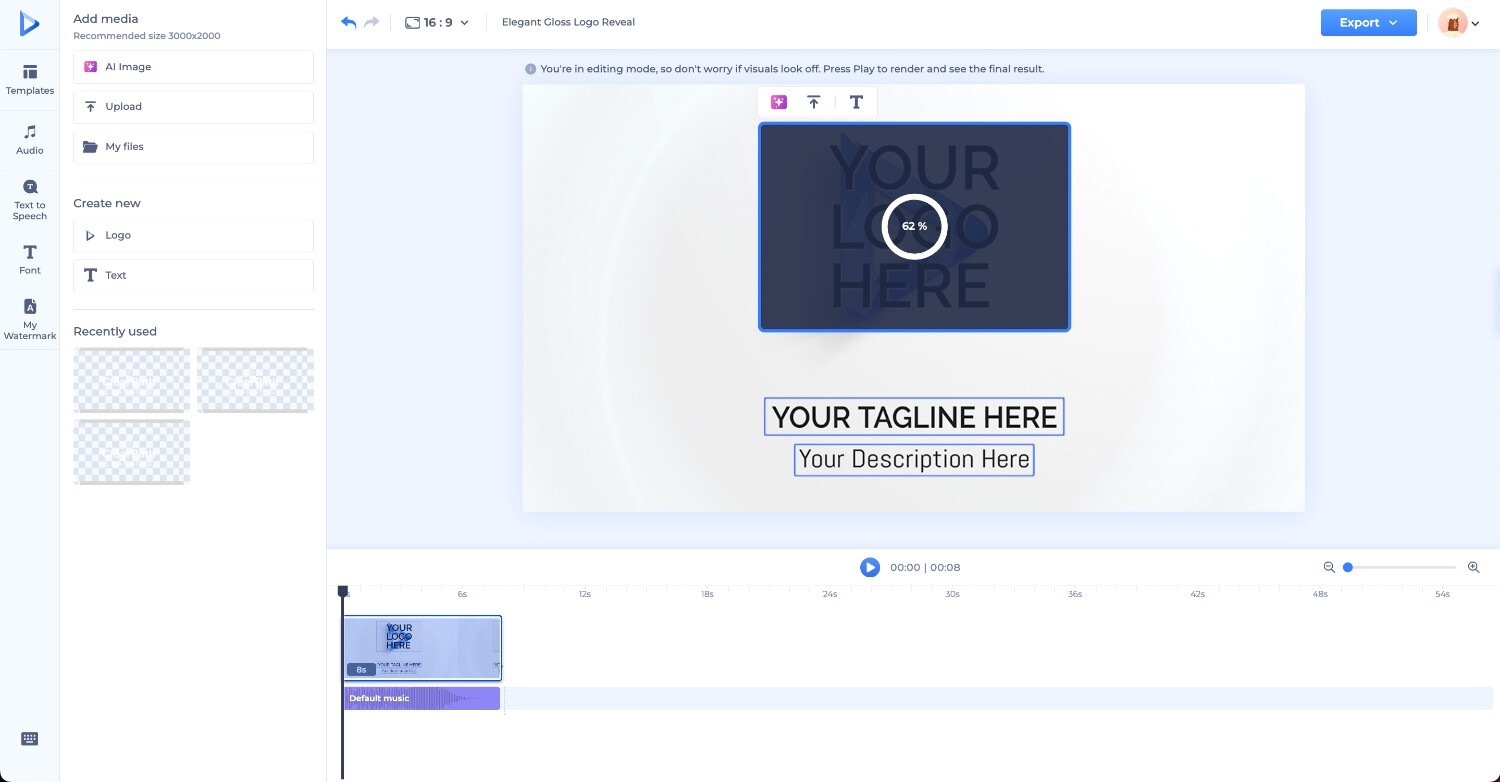
Then preview the finished animation at normal speed. Do not judge it frame by frame. Viewers will not.
The more important test is what happens immediately before and after it. Put the hook, intro, and first section together and watch the entire opening without touching the controls. If the intro feels as if the video stops and restarts, shorten it or change the transition.
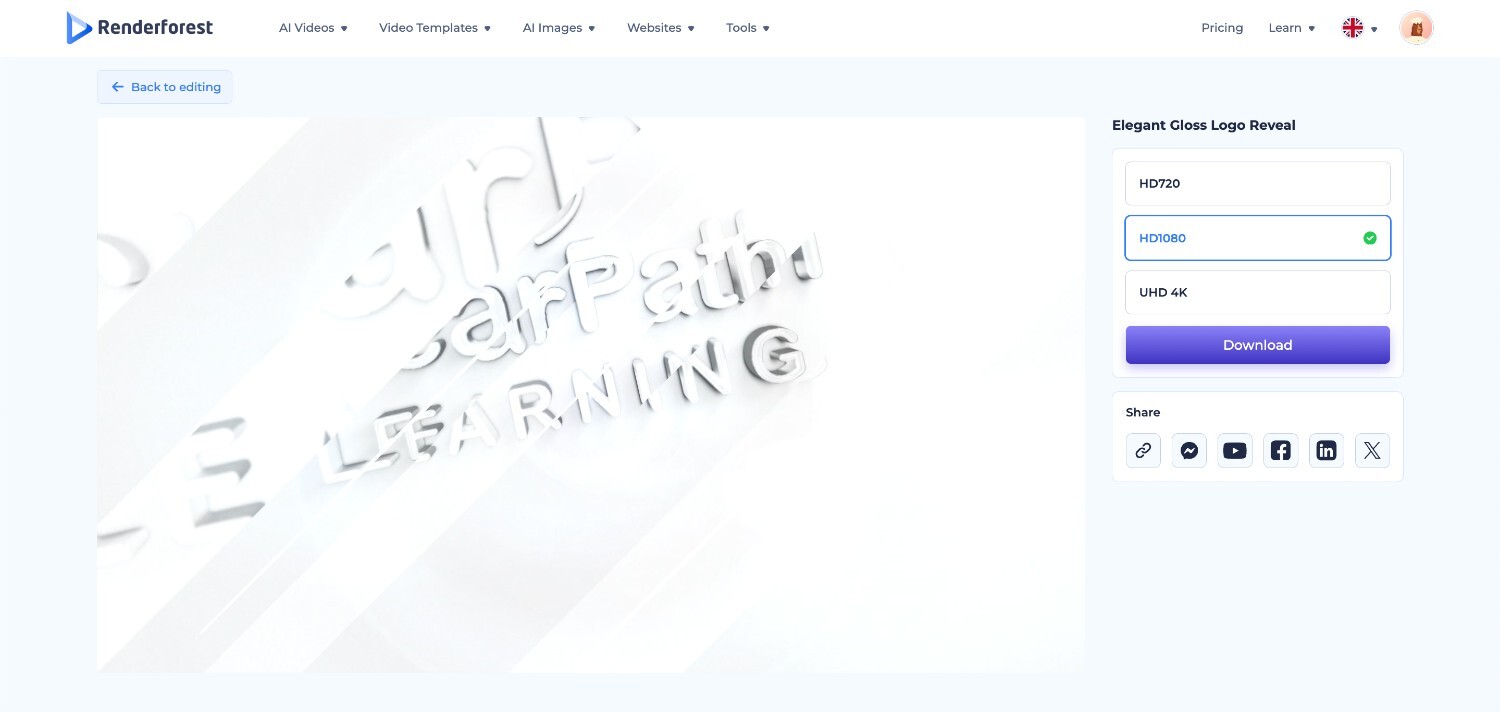
If you would rather start from a prompt or reference image, Renderforest’s AI video generator can create video from text, images, or scripts. AI is useful for concept exploration, but review generated text, logos, and brand details closely before you make the sequence part of every upload.
For detailed prompt structures and ready-to-adapt examples, see the separate guide to AI intro maker prompts for YouTube.
For a standard widescreen YouTube project, 1920 × 1080 at 16:9 is a common Full HD choice. More important than maximizing every setting is keeping the intro consistent with the footage around it.
YouTube’s recommended upload encoding settings list MP4 with H.264 video and recommend uploading content at the same frame rate in which it was recorded. YouTube also identifies 16:9 as the standard computer-player aspect ratio while automatically adapting other formats.
So if the main project is 1080p at 30 fps, create an intro that fits that workflow rather than inserting a mismatched file simply because its specification sounds more impressive.
For Shorts, build a dedicated vertical opening rather than cropping a widescreen intro. Renderforest’s guide to making a YouTube intro on your phone covers the mobile and vertical workflow in more depth.
The first time you watch a new animation, you notice the effects. A subscriber who has already seen it 20 times experiences something different.
That is why one of the best tests for a reusable intro is:
Would this still feel acceptable on the tenth viewing?
A spectacular seven-second sequence may impress a client during presentation and irritate a returning viewer by the third upload.
Your intro should feel like punctuation, not another paragraph.
Professional does not mean complicated. It usually means that someone made good decisions and stopped before adding unnecessary ones.
Use enough contrast, limit the number of typefaces, and make important text large enough for a phone screen. If viewers have to pause to read a three-second title, the title is too dense.
A clean logo reveal, a single swipe transition, or a controlled montage usually ages better than several unrelated effects competing for attention.
A template should become less generic after you customize it. Change the typography, colors, imagery, audio, and pacing until it belongs to the same visual world as your thumbnails and videos.
If you are still choosing a direction, browse Renderforest’s collection of YouTube intro examples for inspiration rather than forcing every possible style into this tutorial.
The strongest intros rarely announce, “The intro is over now.”
Let motion continue into the first scene. Resolve the logo onto the same background. Carry the audio underneath the first sentence. Cut on an action. Use the episode title as the transition.
The smoother the handoff, the less the branded section feels like an advertisement viewers have to sit through.
If the thumbnail promises a camera test, show the camera. If the title promises a solution, establish the problem or result. Viewers should not have to watch a logo reveal before they know the video will deliver what they came for.
A common structure is:
Hook → branded intro → “Hey everyone, today we’re going to…”
The hook has already introduced the premise. After the branded sting, continue the thought instead of restarting the video.
Your intro is not the place for a logo, tagline, URL, social handles, posting schedule, subscribe reminder, episode title, sponsor, and multiple calls to action.
Every extra item reduces the attention available to the thing that matters most.
The right question is not “Does this sound impressive?” It is “Does this sound like this channel?” A quiet finance channel and a competitive gaming channel should not have interchangeable audio identities.
Consistency is valuable, but the hook and topic treatment should adapt to the video. Keep the recognizable system—logo, colors, type, sound, motion language—while allowing the actual opening to fit the reason someone clicked.
And if retention data repeatedly suggests viewers leave when the intro appears, change it. A branding rule is not more important than the audience experience.
Do not rely only on whether you like the animation. YouTube gives you a way to see how viewers behave during the opening.
In YouTube Studio, open a video’s Analytics and look at the audience-retention report. According to YouTube’s audience-retention documentation, the “Intro” metric shows the percentage of viewers still watching after the first 30 seconds. The report can also highlight dips where people skip or stop watching and spikes where sections are rewatched or shared.
Pay attention to the exact moment your branded sequence begins.
If several similar videos show an obvious drop at that point, test a different opening:
YouTube itself recommends modifying the first 30 seconds and experimenting with different opening styles when trying to improve intro retention.
Do not make a major decision from a single video’s graph, though. Compare several uploads with similar length and audience intent. One unusual drop can happen for many reasons. A repeated pattern is much more useful.
The goal is not to find a mathematically perfect intro. It is to remove unnecessary friction between the click and the reason someone wanted to watch.
That final question is worth asking every time.
A YouTube intro should earn its seconds. If it makes the channel recognizable without delaying what viewers came for, keep it. If it creates a pause between the click and the content, shorten it, move it, or remove it.
When you are ready to build one, start with Renderforest’s YouTube Intro Maker, choose a structure that already fits your channel, and customize it until the branding feels like part of the video rather than something playing in front of it.
Start by deciding what viewers need to understand in the first seconds. Choose whether the video should open with a hook, a short branded sequence, or the content itself. Add only the essential branding—such as your logo, channel name, colors, and sound cue—then create the sequence with a template, AI tool, or editor. Preview it together with the main video and shorten anything that delays the reason someone clicked.
For most standard YouTube videos, keep the branded portion around 1–5 seconds. Shorts and fast tutorials may work better with no separate intro, while podcasts and recurring shows can use longer openings when the title sequence adds context or entertainment. There is no official YouTube duration rule, so use retention and viewer intent rather than a fixed number.
For tutorials, reviews, educational content, and many creator-led videos, yes. Showing the viewer why the video is worth watching before playing the branded sting usually creates a more natural opening. Podcasts and established recurring shows are exceptions where viewers may expect the branded title sequence first.
No. A separate intro is optional. Use one when it adds recognition, structure, atmosphere, or context. Skip it when it delays the answer, product, story, or result the viewer came to see. Branding can also come from your typography, host, editing style, colors, sound, or on-screen graphics without stopping the video for a dedicated animation.
Most intros need only a clear viewer promise and one or two recognizable brand cues. That might be a channel name, logo, short title, consistent color palette, and brief sound cue. Avoid trying to include every social handle, slogan, upload schedule, and call to action in the opening.
For standard widescreen YouTube videos, 1920 × 1080 at 16:9 is a common Full HD format. Match the intro’s frame rate to your main footage whenever possible. For Shorts, create a dedicated 9:16 vertical opening rather than simply cropping a widescreen animation.
Yes. Use a well-designed channel name, recurring title card, consistent typography, creator presence, color system, or short sound signature. A recognizable identity matters more than having a traditional logo.
Yes. AI video tools can generate intro concepts, animated scenes, and motion directions from prompts or reference images. Give the tool a clear duration, channel type, viewer promise, visual style, aspect ratio, and final frame. Always review generated text, logos, music rights, and brand details before making an AI-generated sequence part of a recurring channel identity.
Share this


Article by: Sara Abrams
Sara is a writer and content manager from Portland, Oregon. With over a decade of experience in writing and editing, she gets excited about exploring new tech and loves breaking down tricky topics to help brands connect with people. If she’s not writing content, poetry, or creative nonfiction, you can probably find her playing with her dogs.
Read all posts by Sara Abrams