![What Is an Intro and Outro for a Video? [Tips + Templates]](https://cdn.renderforest.com/website/blog-media/6a9ec513c38a96a9ec513c38aa.png)
Social Media Marketing
A good video does not start when the “main content” starts. It starts the moment someone decides whether to keep watching.
That is why intros and outros matter. A video intro sets the tone, confirms what the viewer is about to get, and gives your brand or channel a recognizable opening. A video outro closes the loop, wraps up the message, and guides the viewer toward the next action.
But here is the part many creators get wrong: intros and outros are not decorative extras. A long intro can make viewers leave before the value starts. A weak outro can waste the moment when viewers are most ready to take action.
The best intros and outros are short, clear, branded, and useful. They help the viewer understand where they are, why they should keep watching, and what they should do next.
In this guide, we’ll explain what video intros and outros are, how long they should be, what to include, how they differ from YouTube end screens, and how to create them with tools like Renderforest.

A video intro is the opening section of a video. It introduces the topic, brand, creator, tone, or promise of the content. A video outro is the closing section of a video. It wraps up the message and guides viewers toward the next step, such as watching another video, subscribing, visiting a website, buying a product, or following the brand.
A simple way to think about it:
For most videos, intros should be short enough to avoid delaying the content. Outros should be clear enough to help viewers know exactly what to do next.
A video intro is the first section of a video. It can be a quick hook, a title card, a logo animation, a branded opener, a short voiceover, or a few seconds of context that tells viewers what they are about to watch.
A good intro answers one question quickly:
Why should the viewer keep watching?
That does not mean every video needs a long animated opening. In many cases, the best intro is simply a strong first sentence, a clear visual, and a quick branded cue.
A video intro can include:
The mistake is trying to include all of these every time. A tutorial intro needs speed. A podcast episode can use more familiar branding. A brand film can take a few extra seconds to create mood. A TikTok or YouTube Short may not need a traditional intro at all.
YouTube’s audience retention documentation explains that creators can measure how many viewers are still watching after the first 30 seconds and identify where viewers abandon or skip parts of a video through the audience retention report. That makes the opening especially important for YouTube content. You can read more in YouTube’s official guide to audience retention key moments.
The practical rule is simple: your intro should confirm the reason someone clicked. If it delays the reason they clicked, it is too long.
A video outro is the final section of a video. It gives the content a clear ending and tells the viewer what to do next.
A good outro can include:
The best outro is not the one with the most information. It is the one with the clearest next step.
For example, a YouTube tutorial might end with: “Now that you know how to edit your intro, watch this next video on creating a branded outro.” A product demo might end with: “Start your free trial today.” A podcast clip might end with: “Watch the full episode.”
An outro should not feel like a dead end. It should feel like a bridge to the next useful action.
Creators often use “outro” and “end screen” as if they mean the same thing. They are related, but they are not identical.
An outro is the creative closing section of the video. An end screen is a YouTube feature that can add clickable elements near the end.
YouTube says end screens can be added to the final 5 to 20 seconds of a video and that a video must be at least 25 seconds long to have an end screen. YouTube also says standard 16:9 videos can include up to four end screen elements. You can check the current rules in YouTube’s official guide to adding end screens to videos.
This matters because a good YouTube outro should leave space for end screen elements. If your final visuals, text, or product shots fill the entire screen, clickable elements may cover something important.
There is no one perfect length for every video. The right length depends on the platform, format, viewer intent, and content type.
A search-driven tutorial needs a fast intro. A recurring podcast can use a slightly longer branded opener. A YouTube Short should usually skip a traditional intro. A business presentation may benefit from a more polished opening and closing.
Use this table as a practical starting point.
The shorter the viewer’s patience, the shorter the intro should be. Someone searching for a quick answer does not want a long logo reveal. Someone watching a recurring show may accept a short title sequence because it feels familiar.
A good video intro should do three things quickly:
Here are the most useful intro elements.
A good intro is not necessarily a separate animated sequence. Sometimes the first line of the video is the intro.
Weak intro:
“Hey guys, welcome back to my channel. Before we start, don’t forget to like and subscribe. Today we’re going to talk about how to create a product demo video.”
Stronger intro:
“Your product demo has five seconds to prove the product is worth watching. Here’s how to structure it.”
The second version gives the viewer a reason to stay.
A good video outro should close the message and make the next action obvious.
The main question is:
What should the viewer do after watching?
The outro should usually focus on one primary action. If you ask viewers to subscribe, watch another video, visit your site, follow you on Instagram, leave a comment, download a guide, and buy a product all at once, most viewers will do nothing.
Choose the next step that best matches the video.
Renderforest is useful when you want to create a branded intro quickly without building the whole opener from scratch. The Renderforest intro maker includes intro templates for different styles and use cases, including logo reveals, opener videos, minimal intros, gaming intros, business intros, and other ready-made formats.
Start with the format and purpose of the video.
Ask:
Do not choose a template only because it looks impressive. Choose one that fits the tone of the content. A neon intro may work for gaming or music, but it may feel wrong for a finance tutorial. A minimal logo reveal may work better for business, SaaS, education, or training.
If you are creating YouTube content specifically, Renderforest also has a YouTube intro maker built around YouTube intro and outro templates.
 |
 |
 |
Once you choose a template, add your brand elements:
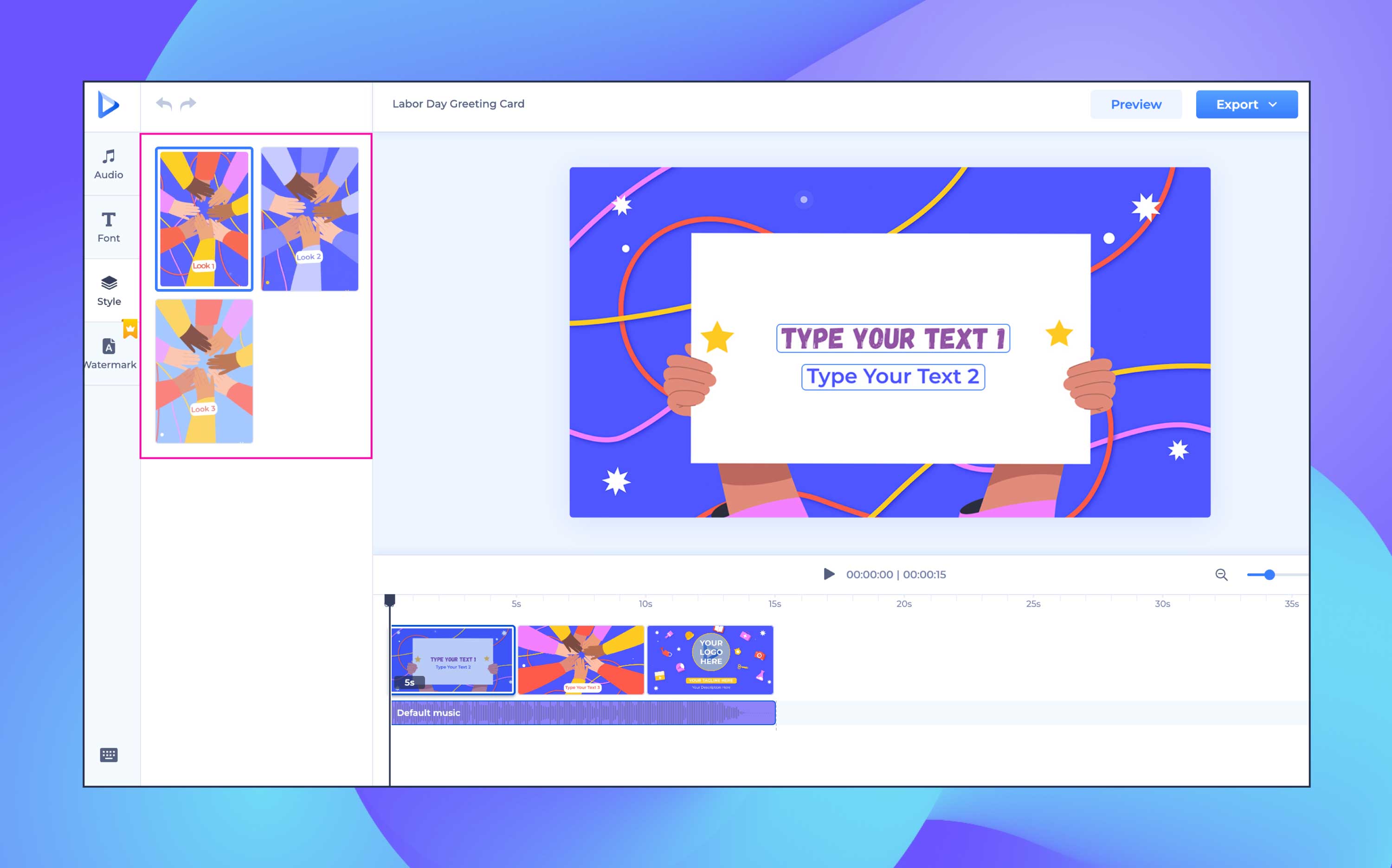
A template should be a starting point, not the finished brand identity. Change enough details so the intro feels like your channel or business, not just a generic opener.
The most common intro mistake is making the viewer wait.
Keep your branded intro short. For most YouTube videos, 3–5 seconds is enough. For Shorts, Reels, TikToks, ads, and clips, use 0–2 seconds or skip the traditional intro entirely.
The viewer clicked for the content, not the animation.
Watch the intro at full speed. Then preview it again on a smaller screen.
Check:
If the intro feels slow after the third replay, shorten it.
Export the intro in the format and resolution you need. Create different versions if necessary:
A reusable intro saves time, but it should still fit the format where it appears.
An outro is not just the final design screen. It is the part of the video where you guide attention.
Renderforest templates can help you create branded outros, end cards, logo closers, and video endings that feel consistent with the rest of your content.
Start with the next action you want viewers to take.
Do you want them to:
The outro design should support that action.
If you are creating a YouTube outro, leave space for clickable end screen elements. YouTube’s end screen guidelines explain where end screens appear and what they can include, so your outro should not place important text or visuals where YouTube elements may cover them.
A strong outro usually has one main call to action.
Examples:
Choose the CTA that matches the video’s purpose. If the video teaches something, the next best action may be another related video. If the video sells something, the next action may be visiting a landing page.
Your intro and outro should feel like they belong to the same brand system. Use consistent colors, typography, logo style, music, and pacing.
That does not mean they must be identical. The intro should open the story. The outro should close it. But they should feel connected.
Do not pack the outro with too much information. If the viewer has to read five things at once, the CTA gets weaker.
A simple outro with a logo, one line of text, and one next step is usually stronger than a crowded screen with every possible link.
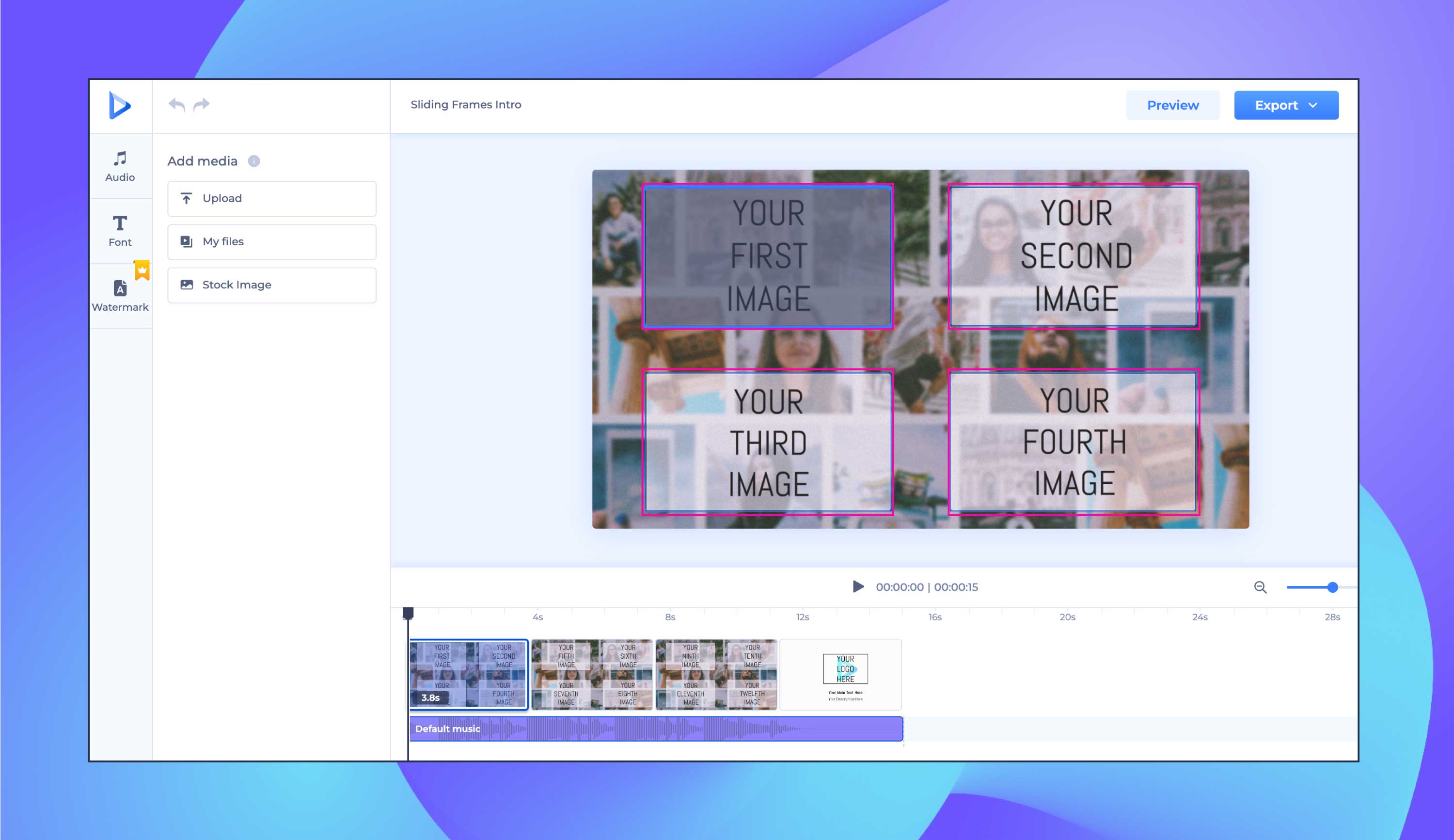
The outro should feel like a natural ending, not a separate template attached at the end.
Watch the last 30 seconds of the video and check:
A good outro should make the ending feel intentional.
Different videos need different openings and closings. Use this table as a guide.
The intro should respect the viewer’s reason for watching. The outro should respect the viewer’s next likely step.
Template choice matters because the wrong style can make a good video feel off-brand.
If the template calls more attention to itself than to your message, choose a simpler one.
Neon Power Logo Reveal is best for brands that need a high-energy opener: gaming channels, music videos, nightlife promotions, entertainment content, or bold creator brands. Use it when the goal is to create an immediate visual charge, but keep the intro short so the neon effect does not delay the main content.
Neon Light Room works well when you want atmosphere. It can support creator content, music visuals, event promos, and entertainment brands that need a stronger visual environment around the logo or title.
Electromagnetic Logo Reveal is a stronger fit for tech, innovation, engineering, gaming, or product launch content. Use this type of intro when the motion style supports the brand idea instead of becoming a random visual effect.
Elastic Logo Reveal fits creative brands, startups, social-first content, and channels that want a more flexible, dynamic feel. You can also use Renderforest’s logo animation tools to create a branded intro or outro that matches your visual identity.

Each platform has different viewer behavior. A polished intro that works in a webinar may hurt performance on TikTok. A fast CTA that works on Shorts may feel too abrupt in a business presentation.
The intro should fit the viewing environment. On feed-based platforms, you usually have less time. On search-based or long-form platforms, you have more room, but the opening still needs to earn attention.
A weak intro can lose viewers before the video starts. A weak outro can waste a viewer’s attention after they have already shown interest.
The safest rule is this: never make the viewer wait for the useful part, and never end without telling them what to do next.
A well-crafted intro and outro can make your content feel more professional, but they should never get in the way of the viewer’s experience.
A concise introduction sets the stage for what is coming, while a focused outro leaves a lasting impression and gives the viewer a next step. Short does not mean rushed. It means every second has a job.
Logo animation adds a layer of polish to your intros and outros, but the motion should match your brand. A subtle fade, clean reveal, or quick logo sting often works better than a complicated animation that delays the content.
If you need a branded logo reveal, Renderforest’s logo animation tool can help you create a reusable animated logo for intros, outros, ads, presentations, and social videos.
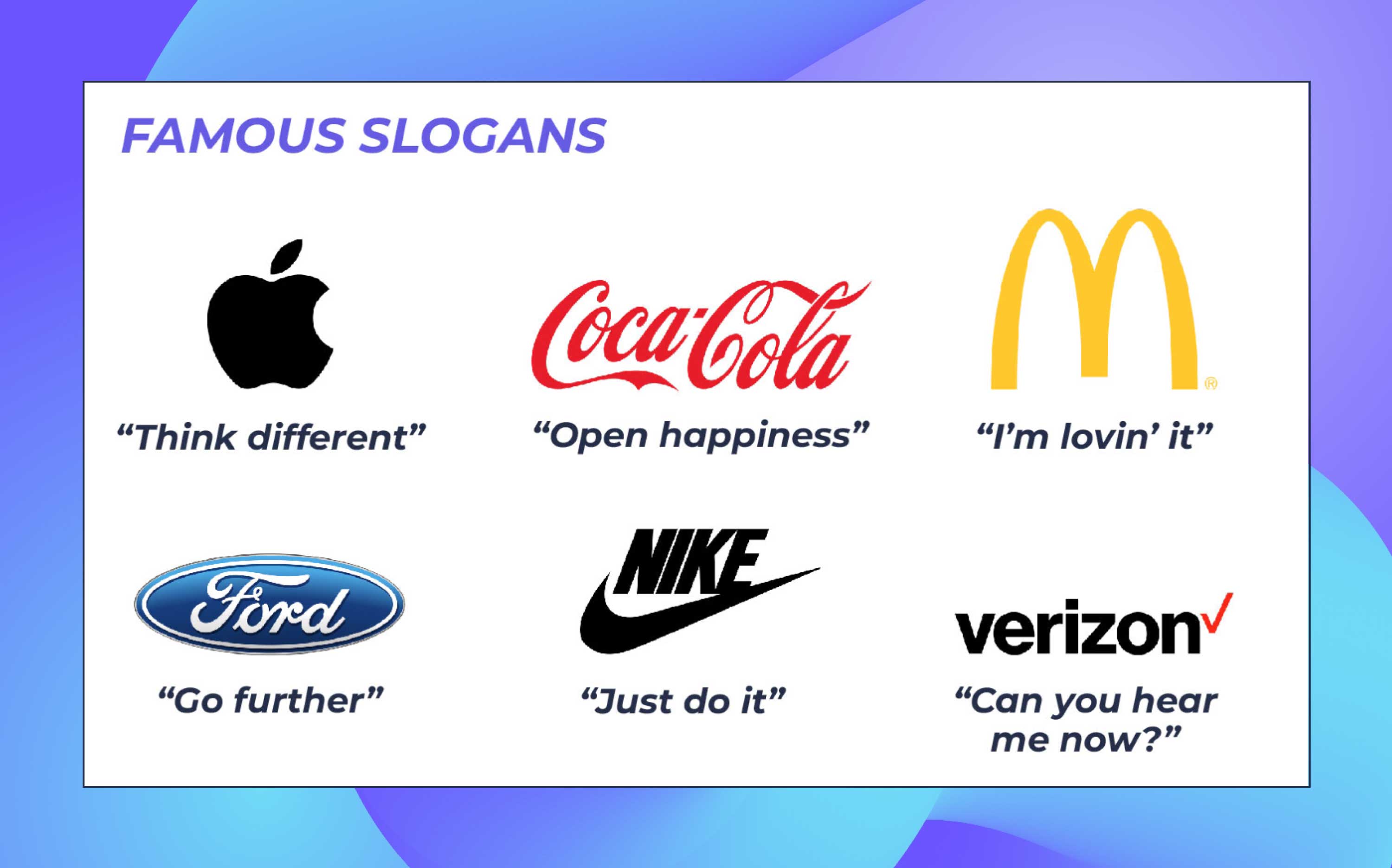
A strategically placed CTA can turn passive viewers into subscribers, customers, leads, or returning viewers. The CTA should match the purpose of the video.
If the video teaches something, recommend the next lesson. If the video promotes a product, send viewers to the product page. If the video builds a community, ask viewers to subscribe or follow.
Consistency is the foundation of effective brand communication. When creating intros and outros, use your established brand colors, fonts, logo rules, sound style, and tone of voice.
Your intro and outro should feel like a natural extension of your brand, not a separate design asset attached to the video.
Templates save time, but customization is what makes them work. Adjust colors, text, logo placement, music, and timing so the result feels specific to your brand.
Renderforest provides a variety of creative tools, including the online logo maker, intro templates, video tools, and the audio visualizer for music projects.
With the right customization, you can save time and still keep a consistent, professional look across your video content.
Before publishing your video, use this checklist.
A good intro and outro should feel invisible in the best way. Viewers should notice the professionalism, not feel interrupted by the branding.
A video intro and outro are not just decorative pieces. They shape how people enter and leave your content.
A strong intro tells viewers, “You are in the right place.”
A strong outro tells them, “Here is what to do next.”
For most videos, keep the intro short, clear, and focused on the viewer’s reason for watching. Use the outro to guide attention, not overload the screen. If you are creating YouTube content, remember that the outro and end screen should work together, especially in the final seconds where clickable elements may appear.
With tools like Renderforest’s intro maker and YouTube intro maker, you can create branded intros and outros without starting from a blank timeline. You can also use logo animation to make your brand feel more polished across intros, outros, ads, presentations, and social media videos.
Looking to create a striking outro that leaves a lasting impression on your viewers? Try Renderforest’s Free YouTube Outro Maker and showcase your unique voice. You can also use YouTube Shorts templates to create short-form video content faster.
The best intro and outro do not make the video feel longer. They make the video feel complete.
A video intro is the opening section of a video. It introduces the topic, brand, creator, or promise of the content. It can be a hook, title card, logo animation, voiceover, or short branded opener.
A video outro is the closing section of a video. It wraps up the message and guides viewers toward the next action, such as subscribing, watching another video, visiting a website, following a brand, or buying a product.
An outro is the creative closing section of a video. An end screen is a YouTube feature that can add clickable elements like videos, playlists, subscribe buttons, and links during the final seconds of a video. YouTube explains end screen rules in its official end screen help guide.
For most videos, an intro should be between 0 and 5 seconds. Tutorials, Shorts, Reels, and TikToks usually need very short intros. Business presentations, podcasts, and brand films can use slightly longer intros if the opening adds value.
Most outros should be between 5 and 15 seconds, depending on the platform. YouTube outros often need enough time for a clear CTA and end screen elements. Short-form videos usually need only a very quick outro or CTA.
Most YouTube Shorts do not need traditional intros and outros. The first second should act as the hook, and the ending should be short enough to keep the video moving. A quick text CTA or verbal CTA is usually enough.
A YouTube outro can include a final takeaway, subscribe prompt, next video suggestion, playlist recommendation, logo, and space for end screen elements. Keep the outro focused on one primary next action.
Not every video needs a traditional intro. Long-form videos, branded content, shows, webinars, and presentations often benefit from intros. Shorts, Reels, TikToks, and ads usually perform better when they start directly with the hook.
Most videos benefit from some kind of outro, even if it is very short. The outro gives viewers a next step. For short-form videos, this may be as simple as “Follow for more,” “Save this,” or “Watch part two.”
You can make an intro and outro online by choosing a template, adding your logo and text, customizing colors and music, previewing the result, and exporting the final video. Renderforest’s intro maker is one option for creating branded intros and outros from ready-made templates.
A good intro quickly confirms the topic, gives viewers a reason to keep watching, and establishes the tone or brand without delaying the main content. The best intros are short, clear, and matched to the platform.
A good outro wraps up the video and gives the viewer one clear next step. It should be easy to understand, visually clean, mobile-friendly, and aligned with the goal of the video.
Share this


Article by: Liana Ziroyan
Liana is a marketing professional with 11 years of experience in digital marketing, content, and product communication. She has a strong eye for visual storytelling and loves turning ideas into engaging campaigns that connect with audiences. With her experience across branding, creative content, and user-focused messaging, Liana enjoys finding simple, effective ways to make products feel clear, useful, and exciting.
Read all posts by Liana Ziroyan