

AI
Cartoon animation has a way of making ideas feel lighter, clearer, and easier to remember.
A short cartoon can explain a product, teach a lesson, tell a brand story, introduce a character, make a social media post more engaging, or turn a dry concept into something people actually want to watch.
The good news is that you no longer need a full animation studio to create one. With customizable templates and AI tools, you can build a cartoon animation online by choosing scenes, editing characters, adding text, recording or uploading voiceover, selecting music, and exporting the final video.
In this guide, “making a cartoon” means creating an animated cartoon video, not only applying a cartoon filter to a single image. We’ll walk through how to plan the idea, choose between templates and AI, customize your animation, fix common mistakes, and export a cartoon that feels clear, polished, and ready to share.

To make a cartoon animation, start with one clear idea, write a short script or scene outline, choose a cartoon style, select a template or AI cartoon generator, customize the characters, scenes, text, colors, music, and voiceover, then preview, edit, export, and share the finished animation.
With Renderforest, you can make a cartoon animation in two main ways. You can use the Cartoon Maker to start with customizable cartoon templates, or you can use the AI Cartoon Generator to turn a written idea, prompt, or script into an animated cartoon draft.
A simple cartoon-making workflow looks like this:
A cartoon animation is a video made from illustrated or animated characters, objects, backgrounds, text, and motion. Unlike a static cartoon image, a cartoon animation uses movement, timing, sound, and scene changes to tell a story or explain an idea.
Cartoon animations can be simple or detailed. Some are character-based. Some are whiteboard-style explainers. Some are 3D animations. Some are short social clips. Some are business videos that use friendly characters to explain a product, service, lesson, or process.
Cartoon animation works especially well when you need to:
The best cartoon animations are not just colorful. They are clear. They have a simple message, consistent style, readable text, good pacing, and sound that supports the story.

Do not start by picking characters or backgrounds. Start with the story.
Even a short cartoon needs direction. Before opening the editor, decide what the cartoon should do.
Here is a practical example.
If you are making a cartoon for a product launch, the story could be:
That is enough. You do not need ten characters, five subplots, and a long introduction. A simple story is easier to animate and easier to understand.
Both methods can help you create a cartoon, but they are useful in different situations.
Use templates when you already know the structure you want or want to customize an existing style. Use AI when you have a story idea but do not want to build every scene manually from scratch.
For example, a teacher creating an educational cartoon may prefer a ready-made explainer template. A small business owner with only a rough product story may prefer the AI Cartoon Generator to create the first version, then edit the scenes.
Renderforest’s Cartoon Maker lets users start from cartoon templates, edit scenes, add text, change colors and styles, choose transitions, add music, upload voiceover, and export the finished animation. Renderforest’s AI Cartoon Generator lets users enter an idea or script, choose a cartoon style, customize character types, language, and screen size, generate the cartoon, then edit or download it.
Templates are the easiest starting point when you want structure, style, and scenes already prepared.
Here is a practical step-by-step workflow.
Before choosing a template, decide what kind of cartoon you are making.
Common cartoon goals include:
The goal helps you choose the right story type.
A product cartoon should show the customer problem and result. An educational cartoon should explain one concept clearly. A social cartoon should get to the point quickly. A brand story can be more emotional, but it still needs structure.
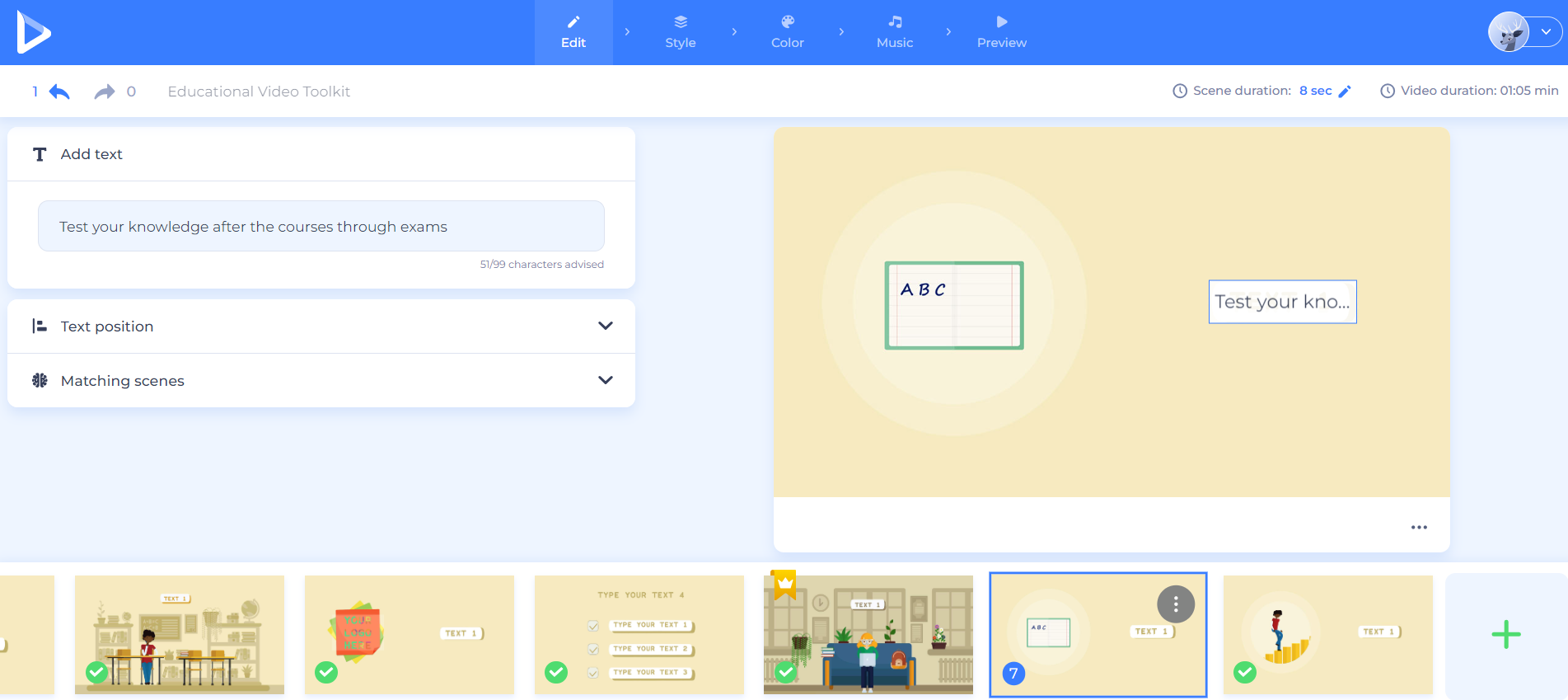
Choose a template based on your story, audience, and visual tone.
Look for:
Renderforest’s Cartoon Maker includes customizable cartoon templates and lets users start with a ready-made story or manually add scenes from a large scene library. That is helpful when you want a professional structure but still need room to make the cartoon your own.
Do not choose a template only because it looks nice. Choose one that fits the message.
A playful mascot template may be perfect for a children’s lesson or social post. A cleaner explainer template may work better for a SaaS product, internal training video, or business presentation.
Once you choose a template, adapt it to your story.
Customize:
Keep the text short. Cartoon scenes move quickly, and viewers should not have to read long paragraphs while also watching characters move.
Weak scene text:
“Our company offers a wide variety of helpful services designed to support small business owners with their marketing and promotional needs.”
Better scene text:
“Create marketing videos faster.”
Weak scene text:
“This solution is suitable for people who want to improve their workflow and save valuable time.”
Better scene text:
“Save time on every project.”
Each scene should say one thing clearly.

Sound can make a cartoon feel alive, but it should never fight the story.
Use voiceover when the message needs explanation. Use music to set the mood. Use sound effects only when they help the action feel clearer or more memorable.
Renderforest’s Cartoon Maker lets users add music, upload voiceovers or sound effects, and personalize the audio so it matches the animation and brand message.
When editing sound, check:
For business or education, clarity matters more than dramatic audio. The sound should support the message, not overpower it.
Before exporting, watch the full cartoon from beginning to end.
Do not only check individual scenes. Watch the cartoon like a viewer who knows nothing about the project.
Ask:
Then export the cartoon in the format you need for your website, presentation, social media channel, online course, campaign, or internal training resource.
AI is useful when you have an idea but need help turning it into scenes.
A practical AI cartoon workflow looks like this:
Renderforest’s AI Cartoon Generator lets users enter an idea or script, choose a style, customize character types, language, and screen size, generate the cartoon, then open it in the editor to adjust text, add music, change pacing, apply AI voiceovers, or regenerate individual scenes before exporting.
A strong AI cartoon prompt should include the audience, story, tone, style, length, characters, and final message.
Example prompt:
Create a 45-second cartoon animation for small business owners who struggle to explain their services online. Use a friendly character, a simple office setting, and a light educational tone. Show the character feeling confused, discovering an online cartoon maker, creating an explainer video, and sharing it with customers. End with the CTA: “Start creating your cartoon today.”
That is stronger than:
Make a cartoon about business.
The more specific your prompt, the better the first draft will be.
AI can help you start faster, but human editing still matters. Review the script, scene order, visuals, pacing, and tone before publishing.
Cartoon animation is flexible. It can be playful, educational, promotional, emotional, or instructional depending on the story and style.
The format should match the viewer’s situation. A classroom lesson can move slower than a social media cartoon. A business explainer should be clearer than a comedy sketch. A brand story can be more emotional, but it still needs a point.
Do not overload the cartoon with too many characters, messages, or scenes.
A simple story is easier to follow:
This structure works for education, marketing, training, and entertainment.
Every character should help the story.
A character can:
If a character does not help the story, remove it or give it a clearer role.

Pacing is one of the biggest differences between an amateur cartoon and a polished one.
If the animation feels slow, shorten scenes and remove pauses. If it feels rushed, give important moments more breathing room. Educational videos may need slower pacing. Social media cartoons usually need faster openings.
Watch the cartoon without editing for a moment. If you feel bored, confused, or rushed, your viewer probably will too.
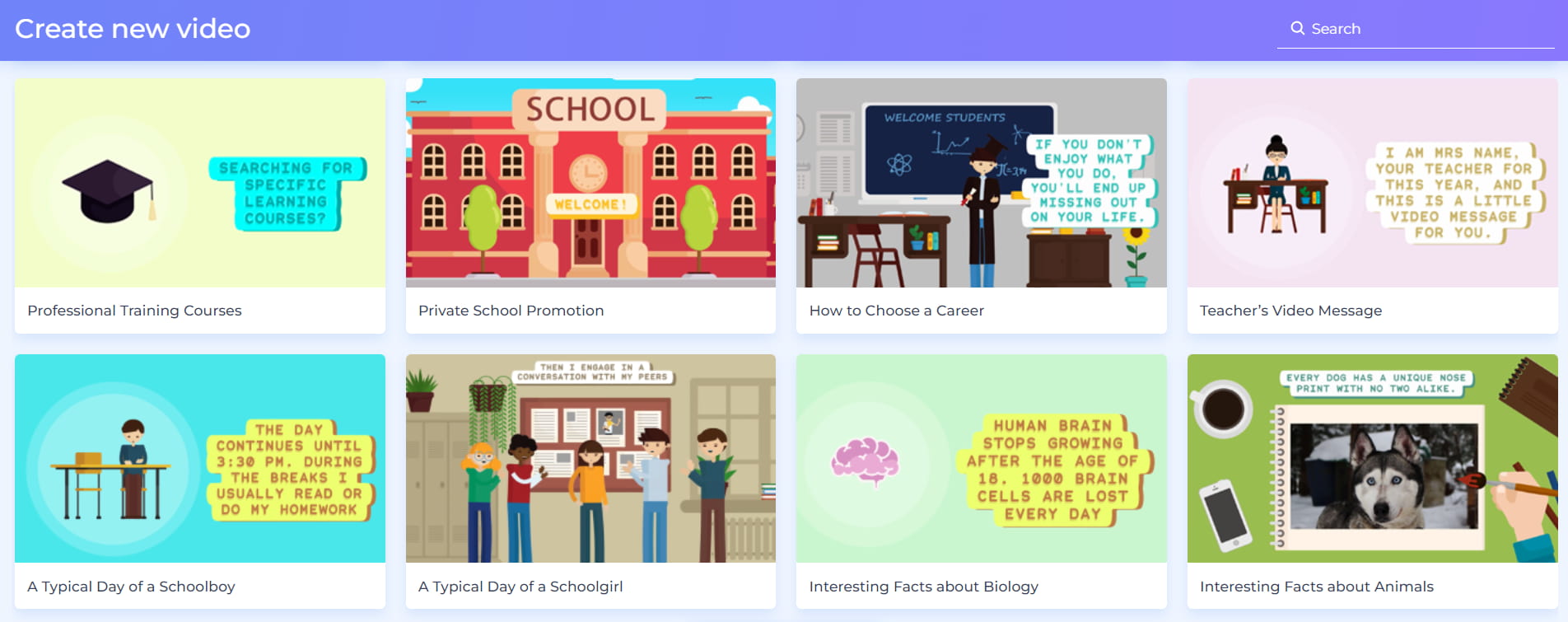
Do not mix too many visual styles, fonts, colors, or character types.
Consistency makes the cartoon feel more professional.
Keep consistent:
A simple, consistent cartoon usually looks better than a busy one.
Music, sound effects, and voiceover should support the action.
Use music to set the mood. Use voiceover to explain. Use sound effects to emphasize important actions. But avoid audio clutter.
If your voiceover is important, lower the music. If the cartoon is mostly visual, use music to guide the emotion. If it is educational, prioritize clear narration.
Cartoons often include captions, labels, titles, or speech bubbles. Keep them short and large enough to read.
Avoid tiny text, long sentences, and too many words on one screen.
Good cartoon text:
“Meet Mia.”
“She needs a faster way to explain her idea.”
“Now she can create an animated video online.”
Weak cartoon text:
“Mia has been looking for an easier and more convenient solution that would allow her to explain her business idea through animation.”
Short text wins.
A storyboard does not need to be fancy. It can be a simple outline.
A simple storyboard saves editing time and helps the cartoon stay focused.
Most cartoon problems are not about talent. They are about clarity, pacing, consistency, or audio.
Before making major edits, ask one simple question:
What is the viewer supposed to understand after watching this?
If that answer is not clear, fix the story before adjusting colors, music, or transitions.
Before exporting, review the cartoon like a viewer.
This checklist helps you catch problems before publishing.
The easiest way to make a cartoon animation is to start with a simple story and use the right creation path.
Use Renderforest Cartoon Maker when you want customizable templates, ready-made scenes, animated characters, text editing, colors, music, voiceover, and export options in one browser-based workflow.
Use Renderforest AI Cartoon Generator when you want to turn an idea, script, or storyline into a cartoon draft faster, then edit the result scene by scene.
Use Renderforest Animation Maker when your project is broader than a cartoon and you need animated videos for business, education, marketing, or presentations.
A good cartoon animation does not need to be complicated. It needs a clear idea, a simple story, consistent visuals, readable text, balanced sound, and a final scene that tells viewers what to do next.
Start with the story. Then choose the tool. Then make every scene earn its place.
To make a cartoon animation, start with a clear idea, write a short script or storyboard, choose a cartoon style, select a template or AI cartoon generator, customize the scenes, characters, text, colors, music, and voiceover, then preview, export, and share the finished animation.
To make a cartoon with AI, describe your idea or storyline, choose a cartoon style, customize details such as character type, language, screen size, music, pacing, and voiceover, then generate the cartoon. After that, review each scene, edit weak parts, and export the final video.
Yes. You can make a cartoon without animation skills by using customizable templates or an AI cartoon generator. Templates give you ready-made scenes and characters, while AI can turn your written idea or script into an animated draft.
The easiest way is to use an online cartoon maker with templates. Choose a template, customize the scenes, add text, music, and voiceover, preview the animation, and export it. This is faster than drawing and animating every element manually.
A cartoon animation should include a clear idea, simple story, consistent characters, readable text, smooth pacing, suitable music or voiceover, and a clear ending. Business cartoons should also include a call to action.
The best length depends on the goal. A social media cartoon may only need a few seconds. An explainer cartoon may need 30–90 seconds. A training or educational cartoon can be longer if the content is useful and well-paced.
Write a cartoon script by defining the main character, problem, action, result, and final takeaway. Keep sentences short and visual. Each scene should move the story forward.
Yes. Many cartoon makers, including Renderforest’s Cartoon Maker, allow users to add music, voiceover, or sound effects. Voiceover is useful for explainers, tutorials, training videos, and business cartoons.
Yes. Cartoon animation can be used for product demos, service explainers, training videos, social media posts, brand storytelling, internal communication, presentations, and marketing campaigns.
A cartoon maker usually lets you choose templates and customize scenes manually. An AI cartoon generator lets you describe an idea, script, or storyline and generates a cartoon draft for you. Both can be useful depending on how much structure or automation you want.
The best cartoon maker for beginners is one that offers templates, editable scenes, characters, text, music, voiceover, and simple export options. Renderforest is a strong option because it supports both template-based cartoon creation and AI cartoon generation.
To make a cartoon look professional, keep the story simple, use consistent character styles, avoid too many fonts or colors, make text readable, balance the audio, control the pacing, and preview the full animation before exporting.
Before exporting, check the story, pacing, text readability, character consistency, voiceover timing, music volume, transitions, CTA, and export format. Watch the full cartoon from beginning to end before publishing.
Share this


Article by: Liana Ziroyan
Liana is a marketing professional with 11 years of experience in digital marketing, content, and product communication. She has a strong eye for visual storytelling and loves turning ideas into engaging campaigns that connect with audiences. With her experience across branding, creative content, and user-focused messaging, Liana enjoys finding simple, effective ways to make products feel clear, useful, and exciting.
Read all posts by Liana Ziroyan