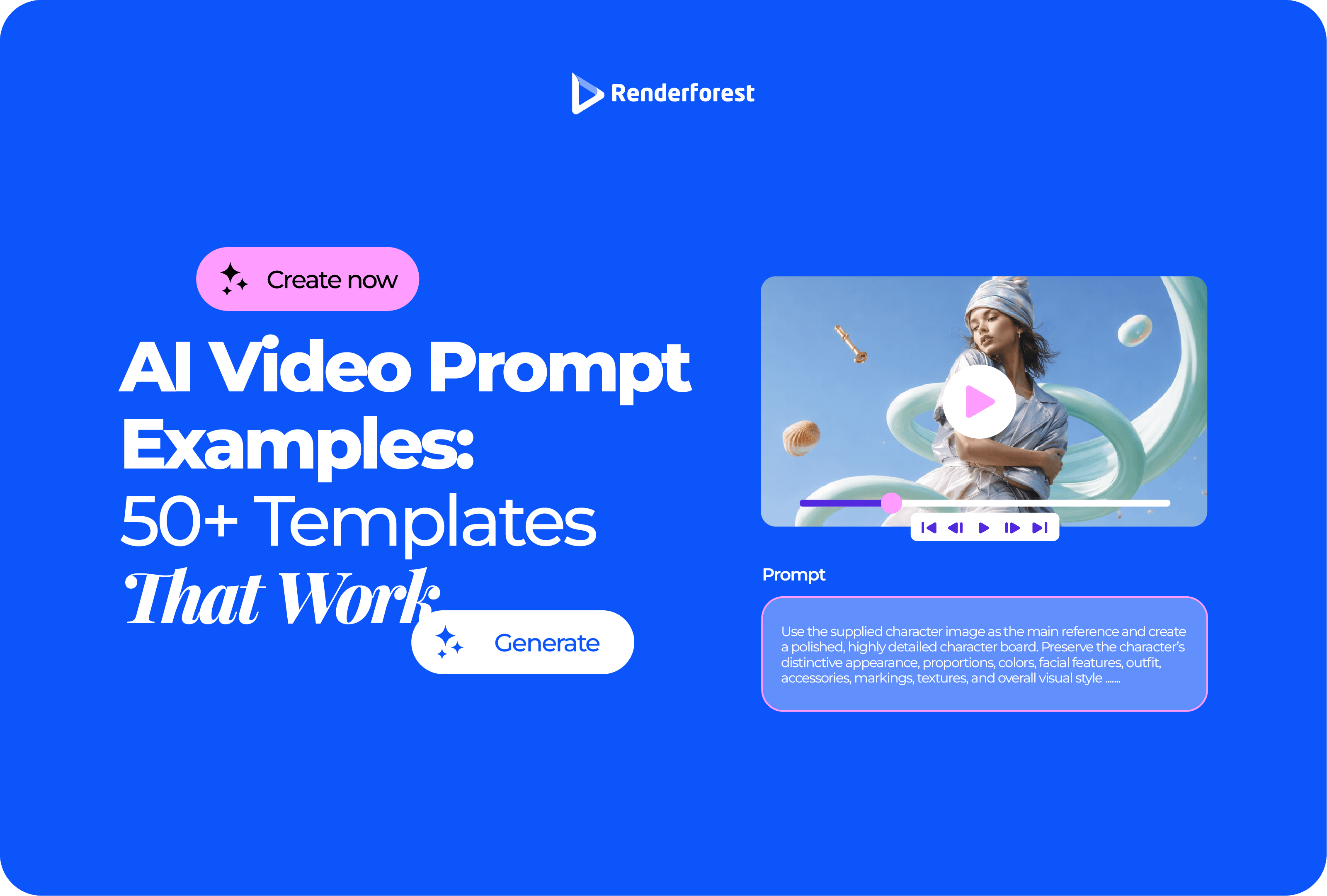
AI Video Prompt Examples: 50+ Templates That Work
Good AI video prompt examples do not just describe a pretty scene. They tell the model what the video is supposed to communicate.
That is the difference between “make a product video” and a prompt that gives you a usable shot: who or what is in frame, what moves, how the camera behaves, what should stay unchanged, and what the viewer should understand by the end.
This guide gives you 50+ AI video prompt templates for product videos, ads, explainers, YouTube clips, cinematic B-roll, image-to-video workflows, and longer scene plans. More importantly, it shows you how to adapt and repair those prompts when the output looks generic, distorted, or off-brand.
AI video prompt examples: quick answer
The best AI video prompts include the subject, action, setting, camera movement, style, lighting, duration, and purpose of the scene. For better control, add exclusions such as “avoid unreadable text,” “keep the product label unchanged,” or “no sudden camera jumps.”
Use this formula:
Create a [duration] video of [subject] doing [action] in [setting]. Use [camera movement/framing] with [lighting/style]. The video should communicate [viewer takeaway]. Keep [important details] consistent. Avoid [common AI mistakes].
Example:
Create an 8-second product video of a reusable water bottle standing on a kitchen counter while morning sunlight moves across the surface. Use a slow push-in camera movement with shallow depth of field. The style should be clean, natural, and premium, with warm soft lighting. The video should communicate durability and everyday use. Keep the bottle shape and label consistent. Avoid fake condensation, distorted logo text, extra products, and cluttered backgrounds.
That prompt works because it gives the AI a job. It does not just ask for something “cool.”
What makes a good AI video prompt?
A good AI video prompt works like a short creative brief.
Google DeepMind’s Veo prompt guide recommends thinking about shot framing and motion, style, lighting, character descriptions, location, action, and dialogue when writing video prompts. Source: Google DeepMind Veo prompt guide.
Runway’s text-to-video guide says effective prompts describe what appears in the frame and how those elements move through the scene using direct, clear language. Source: Runway Text to Video Prompting Guide.
OpenAI’s Sora 2 prompting guide gives a useful mental model: prompt like you are briefing a cinematographer who has never seen your storyboard. Source: OpenAI Sora 2 Prompting Guide.
For practical use, your prompt should answer these questions:
The prompt does not need to be long. It needs to be directed.
Text-to-video and image-to-video prompts are not the same
This is where many AI video prompts fail.
For text-to-video, the model needs you to describe the whole scene. You should include the subject, setting, action, camera movement, lighting, mood, and style.
For image-to-video, the image already defines the subject, composition, and visual style. Your prompt should focus on motion: what moves, how the camera moves, what changes, and what must stay unchanged.
A weak image-to-video prompt says:
Animate this product photo.
A better version says:
Animate this product photo with a slow push-in camera movement. Add subtle light movement across the bottle and gentle depth in the background. Keep the bottle shape, color, label, and position unchanged. Avoid warping the packaging, changing the logo, adding extra products, or generating unreadable text.
That second prompt gives the model guardrails.
The S.C.E.N.E. formula for better AI video prompts
Use the S.C.E.N.E. formula when writing or improving prompts.
Example:
Create an 8-second video of a local bakery owner placing a tray of fresh croissants into a display case. The context is an early morning bakery preparing to open. The event is simple: the tray slides into place, steam rises slightly, and the owner smiles in the background. Use warm morning light, a close-up camera angle, shallow depth of field, and gentle handheld motion. Avoid distorted hands, fake brand labels, extra people, and exaggerated steam.
If a prompt fails, the problem is usually a weak Event, weak Nuance, or missing Exclusions.
What not to ask one AI video prompt to do
A single short AI video prompt should not carry an entire marketing campaign.
Do not ask one 8-second clip to introduce the product, explain the customer problem, demonstrate three features, show a testimonial, display pricing, include a discount, and end with a CTA.
That is not one prompt. That is a storyboard.
Copy/paste AI video prompt templates
Use these templates as starting points. Replace the bracketed details before generating. Do not paste them unchanged unless the placeholders match your real product, audience, platform, and scene goal.
Product and ecommerce AI video prompt examples
1. Clean product hero video
Best for: ecommerce landing pages, product launch posts, paid social ads.
Use when: the product needs to look polished, but the viewer does not need a full demo yet.
Prompt:
Create an 8-second product hero video of [product] placed on [surface/background]. The product stays centered while the camera slowly pushes in. Use [brand style] lighting, clean composition, and subtle background motion. The video should make the product feel [premium/practical/playful/minimal]. Keep the product shape, color, label, and packaging consistent. Avoid distorted labels, extra products, fake logos, unreadable text, and clutter.
Common mistake: asking for “premium” without saying what should make it feel premium.
2. Product in use
Best for: ecommerce ads, product pages, social proof-style scenes.
Prompt:
Create a 10-second video showing [target customer] using [product] in [real-life setting]. Start with the problem, then show the product being used naturally. Use a medium close-up shot, smooth handheld motion, and realistic lighting. The viewer should understand [main benefit]. Avoid exaggerated results, fake testimonials, distorted hands, and unrealistic product behavior.
3. Ecommerce lifestyle scene
Create an 8-second lifestyle video of [product] in [setting], surrounded by [supporting props]. Use natural motion in the background, soft light, and a slow camera slide. The scene should feel [seasonal/elegant/cozy/energetic]. Keep the product clearly visible. Avoid crowded composition, fake packaging text, and unrelated props.
4. Before-and-after product setup
Create a 12-second video showing a simple before-and-after setup for [product category]. First show [problem state], then transition to [improved state] after [product] is introduced. Use a clean split-scene structure and clear visual contrast. Avoid fake performance claims, unrealistic transformations, and unreadable text.
5. Product launch teaser
Create a 10-second launch teaser for [product name]. Start with close-up abstract details of the product, then reveal the full product in the final three seconds. Use [brand colors], cinematic lighting, and slow controlled motion. End with space for launch text. Avoid showing fake features, extra logos, and busy backgrounds.
6. App demo teaser
Create a 12-second app teaser showing [app category] helping [user type] complete [task]. Use real-looking interface-inspired visuals without inventing specific unsupported UI claims. Show a smooth sequence: problem, tap, result, final benefit. Keep text large and minimal. Avoid fake analytics, unreadable screens, and random dashboard numbers.
7. Packaging reveal
Create an 8-second video of [product package] being opened on [surface]. Use a top-down camera angle, soft shadows, and slow natural hand movement. The reveal should feel [premium/handmade/friendly/modern]. Avoid distorted fingers, incorrect logo text, extra items, and overdramatic effects.
8. Seasonal product ad
Create a 10-second seasonal video ad for [product] during [season/holiday]. Show the product in a relevant setting with subtle motion, warm lighting, and a clear final frame for offer text. The tone should be [festive/calm/luxury/family-friendly]. Avoid holiday clichés, overcrowded props, and fake discount text.
Marketing and ad prompt examples
9. Short social ad
Best for: Reels, TikTok ads, YouTube Shorts, paid social tests.
Create a 7-second vertical video ad for [product/service]. Start with the problem in the first second, show the solution by second three, and end with a clear CTA frame. Use bold readable text areas, fast but clean motion, and [brand colors]. Avoid slow openings, tiny captions, fake testimonials, and clutter.
10. Founder-style brand video
Create a 15-second brand video for [business type]. Show a founder or team member preparing [product/service] in a real workspace. Use documentary-style camera movement, warm natural lighting, and honest human details. The video should communicate care and credibility. Avoid fake office scenes, unrealistic perfection, and generic corporate visuals.
11. Local business promo
Create a 12-second promo video for a local [business type] in [city/neighborhood]. Show the storefront, one customer interaction, and the main service being delivered. Use friendly natural light and a welcoming tone. Avoid fake crowds, unreadable signs, and exaggerated claims.
12. Service explainer ad
Create a 15-second video explaining [service] for [audience]. Show the problem, the service in action, and the outcome in three clear scenes. Use simple visual metaphors, clean transitions, and space for captions. Avoid abstract business stock footage, random charts, and unclear symbolism.
13. Testimonial-style video without fake testimonial
Create a 12-second video showing a customer-like scenario for [product/service] without implying a real testimonial. Show a person experiencing [problem], using [solution], and feeling relieved. Keep it clearly illustrative, not documentary proof. Avoid direct review quotes, fake names, fake ratings, and exaggerated results.
14. Event promo
Create a 10-second event promo for [event name/type]. Show the venue atmosphere, people arriving, detail shots, and a final title card. Use energetic but clean pacing. Leave space for date, location, and registration text. Avoid fake celebrity appearances, unreadable posters, and overcrowded scenes.
15. Website hero loop
Create a seamless 6-second looping video for [brand/category]. Use abstract motion based on [brand shape/color/theme]. The loop should feel smooth, modern, and suitable for a website hero section. Avoid distracting motion, flashing, readable fake text, and sudden cuts.
YouTube and creator prompt examples
16. YouTube intro clip
Create a 4-second YouTube intro for [channel name], a [channel type] channel for [audience]. Show the video topic in the first second: “[topic].” Use [visual style] with one clean motion idea. End on a readable title card. Avoid long logo reveals, flashing effects, tiny text, and random icons.
17. Faceless explainer scene
Create a 10-second faceless explainer scene about [topic]. Use simple visual metaphors, clean motion graphics, and clear pacing. The scene should explain [specific idea] without showing a presenter. Use space for captions. Avoid generic B-roll, confusing symbols, and overly complex diagrams.
18. Podcast clip background
Create a 12-second vertical video background for a podcast clip about [topic]. Use subtle waveform-inspired motion, calm background visuals, and space for captions and speaker names. The visuals should support the quote, not distract from it. Avoid fake microphones, fake guest faces, and busy motion.
19. Tutorial opening
Create a 6-second tutorial opening for a video about [task]. Show the final result first, then transition to a clean title card. Use practical, direct pacing and readable text space. Avoid cinematic buildup, unnecessary effects, and abstract visuals.
20. Commentary video B-roll
Create an 8-second B-roll scene for a commentary video about [topic]. Show [visual metaphor or relevant setting] with subtle camera movement and realistic lighting. The scene should support the narration without pretending to show a real event. Avoid news-like realism, fake documents, and recognizable real people.
21. YouTube Shorts hook visual
Create a 3-second vertical video hook for a YouTube Short about [topic]. The first frame should make the idea clear without sound. Use bold composition, large text space, and one fast motion cue. Avoid logo reveals, slow transitions, and small details.
22. Educational diagram scene
Create a 10-second educational video scene explaining [concept]. Use simple animated shapes, labels, and motion that shows cause and effect. Keep the design clean and easy to follow. Avoid too many labels, tiny text, and decorative motion that does not explain anything.
Image-to-video prompt examples
Image-to-video prompts should focus on motion and consistency. The image already gives the model the subject, composition, and visual style.
23. Animate a product photo
Animate this product image with a slow push-in camera movement. Add subtle light movement across the product surface and gentle background depth. Keep the product shape, label, color, and position consistent. Avoid changing the logo, adding extra objects, or warping the packaging.
24. Animate a portrait
Animate this portrait with subtle natural movement: slight head motion, soft blinking, and gentle background movement. Keep the person’s identity, clothing, and facial structure consistent. Avoid exaggerated expressions, face distortion, extra teeth, and unnatural eye movement.
25. Animate a food photo
Animate this food image with gentle steam, slight camera push-in, and subtle lighting movement. Keep the dish composition unchanged and realistic. Avoid melting, changing ingredients, adding utensils, or making the food move unnaturally.
26. Animate an app screenshot
Animate this app screenshot with a clean camera move and subtle interface highlight. Show attention moving from [area] to [area] without changing the actual UI content. Avoid fake numbers, distorted text, new buttons, and unsupported product behavior.
27. Animate a logo scene
Animate this logo with a clean 3-second reveal. Use subtle motion, soft light, and a polished final hold. Keep the logo shape, colors, and text exact. Avoid warping the logo, adding extra words, or using distracting effects.
28. Animate a real estate photo
Animate this property image with a slow cinematic push-in and subtle natural light movement. Keep the architecture accurate and straight. Avoid bending walls, changing windows, adding furniture, or creating unrealistic reflections.
29. Animate a fashion product image
Animate this fashion product image with gentle fabric motion and a slow camera slide. Keep the product shape, color, texture, and logo accurate. Avoid changing the pattern, adding extra accessories, or distorting the model.
30. Animate a travel photo
Animate this travel image with subtle camera movement, natural sky or water motion, and realistic depth. Keep the location recognizable and avoid changing landmarks. Avoid fake crowds, warped buildings, and unnatural clouds.
Cinematic AI video prompt examples
31. Cinematic city shot
Create an 8-second cinematic shot of [city/location type] at [time of day]. Use a slow tracking camera movement, atmospheric lighting, and realistic environmental motion. The mood should be [calm/tense/hopeful/nostalgic]. Avoid recognizable copyrighted signs, distorted vehicles, and crowded visual noise.
32. Character walking scene
Create a 10-second video of [character description] walking through [location]. Use a medium tracking shot from behind, natural body movement, and [lighting style]. The scene should feel [mood]. Avoid face distortion, inconsistent clothing, extra limbs, and sudden camera jumps.
33. Dramatic product close-up
Create a 6-second cinematic close-up of [product/object]. Use macro framing, slow camera movement, controlled highlights, and shallow depth of field. The object should feel [premium/technical/handmade/futuristic]. Avoid distorted surfaces, fake logos, and excessive lens flare.
34. Nature B-roll
Create a 10-second nature B-roll shot of [landscape]. Use slow natural camera movement, realistic wind or water motion, and [time of day] lighting. The shot should feel peaceful and grounded. Avoid surreal colors, impossible physics, and over-sharpened detail.
35. Film noir scene
Create an 8-second film noir-style scene of [subject] in [location]. Use high-contrast black-and-white lighting, slow smoke movement, hard shadows, and a static or slow dolly camera. Avoid modern objects, fake text, and exaggerated detective clichés.
36. Sci-fi environment
Create a 10-second sci-fi environment shot of [location]. Show one clear subject moving through the scene while background lights and machinery move subtly. Use controlled camera motion and [mood] lighting. Avoid cluttered panels, unreadable symbols, and chaotic movement.
37. Slow-motion action
Create a 6-second slow-motion video of [action] happening in [setting]. Use a close camera angle, clear subject motion, realistic physics, and dramatic lighting. Keep the action readable. Avoid impossible body movement, extra objects, and overdone particle effects.
38. Emotional story moment
Create a 12-second cinematic scene of [character] experiencing [emotion] in [setting]. Use restrained camera movement, natural facial expression, and environmental details that support the emotion. Avoid melodrama, exaggerated expressions, and inconsistent character appearance.
Prompt examples by visual style
39. Minimal clean style
Create an 8-second video of [subject] in a clean minimal setting. Use soft light, simple composition, neutral colors, and one smooth camera movement. The video should feel calm, modern, and easy to understand. Avoid clutter, heavy effects, busy backgrounds, and fast cuts.
40. Handmade brand style
Create a 10-second video of [product/process] in a warm handmade workspace. Use natural textures, close-up details, soft daylight, and gentle handheld motion. The scene should feel personal and careful. Avoid fake perfection, plastic-looking materials, and generic studio backgrounds.
41. Bold social style
Create a 6-second vertical video about [topic/product]. Use bold composition, fast clean motion, high contrast, and space for large captions. The first frame should be understandable without sound. Avoid tiny text, slow openings, and too many effects.
42. Premium luxury style
Create an 8-second video of [product/object] with restrained luxury styling. Use dark or warm neutral background, slow motion, controlled highlights, and minimal props. The video should feel quiet and expensive. Avoid gold overload, smoke, sparks, and flashy motion.
43. Documentary style
Create a 12-second documentary-style video of [person/process/place]. Use natural lighting, realistic camera movement, imperfect human details, and grounded pacing. The scene should feel observed, not staged. Avoid fake interviews, over-polished lighting, and generic stock footage.
44. Animated explainer style
Create a 10-second animated explainer scene about [concept]. Use simple shapes, clear labels, smooth transitions, and a friendly visual style. The motion should explain the idea step by step. Avoid decorative animation that does not clarify the concept.
Long-form and multi-scene prompt examples
45. 30-second product ad prompt
Create a 30-second product ad for [product] aimed at [audience]. Structure it into five scenes: problem, product reveal, product in use, main benefit, final CTA. For each scene, include visual direction, voiceover, on-screen text, and transition. Keep the style [brand style]. Avoid fake claims, unreadable text, and repeated visuals.
46. 60-second explainer video prompt
Create a 60-second explainer video about [topic] for [audience]. Break it into six scenes of about 10 seconds each. Start with the problem, explain the idea simply, show a practical example, and end with a clear next step. Use [visual style], readable captions, and consistent pacing. Avoid jargon, random B-roll, and abstract visuals.
47. 3-minute video outline prompt
Create a 3-minute video outline for [topic/product/service]. Break it into 12 scenes of 10–15 seconds. For every scene, include the purpose, visual direction, voiceover line, on-screen text, and suggested motion. Keep the video coherent and avoid repeated scene ideas.
48. YouTube educational video prompt
Create a YouTube video plan for a 4-minute educational video about [topic]. Start with a strong hook, then explain the concept in simple steps. Include scene ideas, B-roll prompts, caption lines, and moments where diagrams would help. Avoid long intros, generic stock footage, and unsupported claims.
49. Brand story video prompt
Create a 90-second brand story video for [brand]. Structure it around origin, problem, process, product, customer use case, and final brand promise. Use warm documentary-style visuals and human details. Avoid fake testimonials, exaggerated claims, and generic corporate language.
50. Social campaign prompt set
Create five short video prompt variations for a social campaign about [product/service]. Each version should use a different hook: problem, benefit, comparison, behind-the-scenes, and customer scenario. Keep each video under 10 seconds and include visual direction, caption idea, and CTA frame.
51. Webinar-to-video repurposing prompt
Turn this webinar topic, [topic], into a 60-second highlight video. Use three key ideas, one speaker quote, one visual example, and a final CTA. Suggest B-roll scenes, captions, and title cards. Avoid making the video feel like a lecture transcript.
52. Blog-to-video prompt
Turn this blog post about [topic] into a 90-second video. Extract the main problem, three useful points, one example, and one final takeaway. Suggest visuals for each section and write short voiceover lines. Avoid copying the blog word for word.
53. Multi-model testing prompt
Create three versions of the same 8-second video prompt for [scene]. Version A should be realistic and cinematic. Version B should be clean and commercial. Version C should be stylized and social-first. Keep the subject and action the same so the outputs can be compared fairly.
54. Prompt improvement prompt
Improve this AI video prompt: “[paste prompt].” Make it more specific by adding subject detail, action, camera movement, lighting, style, timing, viewer purpose, and negative instructions. Keep the original idea, but make the output easier to control.
55. Prompt repair prompt
My AI video output had these problems: [list problems]. Rewrite the prompt to fix them. Add clearer camera direction, reduce ambiguity, and include negative instructions. Keep the same subject and scene goal.
Prompt repair clinic: how to fix bad AI video outputs
This is where prompt writing becomes practical. If the first output fails, do not rewrite everything. Diagnose the failure.
A better prompt does not always need more adjectives. Often it needs fewer jobs and clearer boundaries.
Negative prompt examples for AI video
Negative instructions help prevent common AI video problems. They are not magic, but they give the model clearer boundaries.
For most business videos, the most useful negative prompt is simple:
Avoid distorted hands, unreadable text, fake logos, extra products, unrealistic claims, and sudden camera jumps.
How to adapt prompts for different AI video models
Different AI video tools respond differently, but the core prompt logic stays the same.
Google Cloud’s Veo 3.1 prompting guide describes a shift from simple generation to creative control, with stronger prompt adherence and improved audiovisual quality when turning images into videos. Source: Google Cloud Veo 3.1 prompting guide.
Use this table as a practical translation guide:
Renderforest’s AI video generator supports starting with text, an image, or a script, choosing a model, style, and format, then refining generated visuals, voiceover, and scenes before export. That makes it useful when you want to test prompt variations without treating the first output as final.
How to turn one prompt into a better prompt
Most weak prompts fail because they skip the job of the scene.
Weak prompt
Make a cool video for a coffee brand.
Better prompt
Create an 8-second product video for a small-batch coffee brand. Show a bag of whole-bean coffee on a wooden kitchen counter while morning light moves across the packaging. A hand pours beans into a grinder in the background. Use a slow push-in camera movement, warm natural lighting, shallow depth of field, and a calm handmade feel. The video should communicate freshness and morning routine. Keep the package label unchanged. Avoid distorted hands, fake labels, extra products, steam overload, and unreadable text.
Why the better prompt works
It gives the model:
- a specific product,
- a setting,
- one simple action,
- camera movement,
- lighting,
- mood,
- viewer takeaway,
- consistency instructions,
- and things to avoid.
That is the difference between decoration and direction.
FAQ
What is an AI video prompt?
An AI video prompt is a written instruction that tells a video model what to generate. A strong prompt describes the subject, action, setting, camera movement, style, lighting, duration, and what to avoid.
What are the best AI video prompt examples?
The best AI video prompt examples include a clear subject, action, scene, camera movement, style, and purpose. They tell the AI what should happen in the video, how it should move, and what the viewer should understand.
How do you write an AI video prompt?
Start with the subject, then add the action, setting, camera direction, lighting, visual style, duration, viewer takeaway, and exclusions. For example: “Create an 8-second video of [subject] doing [action] in [setting], using [camera movement] and [style]. Avoid [common issues].”
What should I include in a text-to-video prompt?
A text-to-video prompt should include visual details and motion details. Describe what appears in the frame, what moves, how the camera moves, and what style the video should follow.
What should I include in an image-to-video prompt?
For image-to-video, focus on motion and consistency. The image already defines the subject and style, so the prompt should describe camera movement, subject movement, environmental motion, timing, and what should stay unchanged.
How long should an AI video prompt be?
Short prompts can work for creative exploration, but detailed prompts give you more control. For business videos, 60–120 words is often enough for one scene. For multi-scene videos, write a structured outline instead of one long paragraph.
Why do AI video prompts fail?
AI video prompts usually fail because they are too vague, ask for too many actions in one clip, skip camera or motion direction, or forget to say what must stay unchanged.
Can I use the same prompt in Sora, Veo, Runway, and other AI video tools?
Yes, but results will vary. Use the same core idea, then adapt the prompt to the model. For image-to-video tools, focus more on motion. For audio-capable models, include sound or dialogue. For short-clip tools, keep the scene simple.
Final takeaway
A good AI video prompt is not a magic sentence. It is a clear creative brief.
Start with the scene’s job. Then describe the subject, action, setting, camera, lighting, style, and exclusions. Use templates when you need speed, but do not copy them blindly. The best results come from adjusting the prompt to the product, audience, platform, and scene goal.
The model can generate the video. Your prompt should direct it.