Create Videos from Photos
Impressing your audience is all about how you present your content, and with Renderforest’s Photo Video Maker, anyone can transform ideas and moments captured as photos into videos that hook their viewers. Be it showcasing a new idea or creating a special birthday video, our tools let you create videos from photos with the best results every time.
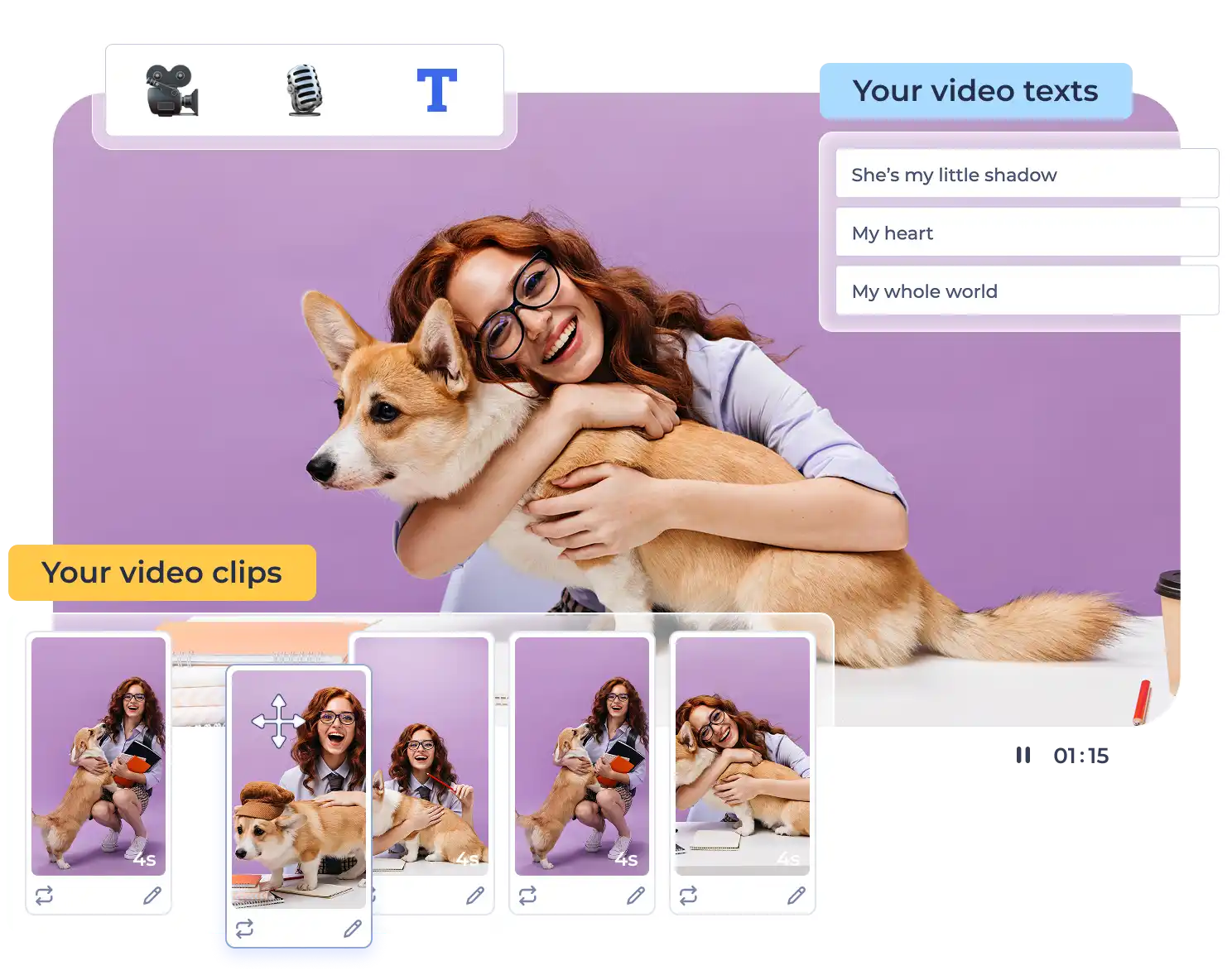
Photo Video Maker Trusted by Our Partners

Easy-to-Use Photo Video Maker

Large library of pre-built templates
Start your creative journey with our pre-designed templates. Our templates cover a wide range of themes, styles, and uses to suit your needs. Find the right one for your project by typing your keywords in the search bar or exploring the categories.
Effortless photo upload
Using Renderforest’s free Photo Video Maker, you can import images from your computer or mobile device, so all your favorite moments are just a few clicks away. It even supports multiple file formats, so you don’t need to convert your visuals.
Eye-catching animations
Renderforest offers a variety of animation styles to add to your videos. Simply pick your style, apply it, and make videos from photos in no time. With eye-catching animations to convey your message, you can leave a lasting impression on your audience.
Various font types
Typography can help set the tone of your video, and with our large collection of fonts, you can pick the one that matches your video's style and mood. Our photo-to-video maker gives you the flexibility to make every video your own, by letting you upload your own fonts to match your brand or style.
Dynamic text-to-speech
Recording your voice-over from a pre-written speech can be costly and time-consuming. Our text-to-speech feature helps you add natural-sounding voiceovers in no time, with multiple languages and accents to reach a global audience. If you prefer a personal touch, you can also record your own voice-over directly within the editor.
Branded watermarking
Protect your videos and promote your brand with our watermarking feature. You can use the Renderforest picture video maker to create videos that feature your logo, helping to build brand recognition and loyalty among your target audience.
How to Create Video from Photos With Renderforest
Use a Ready-Made Template
Pick your perfect template
Choose the template that best fits the content you want to create. From weddings to promos, our templates suit a variety of styles. Each one offers a ready-made structure to help you start quickly and no experience in design needed.
Upload your photos
Upload the photos you want to include in your video directly from your phone, tablet, or computer. The photo video maker supports multiple formats and keeps the image quality intact, so you can organize everything in one place and move on to the creative part with ease.
Customize and export
Personalize your video by editing text, adjusting timing, and adding music or transitions to match your style. Preview and export your video in the resolution you need. Whether sharing or saving, Renderforest keeps it simple.
Start From Scratch
Build your scene layout
Start with a template that compliments your video’s objective and select the best fitting scenes. Choose from a variety of photo holders, text slides, logo animations, and transition styles. You decide how your video flows from beginning to end, with full creative freedom over every detail.
Add your photos and audio
Upload your images, insert your text, and personalize every scene. You can add music, generate AI visuals, include a text-to-speech voiceover, or place your logo for branding. The editor gives you complete control over how your photo video looks and sounds.
Personalize and export
Go through each scene to adjust timing, transitions, and placement. Once everything feels right, export your video in high quality. Your video is ready to download, publish, or send wherever you need it.
The Most Popular All-In-One Design Platform

34 Million
Clients Served

100+ Million
Projects Created

20.000+
Positive Reviews
What Makes Our Photo Video Maker the Best Choice
Effortless video creation from pictures
Creating videos from photos is a breeze with our easy-to-use interface; you don't need any technical skills or prior editing experience. Simply choose a template, upload your photos, and customize them to your heart’s desire with the online Photo Video Maker. It's designed to be accessible to everyone, making video creation a smooth and enjoyable process.
Budget-friendly solution
Our free Photo Video Maker provides a cost-effective way to create professional videos while saving on expensive software and production costs. You can access a range of features, tools, and templates all in one place without costing your wallet. This makes Renderforest the best solution if you’re looking to make high-quality videos on a budget.
Minimum efforts, maximum results
Achieve the best results with minimal effort. Our platform automates much of the video creation process, allowing you to focus on the creative side and have your video ready sooner. From predesigned templates to music synchronization, our photo-to-video maker handles the heavy lifting so you can create impressive videos in just a few clicks.
No editing skills required
Even if you have zero editing skills, Renderforest allows you to create content that can compete with professionally made videos. With our intuitive design, many templates, and easy-to-use features, you can produce top-of-the-line videos without the complex technicalities involved in other video editing platforms.
Tips for Creating a Stunning Video from Photos

Choose high-quality photos
For a better-looking video, consider uploading high-resolution photos for quality results. Clear, well-lit images result in better looking videos. If you’re looking to create a promotional video for social media, for example, use vibrant, sharp photos that catch attention. You can also adjust your images directly in the editor by applying filters or fine-tuning brightness and saturation.

Create a compelling narrative
Plan your sequence of photos in a way that builds a story. You can also organize photos chronologically or by theme to grab viewers’ attention and communicate your message. For instance, if you’re making a birthday montage, start with childhood pictures and move through the years. This approach takes viewers on an emotional journey through time.

Maintain a consistent style
Once you choose your template, font, and color palette for your video, make sure you stick to these throughout your project. A consistent theme gives off a professional look. If you’re creating a corporate video, use your brand’s colors and fonts at all times. For a vacation video, you can choose a playful and bright theme to reflect the fun nature of your adventure.
Why Users Love Renderforest
Something really helpfull for videomakers
I work in the media field and often I need to make short videos or intros for my tv station and is just great.Lot of options and fast encoding, this make me to save a lot of time and have a professional product to show to my viewers.
Create awesome things
Very nice website. Great templates, easy to make, high availability and great quality. Everyone will find something for themselves and their company.
If you're looking to add value to your marketing start with Renderforest!
Renderforest has been a staple in my advertising internally and externally. Our target audience loves it and always has delightful feedback about it. Whether it was a logo created, or a video created using the awesome templates, everything is just so simple to use.
Photo Video Maker FAQ
How do I make a video with pictures?

To create video from photos, start by uploading your images to our Photo Video Maker. Arrange them in an order you like, and add music and text. Once you’re done, export your video. With user-friendly tools, Renderforest caters to both beginners and professionals.
Where can I make a video with pictures for free?
Using Renderforest’s free Photo Video Maker, you can make high-quality videos out of photos in minutes. It offers templates and features at no cost, allowing you to create a video from photos even if you’re on a tight budget.
What is an easy video maker with photos and music?
Renderforest’s photo-to-video maker is an easy-to-use tool for creating videos with photos and music. Its simple features combined with a large library of templates and music tracks make it easy to create professional-grade videos from your photos.
What is the best photo video maker?
Renderforest’s Photo Video Maker is one of the best photo video maker apps on the market, thanks to its user-friendly design, many template themes and styles, and powerful features. From first-timers to seasoned creators, anyone can use Renderforest to make high-quality content in minutes.