Fast when you're drafting. Pro when it's the final cut.
Renderforest Fast turns a prompt into a scene in about a minute — it's the model every project starts on. Renderforest Pro is the finishing model: lifelike motion and physics, up to 15 seconds per shot, with or without voice-over, in 480p, 720p or 1080p. Both are Renderforest's own, and both live in the same editor as Veo, Kling, Seedance and MiniMax H3 — your free test credits work on either.
Generate with Fast — freeTwo models. One honest split.
Nobody believes one model is best at everything any more. Ours are not rivals — they are two stages of the same job, and knowing which one you are in is the whole trick.
Renderforest Fast
Renderforest Fast is Renderforest's speed-first AI video model — the platform default — generating 1 to 10 second scenes in 480p, 720p or 1080p, typically in about a minute, at the lowest credit cost of any model on the platform.
Iterate shamelessly: run five versions of the hook and keep the one that works. Drafts, storyboards, social loops, simple product scenes — the shots where waiting is the real cost. In a hurry inside a hurry? Fast Track bumps your render up the queue for 1.5× credits.
~1 min per scene
1–10s clips
480/720/1080p
Lowest credits
Default model
Text or image input
Renderforest Pro
Renderforest Pro is Renderforest's cinematic-quality AI video model, built for dynamic, physically believable motion — up to 15 seconds per shot in 480p, 720p or 1080p, with voice-over generated in the shot or added in the editor.
Cloth that swings with weight. Water that splashes and settles. Vehicles that corner like they have mass. When the shot has to move right — and maybe say something while it does — this is the lane.
Cinematic tier
Up to 15s
480/720/1080p
Physics & motion
Voice-over optional
Text or image input
What each model is built for
Three things Fast is better at than any model on the platform, and three things Pro is here to finish. Same prompt box, same editor, same plan — the only decision is which stage of the job you are in.
A minute, not a queue
A typical Fast scene lands in about a minute — short enough to stay in flow, run variants, and storyboard a whole video in one sitting. Speed isn't a convenience here; it's what makes iteration affordable enough to actually do.
The cheapest way to change your mind
Fast runs at the lowest credit cost on the platform — a fraction of any frontier model per second of video. First drafts exist to find out what you actually want, and Fast makes version three cost less than one frontier render.
Starts from words or a frame
Type a prompt, or upload a first frame and let Fast animate it — product stills, brand frames, storyboard panels. It also powers multi-scene story generation, so a script becomes a sequence rather than a single clip.
Motion with mass
Pro is tuned for the shots that expose AI video: fabric and hair moving with weight, liquids that splash and settle, vehicles that corner with momentum, camera moves that track and orbit without the world wobbling.
Says it out loud — or doesn't
Pro shots can be generated with voice-over spoken in the scene, or rendered clean and narrated later with Renderforest's AI voices in the editor. Some scenes talk, some don't — it's a per-scene choice, not a plan feature.
Any brief, one finishing model
Product spots, explainers, story scenes, UGC-style shots, ads — Pro renders 480p roughs through 1080p finals of the same prompt, so the draft-to-delivery pipeline never changes models mid-project unless you want it to.
From prompt to published in four steps
- Step 1
Describe the scene
Type what happens — or drop in a first frame to anchor the look. Aspect ratio 16:9, 1:1 or 9:16, whichever platform you are cutting for.
Describe the scene - Step 2
Draft on Fast
About a minute later you're watching it. Wrong idea? That's the point of finding out now. Run the variants, keep the take.
Draft on Fast - Step 3
Re-render the keeper
Same prompt, one toggle: Pro for physics and voice-over — or test it against Seedance 2.5, MiniMax H3, Kling 3.0 or Veo 3.1, all on the same plan. Different shots have different winners; the toggle is how you find out.
Re-render the keeper - Step 4
Finish it properly
Stitch shots in the editor, add brand kit, subtitles and licensed music, then export for YouTube, TikTok, Reels and Shorts. Watermark-free on paid plans.
Finish it properly
Who each model is for
Six jobs, and where the draft-to-finish split lands in each of them. All of it on one plan, next to Veo 3.1, Kling 3.0, Seedance 2.5 and MiniMax H3.
Both models, one prompt each
Every clip below came out of Renderforest Fast or Renderforest Pro, and each card names which one and how long it took. The prompt is printed in full — copy it and run it yourself.
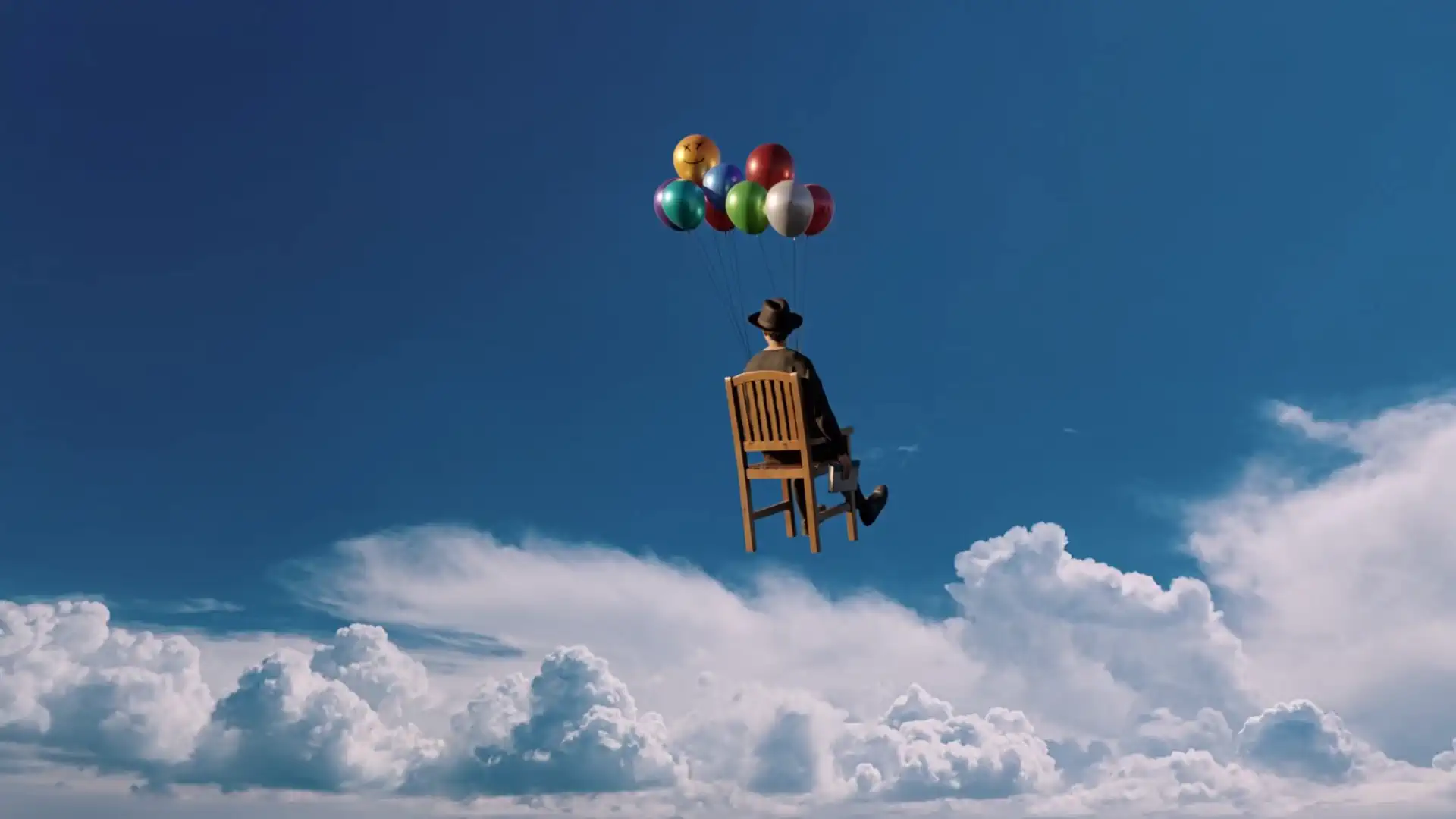
“Locked wide shot: The man and chair slowly rise up and right, rotating slightly. Balloons bob and jostle, strings flex, while his coat and hat flutter. Clouds drift subtly below. Deep blue sky, natural daylight, 35mm grain, no camera movement.”

“Locked wide shot: A pink silk form walks naturally across the dune, folds shifting with each step as its silhouette sways. Sand streams past its base, wind rippling the surface. Warm dusk light, 35mm grain, real-time, no cuts or camera movement.”

“Camera slowly pushes in as she lifts her chin toward the sun, lips slightly parted. Water beads trail down her cheek and glasses while small waves lap her jaw. Wet hair glows in turquoise-gold light. Sun-drenched summer editorial, natural rhythm, soft film grain.”
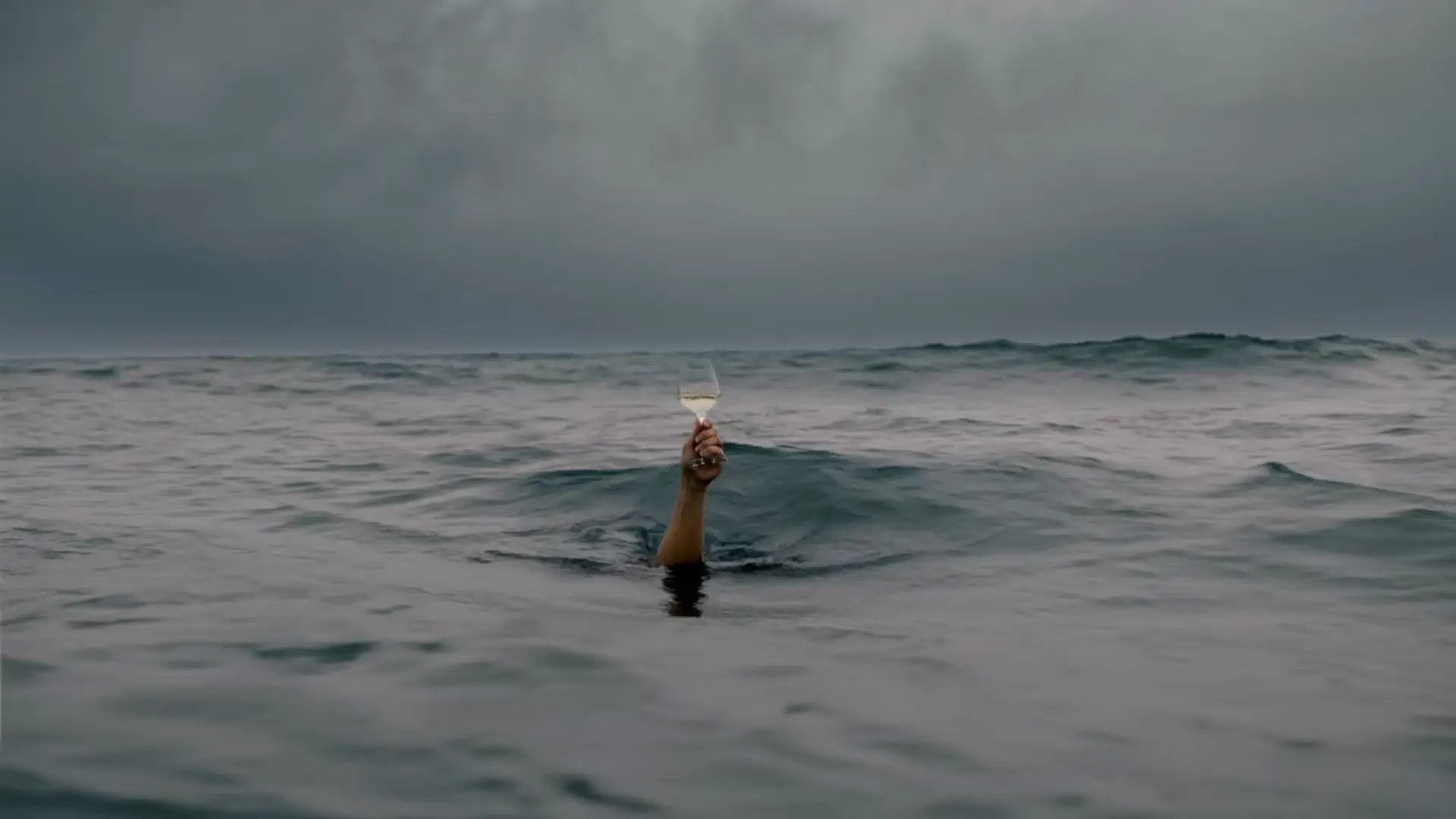
“Locked static shot: Dark ocean swells roll as a hand rises and falls, keeping a wine glass perfectly level. Rain dimples the water, waves lap the wrist. Moody desaturated grade, 35mm grain, no camera movement, spills, or cuts.”
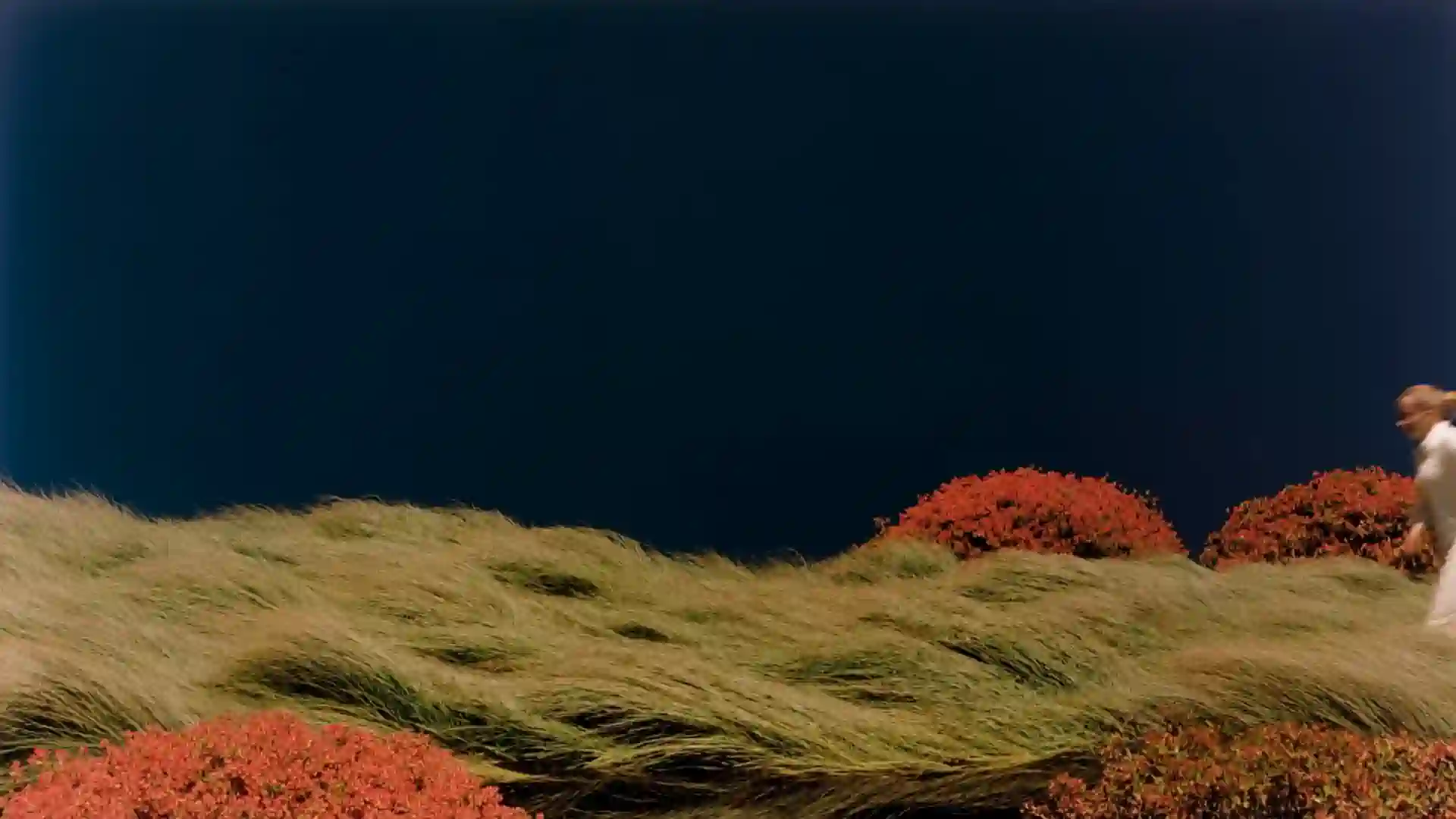
“Locked wide shot: A woman in white runs left through tall grass, dress trailing in long-exposure blur. Wind ripples the field and red shrubs as the dark navy sky stays still. Painterly editorial look, 35mm grain, no camera movement or extra people.”
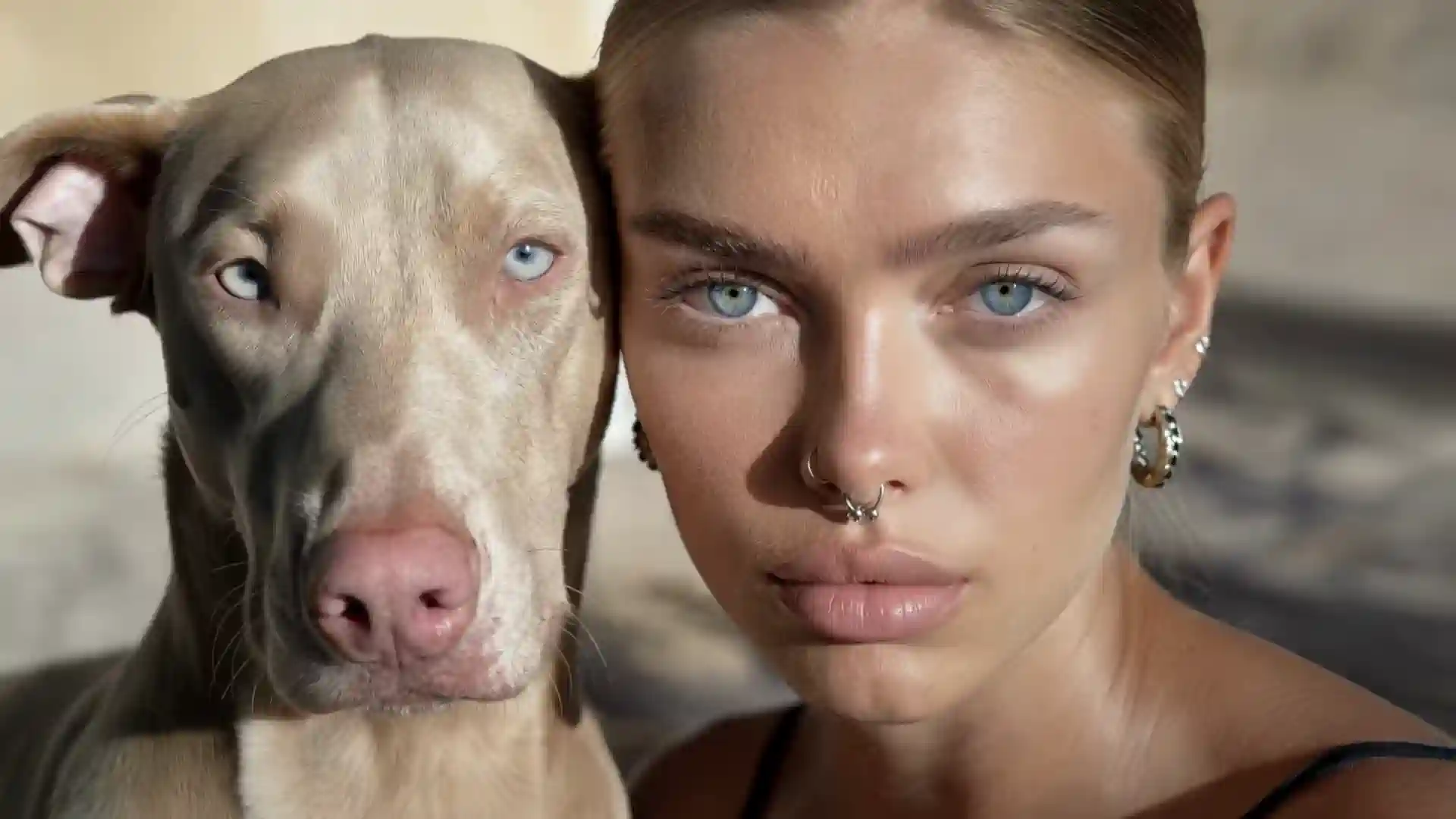
“Extreme close-up: A young woman and pale Weimaraner press cheek to cheek, staring into the lens. Dog blinks, hair drifts, whisker twitches. Slow centered push-in ends on both blue irises. Warm sunlight, ultra-shallow DOF, 35mm grain, hypnotic intimacy.”
Everything about the Renderforest models
Loved by Creators
If you're looking for the best AI video creation tool, just try Renderforest. It's the only option that produces videos 100% true to your prompt and the reference images you add.
Short learning curve and very intuitive. I created a product explainer a couple of hours after signing up, with no video editing knowledge.
I love using Renderforest for creating intro and AI videos. Everything is fast and works exceptionally well, especially the video quality.
With the AI tools they added, you can create a professional commercial for your business or brand just by typing a script.
I love the AI feature of Renderforest — that is just awesome. And I can make eye-catching reels using the AI reels maker.
Renderforest offers a diverse range of options for editing our videos with AI or manually. Unlike other AI tools, it's cost-effective and efficient.
The new AI features are awesome. Using image to video, I created beautiful short animations with my kids' book characters.
I don't come from a video production background, but the platform turns my scripts into clear, professional videos without any hassle.
A leap in the quality of our campaigns. With this speed of production, we serve retail clients with media on par with large ad agencies.
The AI features are very impressive. These tools make the creation process even faster and smarter, especially for video and branding content.
I've been using Renderforest for my video creation needs and I'm beyond impressed. The variety of templates is fantastic. A solid 5 stars!
The user-friendly interface, wide template collection, extensive customization options and fast rendering speed make my creative work achievable.
Hundreds of videos later, I'm continually impressed with the quality of the results. The best money I've spent in 30 years of marketing.
I'm dedicated to audiovisual creation, and Renderforest helps me create professional-level work quickly and simply. Fast, simple and pro.
Our models. No meter.
- Renderforest Fast
- Renderforest Pro
- Veo 3.1
- Kling 3.0
- Seedance 2.5
- MiniMax H3
- Pixverse V6
Elsewhere, AI video is a meter: per-second API rates and credit packs that turn every retry into arithmetic. The Renderforest models run on our own infrastructure, so the maths is simpler — free test credits to try both, then plans that include your generations with no per-second billing, alongside every frontier model we host. Editor, 1200+ templates, brand kit and commercial rights come with them.
Frequently asked questions
What is Renderforest Fast?
Renderforest Fast is Renderforest's own speed-first AI video model and the platform default. It generates 1 to 10 second scenes from a text prompt or a first-frame image in about a minute, in 480p, 720p or 1080p, at the lowest credit cost of any model on the platform. It's built for drafts, iterations, storyboards and simple scenes — and it's the model your free test credits go furthest on.
What is Renderforest Pro?
Renderforest Pro is Renderforest's cinematic-quality AI video model, built for dynamic, physically believable motion — cloth, fluids, vehicles, camera moves — in shots up to 15 seconds, at 480p, 720p or 1080p. It generates any kind of video, with voice-over spoken in the shot or added afterwards in the editor. It's the model Fast drafts graduate to when the result has to look filmed.
What's the difference between Renderforest Fast and Renderforest Pro?
Speed versus finish. Fast returns a scene in about a minute at minimal credit cost, so you can iterate freely; its output is deliberately simple. Pro takes longer per render but delivers cinematic motion and physics with optional voice-over. The workflow most users settle into: storyboard on Fast, re-render the keepers on Pro, and hand specialist shots to a frontier model when the brief demands it.
Are the Renderforest models free to use?
Every new account gets free test credits that work on both models, with no card required. After that, paid plans include your generations on the Renderforest models with no per-second billing and no credit packs to ration. Frontier models like Veo 3.1, Kling 3.0, Seedance 2.5 and MiniMax H3 are included in the same plans.
Which AI model powers Renderforest's video generator?
Renderforest runs its own models — Renderforest Fast and Renderforest Pro — alongside licensed frontier models including Google Veo 3.1, Kling 3.0, Seedance 2.5, MiniMax H3 and Pixverse V6. Fast is the default for new generations. You can switch models per generation with one toggle, and mix their output in the same edit.
How fast is Renderforest Fast?
A typical scene lands in about a minute, and each gallery clip on this page shows its real render time. If a minute is still too long, Fast Track prioritises your render in the queue for 1.5× credits. Generation times vary with length, resolution and load, which is why we publish measured times rather than a single promise.
How long can clips be, and at what resolution?
Renderforest Fast generates 1 to 10 seconds per clip; Renderforest Pro up to 15 seconds. Both output 480p, 720p and 1080p, in 16:9, 1:1 and 9:16. For longer videos, generate multiple shots and stitch them in the editor — mixing Fast, Pro and frontier-model clips in one timeline — then export as a single video.
Does Renderforest Pro do voice-over?
Both ways. Pro can generate a shot with the voice-over spoken in it, or render clean footage you narrate afterwards using Renderforest's AI voices in the editor. That makes voice a per-scene decision: a talking product demo, silent b-roll and a narrated explainer can all come from the same model in the same project.
Is Renderforest Pro the same as the Renderforest Pro plan?
No — and thanks for asking, because the names collide. Renderforest Pro is an AI video model. The Pro plan is a subscription tier. The Pro plan includes the Pro model, and the Pro model is also available on other paid plans. Anywhere you see it on this site, the word “model” or “plan” is attached to the name to keep the two straight.
How does Renderforest Pro compare to Seedance 2.5 or MiniMax H3?
Those are the models Pro is tuned to stand beside for dynamic motion, and all three run in Renderforest, so the comparison costs one toggle. Choose MiniMax H3 for 2K and multilingual dialogue, Seedance 2.5 for long directed multi-shot takes, and Pro for frontier-class motion at house economics in 1080p. Same prompt, two renders, your eyes decide.
Can I mix Fast and Pro clips in one video?
Yes — that's the intended workflow. Storyboard in Fast, upgrade the hero shots to Pro, keep connective b-roll on Fast, and cut it all together in the editor with brand kit, subtitles and licensed music. Any frontier-model clips join the same timeline. One export, every platform size.
Can I use videos from the Renderforest models commercially?
Videos generated and edited on a paid plan come with commercial usage rights — ads, client work, monetised channels. Platforms like YouTube and Meta ask creators to label realistic AI-generated footage; that applies to output from every AI video tool, ours included.
Draft it in a minute. Finish it like you meant it.
Renderforest Fast and Renderforest Pro — our own models, your free test credits, and every frontier model beside them.
Generate with Fast — free40M+ creators · One plan, every model · No credit card to start