Free Text to Speech: Realistic AI Voices, MP3 Download
Turn any text into a natural AI voice with 100 realistic voices in 20+ languages. Pick a voice here, generate in the AI audio tool, then download the MP3 or build a video around it.
No credit card needed
Commercial use on paid plans
Trusted by 40M+ creators since 2013 · 120M+ projects made
How it works
From text to speech in four steps
Paste, pick, tune, keep. The last step is where this page differs: your narration doesn't have to stop at a file.
128 / 3000
Paste your text
Drop in a script, article, or lesson, up to 3,000 characters per generation. Preview voices right here first, no sign-up needed.
01
SSamanthaUS · FemaleHHopeUS · FemaleMMarkUS · Male
Pick a voice
Choose from 100 realistic AI voices across 20+ languages: narrators, explainers, conversational and promo tones. Preview any voice with one click.
02
Speed1.0×
Listen and fine-tune
Set the speed, and on premium models the pitch and emotion, until the read sounds right. Generate again whenever you want another take.
03
0:42MP3 fileVideo
Download or keep going
Export your MP3 (or WAV and FLAC on premium models), or take the narration into a Renderforest video and finish it with subtitles, music, and your brand.
SWarm narratorRNews anchorMConversationalHUpbeat promoJCinematic trailerACalm and soothing
Voices that don't sound like a GPS
Realistic AI voices with natural pacing, stress, and breath, built for narration people actually finish. 100 voices across 20+ languages and accents, each described by tone so you're not auditioning blind.
HHopeUpbeat promo0:12
Preview voices before you sign up
Every voice on this page plays its own sample, with no login and no captcha. Pick the one that fits, then generate your text in the AI audio tool.
MP32.4 MBWAV18.6 MBFLAC9.8 MB
Download as MP3
Keep what you make. Every voice model exports MP3; the five premium models add WAV and FLAC for editing and mastering.
Speed1.0×EmotionCalmHappy
Full read controls
Speed on every voice, plus pitch, emotion presets, emotion tags, or a written style direction on the premium models. Set the delivery before you generate.
VoiceSubtitlesMusic
From voice to video
The step a plain text to speech tool can't take: your narration goes into a Renderforest video. Add subtitles, stock footage, music, and your logo, then publish. Text becomes speech; speech becomes a finished video.
Commercial license
Commercial use, in writing
Use your audio in monetized videos, courses, and client work on paid plans. Commercial use and watermark-free video exports are included.
Use cases
Who turns text into speech
Five jobs, one voice library. Try a sample script in the box above with one click.
YouTube narration
Three tools that changed how I edit, and the one I stopped using.
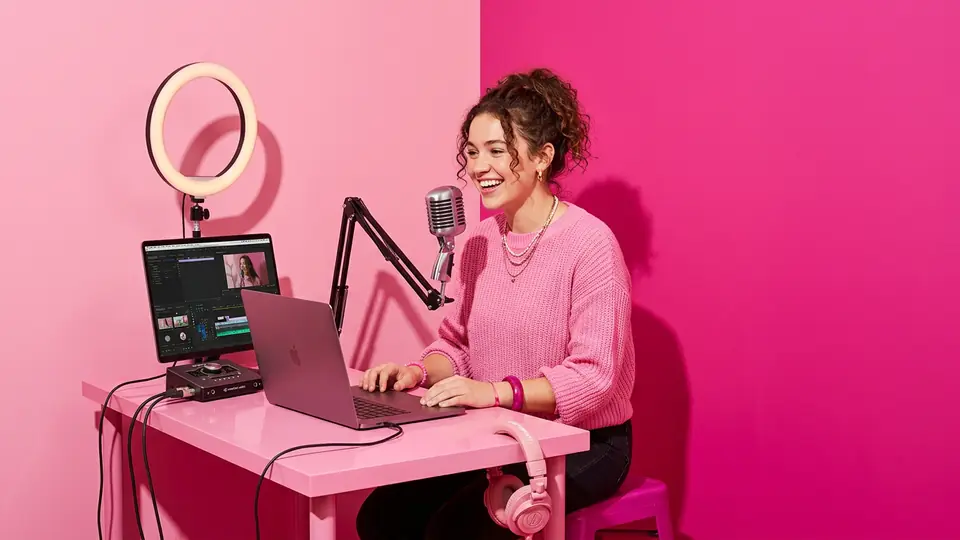
Script in the morning, narrated video by lunch. Generate the voiceover, build the video around it, and add captions. YouTube allows AI narration in monetized videos when the content is original and properly licensed.
Six voices, six jobs. Every card plays the voice's own sample, no sign-up needed. Pick one, then hear it read your text in the AI audio tool.
Liam · US · Male
Energetic YouTube narrator
Listen for the upbeat attack and the natural fall at the end of each sentence.
Claire · US · Female
Calm e-learning voice
Listen for even pacing and a clean list rhythm.
Oliver · UK · Male
Audiobook storyteller
Listen for unhurried pauses between phrases.
Olivia · US · Female
Punchy ad read
Listen for compressed, confident delivery.
Jessica · Spain · Female
Spanish explainer
Listen for native Castilian stress, not English rhythm in Spanish words.
Evelyn · UK · Female
Crisp news read
Listen for a measured tone that stays out of the way.
Guide
Text to speech, explained
What is text to speech?
Text to speech (TTS) is technology that converts written text into spoken audio using synthetic voices. Modern AI text to speech models add human-like pacing, stress, and emotion, so the output sounds like a person reading, not a robot spelling words aloud. You type or paste text, choose a voice, and get playable, downloadable audio in seconds.
How to choose the most realistic text to speech voice
Realism isn't one setting. It's four things to listen for. First, prosody: does the voice rise and fall naturally across a full sentence, or flatten out? Second, pacing: are pauses placed where a human breathes, especially around commas and lists? Third, pronunciation: test your niche terms, brand names, and numbers, since this is where most voices break. Fourth, consistency: generate two paragraphs and check that the voice doesn't drift in tone. Audition with your real script, not a demo line; a voice tuned for ads can sound wrong reading a lesson. And match the voice to the job: a warm narrator for stories, a neutral read for news-style content, a brighter tone for short-form.
Text to speech for YouTube
AI narration is allowed in monetized YouTube videos, with conditions. Your content must be original and add value (compilations of auto-generated readings are treated as spam), and your voice must carry a commercial-use license. Robotic, low-quality reads are themselves a spam signal to reviewers, so voice quality is a monetization factor, not just a taste one. Practical checklist: use a licensed voice on a paid plan, disclose AI use where YouTube's synthetic-media rules require it, and pair narration with original visuals.
From text, to speech, to finished video
The MP3 is rarely the goal. The video is. Generate your narration, then build the video around it in the same Renderforest account: auto-subtitles so viewers with sound off still follow, stock footage or your own, licensed music under the voice, and your brand kit on top. Want the same script in your own voice later? Clone your voice and generate it again.
Startfree. Upgrade when your voice goes to work.
Preview voices free, no credit card. Paid plans include voice credits, commercial licensing, watermark-free video exports, and the full video studio around your narration.
Renderforest does not generate nudity, sexual content, or sexual or deceptive deepfakes of real people. Every prompt and upload is screened by automated moderation, flagged cases are reviewed by our Trust and Safety team, and accounts that try to create prohibited content are closed. Read the full Acceptable Use Policy.
FAQ
Text to speech questions, answered
What is text to speech?
Text to speech (TTS) is technology that converts written text into spoken audio. You paste text, choose an AI voice, and the system generates natural-sounding speech you can play or download. Modern AI text to speech adds human pacing and emotion, making it useful for narration, e-learning, accessibility, and video voiceovers.
Is there a completely free text to speech?
You can start free. Every voice on this page plays its own sample with no sign-up, and a Renderforest account needs no credit card. Generating speech uses voice credits; paid plans include more credits plus commercial use and watermark-free video exports. Many "unlimited free" tools cap you weekly or delete files within minutes.
What is the most realistic text to speech?
The most realistic text to speech voices are neural AI voices that model human prosody: natural pauses, stress, and intonation. Judge realism on four tests: sentence-level rise and fall, pause placement, pronunciation of your specific terms, and tone consistency across paragraphs. Always audition a voice with your actual script before committing.
Can I use text to speech for YouTube videos and monetize them?
Yes. YouTube allows AI narration in monetized videos as long as the content is original and valuable and your voice carries a commercial license. Avoid low-quality robotic reads (a spam signal) and follow YouTube's synthetic-media disclosure rules. Renderforest paid plans include commercial use for generated narration.
How do I turn text into an MP3?
Paste your text into the box at the top of this page, pick a voice, and press "Generate voiceover". The AI audio tool opens with your text and voice: generate, listen, and download the MP3. Each generation takes up to 3,000 characters (5,000 on MiniMax Speech 2.8 HD), and the premium models also export WAV and FLAC.
How many voices and languages are available?
100 AI voices across 20+ languages and accents, from six voice models: Renderforest Voices, Eleven v3, Eleven Flash v2.5, MiniMax Speech 2.8 HD, Seed Audio 1.0, and Gemini 3.8 Flash TTS. Each voice is described by tone and use, so you can choose by the job, not just the language.
Can I control the speed and emotion of the voice?
Yes. Every voice has a speed setting, from half speed to double on Renderforest Voices. The premium models add more: pitch and emotion presets on MiniMax Speech 2.8 HD, emotion tags on Eleven v3 and Seed Audio 1.0, and a written style direction on Gemini 3.8 Flash TTS.
Can I add my narration to a video?
Yes. Your narration and your videos live in the same Renderforest account, so you can bring the voiceover into a video, add subtitles, stock footage, music, and your brand kit, then export it for YouTube, TikTok, or wherever you publish. No second tool, no second subscription.
Can the AI read my text in my own voice?
Yes. Record or upload a short sample, clone your voice, and your scripts can be read in it. Consent comes first: you can only clone a voice you have the rights to.
Your script is one paste away from a voice.
Free to try, voices to preview without an account, and a video studio waiting when the narration's ready.