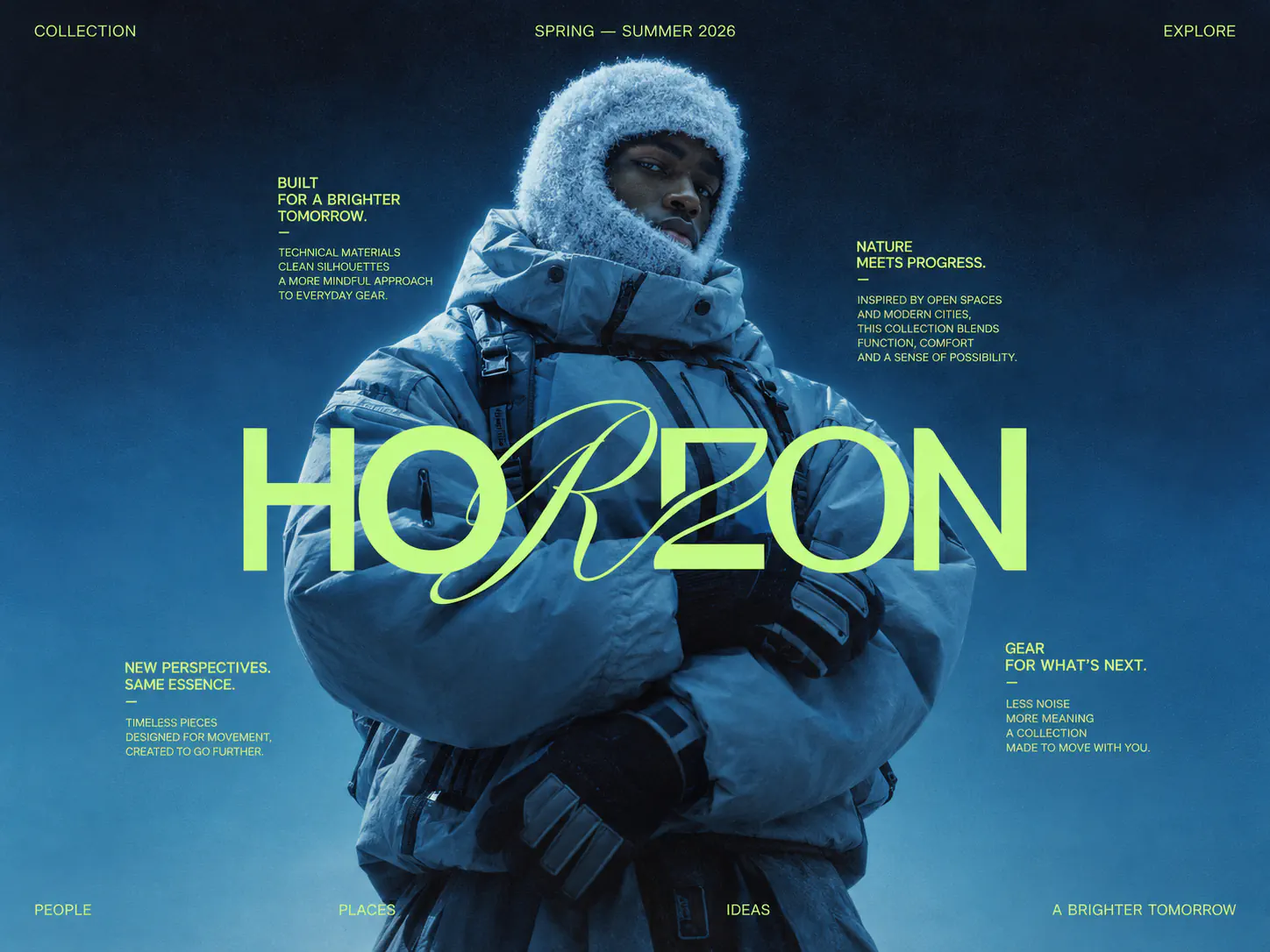
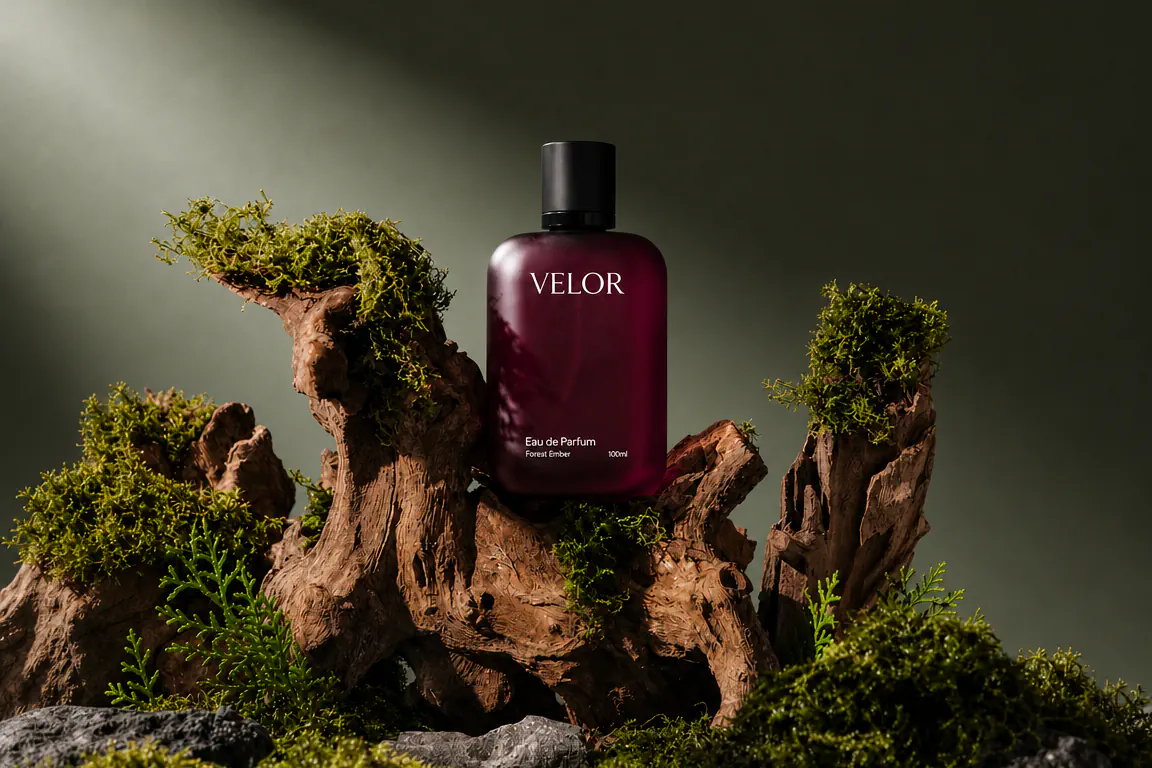
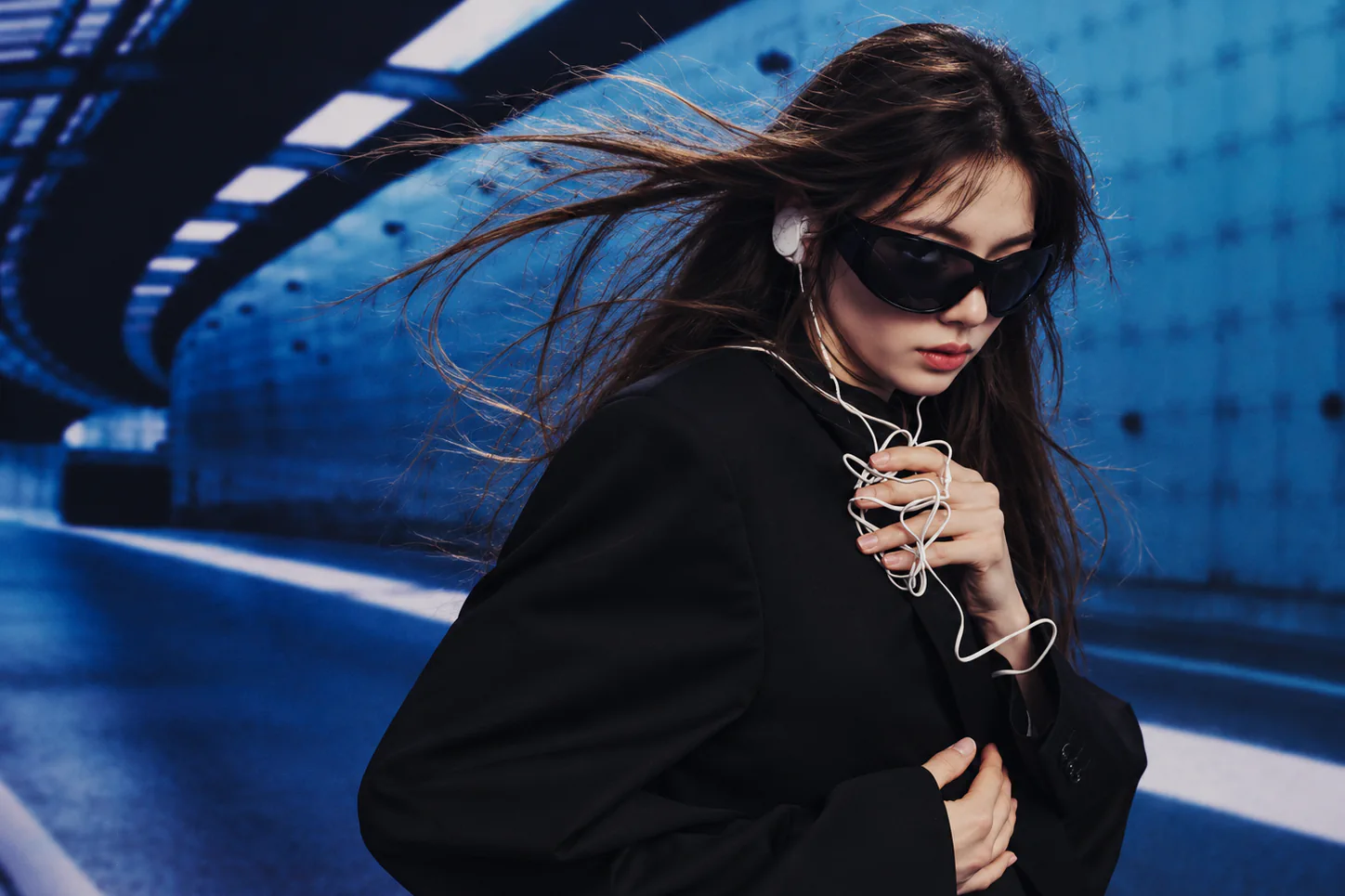
Home AI image generator GPT Image 2.5

GPT Image 2.5 Spells It Right. Renderforest Makes It Sell.

Generate posters, ads, thumbnails, and mockups with GPT Image 2.5 (built to render text correctly, at up to 4K), then brand, resize, and animate them into video, all in one Renderforest subscription.

Model:GPT Image 2.5

0/10

Also on your plan: Nano Banana Pro, Seedream 4.5, Flux 2

Add a prompt to generate your image
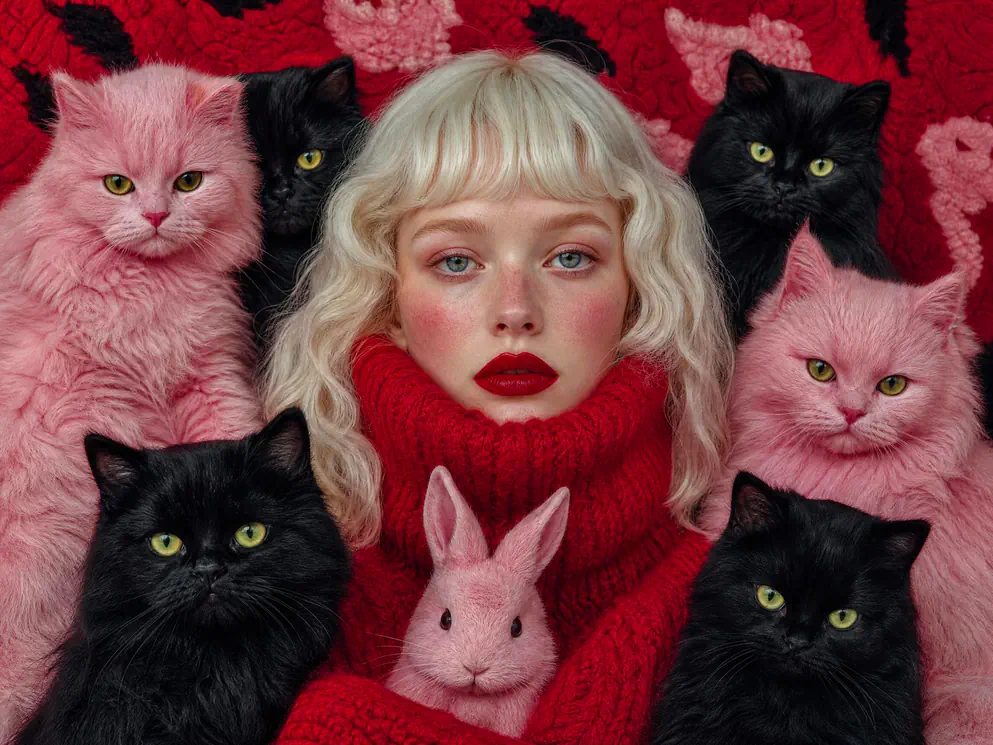
  • Portrait with pink cats

    Prompt: “Create a surreal high-fashion editorial portrait in vertical format with a dreamy, slightly uncanny handcrafted aesthetic. Center a young woman facing the camera with a calm, serious expression, pale luminous skin with visible freckles, cool blue-gray eyes, soft pink blush and bold deep-red lipstick, platinum blonde softly waved hair with precise blunt bangs, wearing a thick textured red knit turtleneck pulled high around the neck and lower cheeks. Surround her tightly with pale pink fluffy cats with vivid eyes, black fluffy cats with yellow-green eyes and one small pale pink rabbit near the lower center, some overlapping her shoulders and sweater, others filling the background around her head, symmetrical enough to feel designed but slightly irregular, against a deep red fuzzy textile background with subtle abstract animal shapes woven in. Palette: crimson red, bubblegum pink, black, pale blonde, small touches of acid green in the eyes. Lighting: soft frontal editorial light, minimal hard shadows, rich fur texture, detailed knit fibers, smooth skin highlights, slightly cool grading. Style: surreal fashion photography, uncanny beauty editorial, retro magazine portrait, tactile textile art, slightly kitschy, bold color blocking, photorealistic face with plush-like animal textures. Composition: very tight portrait crop, woman centered, animals filling nearly every surrounding space, strong eye contact, no empty background. No text, no logos, no watermark.”

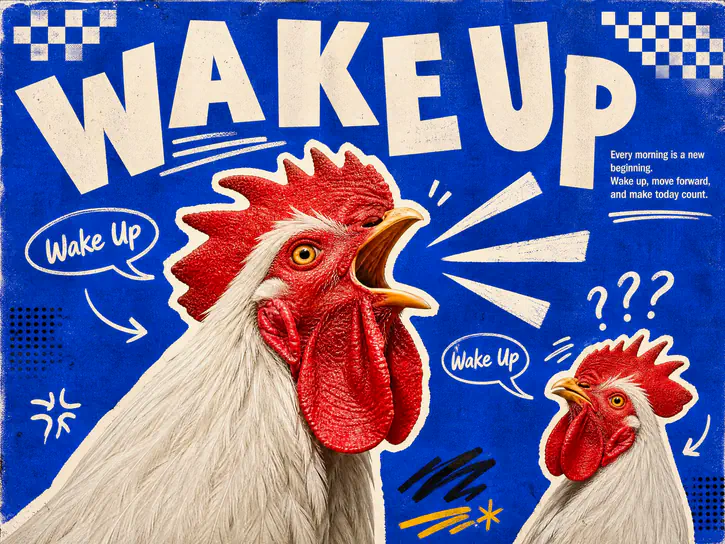
  • Wake up rooster poster

    Prompt: “Create a bold retro editorial poster in a photographic collage and hand-drawn graphic style, on a vivid cobalt/periwinkle blue background with paper grain, halftone noise and screen-print imperfections. Make the main subject a large photorealistic white rooster with a red comb and wattle, sharp yellow eye and open beak mid-crow, filling the lower-left and center and cropping past the bottom edge, with a thick irregular white cutout border, plus a smaller cut-out rooster in the lower-right corner reacting with confusion. At the top, place the huge headline "WAKE UP" in oversized off-white uppercase letters with irregular scale, rotation and baseline, like cut-and-paste type, and in the upper-right small, neatly typeset copy: "Every morning is a new beginning. Wake up, move forward, and make today count." Scatter hand-drawn elements: curved white arrows, oval speech bubbles reading "Wake Up", sound rays from the beaks, question marks above the small rooster, small checkerboard accents and scribbles. Palette: cobalt blue, rooster red, bright white, cream, touches of yellow and black. Lighting: sharp, realistic photo lighting on the roosters, flat handmade graphics around them. Style: retro editorial poster, magazine collage, photocopied zine, risograph influence, playful Swiss/postmodern typography, tactile print texture. Composition: asymmetric, energetic, slightly chaotic but balanced, the headline dominating the top. No logos, no watermark, all text spelled correctly and fully legible.”

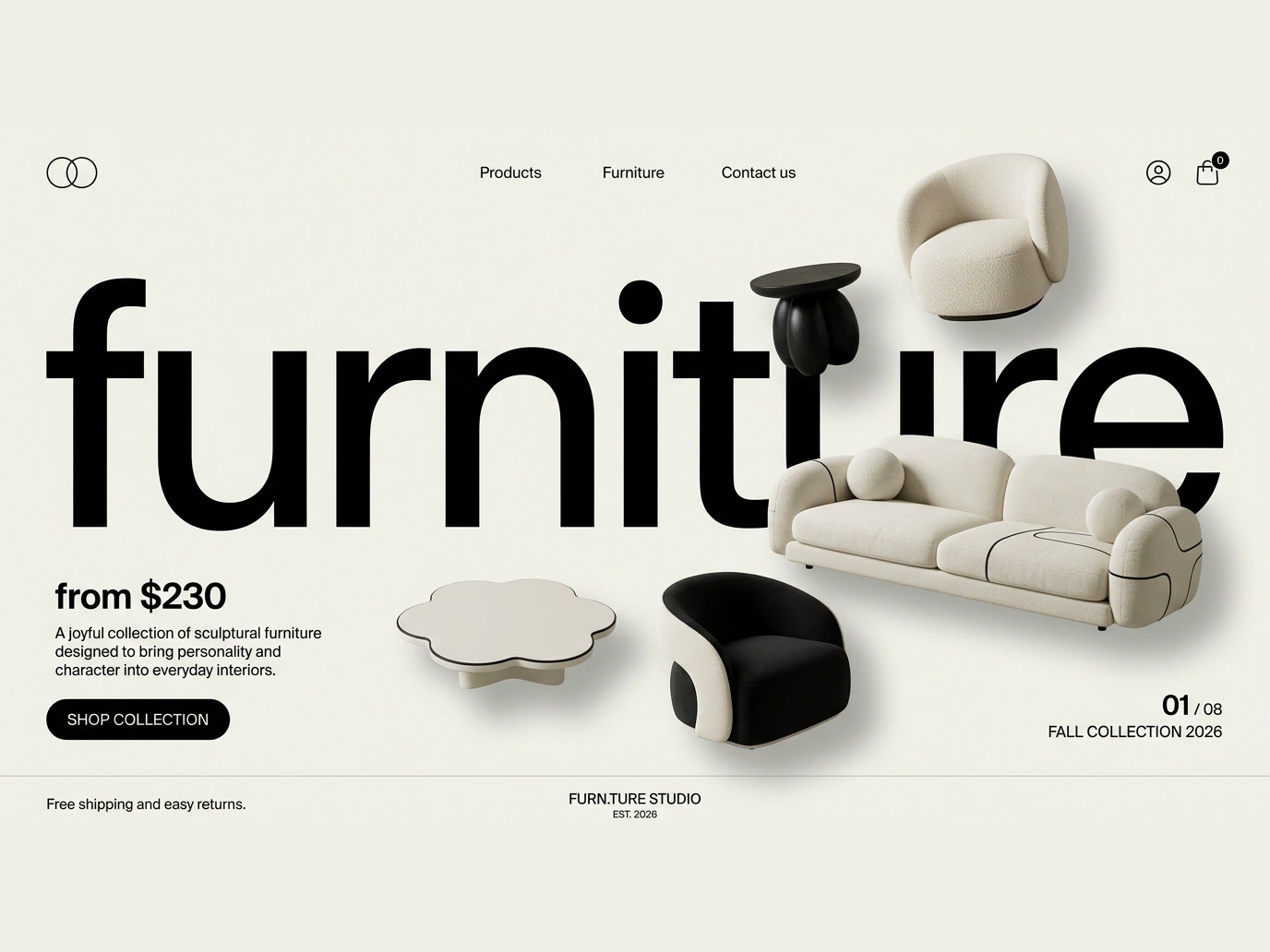
  • Furniture website hero mockup

    Prompt: “Create a horizontal 16:9 desktop landing page hero for the fictional furniture studio "furn.ture", with a minimalist editorial layout on a soft warm off-white (#E1E2DB) background with subtle paper grain. Top navigation: a small two-circle glyph on the left, three small links, and account and shopping bag icons on the right. A huge black lowercase wordmark "furniture" spans about 95% of the width in a bold grotesk, and five sculptural pieces float in front of and behind the letters with soft shadows: a bouclé lounge chair with a rounded seat and curved backrest, a glossy black bulbous side table, a wide low off-white sofa with rounded cushions anchoring the center-right, a compact curved black accent chair, and a low scalloped off-white coffee table. Lower-left, the price "from $230", a short line about joyful sculptural furniture and a black pill button; bottom-right, "01 / 08" with the label "FALL COLLECTION 2026". Palette: only soft warm off-white and pure black (#000000), no other hue. Lighting: soft studio light from the upper-left, gentle shadows, realistic fabric highlights. Style: photorealistic high-end furniture campaign, tactile bouclé, wool, lacquered wood and glossy resin, boutique European atelier meets monochrome editorial art direction. Composition: dynamic but balanced, the oversized type as the backbone, furniture overlapping the letters at varying depths, generous negative space. No colorful accents, no catalog look, no cartoon or toy-like furniture.”

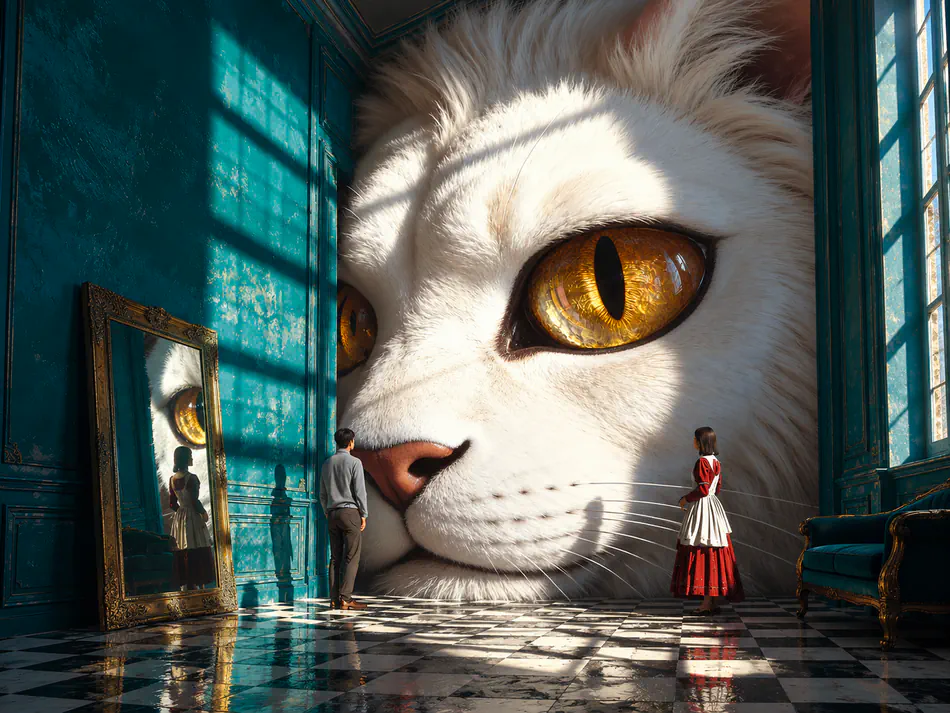
  • Giant cat in teal room

    Prompt: “Create a surreal cinematic interior inside an elegant old mansion, horizontal 4:3, dominated by the enormous face of a giant white cat emerging from the back wall, hyper-detailed and photorealistic, with soft white fur, a pale pink nose, long whiskers and huge luminous amber-gold eyes with sharp vertical pupils, one golden eye prominent in the upper-right center. The room has tall aged teal walls with ornate molding, tall windows on the right with sunlight casting strong rectangular shadows across the wall and fur, a glossy black-and-white checkerboard floor with reflections, an antique gold-framed full-length mirror leaning on the left wall reflecting the cat's eye and one figure, and a dark teal vintage armchair partly visible on the right. Two tiny human figures stand low in the frame for scale, a man on the left and a woman farther right, both facing the cat, calm and slightly stunned. Palette: deep teal, white, warm gold, black and white checks. Lighting: cinematic natural sunlight, high contrast, warm golden highlights on the fur, deep cool teal shadows, crisp floor reflections, subtle atmospheric dust. Style: surreal editorial photography, dreamlike cinematic realism, fantasy architecture, high-fashion art direction, slightly uncanny scale, sophisticated color grading. Composition: cat face centered and dominant, mirror on the left, window and chair on the right, strong depth and architectural symmetry without feeling perfectly centered. No text, no logos, no watermark.”

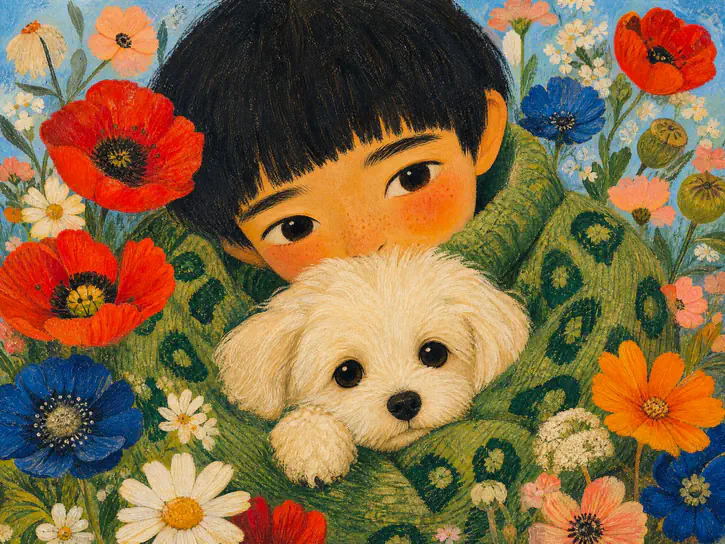
  • Painted child with puppy

    Prompt: “Create a whimsical painted portrait in a soft storybook / folk-art style, vertical format. Show a young person with a straight black bowl cut and a calm, slightly shy expression, large expressive eyes, softly flushed cheeks and subtle freckles, leaning forward to hug a small fluffy white dog close to their chest, the face filling the upper half and the dog centered below, partly covering the lower face, wearing an oversized chunky green knit sweater with darker green abstract patterns. Surround them with oversized flowers, red poppies, deep blue flowers, white daisies, orange blossoms and pastel floral shapes, dense around the edges of a pale sky-blue background, as if nestled in a garden. Palette: sage green, forest green, coral red, cobalt blue, cream, soft peach, pale sky blue. Lighting: soft, even and warm, with a matte finish and a nostalgic mood. Style: hand-painted illustration, textured gouache and oil pastel, visible brush texture, slightly naive proportions, charming folk art, editorial children's-book quality. Composition: vertical portrait, centered face, dog directly below, flowers framing all sides, no empty space. No text, no logos, no watermark, no photorealism, no glossy 3D rendering.”

4.8 on Capterra

4.7 on G2

Trusted by teams and creators in 100+ countries. 40M+ users · 120M+ projects since 2013

How to use GPT Image 2.5 in Renderforest

  1. Step 1

    Describe the design, words included.

    Type what you want and put the exact text in quotes: a headline, a label, a price, a button. Add reference images if you're editing or matching a style.

    Describe the design, words included.
  2. Step 2

    Let GPT Image 2.5 build it.

    GPT Image 2.5 plans the layout, renders your wording letter-perfect (across languages) and returns a design-grade image at up to 4K, not a pretty approximation.

    Let GPT Image 2.5 build it.
  3. Step 3 · Only in Renderforest

    Brand and remix it.

    Drop the result into the Renderforest editor: apply your brand kit, swap copy, resize one visual for every placement, or send it to image-to-video AI and turn the still into a moving ad.

    Brand and remix it.
  4. Step 4

    Publish everywhere.

    Export watermark-free on paid plans with a commercial license, as final images, mockups, or finished videos with music and subtitles.

    Publish everywhere.

What makes GPT Image 2.5 different

  • Text that renders, finally

    Headlines, fine print, UI labels, packaging copy: GPT Image 2.5 treats words as content, not decoration, from a single headline to full magazine spreads and infographics. Put your wording in quotes and it comes back spelled right.

  • Multilingual by design

    Text beyond Latin scripts: Japanese, Korean, Chinese, Arabic, Hindi, and Bengali render as coherent typography, not gibberish. Localize a poster or product label into five markets without five designers.

  • A model that thinks before it draws

    Choose how hard GPT Image 2.5 thinks before it draws: low, medium, or high. More thinking means more planning for complex, multi-constraint briefs ("three products, price tags, brand palette, diagonal layout"); less thinking means drafts at fewer credits.

  • Design-grade realism and style range

    Studio-grade product shots, candid photography, manga pages, Bauhaus posters, hand-written notes. Eight aspect ratios from 16:9 to 9:16, at 1K, 2K, or 4K, fit real placements.

  • Edit what you upload

    Bring your own photo or draft (up to 10 reference images) and direct changes in plain language: replace the background, restyle the scene, fix the label text. GPT Image 2.5 Sunburst keeps the tightest control across successive edits; Flare keeps reference subjects faithful.

  • Two flagship models, one picker

    GPT Image 2.5 sits next to Google's Nano Banana Pro and other leading models in the same generator. Draft with one, finalize with the other: one subscription, no extra accounts.

Who uses GPT Image 2.5 in Renderforest

GPT Image 2.5 examples and prompts

GPT Image 2.5, explained

What is GPT Image 2.5?

GPT Image 2.5 is the newest GPT Image model in Renderforest, following GPT Image 2 (model id gpt-image-2, launched in ChatGPT as "ChatGPT Images 2.0" on April 21, 2026). It comes in two versions: Sunburst, for studio-grade output with the tightest control across successive edits, and Flare, for fast, high-quality generation with natural lighting, rich textures, and faithful reference subjects. Both are built for the thing image models historically failed at: rendering text accurately inside images (headlines, labels, interface copy, even dense infographics and comics) across Latin, CJK, Arabic, and Indic scripts. You choose low, medium, or high thinking for each generation, at 1K, 2K, or 4K, with up to 10 reference images. In Renderforest, GPT Image 2.5 runs inside a full creative suite, so its outputs continue into branding, mockups, and video instead of ending as downloads.

GPT Image 2.5 vs GPT Image 2: what actually changed

GPT Image 2 set the bar 2.5 builds on: integrators reported roughly 99% character-level text accuracy and native 2K output with 4K in beta, up from GPT Image 1.5's 1536×1024 ceiling (reported figures; OpenAI officially says "flexible image sizes"), and reasoning that shapes composition so layouts read like a designer planned them. In Renderforest, GPT Image 2.5 adds two things you can use today. Two versions: Sunburst for studio-grade output with the tightest control across successive edits, and Flare for fast generation with natural lighting, rich textures, and faithful reference subjects. And lower cost: at the default medium thinking it takes 10, 15, or 20 credits per image at 1K, 2K, or 4K, half of GPT Image 2's 20, 30, or 60. OpenAI retired the old DALL·E API models in May 2026, so the GPT Image line is now the default OpenAI image engine everywhere, including here.

How to prompt GPT Image 2.5 for text-heavy designs

Three rules cover most jobs. First, quote your exact wording: put every string you need (headline, subline, button label) in quotation marks, and say where it goes ("headline at top, small print bottom-left"). Second, brief it like a client, not a keyword list: name the format ("A2 poster", "YouTube thumbnail", "16:9 banner"), the style ("Swiss typography", "retro print"), and the constraint that matters ("price must read $29"). Third, iterate instead of starting over: add the result as a reference image and describe only the change ("same design, headline now says FINAL WEEK"). In Renderforest, save winning prompts and re-run them with your brand kit applied, so every variant lands on-brand.

GPT Image API pricing vs a flat plan

The GPT Image 2 API bills tokens, not pictures: $8 per million image input tokens and $30 per million output tokens, which works out to roughly $0.006–$0.05 per standard image at low-to-medium quality and about $0.21 at high (OpenAI's GPT Image 2 pricing, April 2026). The catch is the meter: reference images for edits are always billed at high fidelity, retries multiply costs, and real teams report blended costs 2–3× the calculator estimate, or $80–140/month for a couple hundred polished images. ChatGPT Plus caps you at a quota instead. A Renderforest subscription is the third path: GPT Image 2.5 plus Nano Banana Pro plus video models and the whole editor at one predictable price, with no token anxiety and no API keys.
What creators say about GPT Image 2.5

  • Lena V.Events marketing manager
    Our promo posters used to come back from AI tools with mangled letters; we retyped everything in Photoshop anyway. Now the headline is right the first time, and the animated version ships from the same project.
  • Marcus D.YouTube creator
    I make thumbnails and Shorts covers for three channels. GPT Image 2.5 nails the title text, Renderforest resizes and animates it. My CTR is up and my Sunday nights are back.
  • Priya S.Growth lead at a DTC brand
    We localize campaigns into Hindi and Japanese. Same layout, translated in-image text that actually reads correctly. That alone replaced an agency line item.

Skip the token math. Keep the model.

Metered API pricing punishes iteration: every retry, every edit, every reference image runs the meter. In Renderforest, GPT Image 2.5, Nano Banana Pro, and the top video models come under one flat plan, alongside the editor, templates, brand kit, and commercial license. GPT Image 2.5 is included in every paid plan.

GPT Image 2.5 FAQ

What is GPT Image 2.5?

GPT Image 2.5 is the newest GPT Image model in Renderforest, following GPT Image 2 (released April 21, 2026; in ChatGPT it's called "ChatGPT Images 2.0"). It comes in two versions, Sunburst and Flare, and is built for accurate in-image text, strong instruction following, multilingual typography, and design-grade output like posters and infographics, at up to 4K. In Renderforest, GPT Image 2.5 runs inside a full editor, so you can generate, brand, and animate in one place.

Is GPT Image 2.5 free to use?

Not on the free plan. In Renderforest, GPT Image 2.5 is included in every paid plan, alongside the other models, the editor, templates, and a commercial license. Each image uses credits, from 6 to 60 depending on resolution and thinking level (10 at the default 1K, medium). For comparison, ChatGPT's free tier has offered GPT Image 2 with a strict cap of around 2–3 images per day, according to community trackers.

Do I need ChatGPT to use GPT Image 2.5?

No. You don't need a ChatGPT account at all: GPT Image 2.5 runs inside Renderforest's AI image generator on the web. Type a prompt (or upload an image to edit), pick GPT Image 2.5 Sunburst or GPT Image 2.5 Flare in the model picker, and generate, then keep working on the result in the same workspace instead of downloading it from a chat window.

Does GPT Image 2.5 add a watermark?

Renderforest adds no visible watermark to GPT Image 2.5 images exported on paid plans. For reference, GPT Image 2 outputs carry invisible provenance signals (C2PA metadata plus an imperceptible pixel watermark) on all tiers, built into OpenAI's model; signals like these don't restrict commercial use.

Can I use GPT Image 2.5 images commercially?

Yes. Renderforest paid plans include a commercial license covering your exported designs and videos. Two caveats: prompting trademarked characters or logos you don't own remains your legal risk, and from August 2, 2026 EU transparency rules may require disclosing AI-generated content in some commercial contexts.

How much does GPT Image 2.5 cost?

In Renderforest, GPT Image 2.5 is included in every paid plan and each image uses credits: 10, 15, or 20 at 1K, 2K, or 4K with the default medium thinking (6 to 60 across all thinking levels), half of what GPT Image 2 takes. No API key and no token math. For reference, the GPT Image 2 API is token-billed: $8 per million image input tokens and $30 per million output tokens, roughly $0.006 (low), $0.05 (medium), or $0.21 (high quality) per 1024×1024 image, before retries and edit-input costs that often double real-world spend.

What resolution does GPT Image 2.5 support?

GPT Image 2.5 generates at 1K, 2K, or 4K, in eight aspect ratios: auto, 1:1, 16:9, 9:16, 4:3, 3:4, 3:2, and 2:3. For print or large formats, generate at 4K, then fine-tune and upscale in the Renderforest editor.

Can GPT Image 2.5 edit my existing photos and designs?

Yes. Upload up to 10 reference images and describe the change: swap the background, restyle the scene, replace headline text, extend the canvas. GPT Image 2.5 Sunburst is built for the tightest control across successive edits, and Flare keeps reference subjects faithful, so products, faces, and layouts stay recognizable. To refine further, add the result as a reference and describe the next change.

GPT Image 2.5 or Nano Banana Pro: which should I use?

Use GPT Image 2.5 for text-heavy, layout-critical, instruction-dense work: ads, posters, thumbnails, infographics, multilingual versions. Use Nano Banana Pro for expressive restyling and heavy multi-reference blending. Both run in Renderforest's model picker, so the honest answer is: draft in one, finalize in the other, and let the result decide.

Can GPT Image 2.5 make videos?

No, it's an image model. But that's exactly where this page's workflow continues: send any GPT Image 2.5 design to Renderforest's Image-to-Video AI (Kling 3.0 Omni, Seedance 2.5, Sora 2 and more), add motion, music, and subtitles in the editor, and publish a finished video without switching tools.

Your headline, spelled right.
Your design, ready to publish.

Generate text-perfect visuals with GPT Image 2.5, brand them in seconds, and animate them into video, in the platform 40M+ creators already trust.

Start creating
  • GPT Image 2.5 is included in every paid plan.
Add a prompt to generate your image
0/10