FLUX by Black Forest Labs · not the Flux.ai PCB tool

Flux AI Image Generator: Flux 2 Pro Online, Then Animated.

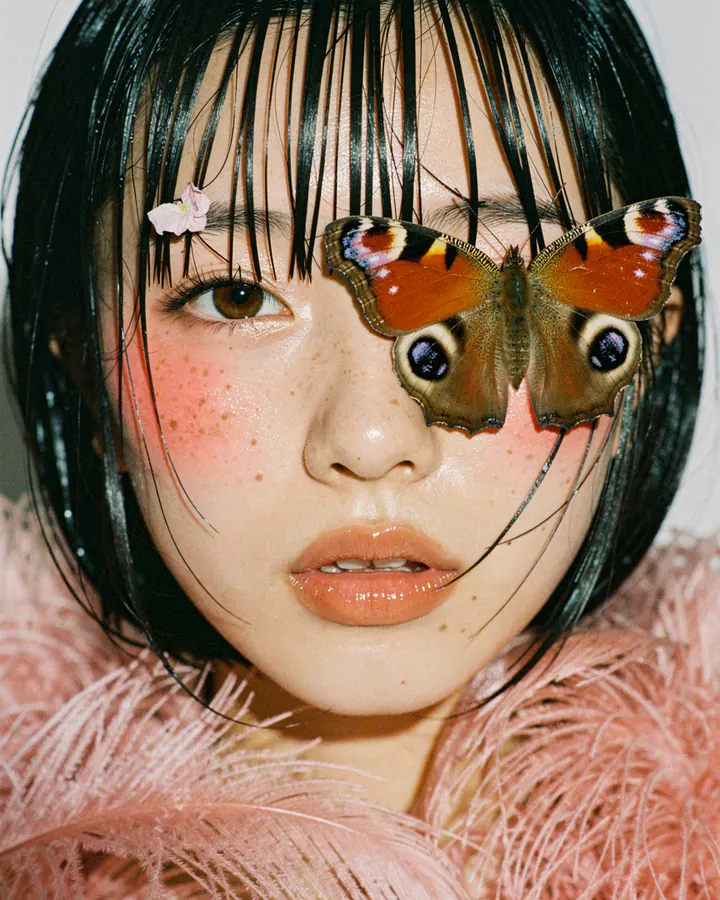
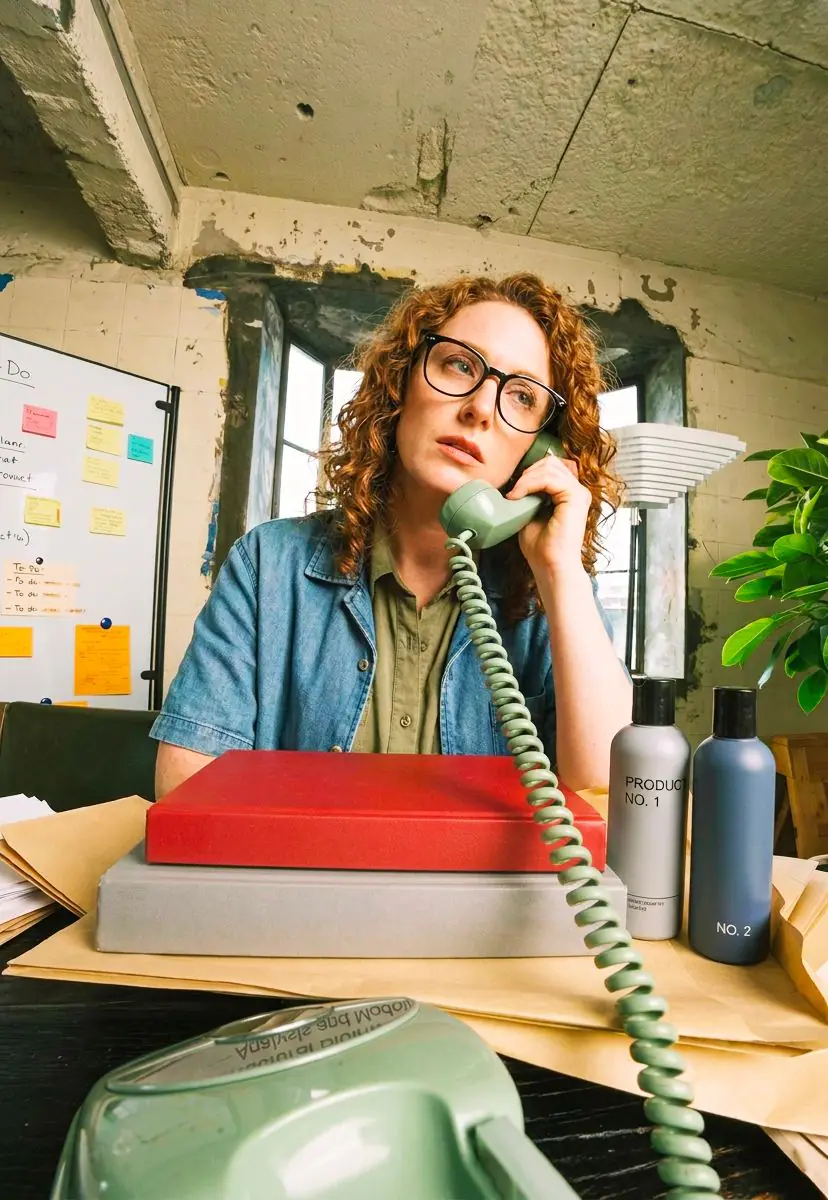
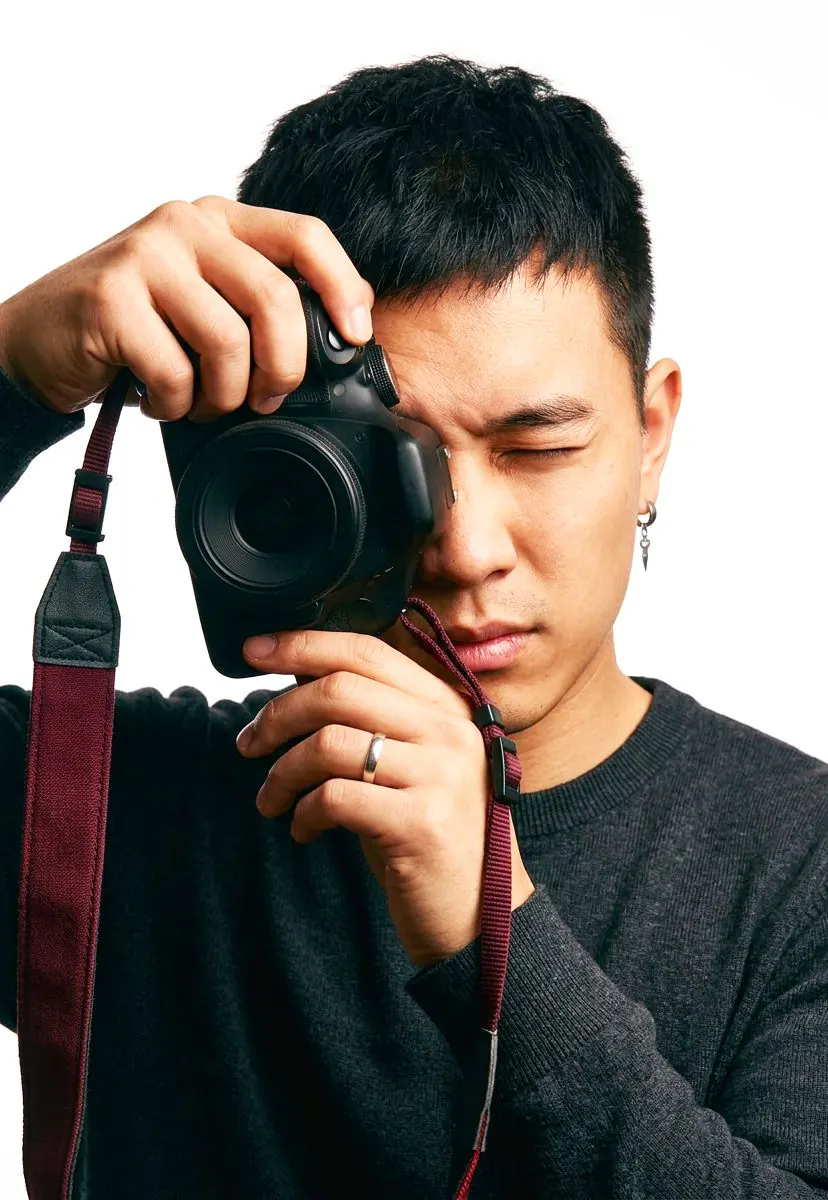
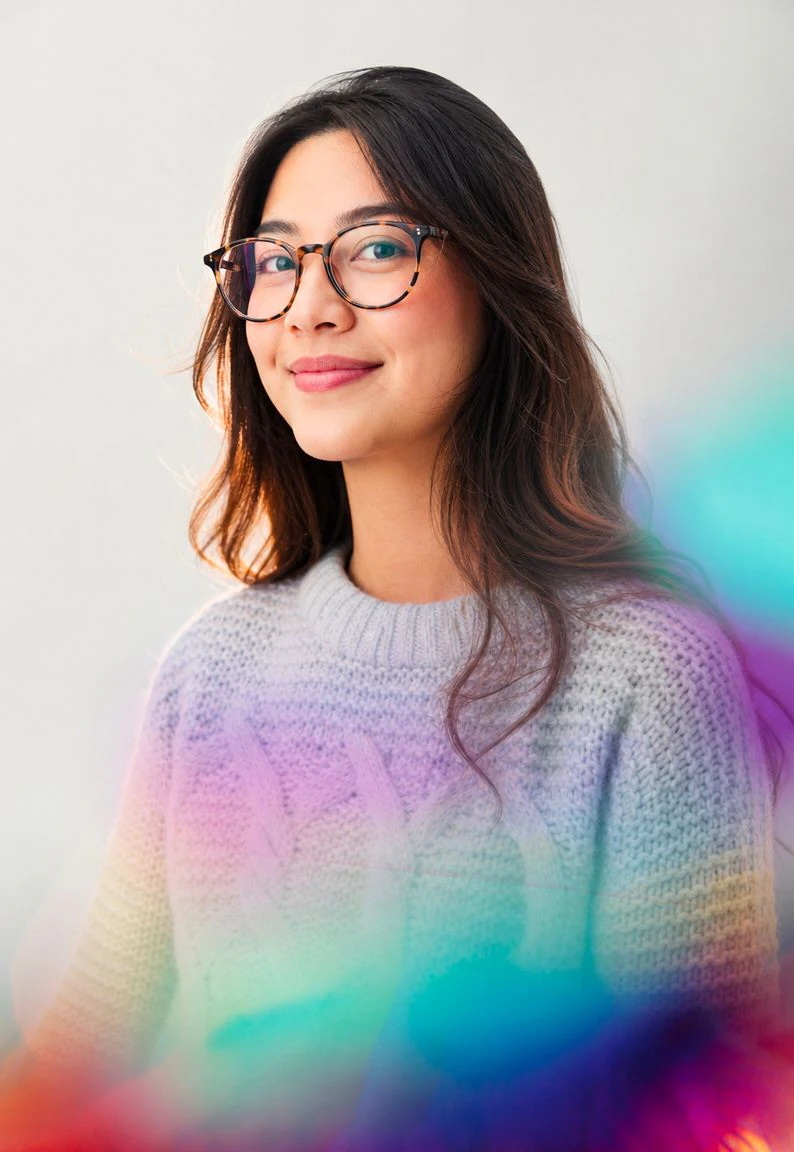
Generate photoreal images and edits with Black Forest Labs' FLUX models: exact brand colors from a hex code, a product or face held across your reference photos, text that reads. Then animate the result with image-to-video AI and finish it in one editor. In the browser, no GPU, no API key.

Start free with the Renderforest model, unlock FLUX on any paid plan

Flux 2 Pro
0/4

Also on your plan: Seedream 5.0 Pro, Nano Banana Pro, GPT Image 2.5, Grok Imagine

Describe the image to generate it
  • Wide shot of dogs in black sunglasses sitting in rows of orange stadium seats, an Australian shepherd up front, a dalmatian and a husky behind, bright daylight, playful editorial photo
  • Overhead still life of a silver tennis racket holding scoops of lime ice cream shaped like tennis balls, more scoops melting into a green puddle on a white surface, crisp studio light
  • Close-up of furry purple monster hands with silver claws holding a frozen yogurt cup that reads "Yummy Yums", caramel swirl on top, teal faux-fur coat, grey studio backdrop, playful product shot
  • Wide-angle selfie taken by an orange tabby cat, paw reaching to the lens, a laughing woman in a blue paisley maxi dress waving behind it on a sports court, red brick buildings, sunny day
  • Editorial fashion portrait of a bald older man in a hot pink satin tuxedo with a black bow tie and a marigold boutonniere, seated among pink orchids and tropical leaves, stern gaze, soft studio flash, 85mm
  • 3D render of a fluffy hot pink bee with clear glass legs, a glossy green eye and translucent wings, mid-flight on a soft pale blue gradient backdrop, macro studio lighting, high detail
  • Beauty portrait of a young woman with sleek black hair in a low bun, a purple calla petal over her ear, pastel lilac and peach eye makeup with black glitter, black turtleneck, soft grey backdrop
  • Surreal fashion set: a woman in a floral print dress lounging on a giant white lily with orange stamens, oversized yellow and orange paper flowers around her, clear blue sky, bright daylight

4.8 on Capterra

4.7 on G2

Trusted by teams and creators in 100+ countries. 40M+ users · 120M+ projects since 2013 · Commercial license on paid plans

How to use FLUX in Renderforest

  1. Brief it like a client.

    Describe the shot (subject, light, lens, mood), put any text in quotes, and add your brand colors as hex codes. Upload reference photos of the product, person or style you need kept.

    Brief it like a client.
  2. Let FLUX render it.

    Flux 2 Pro returns a production-grade image in seconds: photoreal detail, the colors you specified, the text spelled right, every reference respected.

    Let FLUX render it.
  3. Refine, then animate.

    Edit by describing the change ("make the jacket red, nothing else"), reference uploads by number, and when the frame is right, send it to Seedance 2.5, Kling 3.0 or MiniMax H3 image-to-video. No exporting, no second tool.

    Refine, then animate.
  4. Finish and publish.

    Brand kit, templates, music, subtitles and one-click resize for every platform in the editor; export watermark-free with a commercial license on paid plans.

    Finish and publish.

What makes FLUX different

  • Text that reads, layouts that obey

    Headlines, labels, UI copy and infographics render as typography, not noise, and complex instruction-heavy briefs get followed. FLUX 3 Image adds bounding boxes on Black Forest Labs' API: draw where the logo, product and price go and the model keeps to it.

  • Every FLUX, one picker, and the video button

    Flux 2 Pro sits in the same dropdown as Seedream, Nano Banana, GPT Image and Grok Imagine. Any result goes to image-to-video with one click. Wrapper sites end at download; Renderforest keeps going.

  • Brand colors that match, by hex code

    Type "#1E3A8A" and FLUX.2 renders that blue: no approximation, no color-correcting afterwards. Black Forest Labs built exact color matching into the model for brand work; in Renderforest you just type the code into the prompt.

  • Your product or person, across every scene

    Upload up to four reference photos and Flux 2 Pro holds the product, face or style across every output; refer to uploads by number ("the bottle from image 1 on the counter from image 2"). Black Forest Labs calls it the best character consistency available; the catalog set is the use case.

  • Edit by description, not by mask

    Bring a photo and say what changes: background, outfit, lighting, a word on a label. The parts you don't mention stay pixel-for-pixel. FLUX doesn't take negative prompts: describe what you want, and the prompt tips below show how.

  • Photorealism that survives zoom

    Skin texture, fabric, reflections, hands, lens behavior: FLUX is the model the photoreal benchmarks are measured against. Flux 2 Pro renders at 1K in Renderforest today.

Who uses FLUX in Renderforest

FLUX examples, prompts included

Each card shows the exact prompt and the version that runs it. Run the prompt yourself, then animate the image.

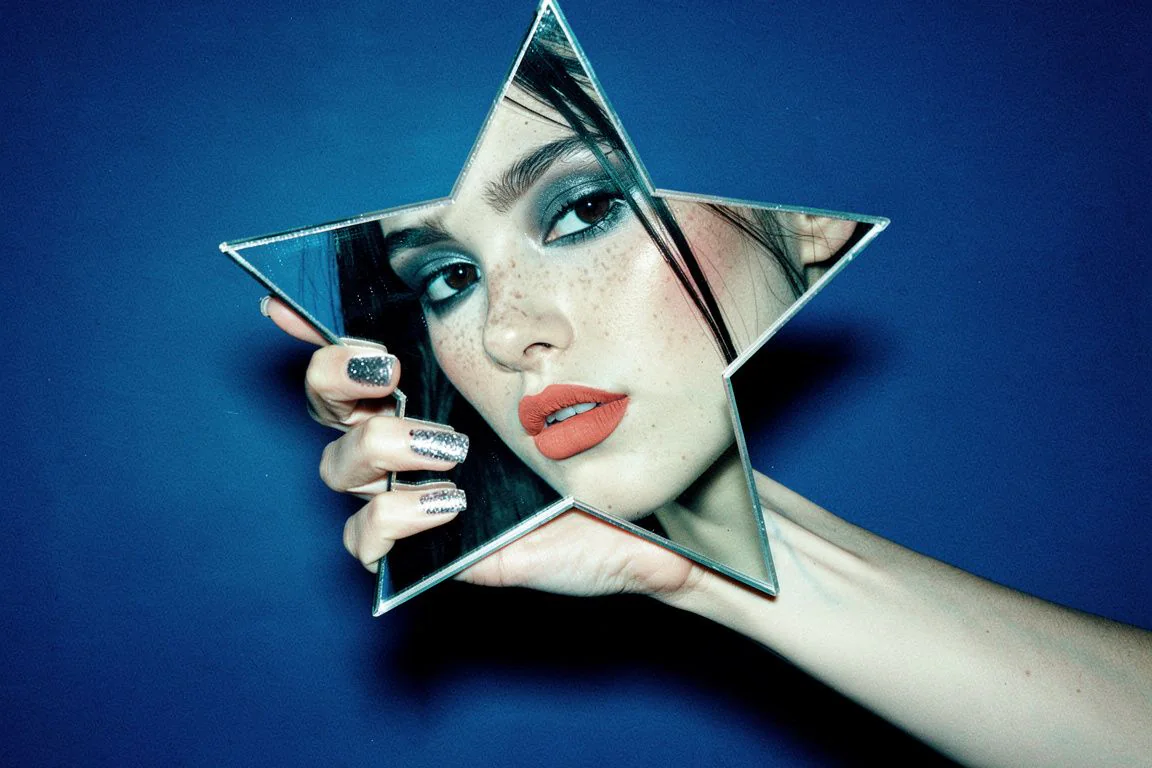
  • A bold, glossy beauty campaign photograph in a horizontal 4:3 frame, shot straight on at close range, showing a hand holding a large five-pointed star-shaped mirror up to the camera so that it reflects a young woman's face. The hand enters from the lower left, fingers curled around one point of the star, with long almond nails painted in sparkling silver glitter polish. Inside the mirror, show her reflection cropped by the star's edges: porcelain skin with natural freckles across the nose and cheeks, glossy coral red lips slightly parted, sharp teal eyeliner and shimmering blue-green eyeshadow, defined brows, dark hair falling in a soft strand across one cheek, and a direct, intense gaze into the lens. Her forearm and part of her shoulder appear outside the mirror on the right. The mirror has a thin bevelled silver edge that catches bright highlights and small sparkles. Set it all against a saturated, deep cobalt blue seamless background with a subtle vignette. Light it with a hard on-camera flash for crisp edges and defined shadows, plus a soft beauty dish from above for glowing skin. Shoot it with an 85mm lens, razor-sharp focus on the reflected eyes and the glitter nails, in high contrast with vivid saturated color, in the style of a 1990s fashion magazine cover and a modern cosmetics campaign. No text, no logos, no watermarks, no extra people, no distortion of the face in the reflection.

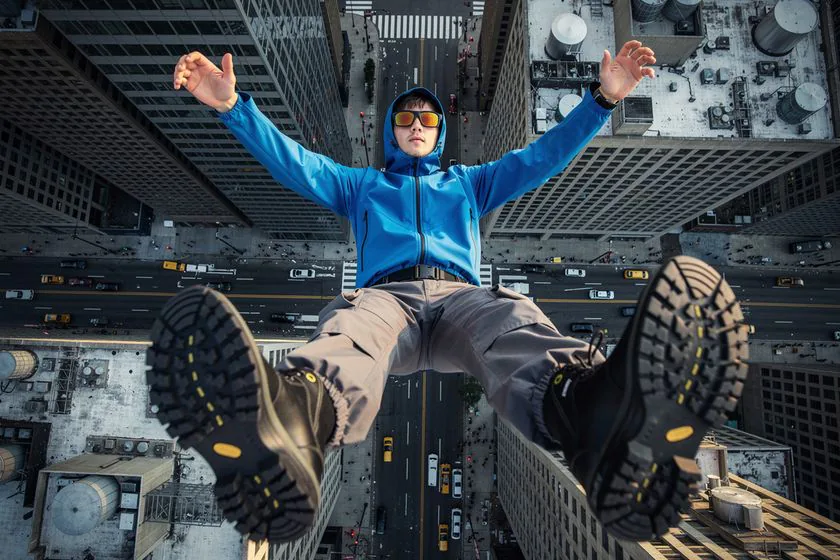
  • A surreal, gravity-defying outdoor-apparel campaign photograph in a vertical 4:5 frame, shot from directly above looking straight down, showing a young man appearing to float or free-fall in mid-air high above a dense grid of city skyscrapers, with the soles of his boots pointed toward the camera in dramatic foreshortening. His arms are raised up and out above his head with the palms open, his legs bent slightly forward, and his body angled toward the viewer with a calm, cool expression looking up into the lens. He wears a vivid cobalt-blue technical hardshell rain jacket with the hood pulled up over his head, a center zipper and a slim fit; baggy charcoal-grey insulated cargo trousers with elastic cuffs and a black belt; dark wraparound sport sunglasses with a warm amber tint; and chunky black hiking boots with deep, rugged lug soles and small yellow accents, the boot soles large and sharp in the foreground. Far below him, show an extremely high vertical aerial view of a Manhattan-style downtown grid: tall concrete and glass skyscrapers seen from above converging toward the center with strong vertical perspective, flat rooftops with HVAC units and water tanks, wide avenues with yellow taxis and cars, striped zebra crosswalks at intersections, and tiny crowds of pedestrians. Light it with crisp, clear early-morning or late-afternoon sunlight casting long building shadows across the streets, with cool blue-grey city tones contrasting with the bright saturated blue jacket. Shoot it with an ultra-wide 14mm lens for an exaggerated, dizzying depth, with sharp focus on the subject and boots, highly detailed city textures, and a clean, slightly desaturated cinematic color grade, in the style of a bold outdoor gear campaign, surreal action photography, an extreme top-down perspective, and a high-energy urban adventure aesthetic. No text, no logos, no brand marks on the clothing, no watermarks, no extra people in the foreground.

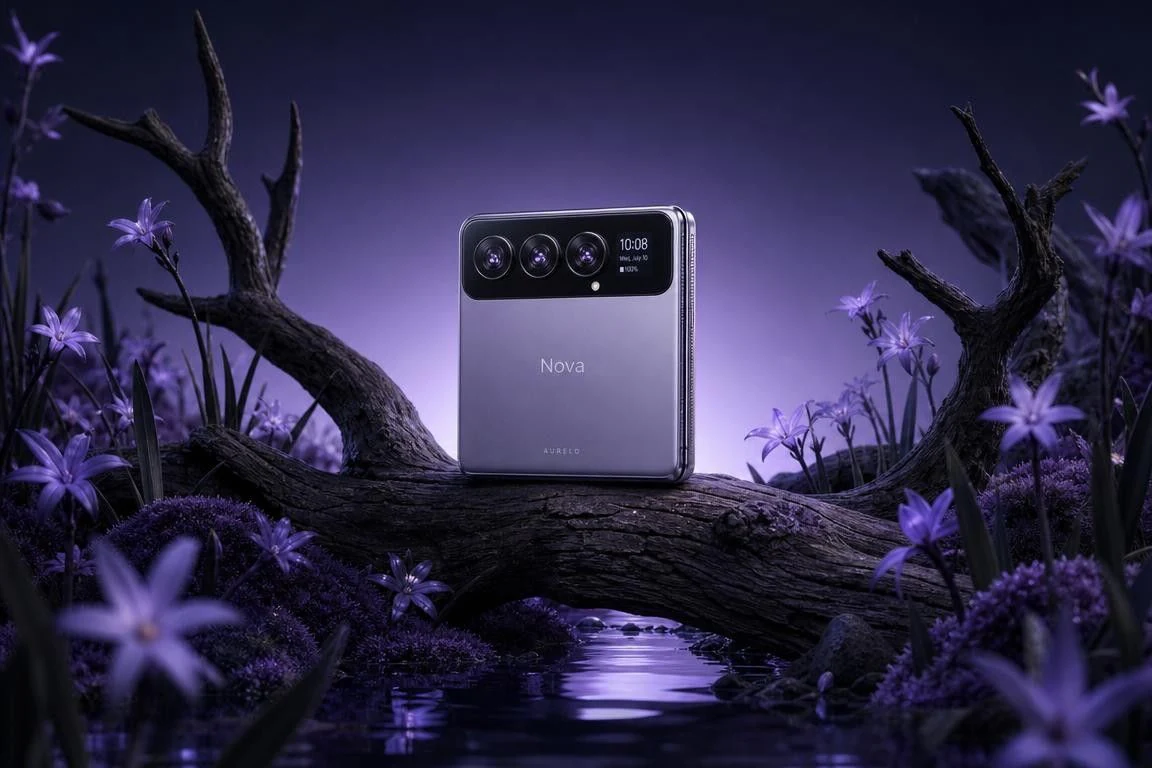
  • A moody, premium product photograph in a horizontal 4:3 frame, shot at a low angle slightly below eye level, showing a sleek foldable flip smartphone standing upright on a moss-covered fallen branch in a dark enchanted forest at dusk. The phone has a lilac matte metallic body with softly rounded corners and a glossy black camera bar across its top holding three large circular lenses and a small rectangular cover screen showing the time, its subtle wordmark area left blank. The branch is old and twisted, covered in dark green moss, with gnarled bare roots curling up behind it. Around it, clusters of glowing purple star-shaped wildflowers rise from the shadows, the nearest ones softly out of focus in the foreground, and a still black pond in front reflects the phone, the branch and the flowers like a mirror. Fill the background with silhouetted trees and a soft violet haze. Light it with a low-key setup: a cool rim light tracing the edges of the phone, a soft top light on the camera bar and a faint violet glow from behind, with gentle volumetric mist. Shoot it with a 90mm lens at a wide aperture, razor-sharp focus on the phone, creamy cinematic depth of field, in a deep violet and indigo color grade, in the style of a high-end tech launch campaign and fantasy product photography. No text, no logos, no brand marks, no watermarks, no people.

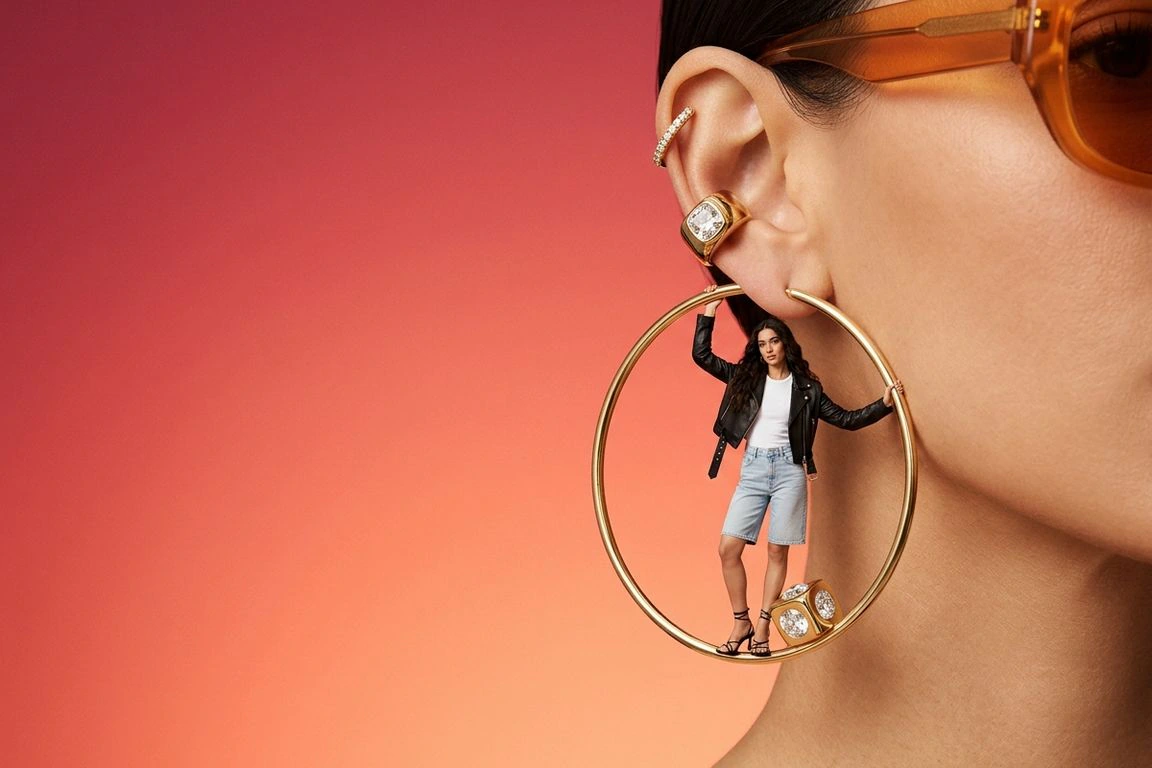
  • A surreal, playful jewelry campaign photograph in a horizontal 4:3 frame, shot in a tight side profile close-up, showing a woman's ear, cheek and jawline filling the right side of the frame while a tiny miniature woman stands inside her oversized hoop earring. The model's sleek dark hair is pulled back tightly, her skin glowing and smooth, and she wears oversized rectangular sunglasses with warm amber-tinted lenses and a thin gold frame. Her ear is stacked with polished gold ear cuffs along the rim set with small round crystals, and a very large, thin, high-shine gold hoop earring hangs from the lobe down toward the center of the frame. Inside the hoop, as if on a swing, stands a tiny confident woman with long dark hair, wearing a black leather biker jacket, a white tank top, light-wash denim bermuda shorts and strappy gold heels, holding the top of the hoop with both raised hands, a small sparkling charm at her feet. Set it against a smooth warm gradient background that fades from soft coral on the left to deep red on the right. Light it with a soft studio key light from the left that makes the skin glow and the gold catch bright reflections, with a gentle rim light on the profile. Shoot it with a 100mm macro lens, sharp focus on the hoop, the tiny woman and the ear cuffs, in a rich warm color grade, in the style of a luxury jewelry advertisement and surreal scale-play photography. No text, no logos, no watermarks, no extra people.

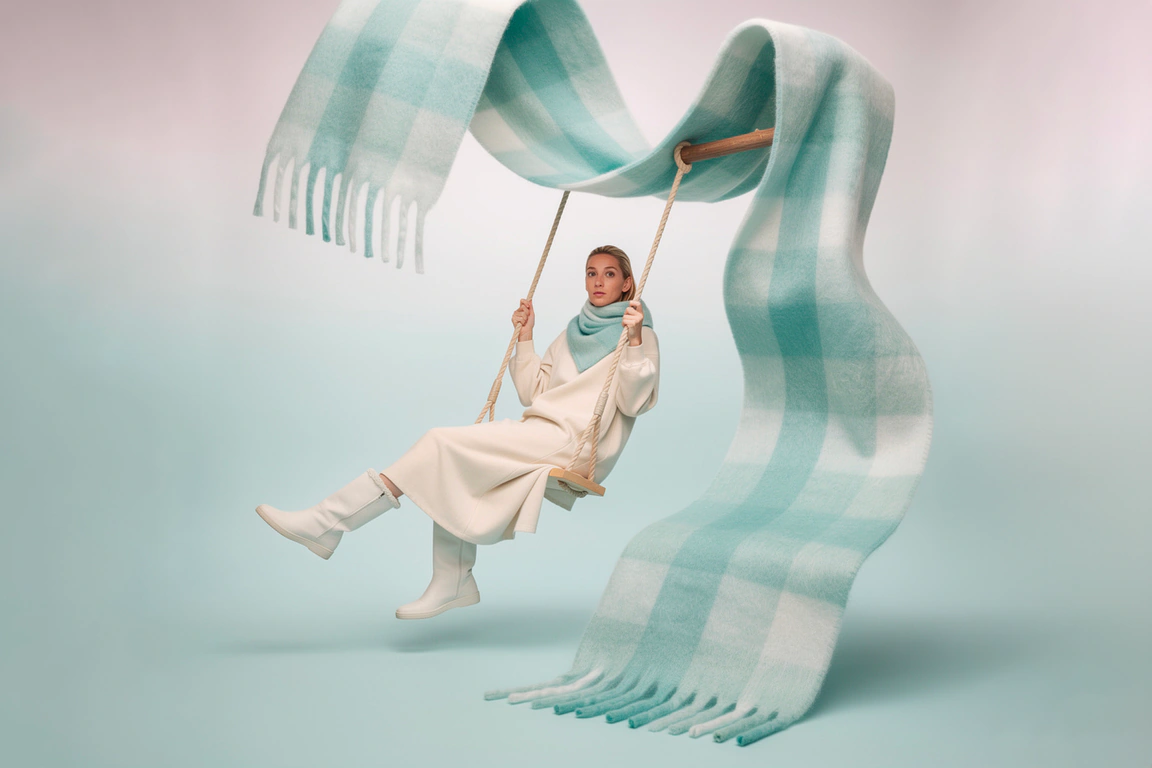
  • A surreal, dreamy knitwear campaign photograph in a horizontal 3:2 frame, shot at eye level from slightly below, showing a young woman sitting on a simple wooden rope swing that hangs from a gigantic floating mohair scarf looping through the air like a ribbon. She sits upright with one leg stretched forward and the other bent back, both hands holding the ropes at chest height, her blonde hair pulled back into a low bun and her calm, confident gaze fixed on the lens. She wears an oversized cream wool coat with dropped shoulders and deep pockets that drapes over the swing seat, chunky white knee-high boots with soft rounded toes, and a small mint knitted scarf wrapped high around her neck. The giant scarf is woven in a soft brushed mohair with a large mint and white check pattern, its fibres fluffy and slightly fuzzy at the edges, sweeping up from the lower right, arching over her and falling to the left, with long fringed tassels hanging at both ends; the swing's ropes are tied around a wooden dowel threaded through the scarf. Set it against a seamless pale mint to soft white studio backdrop with a faint gradient and a gentle floor shadow. Light it with a large soft key light from the front left and a subtle fill from the right, giving gentle shadows and a luminous, airy feel. Shoot it with a medium format camera and an 80mm lens, sharp focus on the woman and the wool texture, in a clean pastel color grade, in the style of a minimalist Scandinavian fashion editorial and playful surreal set design. No text, no logos, no watermarks, no extra people.

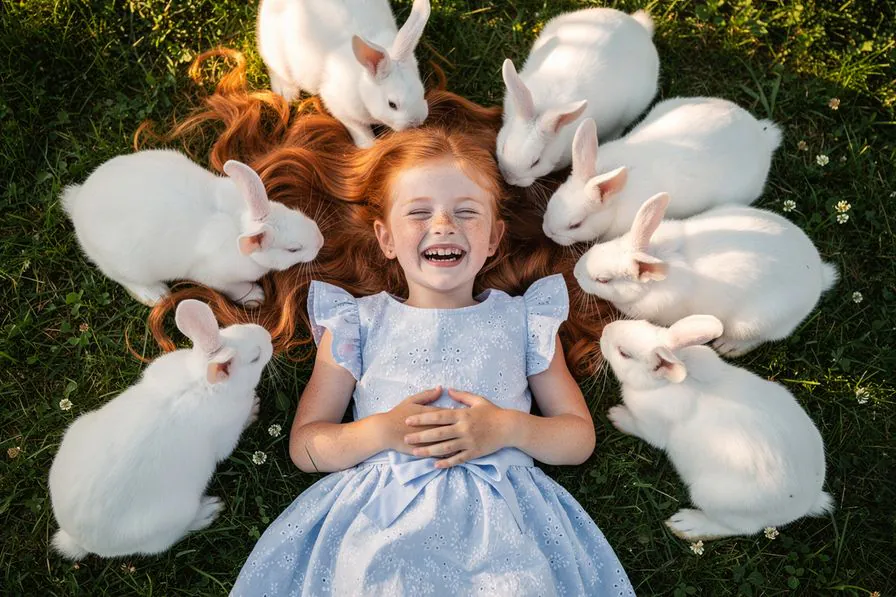
  • A whimsical, heartwarming spring photograph in a horizontal 4:3 frame, shot from directly above looking straight down, showing a happy little girl lying on her back on a lush green lawn surrounded by a ring of fluffy white rabbits. She laughs with joy, eyes squeezed shut and mouth open in a big smile, her hands clasped together on her chest, her long wavy copper-red hair fanned out around her head like a halo across the grass. She wears a pale baby-blue cotton dress with short puffed sleeves, a softly gathered bodice and ruffled trim. Around her head and shoulders, seven fluffy white rabbits with pink-tinged ears sit in a neat circle, their noses turned toward her, some ears upright and some relaxed, their fur soft and detailed. The grass is fresh and dense, dotted with tiny white daisies and a few small yellow wildflowers. Light it with warm late golden-hour sunlight from the upper left, a soft glow in her hair and on the rabbits' fur, with gentle natural shadows. Shoot it with a 35mm lens from a high overhead position, sharp focus on her face and the rabbits, with a soft fall-off toward the frame edges, in a dreamy pastel color grade, in the style of a storybook children's fashion editorial and a magical Easter portrait. No text, no logos, no watermarks, no extra people.

FLUX made the shot. Renderforest made it move.

Flux AI, explained

What is Flux AI?

FLUX is a family of AI image generation and editing models from Black Forest Labs, a research company founded in Freiburg, Germany, in 2024 by the researchers behind Stable Diffusion. It is not Flux.ai, the circuit-board design tool that shares the name.

FLUX.1 (August 2024) became the open-weights model the community standardized on; FLUX 1.1 Pro and FLUX.1 Kontext followed; FLUX.2 (November 25, 2025) rebuilt the line for production work: up to 4-megapixel output, up to ten reference images, exact color matching from hex codes, text that renders, and a 32-billion-parameter open-weights Dev variant; and FLUX 3 (2026) added video, a robotics model and, in October 2026, FLUX 3 Image with bounding-box layout control and native 4K, plus the open-weights FLUX 3 Image Klein.

In Renderforest, FLUX runs inside a full creative suite in the browser, no GPU, no API key, so an image becomes an edited, branded, animated deliverable instead of a download.

FLUX versions in 2026, explained

FLUX.1 Schnell / Dev / Pro (Aug 2024): the originals; Schnell is Apache-2.0 open, Dev is open for non-commercial use, Pro was hosted. FLUX 1.1 Pro (Oct 2024) sharpened photorealism. FLUX.1 Kontext (May 2025) added in-context editing.

FLUX.2 Pro / Flex / Dev / Klein / Max (from Nov 25, 2025): production grade, with 4 MP output, up to ten references (eight on the hosted API), hex-code color control, JSON prompting and legible typography; Dev is 32B open weights, Klein 4B/9B open weights for fast iteration, Flex the typography-and-control variant, Max the top tier.

This is what runs in Renderforest today as Flux 2 Pro.

FLUX 3 (architecture July 23, 2026): FLUX 3 Video (Aug 4, up to 20-second clips with audio), FLUX 3 Action (Sep 23, robotics), FLUX 3 Image (early Oct, up to ten references, bounding-box layout, native 4K, $0.048 per 1K image on BFL's API) and FLUX 3 Image Klein (Oct 15, 5.6B open weights, runs on an 8 GB GPU, free commercial use for companies under $5M revenue, $0.009 per image on the API).

FLUX 3 Image is not in the Renderforest picker yet; Flux 2 Pro runs here today.

Pages promising "FLUX 3" image generation today mostly mean FLUX 3 video or nothing; check the model picker, not the title.

How to write FLUX prompts that work

FLUX reads prose and structure, not keyword soup, and it has three quirks worth knowing. First, there are no negative prompts: "no text, no watermark" does nothing; describe what you want instead ("a clean label with only the logo"). Second, colors are exact when you give hex codes: "accent color #FF5A1F" renders that orange, "brand blue" renders a guess.

Third, references are addressed by number: "the bottle from image 1 on the counter from image 2, lit like image 3". Brief it like a shot list (subject, lens, light, mood, format), put any text in quotes, and for repeatable catalog work use a JSON prompt with "subject", "color" and "background" keys so every variant changes one key.

In Renderforest, save the winning prompt and re-run it with your brand kit applied.

Open weights or hosted: which do you need?

FLUX is unusual: some versions are free to download (FLUX.1 Schnell, FLUX.2 Dev and Klein, FLUX 3 Image Klein) and some only run in the cloud (FLUX.2 Pro, Flex, Max, FLUX 3 Image). Download when you have a GPU, a developer and a reason: fine-tuning a LoRA on your product, running thousands of images a day, keeping data on-premise; FLUX 3 Image Klein runs on an 8 GB card and is free to use commercially below $5M revenue.

Use a hosted FLUX when you want the strongest model, no setup and a workflow around it, which is what Renderforest is: the hosted FLUX, in the browser, next to the editor, the brand kit and the video models, on one plan instead of API billing.

Can FLUX make videos?

The FLUX image models make stills; FLUX 3 is Black Forest Labs' separate video model. That is why FLUX pairs so well with Renderforest: generate the product shot, poster or portrait with FLUX, then hand it to Seedance 2.5, Kling 3.0, MiniMax H3 or FLUX 3 image-to-video in the same workspace and finish the clip in the editor.

The generate → animate → publish chain is the workflow this page exists for, and the one no Flux wrapper offers.
What creators make with FLUX

Our brand orange finally comes out as our brand orange. I paste the hex code and stop color-correcting. The animated version of the ad ships from the same project.

Lena V.Performance marketer

Three photos of the bottle, a whole catalog of scenes, label untouched. Then a listing video without opening another tool.

Marco R.DTC founder

I ran FLUX locally for a year. I still do for LoRAs, but for client work I want it next to the editor and the video models, and that's here.

Dan K.Freelance art director

Skip the GPU and the API bill. Keep the model.

See all plans

Safe to publish, ready for commercial use

Every prompt and upload is checked automatically before anything is generated. Renderforest does not create deceptive content or videos of real people without their consent, so what you publish stays safe for your brand, your clients and your channels. Read our Acceptable Use Policy.

Flux AI FAQ

FLUX is a trademark of Black Forest Labs Inc.; Renderforest is not affiliated with Black Forest Labs.

What is Flux AI?

FLUX is a family of AI image generation and editing models made by Black Forest Labs, the German research company founded in 2024 by the team behind Stable Diffusion. Current versions are FLUX.2 (Pro, Flex, Dev, Klein, Max) and FLUX 3 Image (with the open-weights Klein). It is known for photorealism, exact brand colors from hex codes, consistency across many reference images and text that renders. In Renderforest, FLUX runs in the browser inside a full editor.

Is this the same as Flux.ai?

No. Flux.ai is a browser tool for designing printed circuit boards; FLUX (Black Forest Labs) is the AI image model family this page is about. They share a name and nothing else. Renderforest is an independent platform running the FLUX models through official access; it is not affiliated with Black Forest Labs, and "FLUX" is their trademark.

Is Flux AI free to use?

Partly. FLUX.1 Schnell, FLUX.2 Dev/Klein and FLUX 3 Image Klein are free to download and run on your own GPU (with license limits for commercial use); the hosted models are paid per image through Black Forest Labs' API or its partners. In Renderforest you can sign up free, with no card, and create images with the Renderforest model; Flux 2 Pro unlocks on any paid plan, which adds monthly credits across every model, the editor, templates and a commercial license. We do not say "unlimited" because no hosted FLUX is.

How much does a FLUX image cost?

In Renderforest a Flux 2 Pro image costs 10 credits; each paid plan includes monthly credits shared across every model. For comparison, Black Forest Labs and its API partners charge about $0.03 for the first megapixel of a Flux 2 Pro image, $0.048 per FLUX 3 Image at 1K ($0.607 at 4K) and $0.009 per FLUX 3 Image Klein image, before retries, edits, an editor, a license or video.

Which FLUX model should I use?

Flux 2 Pro for production photoreal shots, brand colors and product or character consistency; FLUX.2 Flex when typography and fine control matter; Klein for fast local drafts; FLUX 3 Image when you need bounding-box layout control, ten references or native 4K; FLUX 3 Image Klein when you want to self-host or fine-tune.

Is there a FLUX 3, and can I use it here?

Yes. Black Forest Labs released FLUX 3 Image (hosted) in early October 2026 and FLUX 3 Image Klein (open weights) on October 15, after FLUX 3 Video in August. FLUX 3 Image is not in the Renderforest picker yet; Flux 2 Pro runs here today. Beware pages that put "FLUX 3" in the title and sell FLUX 3 video or nothing.

What is FLUX 2 Pro good for?

Production work: photoreal product shots, portraits and scenes, with exact colors from hex codes, text that reads, and a product or person held across your reference images. It is the hosted FLUX.2 variant built for quality at speed; it edits existing photos by description and does not take negative prompts.

Can FLUX edit my own photos, or do image-to-image?

Yes. Upload a photo and describe the change (background, outfit, lighting, a word on a label) and Flux 2 Pro keeps everything you didn't mention. Reference uploads by number ("the beach in image 2") when you combine several, and iterate: each instruction edits the previous result.

How many reference images can FLUX use, and what resolution?

Flux 2 Pro takes up to eight reference images on the hosted API and outputs up to 4 megapixels; FLUX 3 Image takes ten and renders native 4K. In Renderforest today, Flux 2 Pro takes up to 4 reference images and renders at 1K.

Does FLUX render text and match brand colors?

Yes. FLUX.2 renders headlines, labels and UI copy legibly (put the exact wording in quotes), and it matches colors you give as hex codes with no approximation, the feature Black Forest Labs built for brand work. FLUX 3 Image adds bounding boxes so you decide where each element goes.

Do I need a GPU or ComfyUI to run FLUX?

Only if you self-host the open-weights versions; FLUX 3 Image Klein runs on an 8 GB GPU and FLUX.2 Dev needs far more. Renderforest runs the hosted FLUX models in the browser: nothing to install, no API key, no node graphs.

Can I use FLUX images commercially?

Hosted FLUX outputs can be used commercially under Black Forest Labs' terms, and Renderforest paid plans add a commercial license covering your exported images and videos with no Renderforest watermark. Open-weights licenses differ (Dev is non-commercial; FLUX 3 Image Klein is free below $5M revenue). Prompting trademarked characters or logos you do not own remains your legal risk.

Is Grok using Flux?

It did: xAI's Grok used FLUX.1 for image generation in 2024 before switching to its own models, which is why the question still appears. Grok Imagine, xAI's current image and video model, is a separate model, and it is also available in Renderforest.

Can FLUX make videos?

The image models make stills (FLUX 3 is Black Forest Labs' separate video model). In Renderforest any FLUX image can go to image-to-video with Seedance 2.5, Kling 3.0, MiniMax H3 or FLUX 3, with the editor for music, subtitles and branding. (Renderforest does not generate adult or explicit content with any model.)

Your next Climber on a rock face photoreal shot Woman lying among golf balls is one Perfume bottle under water prompt away.
Your Tennis swing with a pink splash next video, Pink-haired girl winking one click Woman with long braids after that.

Generate with Black Forest Labs' FLUX, match your brand to the hex code, animate with the best video models, and publish, all in the platform 40M+ creators already trust.

Start creating free

No credit card required.