Upload a clip and start cutting in seconds: trim, crop, merge, add music, captions, and text, then export for YouTube, TikTok, or Instagram. Works in any browser on any device. Nothing to install, no credit card to start.
Drop your videos, images and audio or browse your filesDrop your files or browse
YouTube video editor: from raw footage to published
Everything a channel needs, in the browser: trim long recordings into tight uploads, caption every video (viewers watch muted more than you think), drop in intros and end screens, and cut the same footage into Shorts without starting over.
Need channel art or an animated logo sting? Your Brand Kit carries across every video.
16:9 masters to 9:16 Shorts with one resizeThumbnail-ready freeze-frames exportIntro & outro templates that match your channel brandingChapter-friendly timeline for long-form edits16:9 masters to 9:16 Shorts with one resizeThumbnail-ready freeze-frames exportIntro & outro templates that match your channel branding
Clip maker: turn one long video into many short ones
Podcasts, webinars, streams, lectures: the value is buried in moments. Scrub the timeline, mark in and out, and export each highlight as its own clip, captioned and resized for Shorts, Reels, and TikTok.
Want AI to find the best moments and cut silences for you? That lives in the AI Video Editor.
Split a 60-minute recording into a week of postsPer-clip aspect ratio and captionsBatch-export your highlight listSplit a 60-minute recording into a week of postsPer-clip aspect ratio and captionsBatch-export your highlight listSplit a 60-minute recording into a week of posts
Drag to spin
Split a 60-minute recording into a week of posts
Per-clip aspect ratio and captions
Batch-export your highlight list
Add AI when you want the tedious work done for you
One click each, in the same workspace
All four live in the AI Video Editor
Auto-captionsCaptions written from your speech and timed to every word.
Silence & filler removalPauses, ums and dead air cut out in one pass.
Audio cleanupBackground noise and echo cleared so voices sound crisp.
Text-based editingEdit the transcript, the video follows.
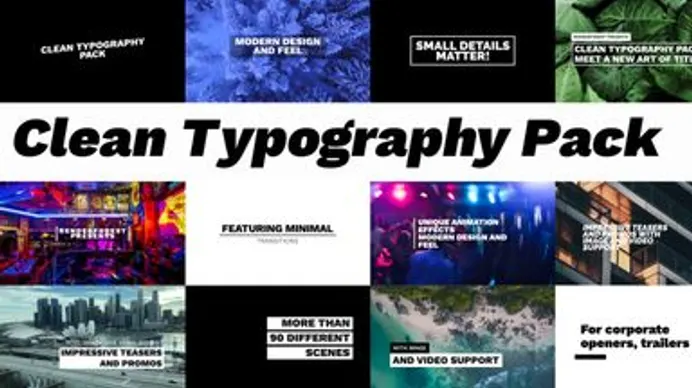
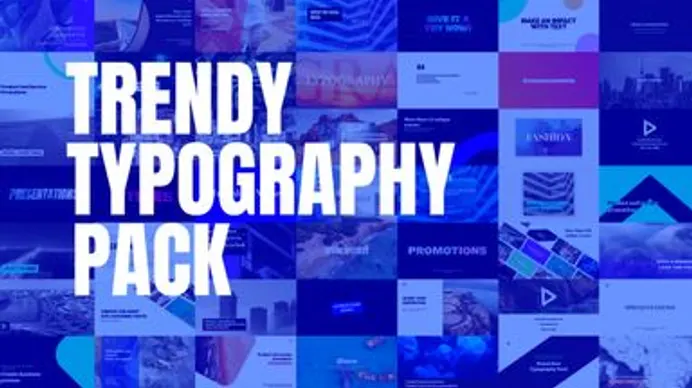
Typography packs, YouTube toolkits, social packs: pick one, swap in your media, done. Browsing for a fully template-made video? That's our Video Maker.
An excellent tool to get professional videos in a few minutes even if you are not a professional video producer :) You do not need to be an expert to use this tool. It is very user-friendly, it guides you all the time. You may upload pictures and videos, write text, add music from the Renderforest library (wide choice). I think that the best part is that you can have a promotional business video within a few minutes. You can upload the video on FB, LinkedIn, YouTube in high-quality HD format. Great experience. Thanks!
Elena AyariDigital Marketing Executive at Dripshot★★★★★
Renderforest is an essential creative tool, in my graphic design toolbox. It allows me to bring my ideas to life in a quick and convenient format. There are endless high-quality video templates to choose from in various categories, each with a unique look and feel. My preferred use for Renderforest is to create explainer videos to highlight specific programs or events at Ambrose University. The results are always incredible. Renderforest is the only web video creator you will ever need.
Nate CloudCo-founder and CMO at Brain Candy Management
FAQ
Is there a free online video editor without a watermark?
Renderforest's online video editor is free to use in any browser. Free exports carry a Renderforest watermark and standard resolution; paid plans export watermark-free in HD and 4K. Unlike download-based editors, there's nothing to install and projects save automatically online.
What is the best free online video editor?
The best free online video editor runs in your browser, gives you a real timeline, adds captions, and is honest about what free exports include. CapCut, Canva, and Clipchamp each cover part of that list; Renderforest adds templates, a brand kit, stock media, and AI tools in the same workspace, and has run online since 2013.
How can I edit a video online without downloading anything?
Open Renderforest's online video editor in any browser, then: 1. Upload your video (MP4, MOV, WebM, and other major formats). 2. Trim clips on the timeline and add text, captions, music, and transitions. 3. Download your video or share a link, sized for YouTube, TikTok, or Instagram.
Can I edit YouTube videos with this editor?
Yes. Trim long recordings into tight uploads, caption every video, drop in intros and end screens, and resize a 16:9 master into 9:16 Shorts without starting over, all in the browser.
Can I cut a long video into clips?
Yes. Scrub the timeline, mark in and out, and export each highlight as its own clip, with its own captions and aspect ratio for Shorts, Reels, and TikTok. Want AI to find the best moments for you? Use the AI video editor.
Do I need an account or credit card to start?
No credit card is needed. You can start editing right away and only need a free account when you save or export your video.
What formats and sizes can I export?
Videos export as MP4, with size presets for YouTube, TikTok, Instagram, and presentations. Free exports are standard resolution with a watermark; paid plans export watermark-free in HD, and Business plans add 4K.
Does it work on my device?
Yes. The editor runs in any modern browser on Windows, Mac, Linux, Chromebook, and tablets. 64% of our visitors arrive on mobile, and the mobile editor mirrors desktop, so you can start on your laptop and finish on your phone.
What's the difference between this and the AI video editor?
This online video editor gives you full manual control in your browser. The AI video editor does captions, cuts, and cleanup for you. Same workspace, same account.
Free to edit. Fair when you grow.
Editing is free. Upgrade for watermark-free exports, HD/4K, commercial license, and the full AI + template library, no credit math ever.